
3D printers and laser cutters have revolutionized the CNC world. The proliferation of affordable consumer machines has coincided with software improvements that have made CAD-to-CAM workflows accessible to anyone who can work a toaster. It’s changed hobby time forever. Despite these innovations, CNC routers, the OG CNC machines, still require a relatively advanced skillset to use.
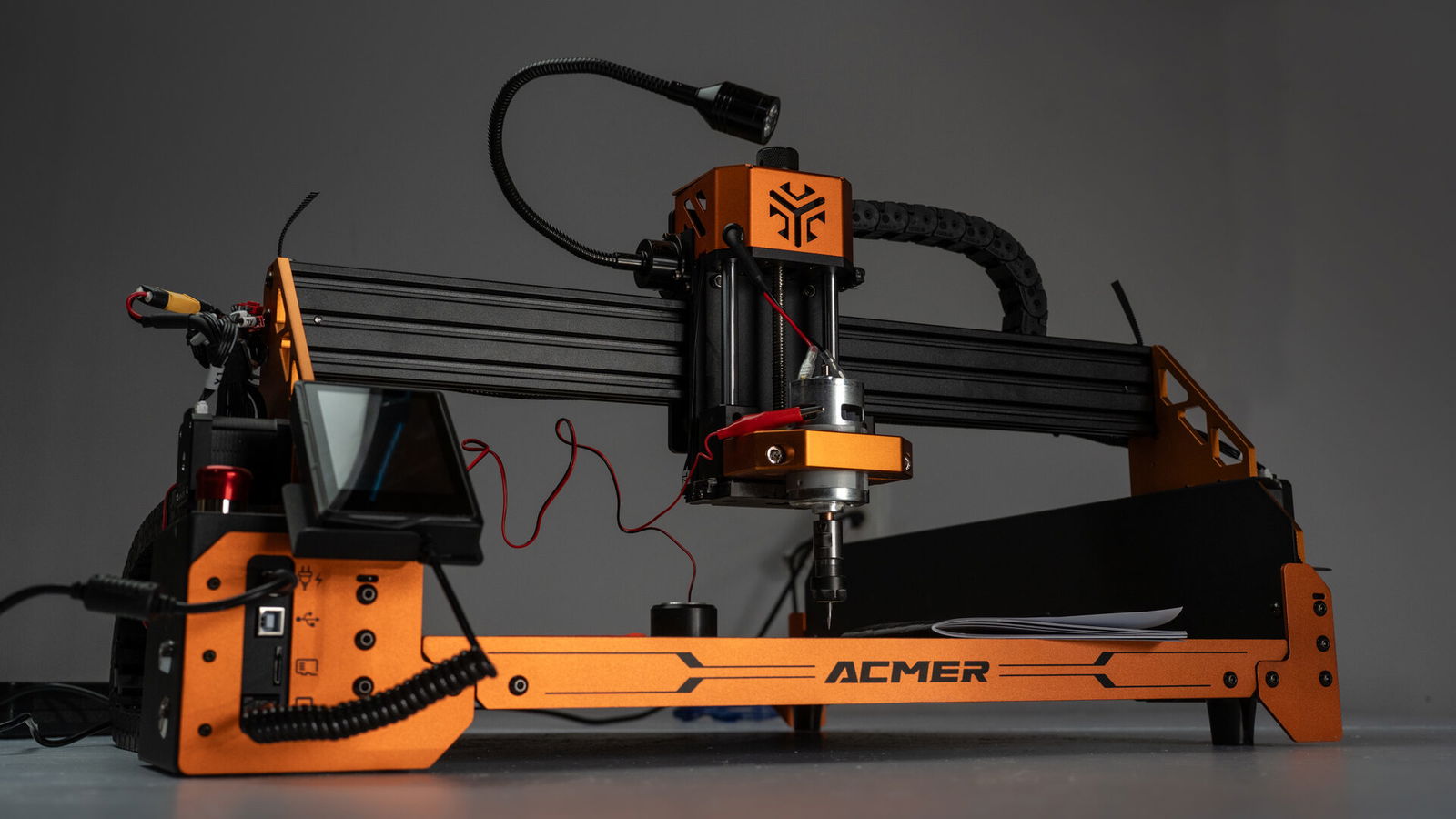
ACMER, best known for its CNC lasers, aims to change that with the Ascarva 4S. The Ascarva 4S is a beginner-friendly, budget-oriented precision engraver that builds on the framework of a three-axis laser cutter, replacing the diode with a 70W, 8000 RPM spindle motor. It’s an interesting idea, and for the most part, it works exceptionally well. It does, however, come with some limitations.
Set Up
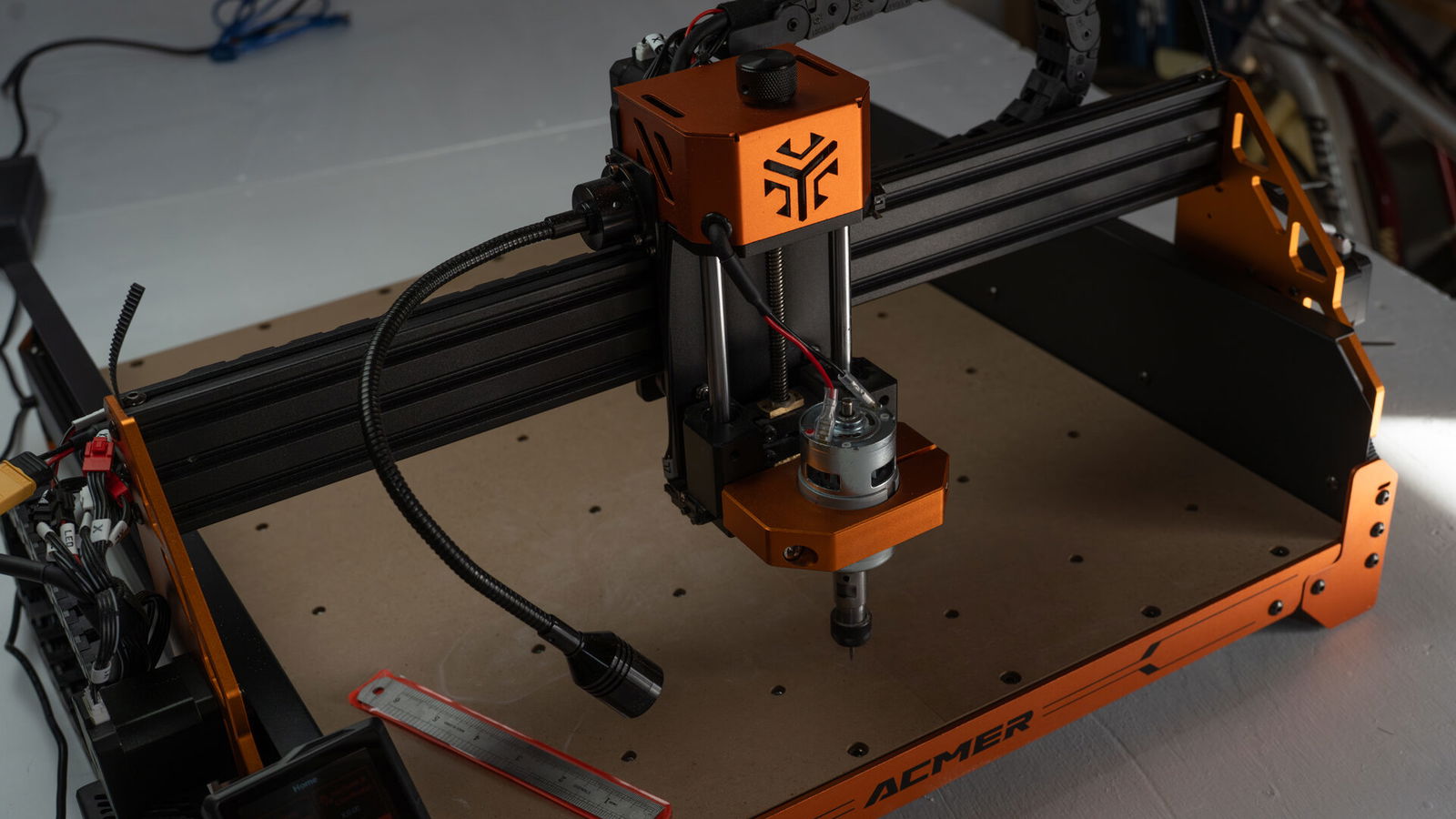
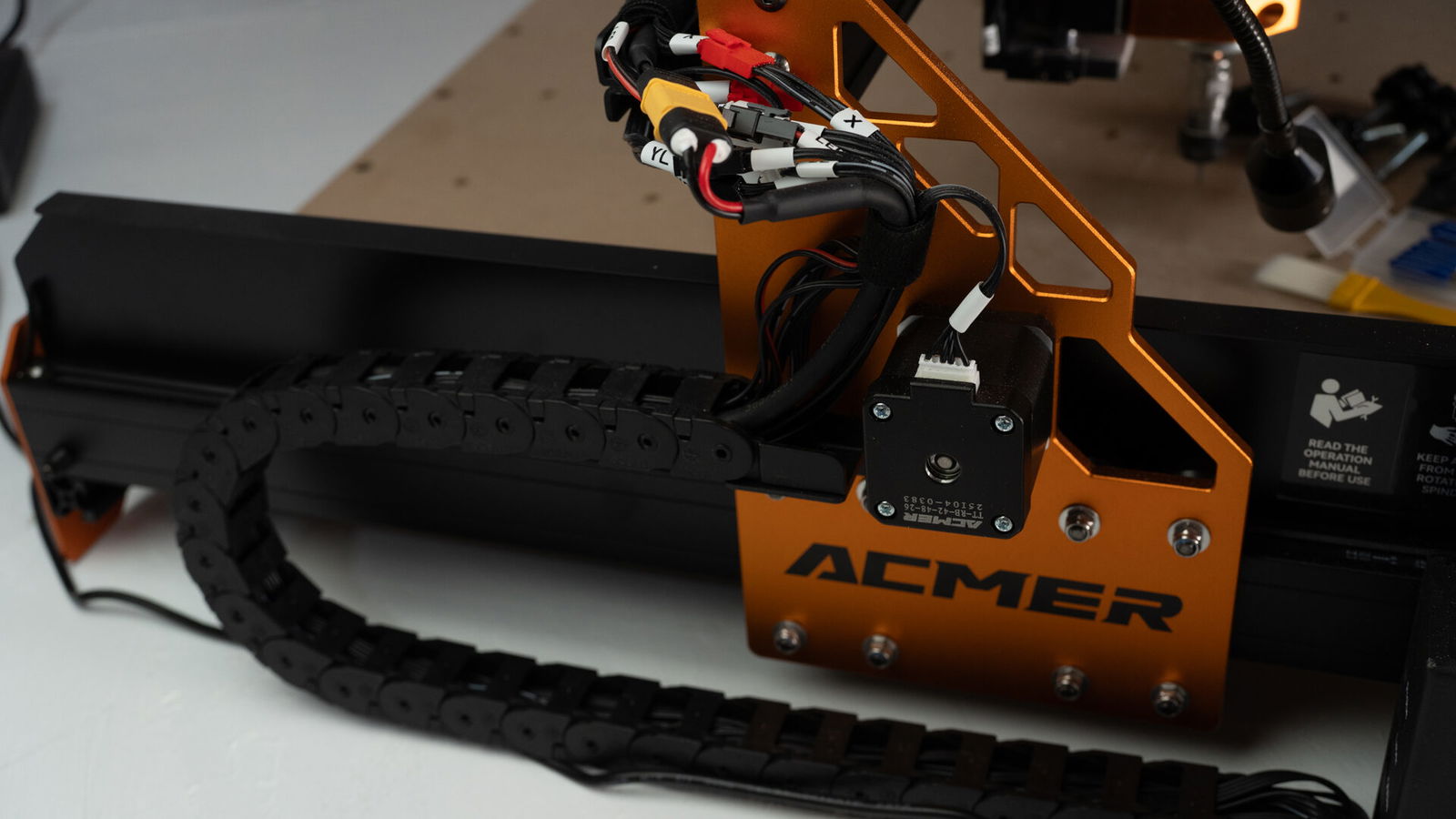
The differences between the Ascarva 4S and near-peer competitors, such as the Genmitsu ProverXL 4030, are immediately apparent. While both claim to be easy-to-assemble beginner machines, the Ascarva 4S actually makes good on that promise. The ACMER machine requires no prior experience to understand. The gantry comes preassembled and prewired, with parts logically arranged in the box. Even the drag chains are preattached and ready to go.
As a user, you only need to assemble the frame, mount the baffles, and hang the gantry. Electrical work is limited to connecting a few wiring harnesses. Similar machines often require several hours of wiring, motor alignment, and, in some cases, direct interfacing with a microcontroller. The Ascarva 4S isn’t exactly plug-and-play, but it’s about as close as a CNC tool can reasonably get.
The manual walks users through selecting and installing software. It includes instructions for driver installation, though I didn’t need them. Candle, a widely used GRBL control application, detected the machine without issue. All I had to do was select the correct COM port. The all-in-one CNC platform Easel was similarly easy to set up. There wasn’t a one-click option for ACMER hardware, but using the generic setup process had everything running in minutes.
From opening the box to starting my first carve took about 40 minutes, and the process was less confusing than assembling some IKEA shelves. That time also reflects the long road. By skipping software installation, most users could realistically be up and running in 20 to 30 minutes.
The Ascarva 4S can also run G-code directly from its onboard controller via a 3.5-inch touchscreen interface and read job files from a microSD card. The onboard controls are straightforward and surprisingly responsive, with no perceptible delay when jogging the motors and intuitive access to all essential functions.
The machine includes a gooseneck work light, magnetic touchscreen controller, dust baffles to keep the tracks clean, and a roomy 15.7 x 15.7-inch workspace with 3.15 inches of Z-axis clearance. The mounting boards have ample recessed holes for clamping, but would benefit from some ruler marks around the frame for squaring.
Performance
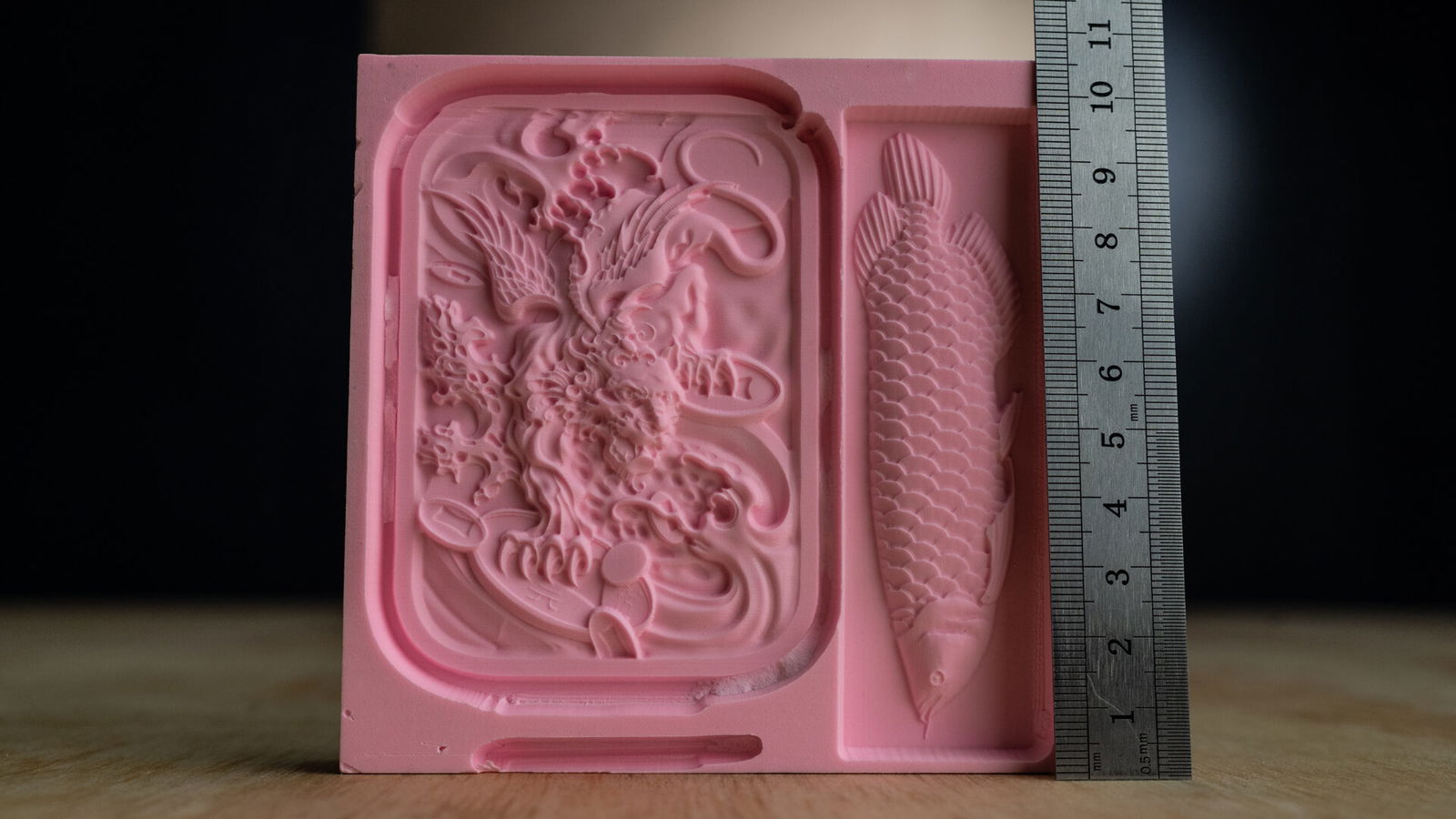
The Ascarva 4S is a remarkably accurate machine. I suspect it came packaged with the needle-fine 30-degree V bits just to show off. The marketing claim is that this machine is capable of 0.1mm accuracy, which, like all marketing claims, I took with a grain of salt. However, after inspecting the test carvings, I had to eat my hat.
For my initial tests, I cut two of the provided demo files into ABS plastic blocks. The most impressive result was a relief carving of a koi fish. The reference included overlapping scales, little eyes, and a teeny-tiny tongue. To complete the 100x30mm carving took about six hours. It’s not a fast or particularly quiet machine, but the results were incredible. I needed a stereo microscope to see the tooling marks.
“The Ascarva 4S is a remarkably accurate machine.”
Text engraving was significantly faster without sacrificing accuracy. Cutting a 1 x 1.5-inch CGM logo 1/16 inch deep into poplar took roughly 15 minutes. At that size, polygonization is only visible if you press your face against the workpiece.
That level of precision does come with caveats. In deeper sections of the fish carvings, particularly around the border, limitations began to surface. Anywhere the bit performed a plunge cut or lateral drag, there was visible chipping or evidence of the tool skipping.

As I moved on to more rigid materials, these issues became more pronounced. By the time I began testing birch plywood, the bit was prone to slipping around knots, and in some cases, the machine shut down entirely. Cutting larger shapes in skid wood with thicker bits required extensive trial and error and rarely produced usable results.
Given that it uses 1/8-inch shank bits, this wasn’t surprising. Put another way: if your project would overwhelm a rotary tool, it’ll overwhelm the Ascarva 4S. Unfortunately, that’s not a totally fair comparison—a Dremel 3000 has a 130 W motor and can spin nearly four times as fast. The 70 W stock motor on the router was perhaps a bit too economical a choice. It didn’t take much to push the Ascarva 4S to its limits.
While it’s technically a CNC router, it’s best approached as a dedicated engraver, which, for the price, still makes it a good deal. What it does, it does exceptionally well, but the scope of its capabilities is narrow.
Design
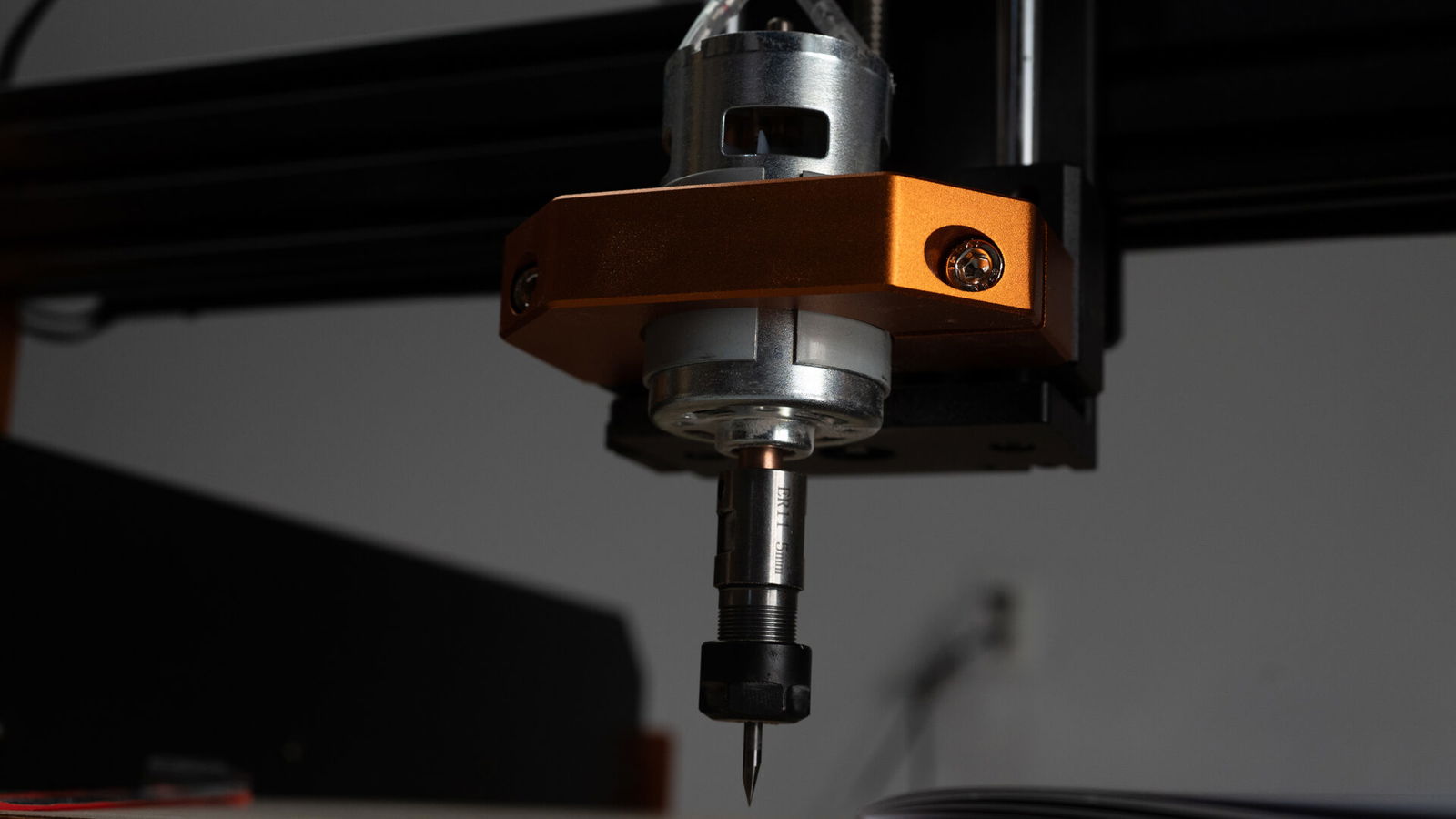
The limitations stem primarily from the gantry design. Unlike traditional CNC routers that rely on guide rods and lead screws, the Ascarva 4S uses a belt-and-roller system similar to what you’d find on a laser cutter. Wheels running in tracks are inherently less stable than lead screws. They require clearance to roll smoothly, but that tolerance leaves the entire motor assembly with a small amount of play. Once the machine is under load, lateral pressure on the bit can cause the spindle assembly to tilt into that clearance, resulting in inaccuracies.
Instability paired with a low-power motor doesn’t make for a particularly versatile or rugged machine. Still, those trade-offs are what make the Ascarva 4S so precise, accessible, and affordable. Buyers will need to keep that balance in mind.
The spindle motor can be upgraded to a 500W unit or replaced entirely with a laser diode. Even so, I’m not convinced that either would be a massive qualitative improvement. The higher spindle speeds and added weight of the 500W motor would make cuts smoother and more predictable, but the underlying chassis would still limit the machine to detail-oriented work.
Users can compensate for some of the instability by programming shallower passes into their G-code and carefully managing feed rates. If you understood that sentence, though, you’re probably ready for a more capable and less user-friendly machine, one that could also cost less.
Verdict
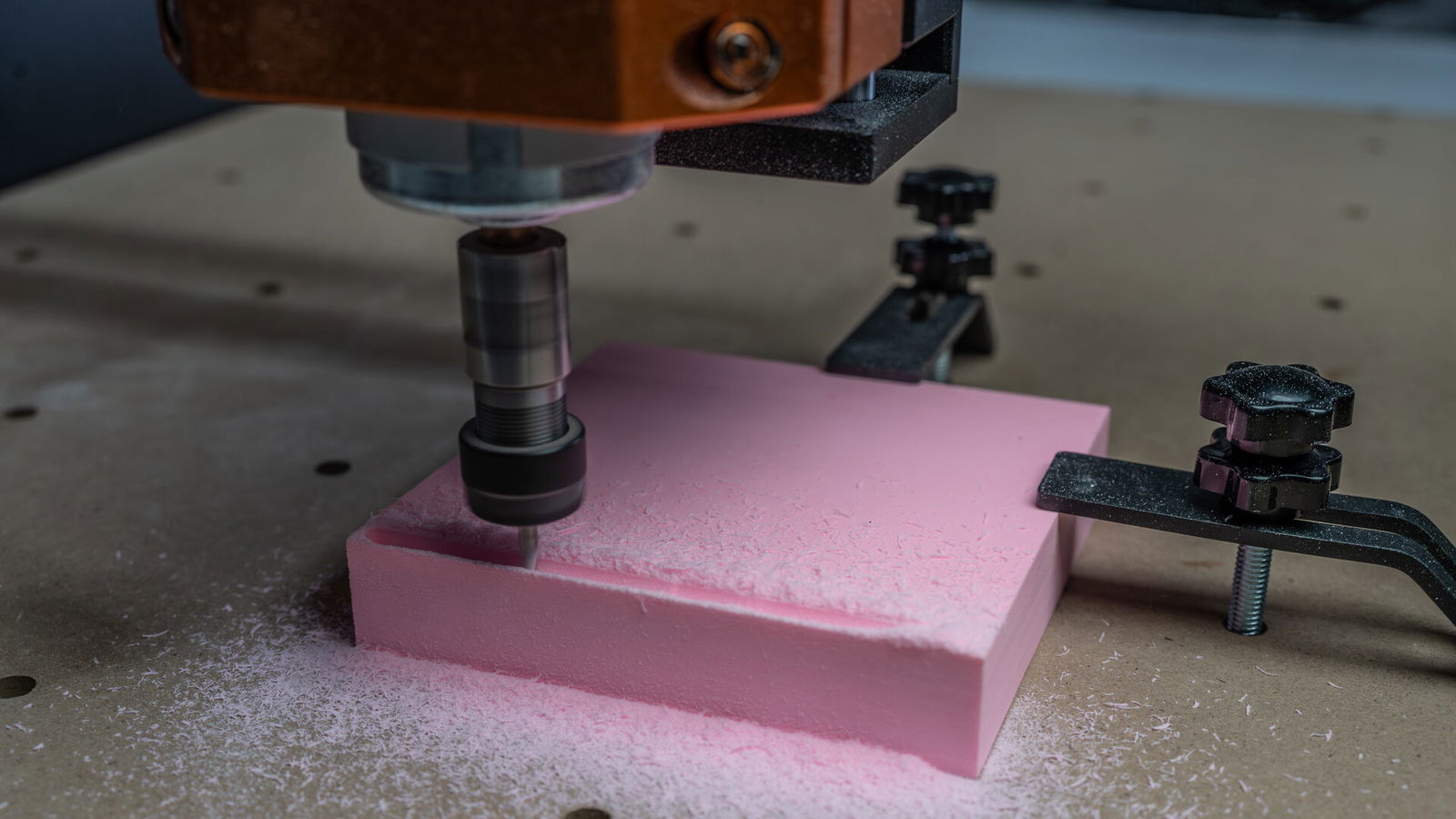
The Ascarva 4S isn’t the most powerful or the most versatile CNC machine in its price range, but it isn’t trying to be. It leads the pack at a particular task: precision engraving. There are hints that it’s capable of more than engraving, but that’s only technically true. While the Ascarva 4S can be used for general-purpose and trim routing, it can’t compare to more stable platforms and higher-powered motors.
This is a machine for beginners, hobbyists, and anyone looking to add sculpted, three-dimensional designs to plastics and wood. For cutting or engraving in materials harder than wood, there’s no way around it—you need a lead screw. That’s why most CNC routers aren’t built like laser cutters.
This isn’t a knock against the Ascarva 4S; there’s nothing wrong with being a specialist. It’s an excellent entry-level machine, and ACMER has clearly nailed its intended use case. As a learning tool or as a bridge between 3D printing and laser cutting, it’s an impressive offering, especially at its price point. That beginner-friendly design simply comes at the cost of scope.
If you need a more powerful motor, choose a more stable machine. If you need a laser diode, buy a dedicated laser cutter. If you’re looking for a precision engraver for woodworking, though, it’s hard to do better than the Ascarva 4S, especially if you’re just getting started.

- 【Professional CNC Engraving Machine】:The ACMER CNC Router Machine could realize ultra-high precision carving of ± 0.1mm on Wood/planar/acrylic/Epoxy Tooling board.The cnc machine for woodworking’s spindle power can be upgraded from 70W to a high-power spindle of 500W,which is the only high-level machine that can be upgraded to the 500W spindle power motor.( If you need to use the newly upgraded automatic tool alignment function, please contact our ACMER customer service team proactively,We can provide you with a free replacement of the original module with a “newly upgraded tool module”.Help you upgrade the functionality. If you need to use this function, please contact us proactively.)
- 【High Speed Performance】 : This ACMER Ascarva 4 S CNC Milling Machine packs a spindle power 70W power output. Spindle speed is 8000RPM.and the whole machine power is 120W.Featuring a maximum carving speed is 1000mm/min that balances speed and stability. The maximum movement speed is 5000mm/min. Its acceleration is 100mm/s ². In addition,this CNC Router Milling Machine can be compatible with 5W/10W laser modules(expandable), perfect for DIY crafts, signage, and industrial prototyping.