The ASUS ProArt GoPro Edition PX13 is the latest evolution of the excellent PX13 laptop. Originally released in 2024, this latest iteration features impressive hardware updates, the new ASUS Pen 3.0, Robust I/O, and a slick new partnership with GoPro. While it has seen a significant price increase over its 2024 counterpart, the latest ProArt PX13 aims to offer a refined and more powerful creator experience, but is it enough to warrant that hefty price jump? Let’s jump in and find out.
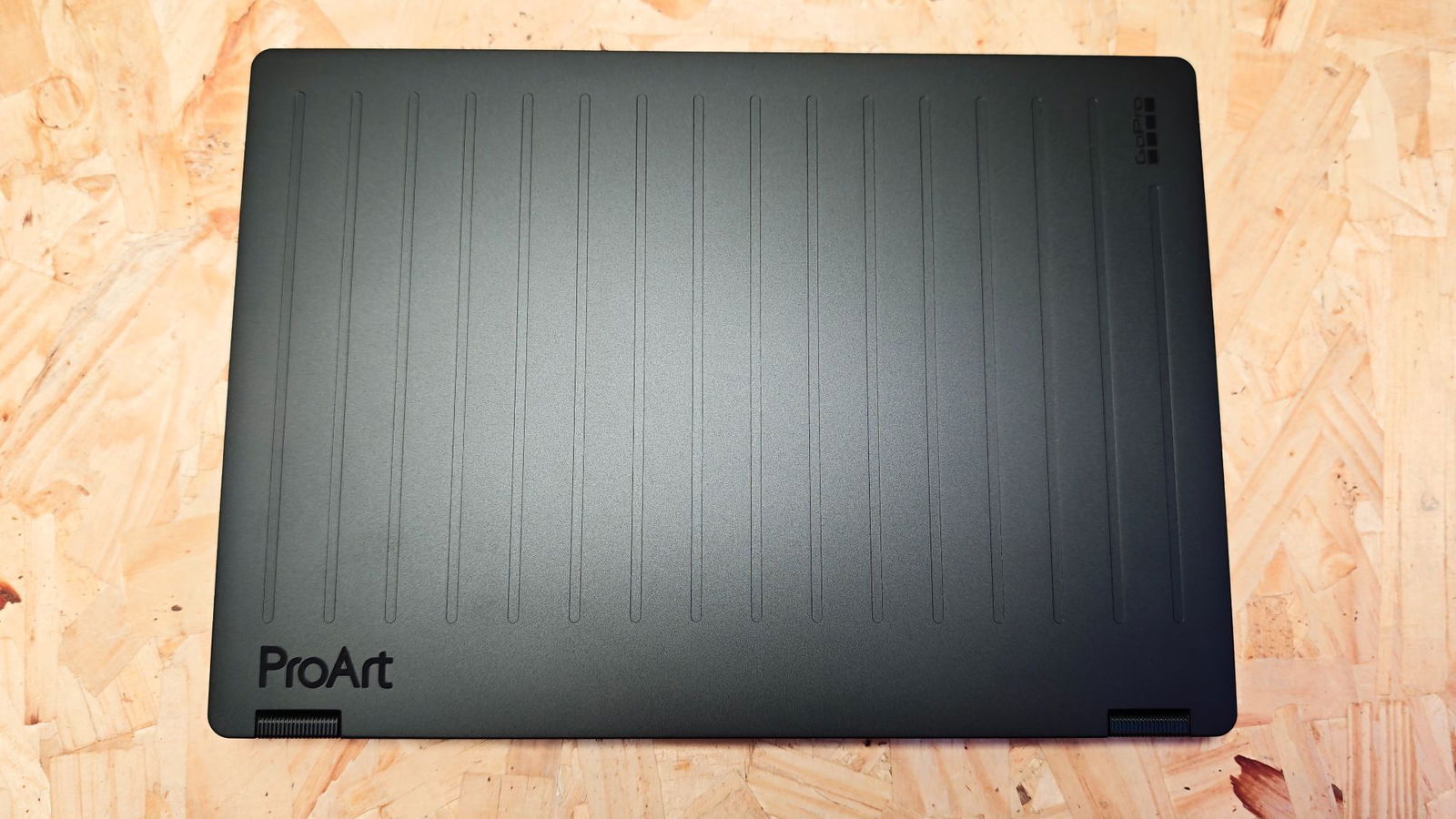
The latest PX13 maintains a similar form factor to its predecessor, with a few notable updates. The smooth top cover has been replaced with a ridged plate, giving the PX13 a more distinctive look. The physical dimensions of the 2026 model are nearly identical to the 2024 version, measuring 1.74 inches by 8.26 inches by 0.62 to 0.70 inches. This size makes it well-suited for small daypacks or camera bags, fitting easily alongside other gear.

A notable accessory included with the GoPro Edition of the PX13 is the rugged protective sleeve that houses the PX13, the ASUS Pen 3.0 and the charger. It’s a durable accessory designed for rugged conditions, ideal for creators working in extreme settings.
“While it has seen a significant price increase over its 2024 counterpart, the latest ProArt PX13 aims to offer a refined and more powerful creator experience.”
Examining the rest of the exterior, ASUS has made the wise decision to include a robust array of I/O for creators to leverage. All I/O is located on the left and right sides of the PX13, providing easy access for peripheral connections. This includes a single USB 3/2 Gen 2 Type-A port, two USB 4.0 Gen 3 Type-C ports (one for display and one for power delivery), a single HDMI 2.1 port, a 3.5mm combo audio jack, a DC charging port, and a microSD 4.0 card reader. It’s nice to see the MicroSD port included in this latest iteration, as it was a highlight in my 2024 review.
As a 13” 2-in-1, the PX13 offers some of the best structural design I’ve tested. The aluminum body feels tough and handles travel well, but what is most impressive is the robust hinge design. It’s thicker and wider than most 2-in-1laptops I’ve worked with. The one small trade-off is that it is a bit heavier than some 2-in-1s I’ve tested in the past six months. Weighing 1.39kg, it is still quite manageable for everyday use and feels solid in the hand.
ASUS brings back the gorgeous 13” touch-enabled OLED display with a 16:10 aspect ratio. The 60Hz refresh rate is designed for video editing, revealing the PX13’s purpose-built nature. The 400 nit brightness with 500 nit peak brightness makes it usable in outdoor spaces, though after extensive testing on a recent trip to El Salvador, I did note that visibility does suffer in direct sunlight.
As for the touchscreen response, I’m as impressed with this latest iteration as I was with the original 2024 version. With 4096 pressure level support, the stylus and touch response are incredibly smooth and feel great to use. While I’m not typically a stylus user, I’ve found it to be well implemented in the PX13 with the ASUS Pen 3.0, an impressive new addition.
The Pen 3.0 experience is also quite impressive. It is one of the best pens I’ve tested to date, providing excellent note-taking and sketching. I find it to have quite sensitive pressure control and precise movement response, resulting in incredibly accurate pen use. While the Pen 2.0 was solid, this latest iteration of the ASUS Pen offers a notable improvement.
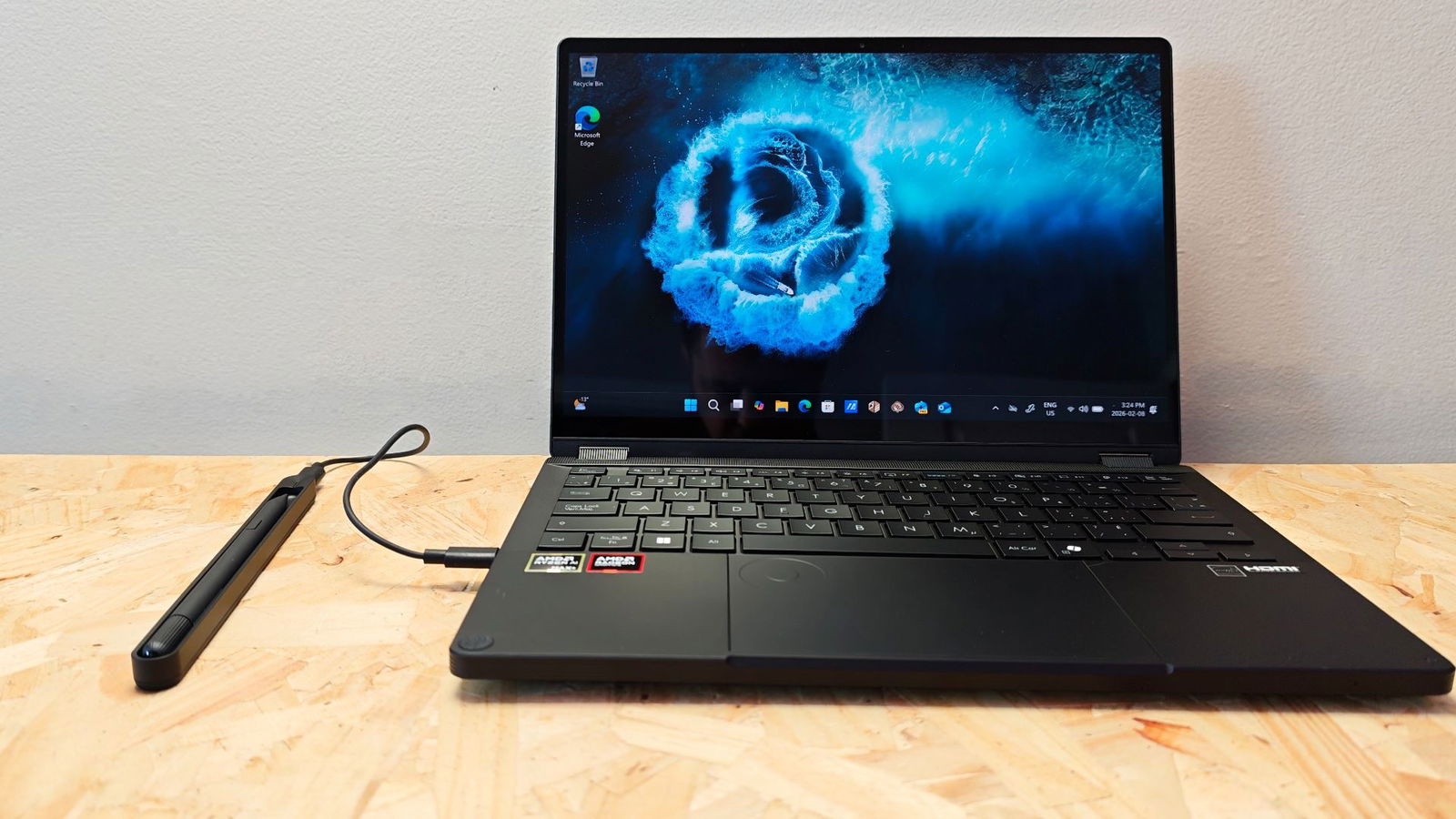
My one small critique of the pen is the wireless charger system. While it is functional and offers an easy-to-use charging solution, having to carry a dedicated wireless dock feels like a misstep and is out of alignment with the PX13’s overall design philosophy.
From its robust I/O to impressive wireless connectivity to the onboard GoPro sync feature (more on this in a moment), the PX13 is designed to reduce the amount of cables and peripherals needed for everyday, portable creator use. It would have been nice to see a wireless charger built directly into the PX13, or to simply omit wireless charging and include a USB-C charging cable.
One of my favourite aspects of the ProArt series, which has seen some impressive innovations with each iteration, is the ASUS Dialpad. Integrated into the touchpad, the Dialpad offers an impressive host of context-specific functionality to improve the user experience. Completely programmable thanks to ASUS’s onboard software, the Dialpad can swap functionality on the fly based on the active software, making it incredibly adaptable.


While everything from window functionality, such as media controls, can be mapped to the dial, I’ve found it incredibly useful for video and photo editing. As a user of Davinci Resolve, the Dialpad is an absolute game-changer for footage scrubbing, colour correction and a host of other functions within the software. Likewise, I’ve found it exceptionally handy for quick photo edits, since I already do all my editing (both video and photo) on my touchpad.
I felt that the first iteration of the DialPad felt like a gimmick, but ASUS has consistently improved the user experience to the point that it is now a standout feature of the ProArt series. The hardware innovation, coupled with continually improving software support, helps the Dialpad and the ProArt PX13 series laptop stand out in the creator space, making it one of the best choices for creators, even before considering the hardware it’s equipped with.
That said, ASUS has included some impressive specs with the latest iteration of the PX13. Sporting an AMD Ryzen AI Max+ 395 processor, the PX13 is an AI processing powerhouse. 16 cores and up to 5.1GHz processing power, the Max+ 395 produces some impressive processing designed to leverage the onboard 128 GB of unified memory, a new and smart improvement for the laptop. Unified memory provides smoother overall performance, allowing the system to allocate RAM to a task in real time.

With the M series MacBooks, Apple introduced a similar technology in 2020 with the M1 processor. This is the first time I’ve worked with a similar tech on a Windows laptop, and I have to say, it’s impressive. Unified RAM pulls all the hardware, CPU, GPU and other components into what is essentially a single resource draw, allowing them all to draw what they need from a single source, no need to double data between CPU and GPU. Additionally, it efficiently prioritizes tasks, giving components the maximum power needed for priority tasks.
In essence, the most demanding tasks, such as video rendering, always have priority, ensuring consistently fast and efficient rendering. In testing, the PX13 stabilized 4K footage from a ski trip I had on file incredibly quickly, leveraging the PX13’s power and GoPro’s signature Hypersmooth Pro Stabilization software via the GoPro Player. It was impressive to watch the stabilization process for the 15 minutes of footage, taking around a minute, an impressive feat considering that the PX13 lacks a dedicated GPU.
This is an important step forward for production creators who have traditionally had to rely on bulky laptops with powerful GPUs to perform these types of tasks. This latest generation of processors is removing this need, creating a much more powerful, effecneient and convenient solution for creators. ASUS has provided an incredible alternative for creators needing the power of a gaming laptop in the form factor and efficiency of a 2-in-1 laptop.

ASUS has also included a 1TB M.2 NVMe PCIe 4.0 SSD for quick access to files. This, coupled with the 1-year GoPro Cloud subscription, should provide users with plenty of storage for their most recent footage while on the go.
“The ASUS ProArt Go Pro Edition PX13 is a game-changer for content creators looking for raw power and efficiency.”
As for editing and organizing content along with the GoPro Cloud subscription, the back is StoryCube, the smart footage organizer software included with the ProArt Series. I’ve found it to work quite well, easily managing content automatically while giving me control to filter and sort as I see fit. The GoPro integration into the ASUS software ecosystem is a welcome partnership, making it exceptionally easy to access, transfer and preview footage with the click of a button.
Battery life on the PX13 is fairly solid. With a 73Wh battery, the ProArt PX13 offers all-day use for typical tasks like writing and editing. In testing, I easily got a couple of days of average use out of the laptop, including a lot of writing, email, and light editing. On average, I found I could use the PX13 at full brightness and perform the listed task for about 10 hours before needing to charge. This time will be affected if heavier processing is required, such as heavy editing.
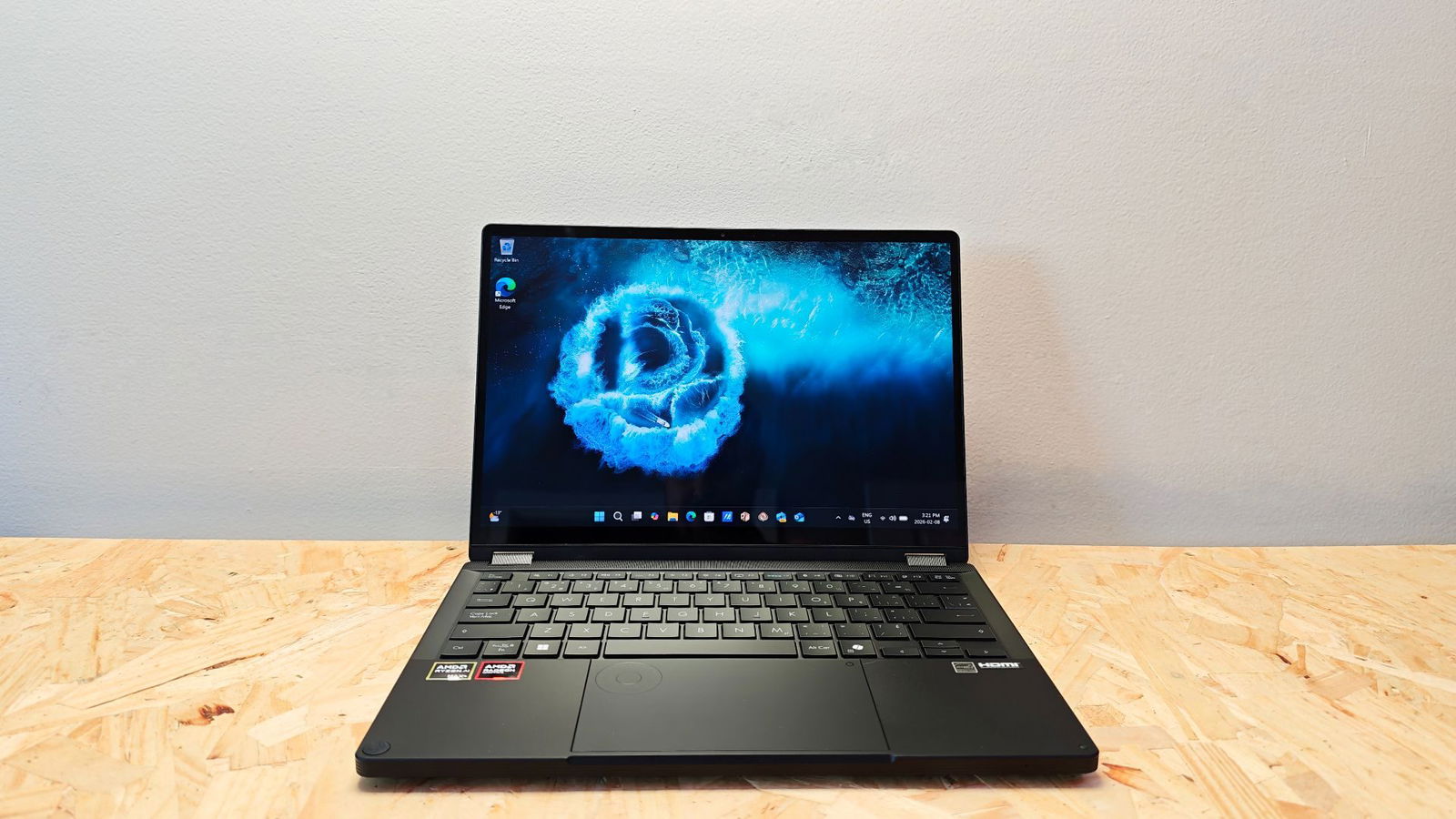
ASUS has made some impressive updates to the ProArt PX13 lineup, with the unified memory helping this 2-in-1 laptop stand out in the creator laptop market. It offers exceptional power and resource allocation, and thanks to the AMD Ryzen AI Max+ 395 processor, the PX13 is incredibly efficient. While the 2026 Edition PX13 is significantly more than its predecessor, the hardware refinements and upgrades, along with some quality-of-life features, help justify its price tag. The ASUS ProArt Go Pro Edition PX13 is a game-changer for content creators looking for raw power and efficiency.