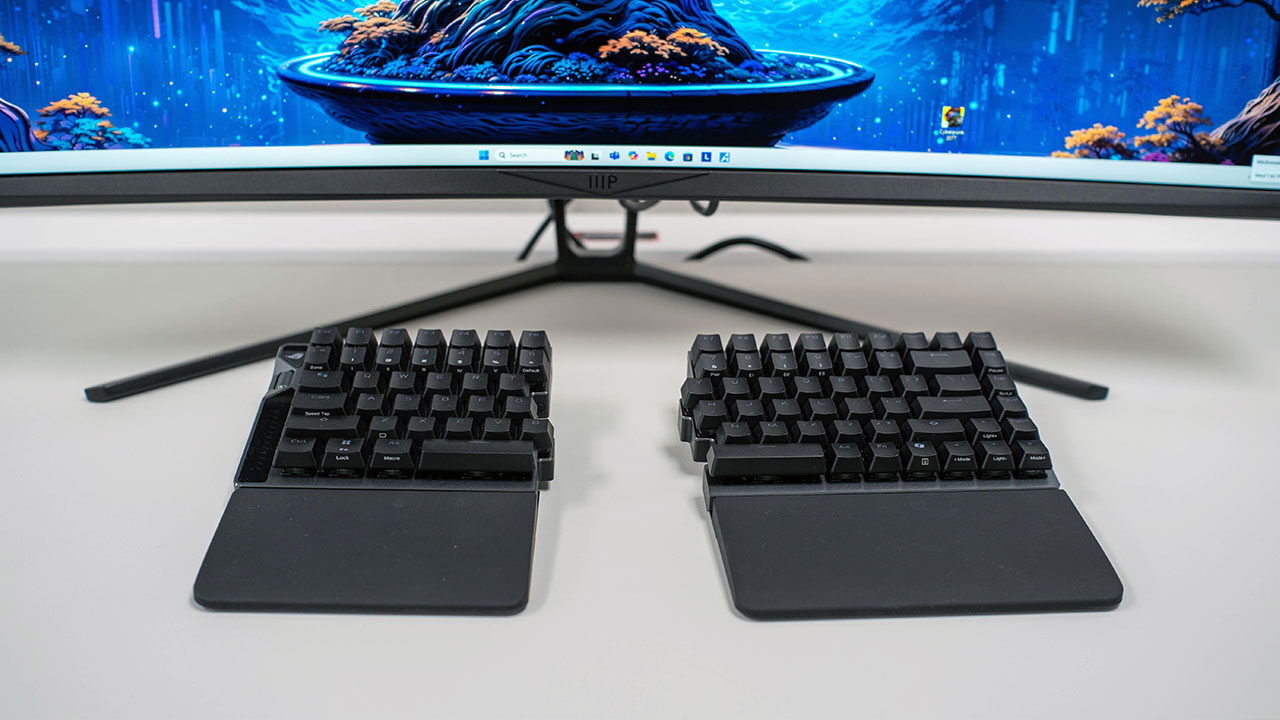


I have been a fan of ASUS ROG keyboards since I first tried the AZOTH a few years ago, and the ROG Falcata has once again proven the company knows how to make an excellent keyboard. This new high-end, split-design gaming keyboard is built around magnetic Hall-effect switches and a compact 75 percent layout. It is aimed squarely at competitive PC players who want speed and flexibility without sacrificing familiar key placement. Rather than leaning into traditional ergonomic marketing, ASUS positions the board as a performance-focused deck that borrows some ergonomic ideas along the way, and the company has absolutely nailed the concept.
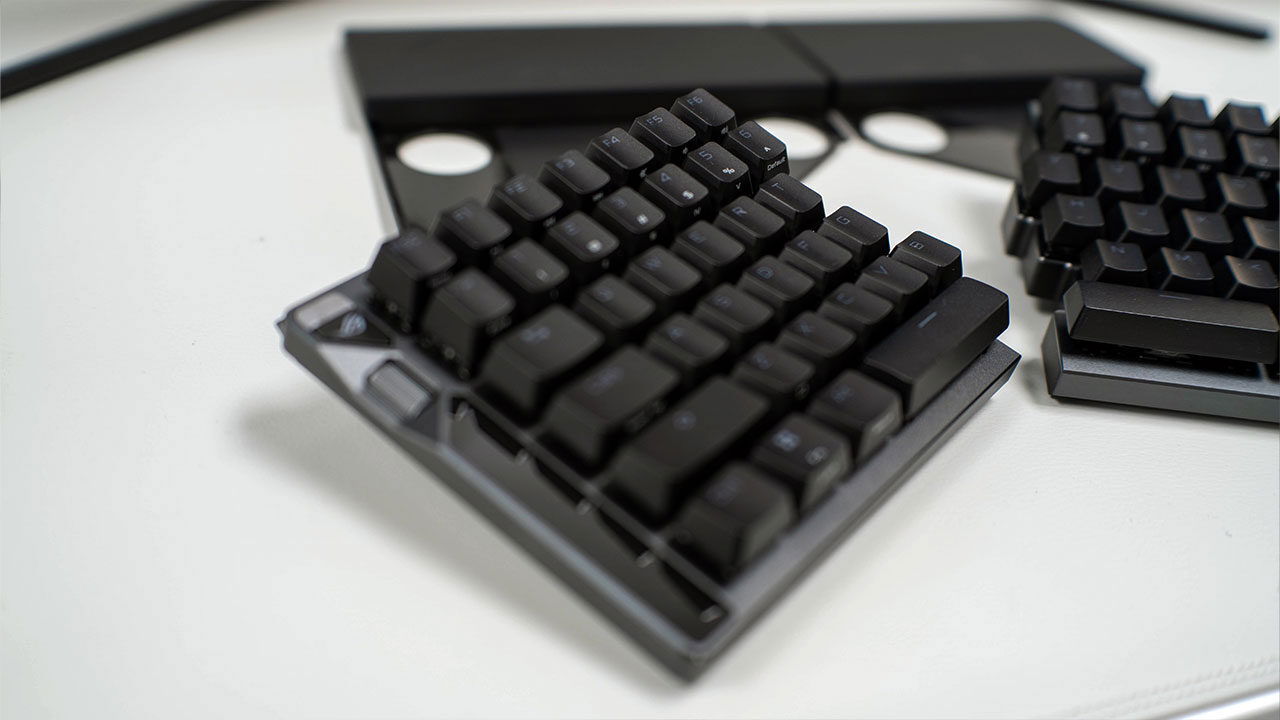
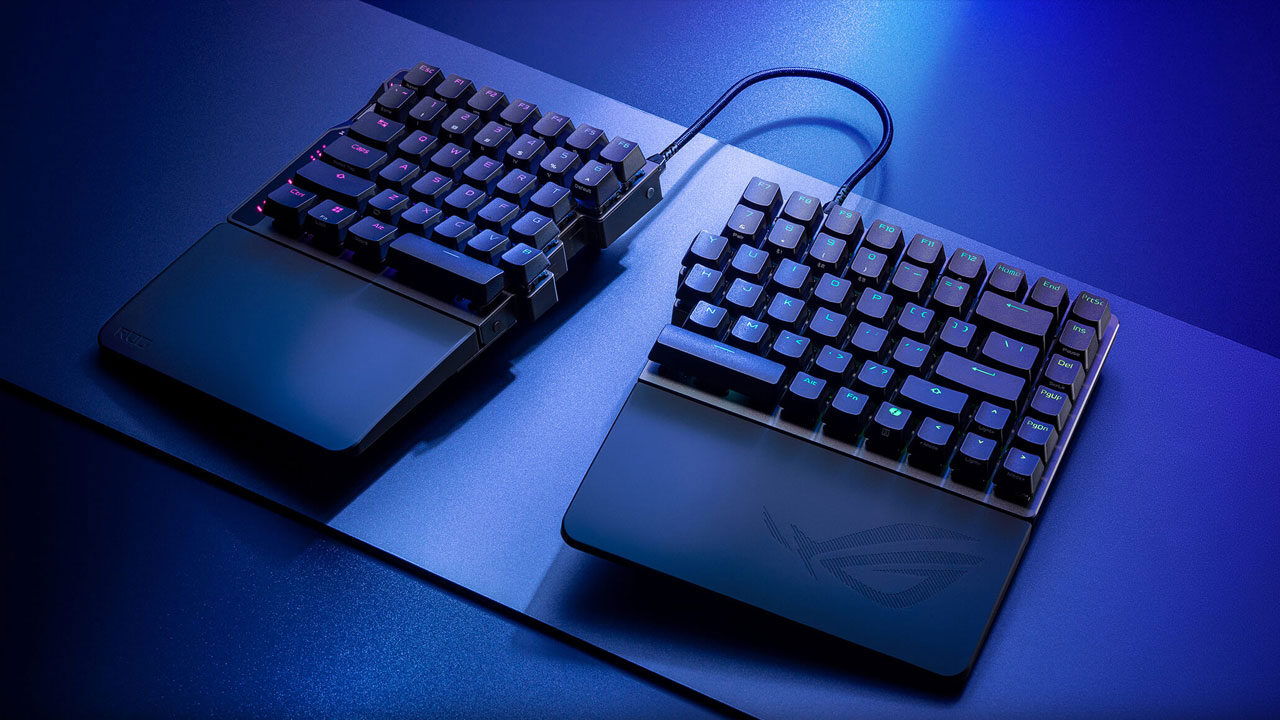
I first saw the ROG Falcata when ASUS showed it off at Computex 2025 and immediately fell in love with the concept. The idea is simple: the ROG Falcata is a split 75 percent keyboard that ships in two separate halves, linked by a proprietary USB-C link cable when used together. The chassis delivers a 75 percent layout, keeping the function row, arrow keys and navigation cluster while trimming the footprint compared with a tenkeyless board. Each half can be used together or separately. For gaming, the right side can be detached so only the left segment, with WASD and core controls, stays on the desk, freeing up mouse space.
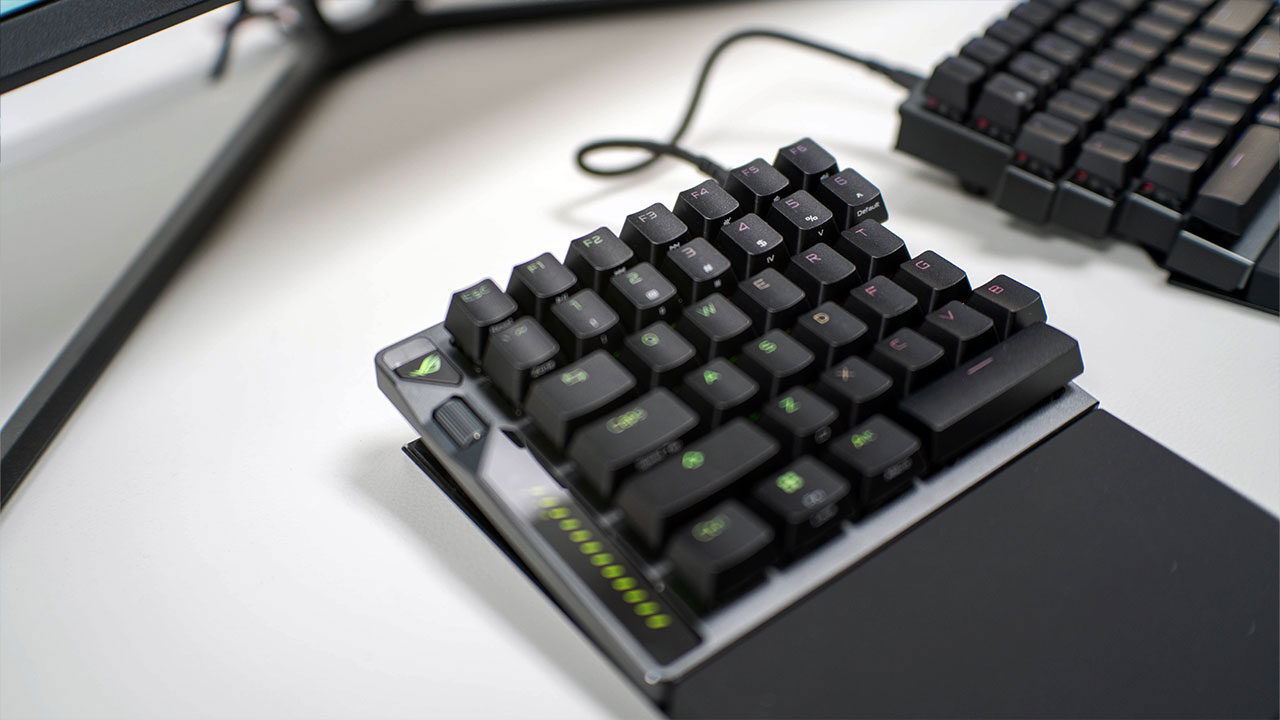
It is a concept that seems so simple, I am surprised more keyboard brands have not adopted it. It offers the best of both worlds and is easy to set up and use. I will admit that using it in the split format takes some getting used to, but once you become comfortable with both configurations, it is hard to go back. It feels more natural for typing, and when you want a standard keyboard feel, it is as simple as moving it back and joining the two halves.
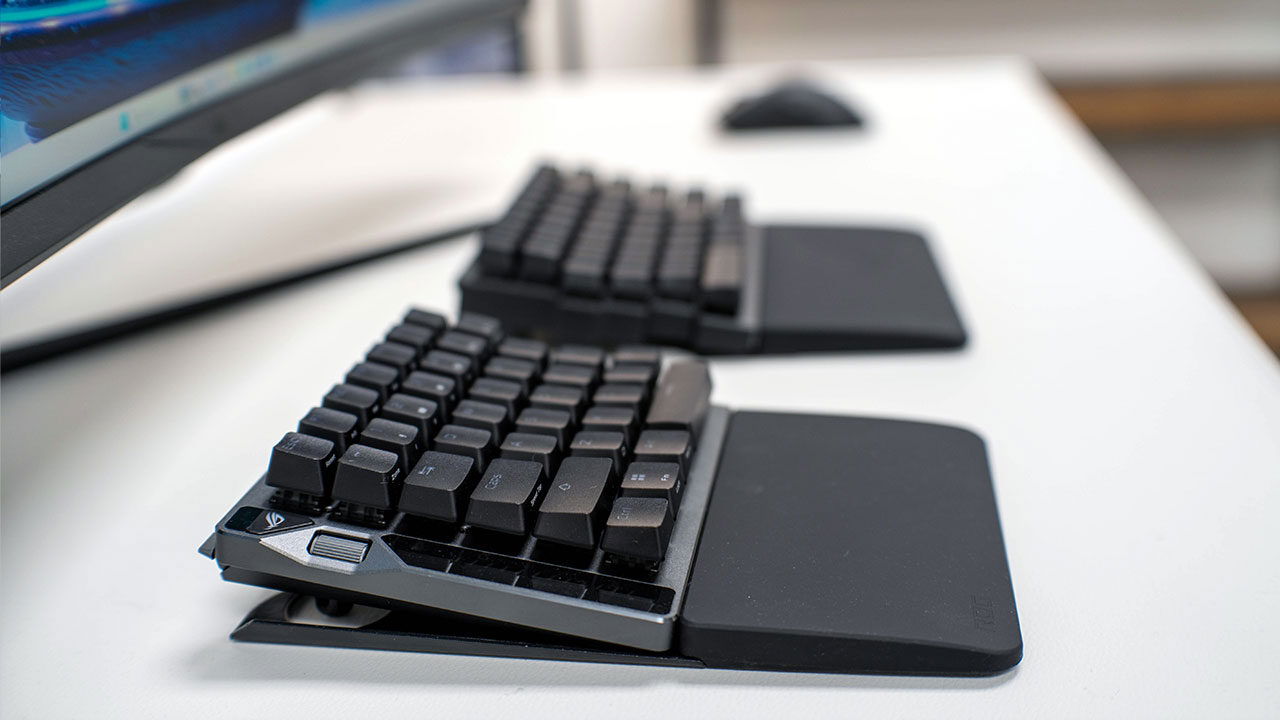
For a better ergonomic feel, height and angle can be adjusted using multiple screw-in feet supplied in two sizes. This allows users to tilt or tent the halves for a flatter or more aggressive typing angle, something I added immediately. Silicone wrist rests are included and attach via metal plates and screws, providing low-profile, rubberized support that matches the board’s elevation. I found, however, that they offer slightly less cushioning than the foam alternatives I have used in the past.
Build quality, as seen on previous ASUS ROG keyboards, is impeccable. The structure is anchored by a rigid top plate and a screw-together case rather than snap-fit clips. This helps the board feel dense and prevents flex during heavy typing or gameplay. Each side of the keyboard feels incredibly robust and, thanks to the structural design and metal used in its construction, shows no real flex or give, even during intense gaming sessions or enthusiastic typing.
That brings us to the typing feel of the ROG Falcata, which I really like, even though it feels noticeably different from the AZOTH. The keyboard uses ROG HFX V2 magnetic switches, a Hall-effect design with a 32-gram initial force, a 49-gram bottom-out force and 3.5 millimetres of total travel. These linear switches are pre-lubed and built with a PC top housing, a POM bottom housing and a POM box stem to reduce wobble and keep dust out, while maintaining compatibility with MX-style aftermarket keycaps.
Multiple layers of internal dampening, including silicone plate foam and PORON pads beneath the switches and PCB, give the keyboard a muted but semi-clicky sound profile. The result is a clean, controlled clack with minimal rattle, even at the split line. They are not as clicky as I personally prefer, but strike a solid middle ground. You still feel each keystroke without the sound becoming distracting for cubicle mates in a larger office.
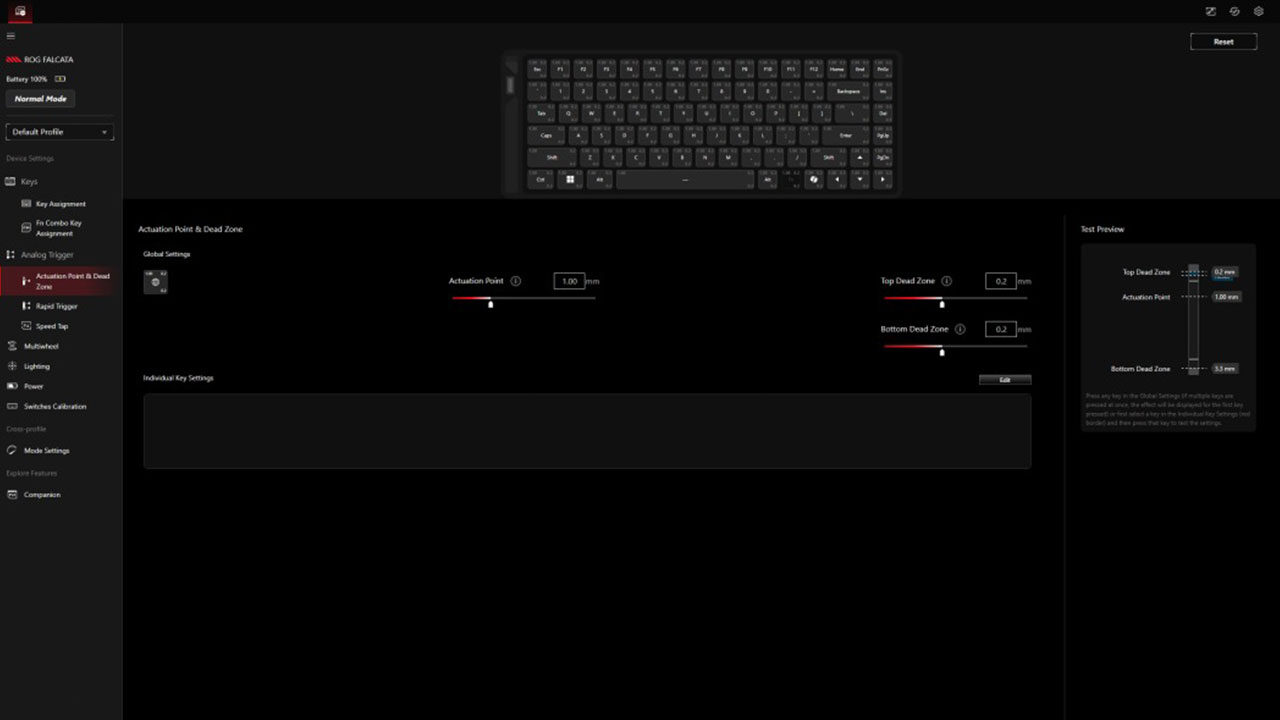
Because the switches use magnetic sensing, the actuation point is adjustable from roughly 0.1 to 3.5 millimetres through software, with support for rapid-trigger behaviour that resets the key the moment a finger lifts. The system also supports multi-stage inputs, allowing up to four distinct actions on a single press at different travel and release points. This is aimed at advanced keybinding in fast-paced games. For everyday typing, the ASUS ROG Falcata keyboard feels lighter and snappier than many conventional mechanical keyboards, with stable stabilizers and a sound profile closer to tuned custom boards than hollow mass-market designs.
Looking over the rest of the ROG Falcata, the left side of the keyboard doubles as a control hub. It houses a mode-switch button, a horizontal multifunction wheel and an RGB-lit side panel that displays the currently active function. The dial can adjust volume, media playback, lighting and on-the-fly actuation settings, with LED indicators helping users track which parameter is being changed.
“For everyday typing, the ASUS ROG Falcata keyboard feels lighter and snappier than many conventional mechanical keyboards…”
I did find that the wheel’s small size and stiff action can make adjustments awkward, and it was often frustrating to use while multitasking. A dedicated physical toggle switch at the top of the keyboard provides one-touch control over rapid-trigger mode, with a small RT indicator on the chassis. For the most part, this worked well and proved convenient during gameplay.
Even if the keyboard controls can feel a bit tedious, I appreciated that the ROG Falcata keyboard supports three connection types for linking to a PC: wired USB-C, low-latency 2.4 GHz wireless via a bundled receiver, and Bluetooth for multi-device pairing. Wired and 2.4 GHz modes both support polling rates of up to 8,000 Hz. This includes a Zone mode that concentrates the highest polling on gaming-critical keys such as WASD to balance performance and battery life.

ASUS rates the battery for up to 200 hours with lighting turned off and power-saving settings enabled. Real-world testing with RGB lighting active delivers roughly a week of mixed gaming and typing on a single charge, although this will vary depending on lighting intensity and other settings enabled while using the ROG Falcata.
Configuration has shifted away from the Armoury Crate desktop app to the new web-based Gear Link portal, which is accessible through a browser without installing a full software suite. I welcome this change. Armoury Crate has long felt bloated, particularly when making quick adjustments, and the new approach is simpler and less resource-intensive.
Gear Link offers per-key remapping, secondary function layers, detailed actuation and dead-zone control, rapid-trigger and Speed Tap adjustments, and tools for setting up multi-stage inputs with visual representations of travel points. The same portal controls lighting, multiwheel modes and the Zone polling layout, although early builds have shown bugs and missing features, including onboard macro recording.
Even though my job has me playing games daily, I am by no means a professional gamer. In competitive shooters such as Counter-Strike 2, Apex Legends and Call of Duty, the Falcata’s light actuation, rapid-trigger behaviour and high polling rates combine to deliver extremely fast input response with minimal effort, and it frankly feels great to use. Using only the left half for WASD controls provides extra mouse room, allowing players to lower sensitivity while still having enough physical space for wide mouse movements.
Features such as Speed Tap and SOCD-style handling, where overlapping directional inputs are resolved consistently, are aimed directly at improving strafing control and movement precision. Overall, the experience feels highly responsive, and ASUS offers the right level of adjustment to suit different play styles without making the process cumbersome. I also really like how easy it was to adapt to my playstyle without much hassle, and how comfortable I was even over longer play sessions in a range of less intensive games.
For productivity, the 75 percent layout keeps essential keys within easy reach, and the damped linear switches support long typing sessions. Prolonged office-style use, however, highlights the limitations of the split layout and firm wrist rests, and I would have liked foam options to be available. Adapting to separated B and Y keys across the two halves can require new muscle memory, particularly for users who are accustomed to pressing those letters with the same hand, myself included.
While the board’s weight and stability work well on a desk, the split design, the assembly process for the feet and wrist rests, and the need for a proprietary link cable make setup more involved than with a conventional keyboard. Once everything is set up, however, it largely becomes a set-it-and-forget-it experience.
This brings us to the ROG Falcata’s biggest setback: the price. This is a premium keyboard with a list price to match. At about $419.99 USD, it sits among other high-end ROG boards and similarly positioned competitors already on the market. That said, it brings a great deal to the table and stands out as one of the more comfortable and customizable keyboards available, which helps justify the cost.
There are, however, far more affordable options if you are only looking for an ergonomic keyboard or a basic gaming board. Buyers will need to decide whether the ROG Falcata’s additional features are worth the premium price.
Despite a few minor gripes, I genuinely like the ASUS ROG Falcata. The company has found a way to combine some of the strongest elements of its previous keyboards with a split design and excellent switches, resulting in a product that is a pleasure to use. The ASUS ROG Falcata keyboard is a purpose-built device that blends a niche split form factor with advanced Hall-effect technology, extensive onboard controls and web-based configuration tools.
It is clearly aimed at players who prioritize fine-grained control and desk flexibility over simple plug-and-play convenience, and for those users, it delivers an experience that is difficult to find elsewhere.