
Back in late 2022, I had the pleasure of reviewing the Logitech G Astro A30, a headset that was so chock-full of features that it technically could be argued to be the only gaming headset one might ever need (if you were willing to buy an extra USB dongle or two, that is). The Logitech G325 LIGHTSPEED Wireless Gaming Headset is what you get when you take that concept and strip it down to its bare essentials in terms of features, materials, and function, while faithfully preserving the manufacturer’s commitment to immersive, high-quality sound at a more affordable price. Effectively, it’s the 2026 follow-up to the Logitech G435 budget model.
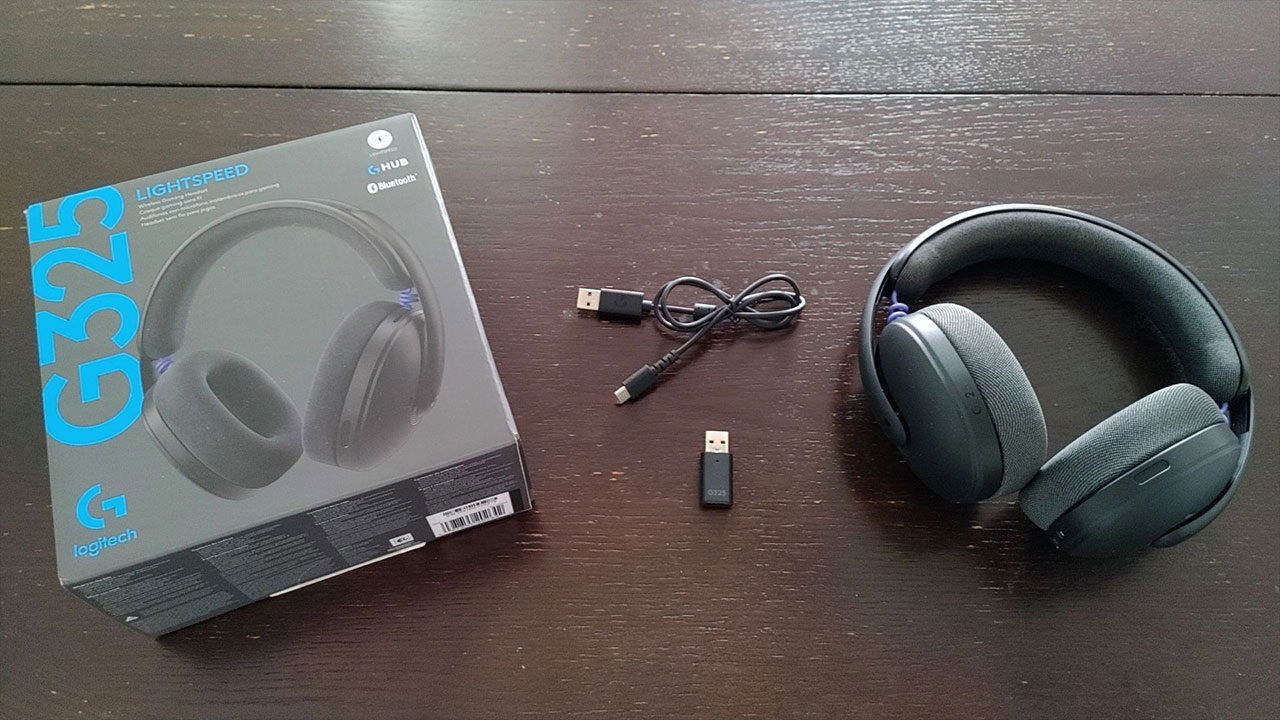
Upon opening the box, users will find the Logitech G325 headset, a colour-matched Type-A USB dongle for LIGHTSPEED connectivity on PC, Mac, and Console, and a Logitech-branded two-foot USB-A to USB-C charging/data cable. At an MSRP of $79.99 USD, the Logitech G325 falls into Logitech’s budget category of gaming headsets, offering very little in the way of additional frills beyond a trio of colorway options. There’s no RGB lighting, no travel pouch or case, and astonishingly, no 3.5mm jack or audio remote cable for wired use, an omission that, as I’ll explain later, may prove to be an immediate dealbreaker for one particular contingent of would-be purchasers.
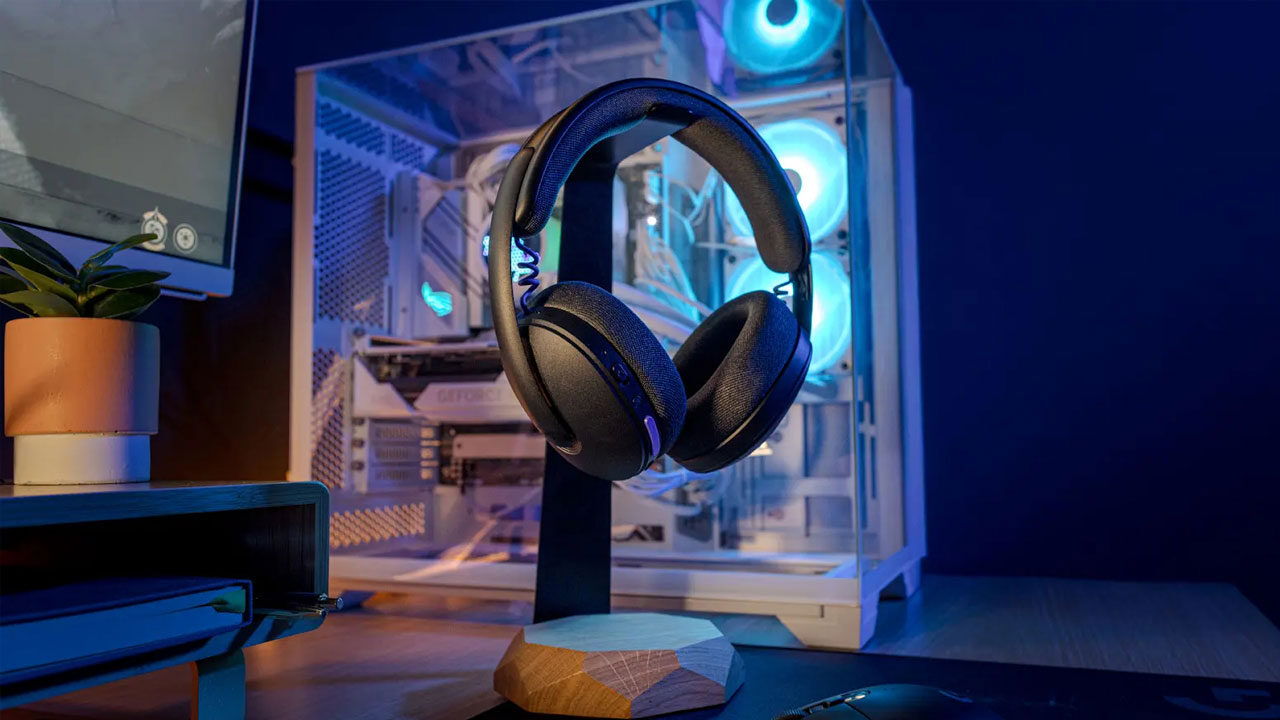
In the past decade, since Logitech’s acquisition of the ASTRO Gaming brand, the Logitech G series of gaming headsets has become increasingly more vibrant and colourful in their designs. Consequently, extroverts should be pleased to find that the G325 is no exception to that rule, launching in three variants: black with purple accents, white with turquoise accents, and lilac with orange accents – all perfect for accessorizing. The headset isn’t collapsible and might take up a bit more room in your bag, but if you’re aiming to take a headset as fashionable as the G325 out on a stroll, you’ll probably be wearing it on your head or around your neck anyway.
“Weighing less than half a pound, the Logitech G325 is an extremely lightweight gaming headset with a heft you’ll barely notice if you toss it into your backpack.”
Weighing less than half a pound, the Logitech G325 is an extremely lightweight gaming headset with a heft you’ll barely notice if you toss it into your backpack. The G325’s construction is almost entirely plastic, with a grainy, glossy-matte finish that feels nice to the touch but can also be slippery in the hand, and I can’t say with any confidence that the headset would withstand a hard drop, a forceful twist, or a violent headshake. Therefore, I wouldn’t recommend the Logitech G325 to gamers who are prone to throwing temper tantrums.
The breathable, knit fabric of the memory foam padding on the earcups and headband is light and comfortable, but it’s also highly permeable, offers very little noise isolation, and produces noticeable noise bleed, so it might not be the best option for outdoor use. Listeners will need to crank up the volume to clearly hear the content they’re listening to when they are in a noisy environment, and it’s more than likely that everyone within close proximity will hear what they are listening to as well. Put simply, the G325 is best suited to indoor environments where being loud is OK.
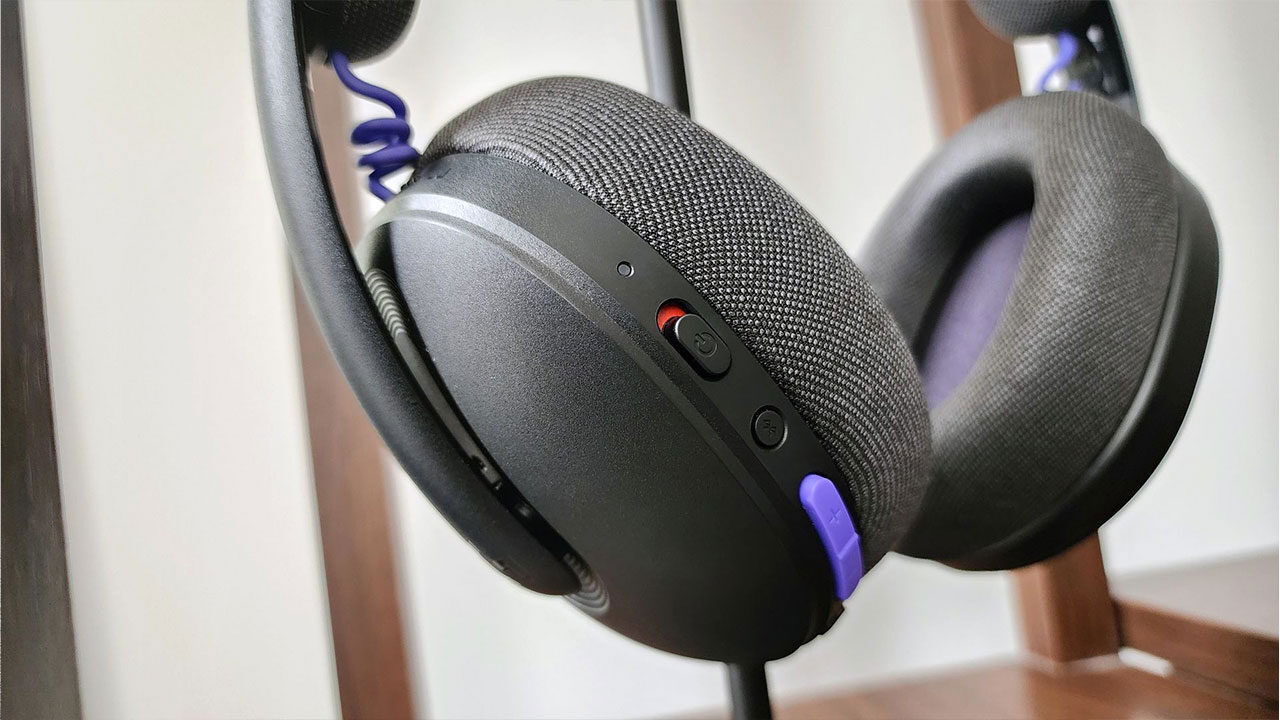
One feature sorely missing on the Logitech G325 is any Bluetooth AVRCP (Audio/Video Remote Control Profile) support on the headset itself. With only a power switch, volume rocker, Bluetooth switcher and Mute button on the back of the left earcup as the means of interface, there are no options to pause or play media, fast-forward, rewind, or even skip forward or backward to the next music track without having to physically pull out your phone. There’s no way to access your preferred digital assistant either (e.g. Google Assistant, Bixby), and with no 3.5mm jack, there’s no way to add those features via an inexpensive third-party remote cable.
Perhaps demanding AVRCP for a gaming headset in this price bracket is an unreasonable ask, but without support for even a basic, wired connectivity option at the very least, the G325 is severely limited as an “on-the-go” headset, despite the marketing proudly advertising it as such. It does have a built-in, beamforming microphone that you can use to chat on the phone or in-game with, but you’ll still have to rely entirely on your phone’s built-in microphone to wake it up and issue commands to it. It just strikes me as odd that not even an old-school, legacy remote cable option wasn’t included for users who might want to wear the Logitech G325 wired.
It’s also important to keep in mind that the Logitech G325 is a gaming headset first and foremost. If it’s connected to a console or PC via LIGHTSPEED, it won’t notify you of an incoming call from a smartphone connected via Bluetooth, as it can only work in one mode at a time. You’ll need to manually switch modes via the Bluetooth sync button to pick up or end the call.

On the bright side, however, call quality is excellent. The aforementioned built-in microphone is quite effective at noise reduction and can be adjusted to mitigate, if not fully eliminate, ambient noise in one’s setup, including fan noise from one’s gaming rig or console, and the unavoidable tapping and clicking sounds emitted by one’s keyboard and mouse.
Before diving into how well the Logitech G325 performs as a gaming headset in general, it should first be clarified that despite Logitech’s official marketing declaring the headset’s compatibility with all the current major gaming platforms (i.e. Xbox, PS5, PC, Nintendo Switch / Switch 2), I’ve verified via my own Xbox Series X that the G325 in fact does not work with Xbox consoles. Plugging in the LIGHTSPEED USB dongle into one of the Xbox’s USB-A ports results in no response, and as the G325 doesn’t support Microsoft’s proprietary “Xbox Wireless protocol” or even provide a 3.5mm audio jack on the device at minimum, neither Bluetooth nor wired connectivity (via a controller) are options either. Xbox owners are effectively SOL here.
Thankfully, things went much smoother when using the Logitech G325 with the two other compatible platforms that I have access to. Both my Windows 11 PC and PS5 Slim recognized the headset immediately when I plugged in the LIGHTSPEED dongle into an available USB-A port on either device, and switching the headset between LIGHTSPEED and Bluetooth modes was as straightforward as pressing the Bluetooth sync button briefly but firmly. The Logitech G325, being a Bluetooth 5.2 device, means it will also support all portable consoles that support it, including the Steam Deck, Nintendo Switch, and Nintendo Switch 2, making it compatible with a range of hardware.

The Logitech G HUB software for Windows is where the bulk of the magic happens. It’s here where users can not only select EQ audio presets from a curated list or create their own custom audio profiles; with a free Logitech G HUB membership sign-up, they can also save and upload their presets, share them with other G HUB community members and download audio mixes that they might want to use themselves. They can also tweak their mic settings, adjust sidetone, apply noise reduction to their microphone output, and more. The Mobile version of the app works in the same way, but is laid out somewhat differently, which can be confusing.
My experience with the Logitech G Astro A30 Wireless Gaming Headset when I reviewed it over three years ago set such a high bar of excellence from Logitech that it’s been a challenge to fairly assess any other gaming headset that’s come across my desk since — it was simply that good in terms of sound and quality of life features (mind you, even at current MSRP the A30 still costs more than double that of the G325, so that shouldn’t be surprising). Nevertheless, with its powerful 32mm drivers and 24-bit audio, the G325 is a fantastic-sounding headset that could easily pass for an A30 if its listener were blindfolded. At worst, it’s an A30 in budget audio form.
Audiophiles will likely want to play around with the Logitech G HUB app on PC or Mobile to dial in their ideal G325 EQ settings, but for gamers like myself who are less picky and want to leap right into the action there are 5 audio presets available to roll with right out of the gate: Default, Bass Boost, Gaming, Gaming FPS, and Media (e.g. Movies and TV).


I fully expected that Bass Boost would remain my go-to profile, but oddly, on the G325 I’m actually ride-or-die with Gaming FPS (even for music), which, for some reason, delivers a clearer, richer bass sound to my ears. Shortly after kicking the tires on all five modes, I confidently locked in Gaming FPS and didn’t look back.
“The only hiccup I encountered when using the Logitech G325 with either my PS5 or PC was that the volume settings felt too low initially.”
The only hiccup I encountered when using the Logitech G325 with either my PS5 or PC was that the volume settings felt too low initially. I eventually figured out that I had neglected to go into each device and increase the main volume at the system level, which in turn enabled the maximum volume on that device. Over the course of my playtesting, I sampled a number of atmospheric titles for PC and PS5, including Replaced (demo), Pragmata (demo), Fatal Frame: Mask of the Eternal Eclipse, Max Payne 3, Halo: Infinite Multiplayer, Resident Evil 3 (Remake) and more. With each game, I was impressed by the depth and richness of the G325’s audio.
Regarding longevity and distance, Logitech claims the Logitech G325 can deliver just under 25 hours on a full charge at 50% volume, which I found to be fairly consistent with my own experience over a two-week period. Distance was a different story. I live in a condo and managed to get around the corner from my unit and down the main hallway roughly 35 feet (10 metres) from my PC using the LIGHTSPEED dongle.

While on Bluetooth, I made it to the opposite end of the hall with no signal interruption at a distance of 70 feet (21 metres). Both tests fell short of Logitech’s 98.42 feet (30 metres), but I’m inclined to think reasonable gamers would nonetheless find those lower numbers to be practical for most setups.
Ultimately, the Logitech G325 LIGHTSPEED Wireless Gaming Headset is best suited for users looking to add a touch of style to both their gaming setups and their wardrobes without breaking the bank. The G325’s sub-$80 price tag, eye-catching colourways and engrossing sound will undoubtedly appeal to content creators, teenagers, and just about anyone looking for a basic, inexpensive gaming headset. Sadly Xbox gamers wanting the same will need to look elsewhere, which is unfortunate.

- Ultra-plush comfort: Lightweight gaming headset (212 g) delivers all-day comfort with dual-layer memory foam ear cups and soft knit headband for long gaming sessions
- High-performance audio: 24-bit customizable headset audio with enhanced bass for deeper immersion in every game