
The MSI Prestige 14 Flip AI+, part of the Prestige AI+ laptop lineup, is an impressive, compact two-in-one laptop. Aiming to provide an unparalleled amount of processing power and flexibility for a productivity-focused two-in-one, the 14 Flip AI+ offers no shortage of use cases. Easily shifting from a standard laptop to a tablet, presentation display or portable gaming rig, yes, you did read that last one correctly, there is a lot to appreciate about what MSI is trying to do with the new Prestige lineup. Can the Prestige 14 Flip AI+ actually live up to the hype? Let’s dive in and find out.
On the surface, the Prestige 14 Flip looks like most standard two-in-ones, such as the excellent ASUS ProArt PX 13. It follows the trend of this latest generation of flip-style laptops, reminding me specifically of the Lenovo Yoga Book 9i, with its smooth, rounded edges and minimalist design, minus the dual screens, of course. The Aluminum outer casing has a matte finish, making it less prone to fingerprints.

Structurally, MSI has done an excellent job of making the Prestige 14 Flip feel sturdy and durable. The double 360-degree hinge system that allows the Prestige 14 Flip to flip is exceptionally sturdy, providing ample support for the rotating display. While the flipping motion is smooth and unhindered, the display stays in place when positioned, ensuring it is always ready to perform.
“Structurally, MSI has done an excellent job of making the Prestige 14 Flip feel sturdy and durable.”
Examining the bottom reveals a couple of features of note. The first is the full-length air intake vent, which provides the necessary cooling for the system. Rubberized risers run along the top and bottom portions of the unit, providing extra clearance for airflow. While this is fairly standard, what isn’t is the inclusion of a slot for charging and storing the 14 Flip’s stylus, a smart and discreet design decision. While most two-in-ones I’ve worked with have created a dedicated slot located on one side of the laptop, MSI has instead leveraged existing space.
Weighing 1.37 kg and measuring just 11.9 mm thick, the 14 Flip is a compact and well-designed two-in-one. I/O for the laptop consists of two Thunderbolt 4 ports with DisplayPort and Power Delivery 3.0, two USB-A 3.2 Gen 2 ports, one HDMI 2.1 port with 8K at 60 Hz or 4K at 120 Hz output, and a single 3.5 mm combo audio jack. It’s a solid offering by today’s standards and should help keep you connected to peripherals that are not wirelessly connected.

Speaking of wireless connectivity, on this front, MSI has held nothing back. Featuring the latest Wi-Fi 7 with 6 GHz wireless band support and Bluetooth 6 Core, the 14 Flip is ready to handle whatever wireless needs you have. Bluetooth 6 Core, in particular, offers new and unique functionality, including multi-stream audio device support, reduced power consumption, and improved range. It’s a strong offering that helps keep the Prestige 14 Flip current with the latest wireless peripherals being released this year.
The included 14-inch OLED FHD+ display provides a sharp 1920 x 1200 resolution with full touch support. Visuals are crisp, with a deep, rich colour profile that works well for presentations, video and gaming. I was most impressed by how responsive the system is when flipping between modes, with the display seamlessly orienting to the correct position, even when rotating the laptop quickly. The MSI Nano Pen works exceptionally well, and while a 14-inch display feels a little large for note-taking, the Prestige 14 Flip provided a strong OneNote workspace for my meetings over the past week.
Another hardware feature of note is the touchpad. While it is quite responsive and smooth to use, it’s the extra features built into the touchpad that stand out. Gesture control is nothing new, but it’s the sheer amount of control the touchpad offers that is impressive. Along with the standard Windows 11 touchpad gestures, MSI has included controls for system volume, display brightness, video timeline scrubbing and three customizable directional gesture options.

An onboard calculator and an MSI Center shortcut are also present, providing an impressive amount of control directly from the touchpad. It’s a smart evolution and one of the more practical implementations I’ve seen in this latest generation of laptops. Not to mention, the overall quality of the touchpad experience is comparable to that of a MacBook, something few companies have managed to achieve.
“Featuring an Intel Core Ultra X7 358H Series 3 processor, also available in the X9 Series 3, the Prestige 14 Flip is an impressive and powerful laptop.”
From form factor to build quality, the MSI Prestige is a well-designed and well-crafted two-in-one. On par with other premium laptops in its category, the Prestige’s build quality alone is reason enough to consider it as your next productivity laptop. However, it’s what’s under the hood that really pushes the Prestige 14 Flip to the next level.
Featuring an Intel Core Ultra X7 358H Series 3 processor, also available in the X9 Series 3, the Prestige 14 Flip is an impressive and powerful laptop. With 16 cores and threads, and maximum turbo frequencies of 4.8 GHz, the CPU is an AI-driven processing powerhouse, easily handling any task thrown its way. Supported by a dedicated 32 GB of LPDDR5 RAM running at 8,533 MT/s, the Prestige has no issue handling everyday productivity.

While last-generation laptops introduced us to AI-powered processors, it felt like they were simply laying the foundation for what was to come. This latest release truly shows what AI processing has to offer, and it is impressive. When paired with the new Intel Arc B390 GPU, the 14 Flip moves from a high-powered productivity laptop to something I truly didn’t expect: a functional gaming laptop.
Leaning on the power of Intel XeSS 3, the Prestige 14 Flip is capable of not only light casual gaming, but also producing the frame rates needed for a dedicated gaming experience. In testing, I was able to easily run Cyberpunk 2077 at over 60 fps on ultra settings with most ray tracing options enabled at 1080p. With ray tracing off, the benchmark consistently pushed out over 78 fps. Even during my latest playtests, the 14 Flip provided a smooth, low-latency gaming experience in Cyberpunk 2077.
The Intel Arc B390 in the 14 Flip is quite impressive. While it won’t produce the results of, say, a 5070, it manages to deliver a consistent 60 fps experience in most titles I tried. Additionally, thanks to Intel Graphics Software, I was able to adjust the amount of system RAM the CPU could draw from, further boosting gaming performance. It’s a slick, easy-to-adjust system that helps push the performance of the Prestige 14 Flip to levels I’ve not experienced on a productivity laptop.

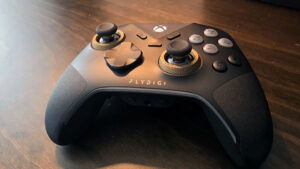
While the experience will vary based on title and XeSS support, even titles, such as No Rest For the Wicked, which doesn’t currently support XeSS3, performed exceptionally well. While I intended to simply test the title through my standard preset section of the game’s map, I ended up playing for a few hours, and the 14 Flip handled like a champ. Thanks to its convertible form factor, I actually ended up flipping it into presentation mode with the controller attached. It was great and felt like I was playing a console.
This is the power of the latest Intel chipset, and MSI has incorporated it seamlessly into the Prestige 14 Flip. After testing this system for the past couple of weeks, I have high hopes for what this latest generation of Intel processors and the Arc series GPUs are capable of.
While there will always be a place for high-end Gaming Laptops like the MSI Katana 15 and Titan 18, the Prestige 14 Flip AI + represents a bridge that combines the form factor and price point of a premium productivity laptop with the performance of a low- to midrange gaming laptop. I’m excited and curious to see how this technology progresses over the year.

Cooling for the Prestige 14 Flip is solid, with two points to note. The first is that the 14 flip leverages a vapour chamber cooler, providing quiet, effective cooling for key components. Even during the aforementioned gaming sessions, the 14 Flip maintained consistently cool temperatures without producing much noise. I ran all tests in balance mode, and it had no issue keeping up with the demand.
“What truly makes MSI’s two-in-one stand out are the surprise gaming capabilities that turn this premium productivity machine into a respectable gaming laptop.”
The second note on cooling is that while the components remained cool, the keyboard, especially around WASD, did warm up during those more stressful testing periods. While still usable, that portion of the keyboard gets quite warm during demanding tasks such as gaming or video rendering. Even when charging, there is a notable temperature difference between the left (charging port) and right sides of the keyboard.
Battery life on the MSI Prestige 14 Flip AI+ surprised me. While I expected around 10 hours based on last year’s hardware metrics, I was pleasantly surprised to get more than 15 hours during video testing. Testing consisted of streaming content at full brightness, with the keyboard backlight on and the volume muted. I was impressed with the results. For everyday use, I used the Prestige 14 Flip for two workdays, with additional web browsing and light video streaming in the evening before plugging it in to charge. Needless to say, it will get you through a workday without issue.

The Prestige 14 Flip AI+ is everything I would want in a productivity laptop. From its design to its adaptability and performance, the 14 Flip is an impressive unit. What truly makes MSI’s two-in-one stand out are the surprise gaming capabilities that turn this premium productivity machine into a respectable gaming laptop. It bridges the gap for users looking for a two-in-one experience, offering the best of both worlds with minimal compromise. With that in mind, I would recommend the Prestige 14 Flip AI+ to anyone who needs power for work and wants a little extra for play.