
Gaming mice are a hard sell to casual players, especially if they already own one. When the average user splurges on high-performance peripherals, it rarely translates into a better KDR. Instead, they’re left with a gaudy, expensive mouse and no excuse for bad aim. For many, the next purchase is a return to something more ordinary. It’s a tough space for any brand trying to build loyalty.
One of the few exceptions is Razer, which has built a downright fanatical user base across multiple mouse lines. The zeal runs deep enough that entire forums are dedicated to discussing Razer mousepads. After testing the company’s latest releases, the Razer Viper V4 Pro and the hilariously named Gigantus V2 Pro, I get it. I really get it. Fetch me my robes. I’m ready to join the cult.

Before testing the Viper V4 Pro, I thought my personal mouse was great. It was a HyperX Pulsefire Haste 2 Pro, and I liked it enough to finally retire my beloved Mad Catz R.A.T. 9. The HyperX was high-performance. The Mad Catz was an all-metal vibes machine I’d been hanging onto since 2010. The Viper V4 Pro makes both of them feel like toys.
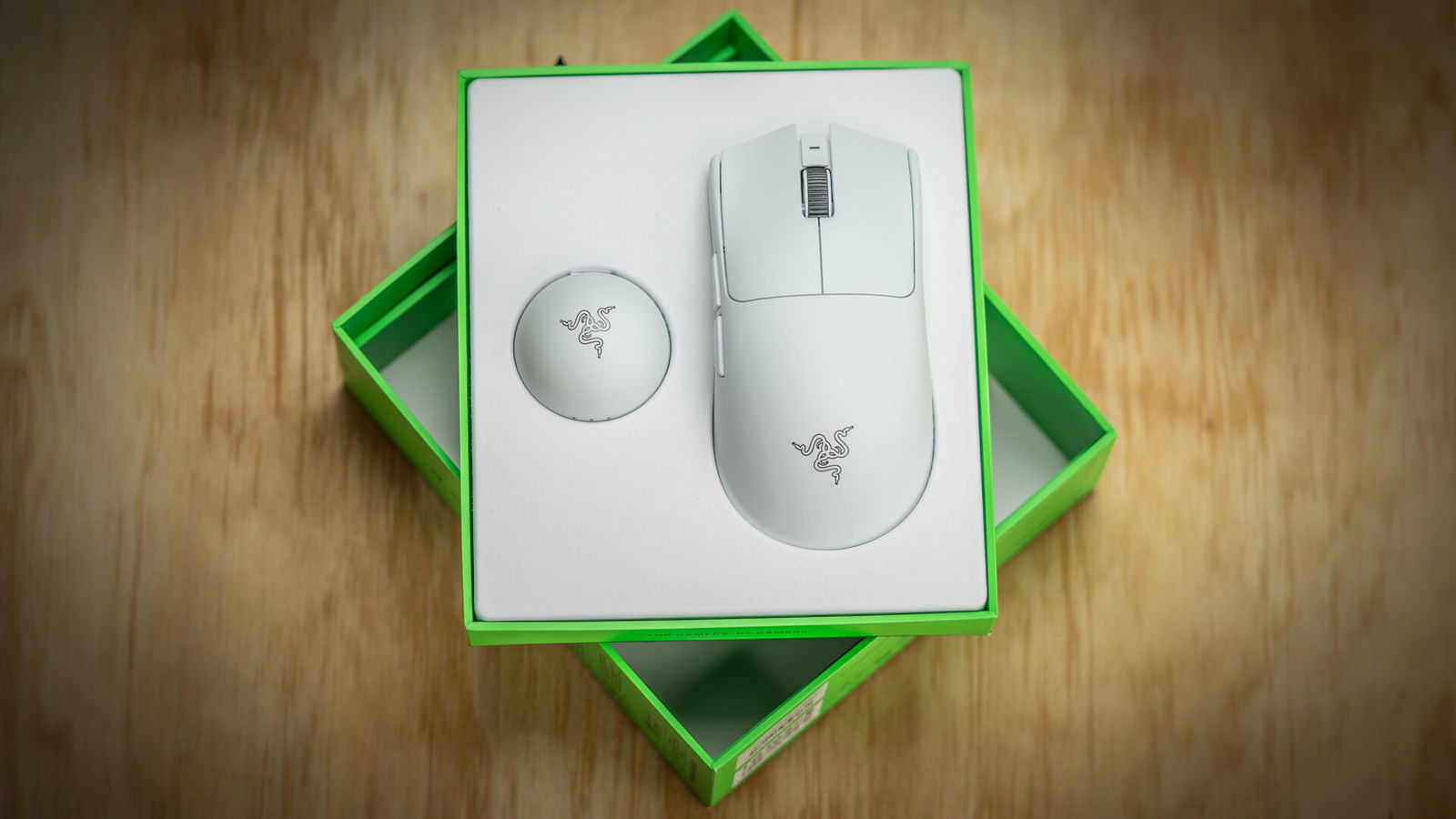
The quality is obvious the moment you pick it up. Everything feels perfectly honed. It’s balanced like a knife, with the center of gravity sitting right between your thumb and pinky. The coating is smooth and soft, but grips the hand without picking up fingerprints. Somehow, it always feels dry, even after sweaty raids in Escape from Tarkov. The clicks are also perfectly consistent across every button, requiring the same pressure no matter where you press.
On the topic of clicks, good lord, are they satisfying. Actuation is light, but still intentional. Like a good trigger, it fires just before you expect, but never before you mean it to. The Viper V4 Pro uses Gen-4 optical switches with mechanical confirmation, giving each click crisp tactile resistance and distinct sounds on both press and release.
The optical scroll wheel follows the same pattern. It’s well indexed, with clearly defined steps and no slop between them. There’s also zero side-to-side play when clicking, along with distinct audio cues similar to the primary buttons.
Under the shell is Razer’s upgraded Gen-3 Focus Pro 50K Optical Sensor. The “50K” refers to the maximum DPI. Most of that sensitivity is used for reading small movements to increase accuracy, but if you’re feeling wild, there’s nothing in Razer Synapse to stop you from dialling the sensitivity all the way up to 50K. The sensor also supports tracking speeds up to 930 inches per second with 90 G acceleration. Given the mouse only weighs 50 grams, you can hit those speed limits all day.
“The Viper V4 Pro uses Gen-4 optical switches with mechanical confirmation, giving each click crisp tactile resistance and distinct sounds on both press and release.”
One of the more interesting advanced features of the new sensor is Frame Sync, a form of motion synchronization that uses additional sensor data to align inputs with on-screen frames, making a low-latency mouse even more responsive.
Wireless performance is exceptional, with true 8000 Hz polling rates over both wired and wireless connections. But more impressively, the average click latency is only 0.204 seconds, with 0.36 ms motion latency. For battery life, you can expect 45 hours at 8000 Hz and 180 hours at 1000 Hz.

The included HyperSpeed Wireless Gen-2 dongle is the best wireless hub I’ve used, with LED indicators for connection status, battery life, and polling rate. What I appreciate most, though, is its weight. It stays put on the desk without needing to be pinned down by a monitor or an empty coffee cup.
Launching alongside the Viper V4 Pro is the Gigantus V2 Pro, a giant mouse pad measuring 500 mm by 480 mm. It will be offered in five “speed ratings,” ranging from Max Control to Max Speed, with Balanced options in between. Razer provided Control and Balanced versions for testing.
Both samples are very nice, but they are effectively identical. I looked at them under a microscope and ran some highly scientific hand-squeezing and mouse running tests, and still couldn’t tell the difference. Which is fine. They’re all the same price, and considering the high-quality foam, top weave, and low-profile stitching, they’re not particularly expensive. A mouse pad that doesn’t kink, roll, or delaminate is worth its weight in gold.

For some reason, I keep all my old mouse pads in an accordion folder, and the corpses of last year’s Amazon Basics pads alone cost more than a single Gigantus V2 Pro. It’s worth noting that none of them was gigantic, and none had a brightly colored speed rating tab. The Gigantus V2 Pro is a winner in my books, and not just because I like saying “Gigantus.”
Razer’s Viper V4 Pro is more mouse than I’ll ever need, and the Gigantus V2 Pro is more mouse pad than can fit on my desk. But there’s something to be said for owning a nice thing just for the sake of it, especially when it’s something you use every day.
The Razer Viper V4 Pro is among the best mid-range gaming mice ever made. It’s my new baseline for responsiveness. It will never make me a better gamer, but it gives me peace of mind knowing that whatever just got me killed had nothing to do with my mouse. It’s a solid piece of engineering that I don’t have to think about, and one I can simply enjoy using. And if I ever stop gaming entirely, it won’t stand as a gaudy reminder of having paid for E-thletic equipment.