

The ROG Strix Morph 96 Wireless Gaming Keyboard is a solid gaming peripheral from the iconic company, offering a wide range of customization options, an impressive feature set, and great connectivity. With hot-swappable switches and a dedicated programmable control knob, the Strix Morph 96 Wireless offers a full keyboard experience in a more compact form factor, ideal for gamers used to a tenkeyless setup who are looking for just a little bit more.
ROG has managed to bring its pedigree and quality design to this sub-$150 keyboard, creating a cost-conscious, high-quality keyboard. The first design element of note is its size. While it features the key count of a full-size keyboard and compresses it into this 96% form factor, allowing gamers to regain some of the precious real estate of their desk. For the most part, it works well.

As a tenkeyless guy at heart, I confess it has been nice to have access to a number pad and many of the other keys typically sacrificed on smaller-profile boards. The only caveat to this statement is that, as a condensed layout, there is a bit of a learning curve. The arrow keys, for example, are smushed next to the function and Co-Pilot buttons, causing several missed keystrokes when quickly trying to use the arrow keys to backspace while typing. Thankful the learning curve is quickly overcome, and I’ve come to appreciate the smart design.
“The ROG Strix Morph 96 Wireless Gaming Keyboard is a solid gaming peripheral from the iconic company.”
On the design front, the Strix Morph 96 Wireless features ROG NX V2 mechanical switches that feel absolutely wonderful to use. Closing resembles the sound and tactile response of Linear Red switches; the NX V2 are exceptionally responsive and provides a quick, snappy input with 1000Hz polling. This translates to fast, responsive keystrokes, ideal for those panic moments during gaming sessions. The 1.8mm actuation is my preferred point and, as such, feels great to use.
The Strix Morph 96 Wireless also includes the wonderful speed tap mode, a stable feature in competitive gaming keyboards. While it’s called different things across brands, in essence, it allows simultaneous key presses, registers the latest keystroke, and engages that input. When released, the board defaults to the next key press, removing the traditional player lock when strife keys are pressed simultaneously.
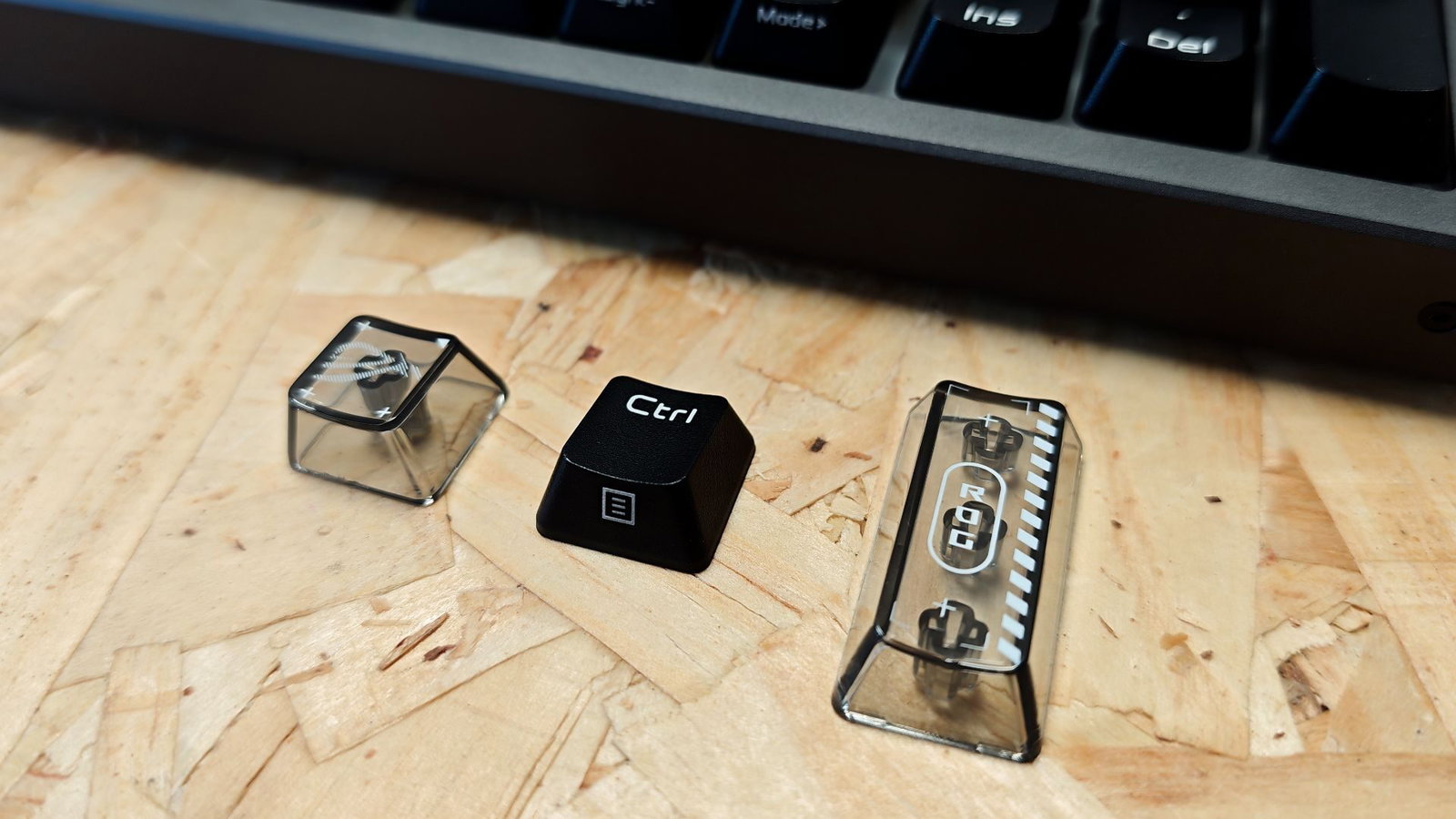
The switches are hot-swappable, and thanks to the south-facing PCB, enthusiasts will have no issues with switch compatibility. To help create a smooth and consistent typing experience, ROG has included 8 layers in the design, including silicone foam padding that provides a softer keystroke impact, even for the aggressive typers in the room, of which I am an unabashed member. This design is ideal for those looking for a quieter typing experience, as the silicone pad at the base of the keyboard provides exceptional absorption and sound damping.
“The Strix Morph 96 Wireless features ROG NX V2 mechanical switches that feel absolutely wonderful to use.”
The Strix Moreph 96 Wireless also includes a customizable control knob and a cycling switch in the upper-left corner of the keyboard. By default, it controls audio, media selection and RGB brightness with a fourth programmable mode for users to take advantage of. It’s an appreciated feature to be included in this sub-$150 mechanical keyboard and provides a little extra customization.
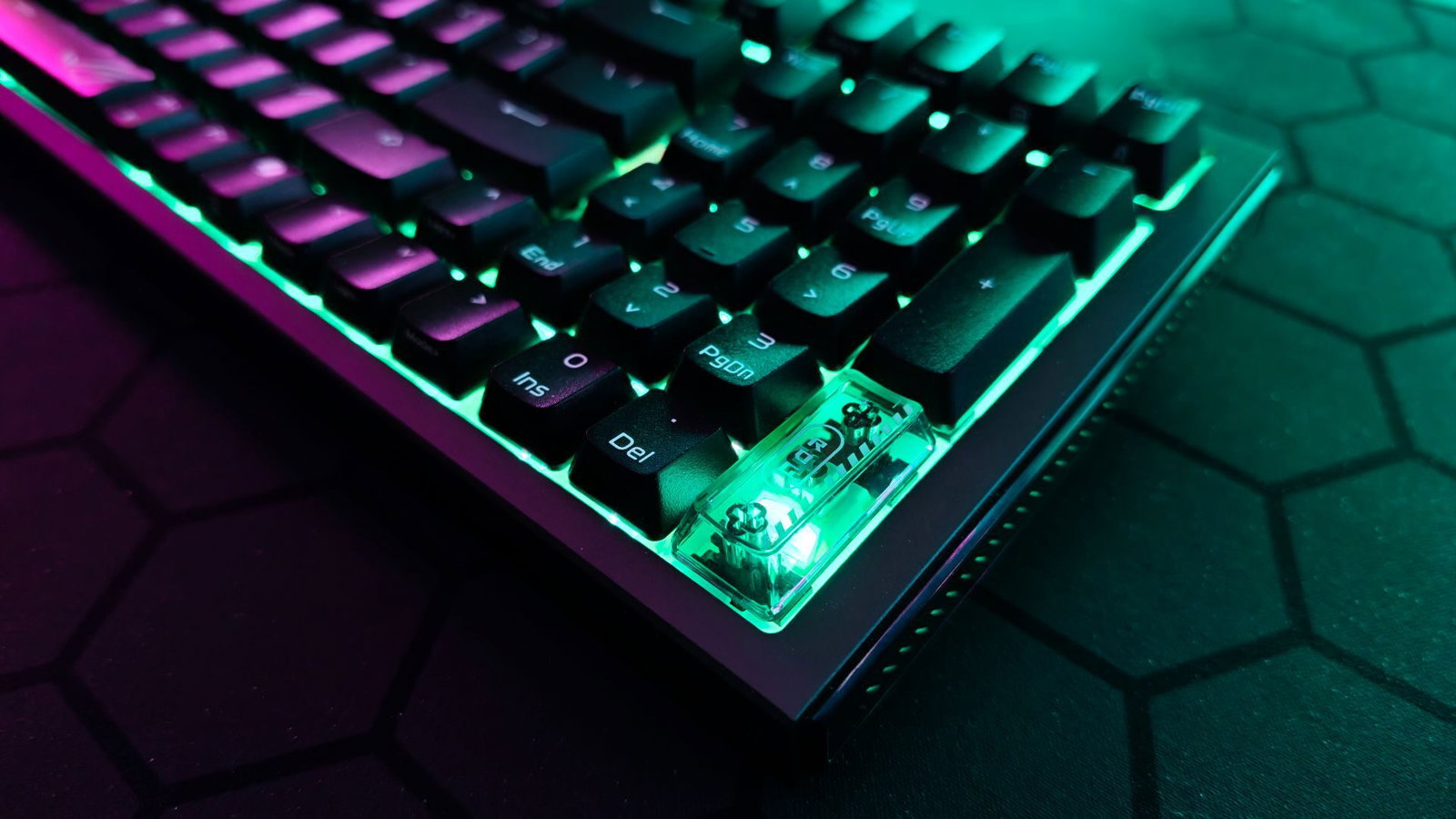
Speaking of RGB lighting, the Strix Morph 96 Wireless comes with single-zone RGB lighting that works well. In addition to the zone lighting, ROG has included some fun accents on either side of the board that illuminate the company’s logo nicely. My one real critique, though, is that the Strix Morph 96 doesn’t include translucent keycaps, so while the lighting is nice, it doesn’t really shine through the key caps.
Connection for the Strix Morph 96 Wireless is handled via built-in Bluetooth 5.1, 2.4GHz Wireless via a dongle, or wired via USB 2.0 (Type-C to Type-A). The Strix also includes ROG’s Omni Receiver, which allows for simultaneous connection of a keyboard and mouse via a single dongle. More impressive still is that this keyboard provides native support for both Windows 10/11 and MacOS. Swapping modes is as simple as holding the TAB and FN keys for 1.5 seconds. Once swapped, all function keys, as well as the ALT and Windows Key, switch to their corresponding MacOS operations.
The standout feature of the Strix Morph 96 wireless, though, is battery life. With standard RGB lighting engaged, users can expect around 100 hours of use in wireless 2.4GHz mode. However, with RGB off, that number jumps up to around 500 hours. It’s an impressive feat, and one I’ve really appreciated during testing, as I haven’t actually charged it since its initial charge and have been testing for a couple of weeks now.
Overall, I’m quite impressed with what ROG has accomplished in the Strix Morph 96 Wireless Gaming keyboard. It offers a solid gaming experience, quality build and some premium features all at $139.99. If you are looking for a full keyboard experience that takes up a little less desk real estate and won’t break the bank, the ROG Strix Morph 96 Wireless is worth considering.