

I have been an advocate for using a NAS for content creation for a while now and have looked at a range of devices from several companies, yet few have been as solid as the new Ugreen Ai NAS iDX6011 Pro. UGREEN are a rather new name in the world of NAS solutions, yet even with that in mind, they have come on the scene with some of the most capable, most feature-rich NAS solutions currently on the market, and their latest, the iDX6011 Pro, pushes that even further to deliver a fantastic offering that in many ways is a creator and users dream solution, built to take on most tasks without breaking a sweat.
While UGREEN has offered a range of budget-friendly NAS systems, the iDX6011 Pro is very much built to be a flagship device, and it is that, with all its design decisions and specs. Even unboxing this beast of a system, you will quickly see how UGREEN has pulled out all the stops with how this NAS was built. It is a heavy machine, clocking in at 9KG without the drives, built mostly of metal for the casing and most of its vital components. It is also a sizable system at 212 (H) × 349 (W) × 260 (D) mm, designed to accommodate up to six 32TB HDD drives and up to two 8TB M.2 SSDs, for a total of 208 TB of capacity.
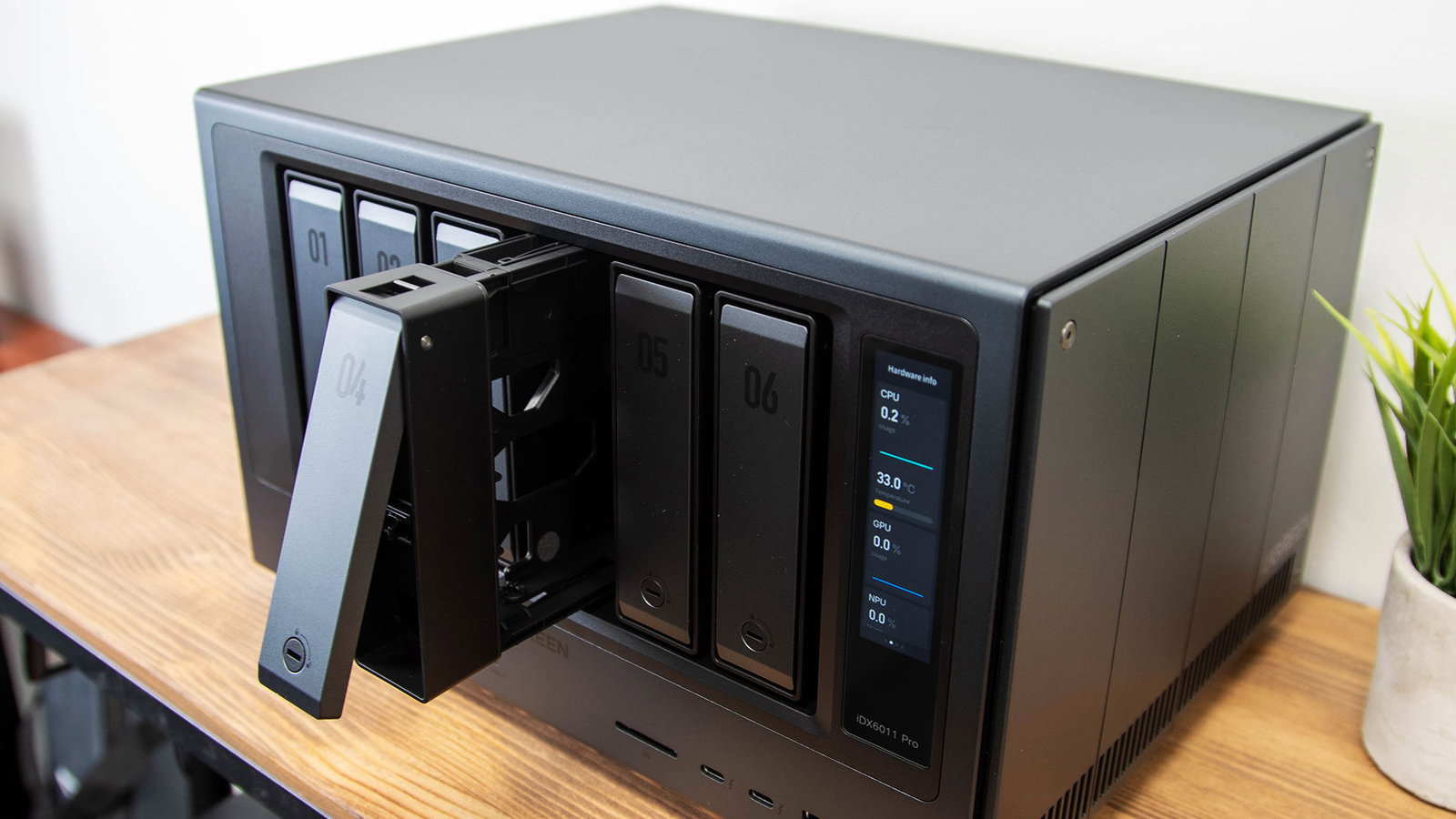
That is realistically more than the average person would need for their home, and even overkill for many creators and small businesses, but it also means the UGREEN iDX6011 Pro is built to expand and can grow as your company or needs change over time. This goes doubly for how it is specced in general. This system features an Intel Core Ultra 7 255H CPU, boasting 28 W base power, 115 W max turbo power and a staggering 64 GB of LPDDR5x 8533 MT/s memory, soldered onto the board. This makes the system more powerful than many prebuilt business PCs, and very capable of running a range of tasks and uses beyond simply storing your files, but do not worry, we will get to that.
On the front of the iDX6011 Pro, you will find six HDD drive bays, an SD card reader, dual Thunderbolt ports, a single USB 3.2 Gen 1 port, the indicator lights and, of course, the 3.71-inch vertical LCD screen with touch support, more on this later. Around the back, you find a rather large assortment of ports, especially for a NAS system, including a single USB 3.2 Gen 1 port, two USB 2.0 ports, two 10 Gbps Ethernet ports, an 8K 60 Hz-capable HDMI 2.1 port, an OCuLink port and a reset pinhole. Considering the power under the hood, I am glad to see UGREEN make sure the UGREEN iDX6011 Pro can be used in a range of ways and even expanded with numerous accessories, including an external GPU, should you be so inclined.
The UGREEN iDX6011 also features two sizable 120 mm fans under a magnetic dust cover, and an expansion cover that hides a PCIe 4.0 x8 slot supporting add-in cards with up to 75 W of power draw, giving you options to expand the UGREEN iDX6011 in a range of ways and further showcasing how this is a NAS that feels built to work in a large range of situations.
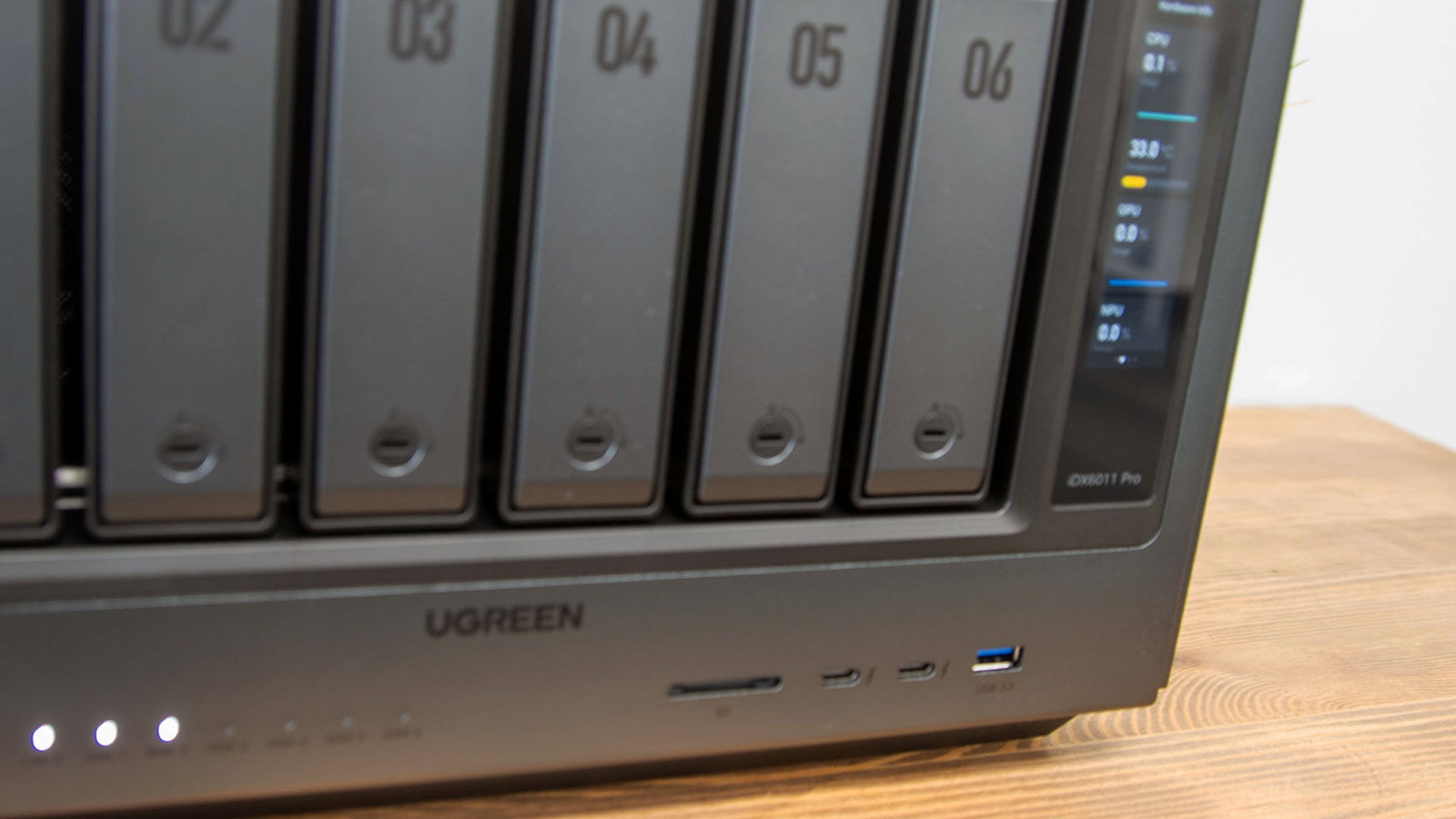
Jumping back to the 3.71-inch vertical touch screen, it is a surprisingly vibrant and clear display that is first used when you set up your system for the first time, but beyond that, it can display a range of details about your system, ranging from basic system information, network usage, temperatures and connections to letting you restart or shut off the system. It is a feature I honestly never imagined would be useful in a NAS-like device, but now that I see what it can deliver, it can be incredibly useful, especially if you want to quickly check something about the NAS without needing to load up your PC or an app.
Speaking of setup, the UGREEN iDX6011 Pro was one of the more straightforward NAS systems I have tested over the years, given how much it can do. Once you boot everything up and select your language on the touch screen, you download the app on your mobile device of choice, or jump over to a PC and get started in the browser. From there, the iDX6011 Pro gets the basics up and running for you and drops you into the OS, where you can expand on the system’s capabilities.
“While UGREEN has offered a range of budget-friendly NAS systems, the iDX6011 Pro is very much built to be a flagship device…”
Much like Synology approaches its NAS systems, I like how UGREEN offers a range of features out of the box without overwhelming you, with many of the more advanced features available through the app store. Out of the box, the iDX6011 Pro handles all the basic features you would expect from a NAS, including sorting through your files and photos, getting the hard drives set up and ready for use on your network, controlling your settings, setting up accounts and handling other tasks. It is not until you fire up the App Center that you can get started with AI assistance, install NVIDIA drivers, install Jellyfin, although not Plex directly, explore a range of other apps, virtual machines, a personal file vault, sync and backup, and of course Docker.

Installed on the 128GB built-in SSD, the iDX6011 Pro runs on UGREEN’s UGOS Pro OS, based on Linux Kernel 6; the system’s out-of-the-box features are impressive. Of course, the UGREEN iDX6011 Pro does all the features you would expect in most NAS solutions, including backup, user management, photo and video management, storage configuration, and a range of apps and Docker applications. The UGREEN AI NAS series also has a range of AI tools built directly into the system, so you can use the LLMs and other models with your personal and private files without needing to worry about those files being sent to the cloud.
Out of the box, you can install a series of local models, each built for a different task. There is the Qwen3 LLM, built to give you a very familiar chat interface that you can use to ask basic questions, and it can also talk to you directly about your files if you want. It also features Uliya-v 2b multimodal, which is used for image captioning, along with the ability to ask questions about your images, and a special speech-to-text model that can transcribe your notes, interviews and any other audio you want turned into a transcript. If you really want to bring OpenAI into your NAS system, you can always add your API key to the AI Console, although I did not test this aspect, sticking with the on-device features, as that is one aspect that makes the iDX6011 Pro so unique.
Loading up the iDX6011 Pro with drives is surprisingly easy. For the HDD drives, you simply open up the front compartments, pull out the tray you want to add your drive to, slot it in, and you are onto the races. For the M.2 drives, it is a bit more of an involved process; you need to open the right-hand side of the case, using the included tool, and drop them into one of the M.2 slots on the board. Honestly, UGREEN has made the process incredibly simple, and even for the M.2 slots, I was able to get the system unpacked, have drives installed and have it ready to go within around 15-20 minutes total.
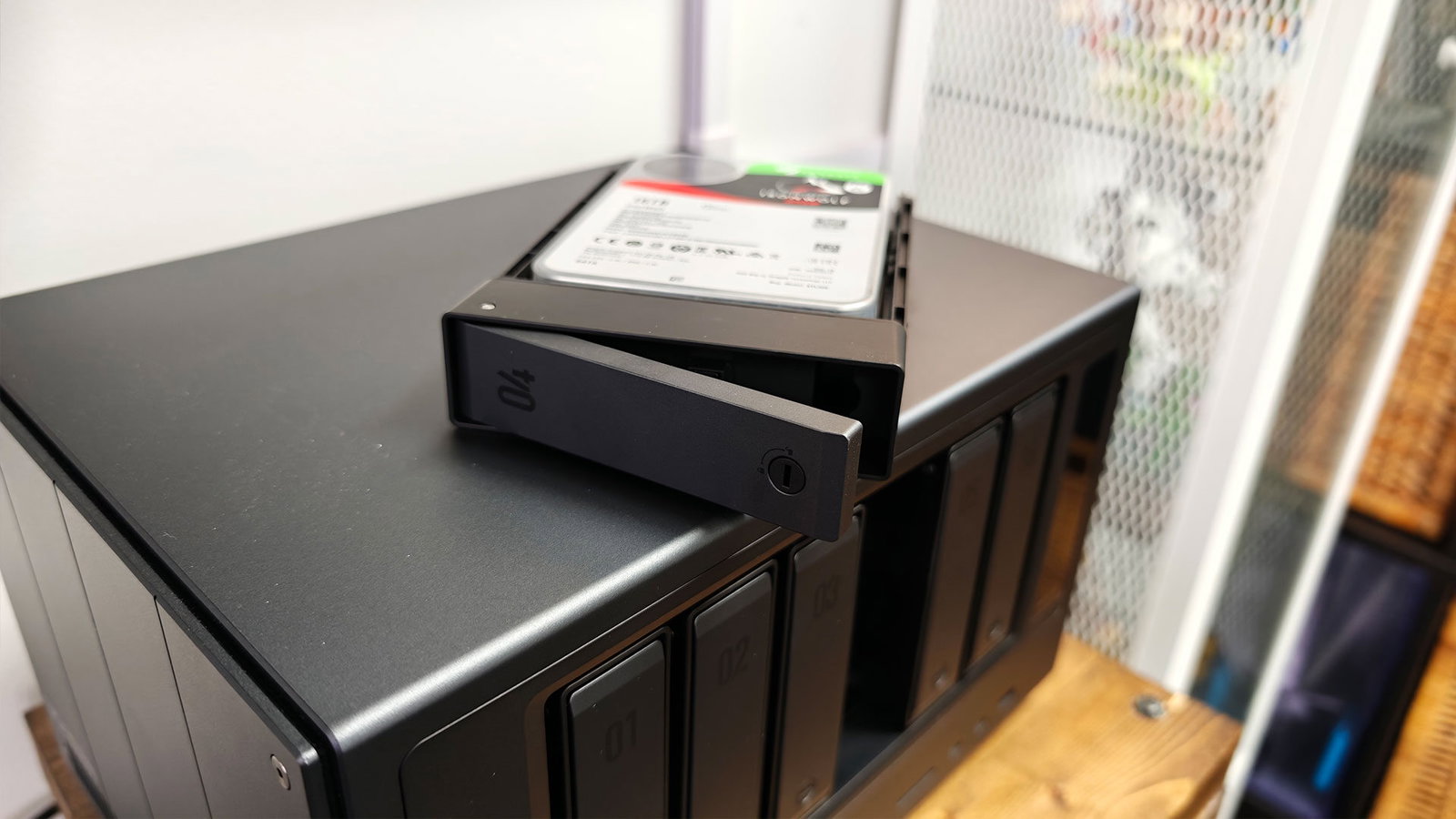
Once you have the drives installed, you can actually start getting the iDX6011 Pro ready to be used with your files, although it is worth noting that while it does need drives to be useful for most of its functions, you can start things up without any drives installed, thanks to the OS being loaded on an internal drive. This does not change much in how it operates compared with a Synology, QNAP or Terramaster NAS solution, but it is worth noting just to give a sense of how the system is set up and specced out.
Getting the NAS set up for your files is one of the most important features, and the iDX6011 Pro offers a range of configurations you can choose from depending on your needs and how secure you want your files to be. Similar to most modern NAS systems, the iDX6011 Pro allows drives to be configured in Basic, JBOD, RAID 0, 1, 5, 6 and 10. All have their advantages and disadvantages, and, depending on the drives you plan to use, some RAID configurations can also cost you storage space because of how they work.
The basics here are that JBOD is good if you want no safety and just a bunch of drives you can pool together, RAID 0 is good for speed but offers no redundancy, RAID 1 through 10 are built for different levels of redundancy, and it is honestly best to do the research to see what they offer, since the scope of how RAID works is well beyond what we can get into in a single review. There is also the Basic mode, which runs the drives more like a network enclosure, with each drive operating independently. You also have the choice between EXT4 and BTRFS; sadly, no ZFS here, although BTRFS is a viable alternative.

As with any system, the drives you select for the NAS will be a major factor in the speed the unit delivers, but you can push things depending on your needs. You can use the M.2 drives as either standard drives within the system, or as read/write caches to help speed up the HDD drives and make them less of a bottleneck in real-world applications. This does not eliminate the speed issues fully, but it does make working directly with data on the iDX6011 Pro a bit more practical.
With the dual 10 GB network connections, provided you have a switch and router ready to take full advantage of the potential speed, the iDX6011 Pro can be used for video and content creation workloads, all without needing to download and re-upload the video as you work on it. This also depends on how you have your video editing pipeline set up, but in testing at CGM HQ, I was able to load files from the NAS and edit in real time. I found it very responsive, especially with the mix of WD Red and Seagate IronWolf drives I installed for this review.
Depending on your network and overall wiring configuration, 4K timeline editing may not be ideal, but in many programs like DaVinci Resolve, you can adjust the timeline setting so you can edit smoothly in 1080p and push it to 4K when you are finally colour grading or exporting your project. Also, while testing the iDX6011 Pro, I found the speeds for moving and editing files could vary depending on network traffic at any given time. While the drives you use have a theoretical maximum speed, depending on how you set up your storage pools, and if you take advantage of RAID 1 through 10, you will see a performance drop simply because of how they manage redundancy. But that also means if a drive fails, you will not lose your files, and that is often worth the tradeoff.

The iDX6011 Pro is, without question, a beast of a NAS system, and it is built to take full advantage of your files in a range of ways. I have not seen a NAS this well-equipped in a long while, and I am impressed with how well everything worked, even some of the more unique features like the AI models available right on the device. Sadly, not everything is perfect, and as impressed as I was, I have a few issues worth outlining, especially given the price of entry for this NAS.
The biggest issue for me is that the 64 GB of memory and the 128 GB SSD are soldered onto the board. While it is a minor issue, I worry about the longevity of any device I invest in, especially when it keeps my files safe. The worry with any NAS is that something may go wrong during operation. Many brands make these parts user-replaceable, so if anything unfortunate happens, you can swap them out and be back online in a matter of minutes. Sadly, that is not the case here, and while the iDX6011 Pro does come with a three-year warranty, it also means potential downtime as you wait for repairs.
The other gripe is really only for people who use their NAS system to work with staff across the country. While the UGREEN iDX6011 Pro has evolved significantly since UGREEN first launched a NAS system, on the software side, it is still lagging behind Synology in a few ways, and even though the app is much more robust than it has been in the past, it still has no one-to-one comparison to the Synology Drive client.
You can easily dump a folder onto your PC with the app and have it pull down files only when you need them, but giving you access to the full range of folders and files is still not fully there. I do not think this is a game-breaking issue for most users, but it is something I would love to see improved. You can find ways to get this functionality through different Docker applications loaded onto the NAS, but for those who want an out-of-the-box experience, the UGREEN iDX6011 Pro is not fully there, at least in that respect.

These gripes aside, I am incredibly impressed with what the UGREEN iDX6011 Pro brings to the table, and even more so considering this device is just launching now. That said, this is a very expensive investment, especially with the iDX6011 Pro, and it could be overkill depending on your needs. If you do not need every feature, such as the touch screen and OCuLink port, the non-Pro iDX6011 variants offer the same OS and AI features at $1,699 US to $1,999 US, making them viable options if you are flexible on the features you need. Still, for those who want the most feature-rich NAS possible, the $2,559.99 price makes sense for what it brings to the table, especially when compared with workstations or other high-performance computing devices that could deliver similar features.
When I first sat down and saw the announcement of what the UGREEN iDX6011 Pro and the full AI series of NAS systems could do, I was a bit skeptical, but having used it for a few weeks, I have to say I am convinced. It is a premium device built for creators and businesses that need that performance, and it is priced accordingly. While it is very much not the budget device the brand has been known to release in the past, UGREEN has shown what is possible with a NAS at this level, and I am convinced. While there is still some room to grow on the software side, UGREEN has managed to deliver one of the most feature-rich NAS systems to date, and it is easily the new flagship NAS for other brands to compete against going forward.