

It’s been a while since I looked at a new mouse. My daily drivers have suited me perfectly right up until both of them lost critical functionality at roughly the same time. By perfect coincidence, the Logitech G502 X Lightspeed became available shortly thereafter, so I thought I would put it to the test and see what’s what.
First of all, as always, is the unboxing, and it’s pretty straightforward these days, with Logitech offering the mouse, a USB-A to USB-C charging cable, a USB-A to USB-C adaptor, and the various paperwork in the box. The mouse itself also hides the USB dongle in a hidden compartment on the underside for easy travel and storage.
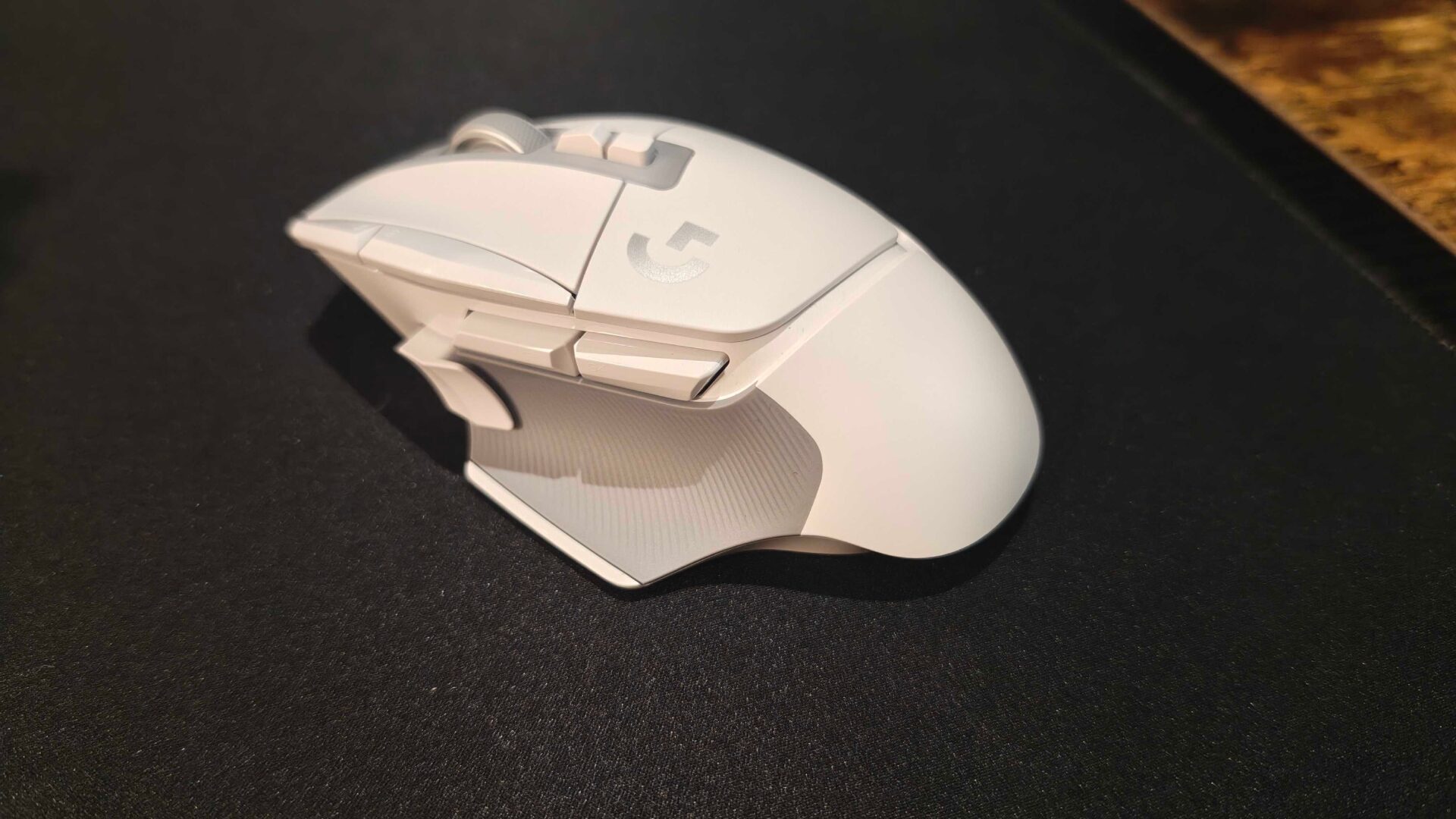
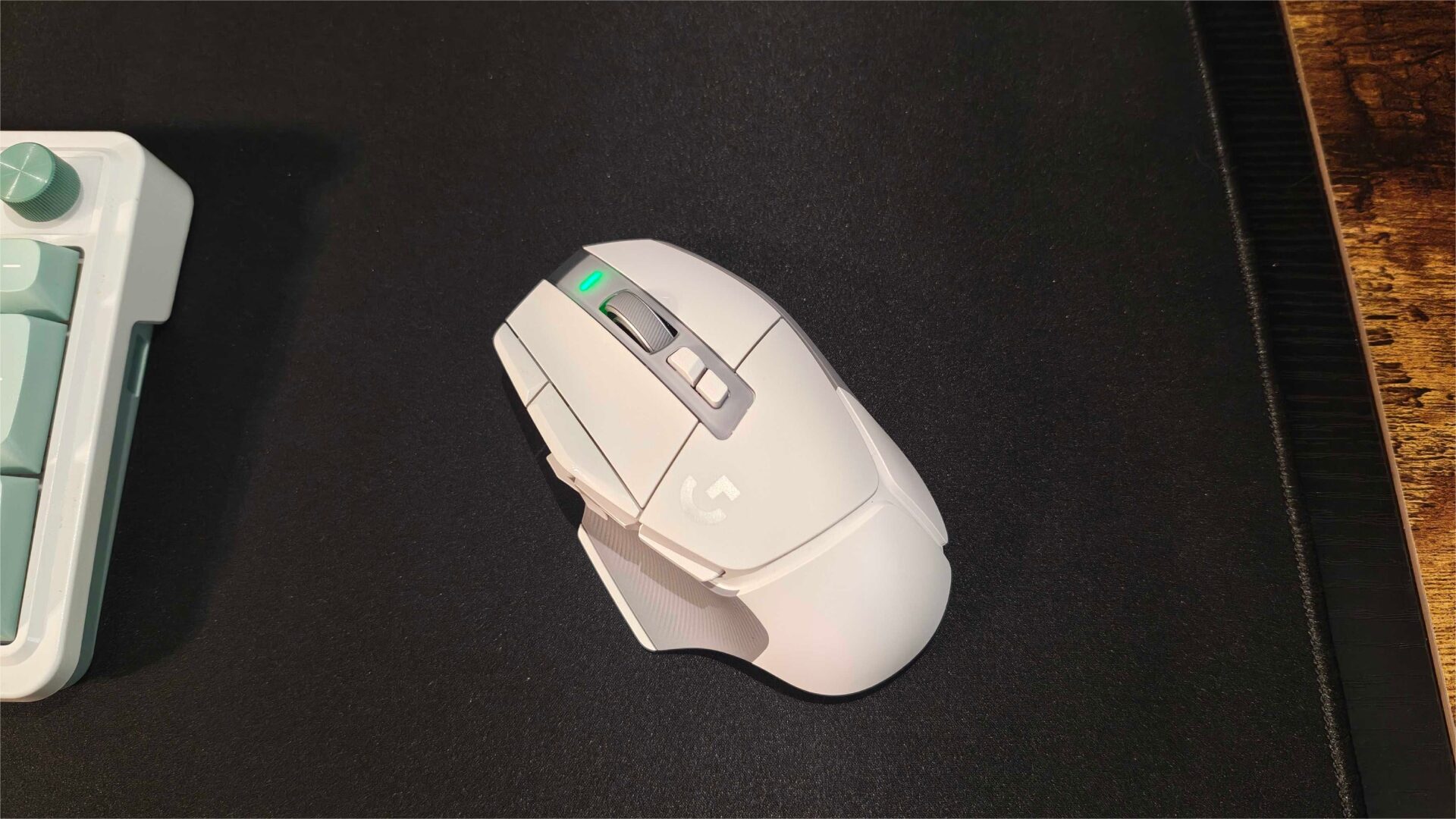
As for the mouse itself, the G502 X Lightspeed is a beautiful specimen in the white colourway that Logitech sent me. The body is contoured to fit one’s hand perfectly for right-handed mouse users among gamers. There are two traditional two-click buttons on top and 5 mappable buttons on the thumb side. Each of the side buttons falls easily under the thumb, despite their geographic distance from one another, and I never felt like I needed to reach to find the button I needed. On top, we have the two regular buttons, scroll wheel, the wheel mode switch button, and the DPI adjustment button.
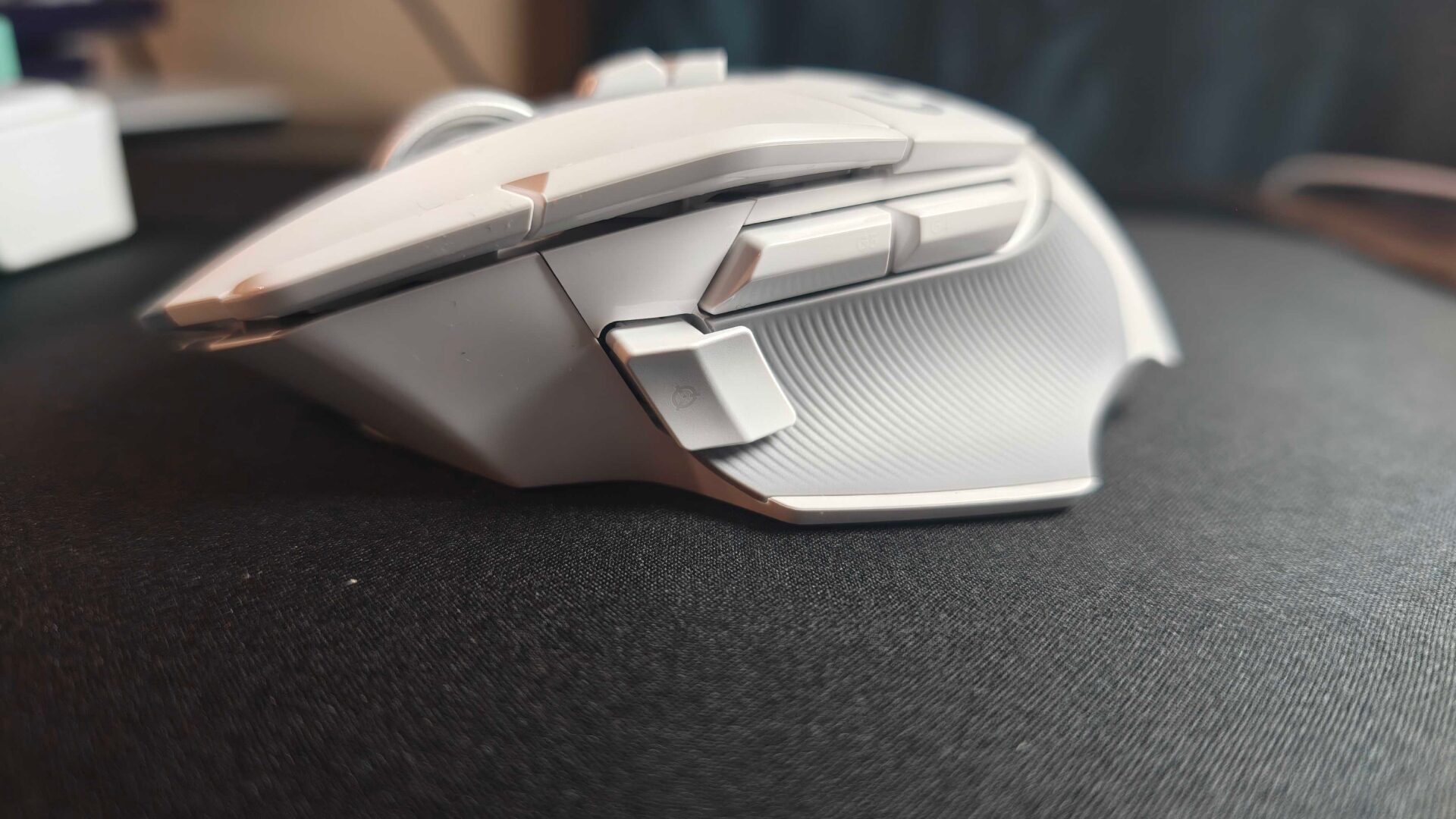
The Logitech G502 X Lightspeed also features two grey grips, one on either side to maintain your hold on the mouse. Despite the rubberized grip, the mouse never accumulates moisture on the grips because they have tiny channels that can help mitigate any clamminess in the hands and fingers while using the mouse. Plus, I really enjoy the white and grey colour contrast, especially since there is no RGB built-in to speak of. Indeed, the only light on the device is the little one at the top of the mouse to indicate charging.
“…the G502 X Lightspeed is a beautiful specimen in the white colourway that Logitech sent me.”
As for the mechanics of the G502 X Lightspeed, there is a fair bit to go over. First of all, I’ll talk a bit about the Lightforce Hybrid Switches. These switches basically allow the user to operate the buttons at high speed with reliable accuracy by utilizing “lightning-fast optical actuation”. Combined with the on-board mechanical components that give the mouse the clicky tactile response, the G502 X Lightspeed offers some of the best performance I’ve experienced with a mouse and the lowest travel distance to response on the M1 and M2 buttons, meaning less hand fatigue when the clock rolls over to the 8th hour in your workday or all-night gaming session.
In addition to the Lightforce Hybrid Switches, comes the Lightspeed Wireless connectivity. Boasting up to 68% faster response times than the previous generation, the G502 X Lightspeed stands up to the toughest of situations and doesn’t waver at all. I was able to use it for my entire 8-hour workday and then transition to Battlefield 6 with no change in settings and still be able to stack up the kills with no issues.
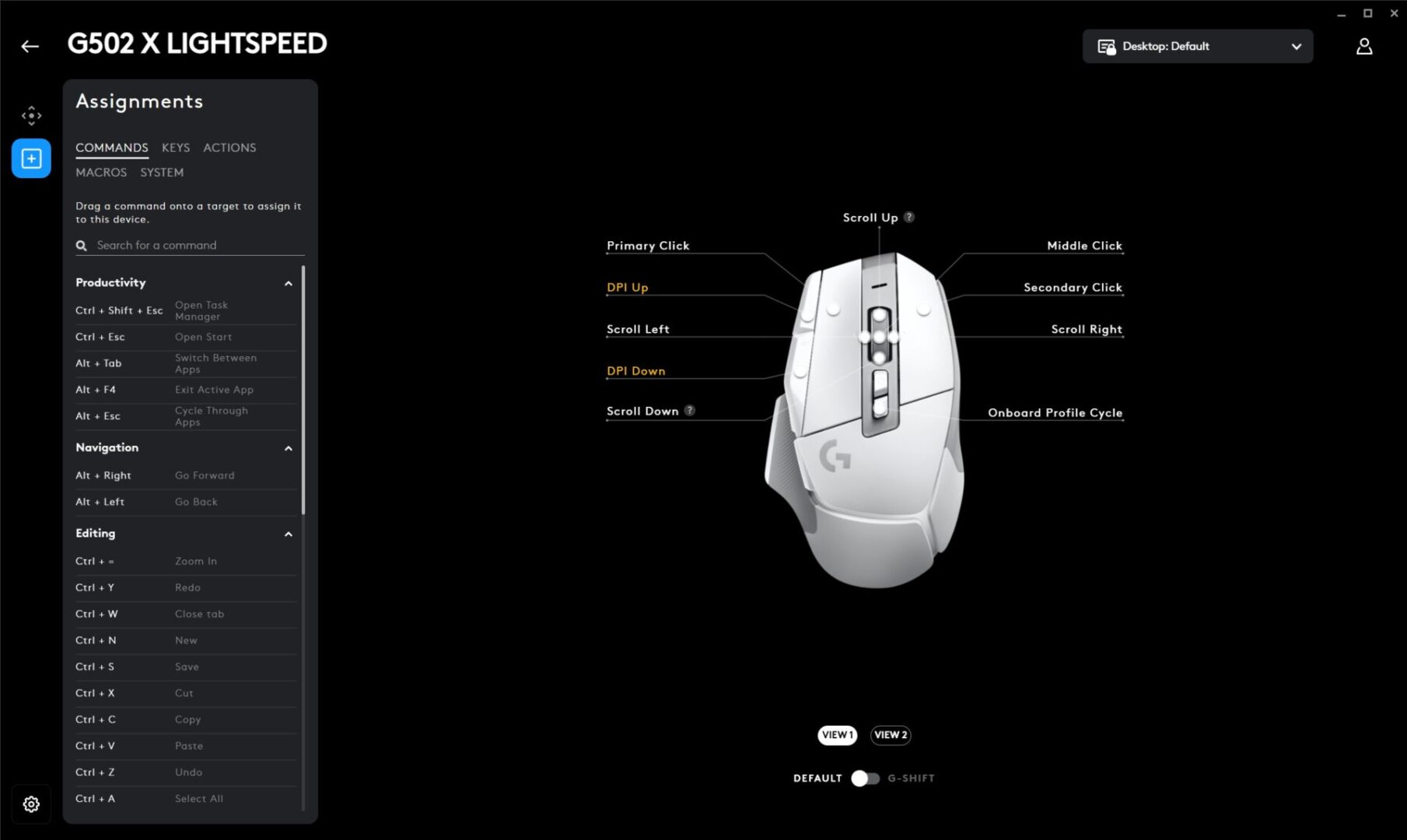
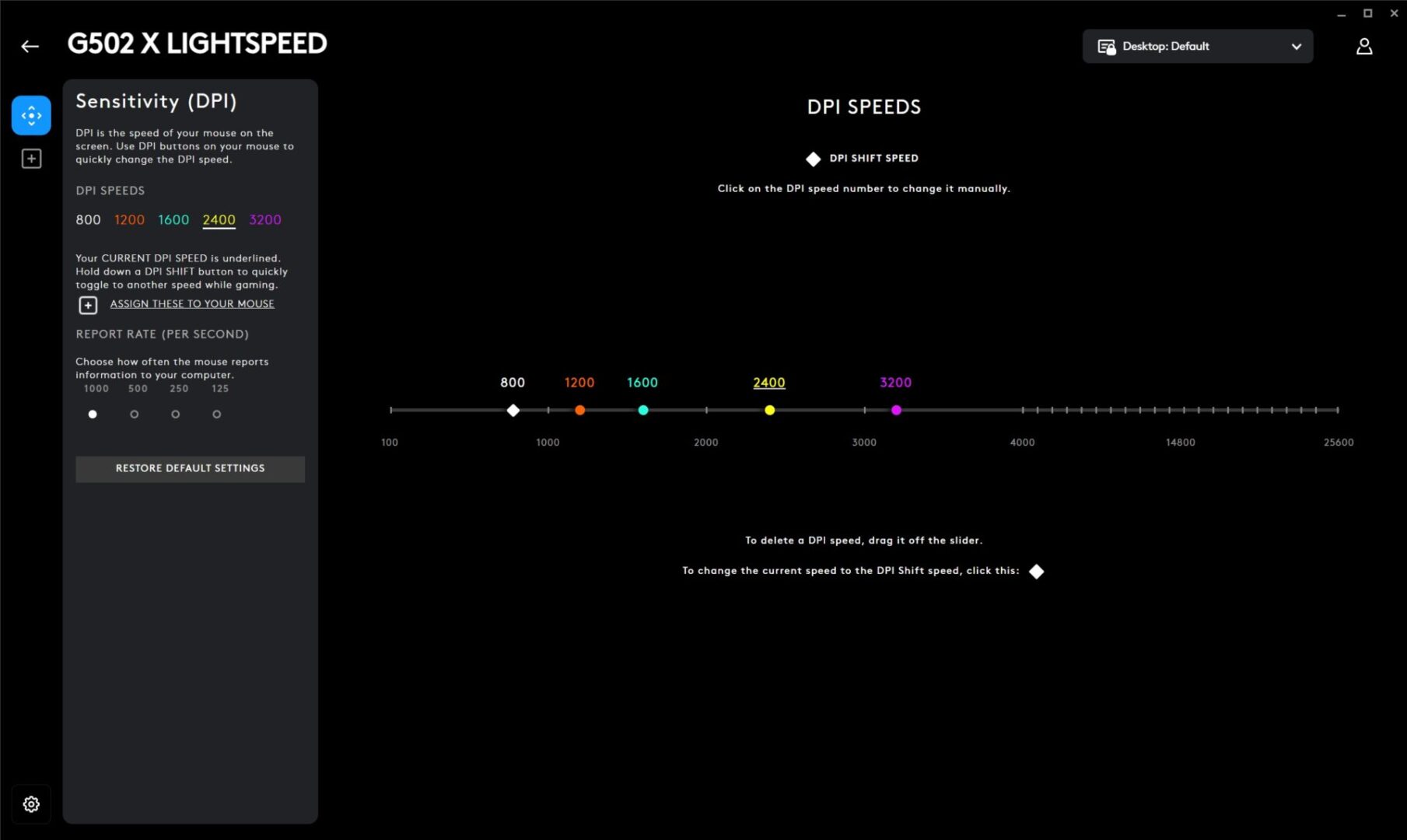
For those who like to change their settings, specifically the DPI settings, on the fly, the G502 X Lightspeed has an adjustment button on the thumb-side that is easy to click for lightning-fast adjustment. And with DPI adjustments going all the way up to 25600 via the Logitech G Hub app, there is a setting for literally everyone. In the app, you can even customize the five different DPI settings that the button offers so you can switch between them without having to open the app.
Depending on what I am doing, I tended to keep my DPI at either 1600 or 2400, as anything higher than that would just become a blur to my eyes. For fun, I put the setting all the way to the max, and I didn’t see my cursor at all for a second or two until I was able to move the mouse slowly enough that I could find the cursor.
“…the G502 X Lightspeed offers some of the best performance I’ve experienced with a mouse and the lowest travel distance to response on the M1 & M2 buttons…”
The last thing I want to talk about is the battery life. The Logitech G502 X Lightspeed affords roughly 280 hours of battery life between charges, based on my experience. I can’t ask for better than that, especially when it handled my entire 8-hour workday and then a multi-hour game session, multiple times. Charging doesn’t take long either, and with the available, but sold separately, Powerplay 2 Wireless Charging system, you can depend on the G502 X Lightspeed to be there when you need it most.
After a couple of weeks of testing, I am very pleased with the G502 X Lightspeed mouse from Logitech. I’d even go so far as to say the $199.99 CAD price tag is worth every penny when the device is as dependable as this. The only thing that brings it down in my eyes is the lack of Bluetooth connectivity for on-the-go use with other devices. Available in both Black and White colourways, there is an option that almost everyone will be able to pair with.

- Icon, reinvented: From the legacy of the legendary G502 design, the G502 X LIGHTSPEED wireless mouse for laptop or desktop setups is reimagined with the latest in gaming tech
- High-precision tracking: Experience sub-micron accuracy with the HERO 44K gaming sensor; offering zero smoothing, filtering, or acceleration for unmatched reliability