
Are you looking to record some of your favourite gameplay moments and share them with your friends or followers on social media? There are several different ways to record your gameplay on PC. Choosing between different methods for recording gameplay allows you to find the best option for your setup and needs.

Hardware Solution: Capture Cards
The first method is to use a capture card. A capture card is a hardware device that can connect to your PC, which allows you to record gameplay footage directly from your gaming console or PC to the capture card. Capture cards provide high-quality recordings and are easy to use. You simply connect your capture card to your PC, connect your gaming console or PC to the capture card and then use recording software like OBS to capture the footage.
External capture cards are more portable, easier to use, and, in some cases, cheaper than internal counterparts. When choosing a capture card, focus on 1080p Target resolution and at least 60 FPS. 60fps is great if your PC can handle it but 30fps is safe if you’re just starting out. There are also 4K capture cards but they can be expensive and require a lot of storage and bandwidth.
The Elgato Game Capture HD60x offers 4K pass-through, so you can record high-definition footage without sacrificing your gaming experience. It also supports vrr Technologies like g-sync and freesync and also hdr on Windows.
SoftOrbits Screen Recorder
SoftOrbits Screen Recorder is a software that allows users to capture their screen activity on a Windows computer making it easy to record tutorials, webinars, presentations, gameplay and more. It has a dedicated game mode currently only available on PC that allows users to record their gameplay without any lag even on low end PCS. This software allows users to record their gameplay, webcam and microphone at the same time making it a useful tool for creating tutorials, recording gameplay and presentations.

In addition to its screen recording capabilities, it has a built-in video editor and media player. This allows users to edit the recordings on the fly and play back the recorded video and audio files without needing any additional software. The software also supports hotkey shortcuts making it easy to capture screenshots of your screen or specific area on the screen.
The game recorder allows users to record their gameplay at up to 4K resolution at 144 FPS making it perfect for live streaming and sharing on social media. You can select the game, choose different sound settings, and microphone settings if you have multiple microphones. Once finished recording your gameplay, you can see your gameplay in the file system, scrub through and watch the gameplay, review it, edit it, trim it, add opening and closing titles, extract the audio, take a screenshot and adjust the playback speed.
Overall, this is a versatile and powerful screen recording tool that offers a range of advanced features for both gaming and general use screen recording. Its built-in video editor, media player, and audio recording capabilities make it an all-in-one solution for capturing, editing and sharing screen activity on your computer.

OBS (Open Broadcaster Software)
OBS or open broadcaster software is a free and open source software that allows you to record, edit and stream your gameplay in real time. It’s a popular choice among streamers and content creators due to its extensive customization options with support for a wide range of platforms including Twitch, YouTube and Facebook.
With OBS you can capture your entire desktop or just a specific window and you can also add overlays such as your webcam feed, logo, or a border. OBS also allows you to set up multiple audio and video sources so you can easily switch between them during your stream or recording.
NVIDIA ShadowPlay
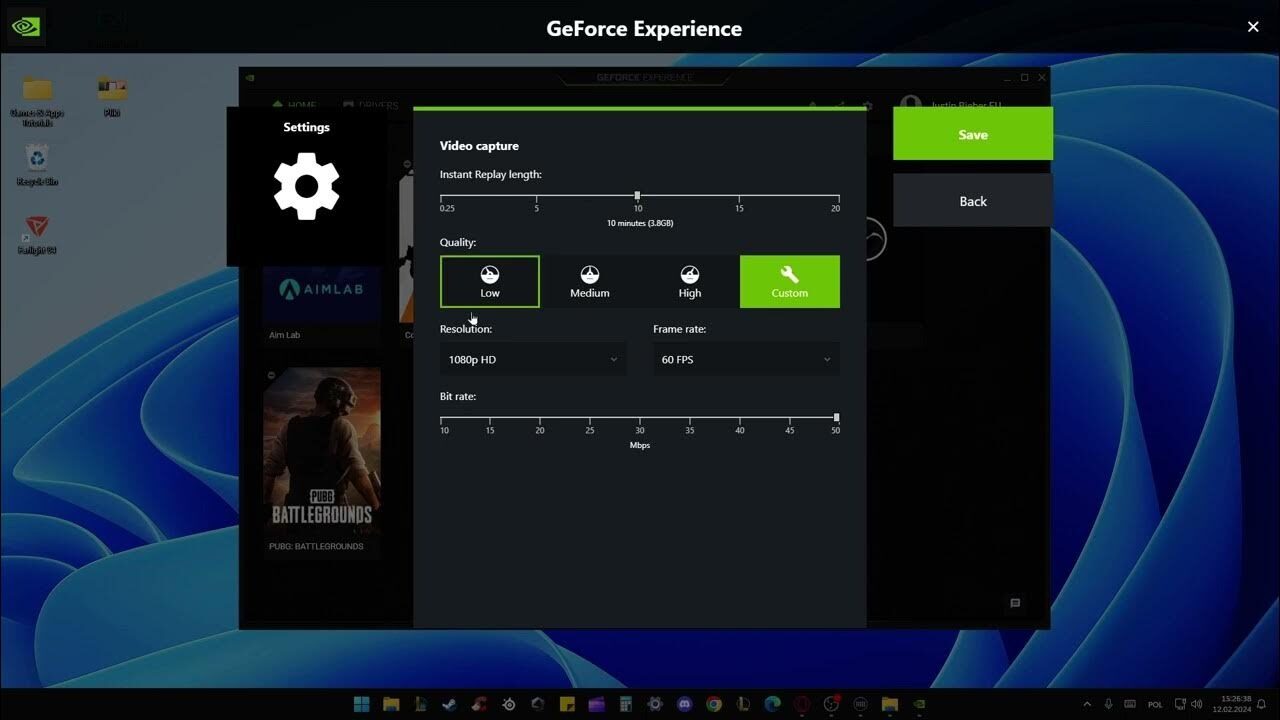
If you have an NVIDIA graphics card then ShadowPlay is a great option for recording your gameplay. It’s built into the GeForce Experience software and offers a simple interface for recording and streaming your gameplay. One of the standout features of shadowplay is its ability to record your gameplay in high definition up to 4K.
Shadowplay also has a shadow mode feature which continuously records your gameplay in the background and saves the last 20 minutes for you to use in a highlight reel. This is handy for capturing unexpected moments or epic plays that you may have missed.
Xbox Game Bar
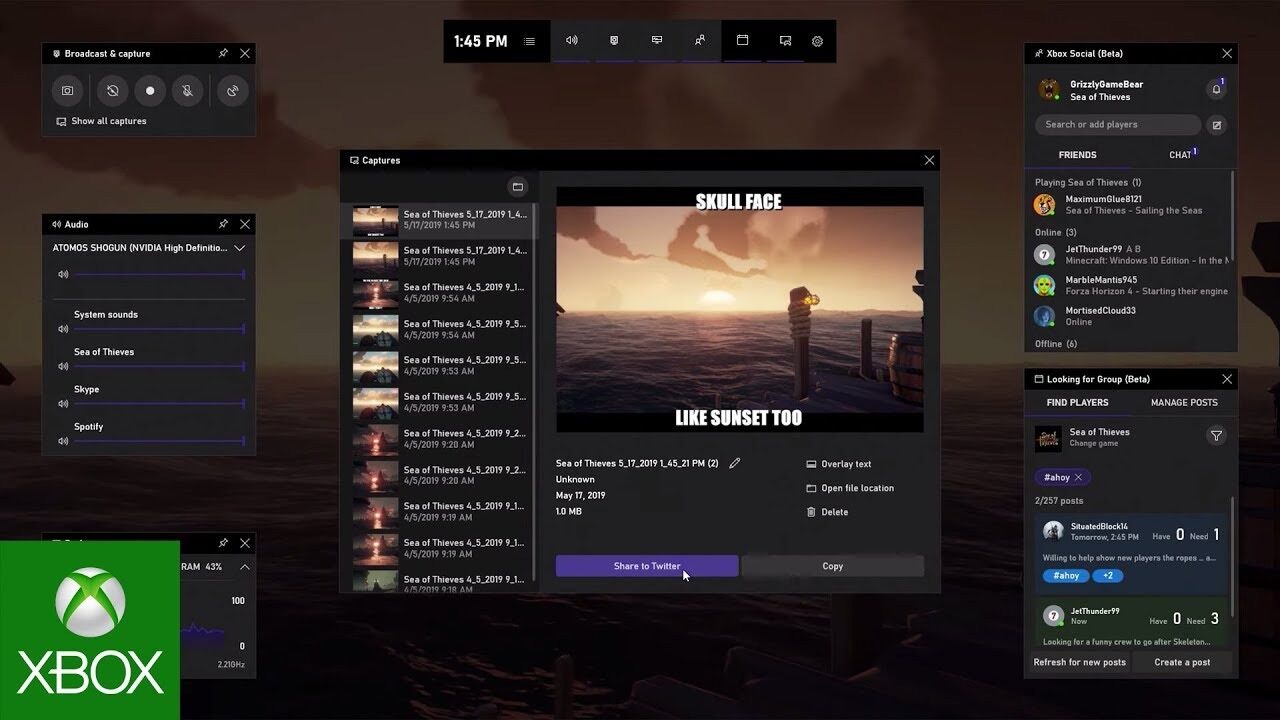
If you’re a gamer on Windows 10 then you already have access to the Xbox game bar which allows you to record your gameplay just with a few clicks. It’s a convenient option for recording gameplay on the fly and it’s also compatible with a wide range of games.
To use the Xbox game bar you simply need to press the windows plus G key on your keyboard while in game to bring up the game bar. From there you can start a recording, take a screenshot or access other features such as audio settings and performance stats. The Xbox game bar allows you to add a microphone feed to your recordings so you can commentate on your gameplay.
Whether you’re looking for a hardware solution like a capture card, a feature packed screen recording software, or a customizable open source option like OBS, there’s a solution out there for you for capturing, editing and sharing screen activity on your computer.