
Pokémon Pokopia is one of this year’s biggest breakout hits yet. Within one week it moved 2.2 million copies, selling out at physical retailers, and became the highest-rated game in the Pokémon franchise’s thirty year history. Like all of the best cozy games, it offers countless tasks to perform, from building shelters to terraforming, but scatters them in a massive sandbox that can be explored at each player’s individual pace, and steeps the whole thing in the series’ nostalgia-rich trappings.
With over 200 habitats to form to seek out over 300 Pokemon, and spanning five different “cities,” your brave Ditto hero has its work cut out for it. And while you’re free to go where your whims take you, there are definitely some useful tips that can make your whole experience go much smoother. So we here at CGM have compiled a list of pointers to guide you from Pokémon Pokopia‘s early hours and into deeper waters with efficiency.
Making the Most of Habitats
Habitats and biomes are, in a way, like the Pokéballs of Pokémon Pokopia: the tools you use to bring a new critter into your roster. Establishing as many different varieties as you can is an essential element of the game, but at the same time, arranging and managing them properly is key if you’re concerned about the aesthetic design of your villages. Early on, as you arrive in each area of the game, it’s worth it to keep an eye on each habitat (or hint of a habitat) that you discover.
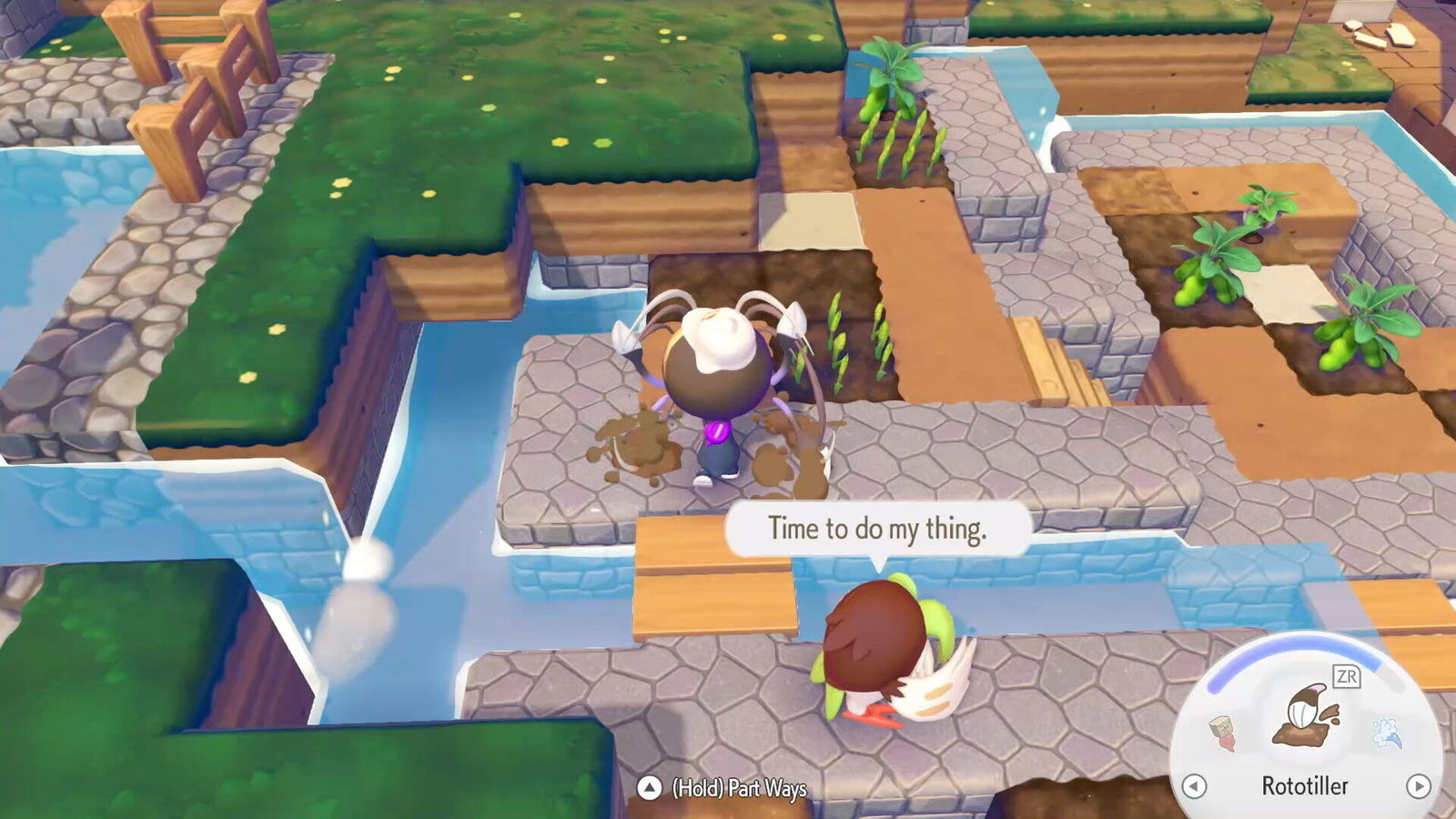
Pokémon Pokopia‘s Habitat Dex shows how many different Pokémon can be attracted to that particular setup. If it’s a simple home, like the “tall grass” or “tree-shaded flower bed” biomes, try to set up as many of that easily-repeated biome as you can, in order to entice as many Pokémon species as you can—especially if it’s as easy as making a cluster of 4 grass tiles with Leafage, or using Rototiller or seeds to plant 4 flowers next to trees.
Now, even if you have enough habitats, there are some Pokémon that spawn only in the right weather, at the right time of day, or in certain biomes; for example, you won’t find Geodude in tall grass in Withered Wastelands, but you can in another zone. And then, as you unlock new areas, try recreating some of the biomes from previous zones using the new localized variations of fauna, like the different-coloured grasses, and see what new entries you can discover.
Housing, Aesthetics, and Environment Level

If you want to recreate the Kanto cities each sandbox in Pokémon Pokopia is based off of, or turn loose your lifetime of decorating experience from Minecraft or Animal Crossing, you’ll have to contend with the various living quarters of all the Pokémon you discover. There’s a good chance that when you start out, your Pokémon neighbours will be living in unorganized chaos, but a little further into the game you can move them to more thoughtful locations for everyone’s benefit.
Improving living conditions is key to improving each area’s Environment Level, and moving Pokémon to new digs is a great chance to do both. You can relocate a Pokémon at pretty much any time by having them follow you to the site (or, conversely, you can use the relocation kit to move their current shelter altogether).
Housing options are a little unconventional in Pokémon Pokopia; you can either use prefab building kits—which require stacks of resources, multiple helpers, and a chunk of time to unlock—or build domiciles manually. There are pros and cons to both approaches, so you’re free to choose whichever route suites the vibes of the community you want to build, or your personal playstyle.
Any cozy game has its quirks when it comes to crafting and storing items, and Pokémon Pokopia is no exception.
Prefab houses can have a nice, uniform look, and are especially great if you’re not inspired to manually build a house yourself. They take about as many resources to make as doing it yourself, too. However they are smaller in terms of practical space than they may seem, and it pays to be mindful of how many Pokémon can fit in each beforehand. “Den kits” make a nice simple shelter which fits one tenant; huts fit 2; cottages hold 3; and houses cap out at 4.
Alternately, all you need to make a valid, liveable house manually in Pokémon Pokopia is four walls, three furniture items, and a door… and those “walls” need only be a single tile high. Of course, these won’t be the most comfortable lodgings if you only put in the bare minimum of effort and material. I found it was better to build each “room” about 4-5 blocks in each direction (length, width, and height) to give ample space for furniture and larger Pokémon. Typically, four tenants can live pretty comfortably in one such room.
With this method, you can even stack several such rooms, making a veritable apartment building, as in the screenshot above. Just make sure there are stairs or other easy means of access.
Lastly, be mindful of the likes and needs of your Pokémon while assigning their homes. If you can group like-minded individuals in one lodging (like those who prefer darker homes), you can essentially kill two birds with one stone and improve your Environment Score in the process.
Make Your Crafting & Storage Life Easier

Any cozy game has its quirks when it comes to crafting and storing items, and Pokémon Pokopia is no exception. Your Ditto can craft items using whatever’s in their personal “bag”—so to speak, it’s technically in their stomach—which is a somewhat limited approach. However you can also use components that are in storage boxes if those storage boxes are touching the crafting station.
The game points this out, but it really is beneficial to be diligent and proactive in this area if you can. Upon arriving in each new region, I made a main, central crafting space with at least one large storage chest behind it, to start. Once that chest got cramped, I’d add another on the side, and eventually a third on the remaining side. This allows for nine pages of inventory in addition to my Ditto’s bag. (Be sure to leave enough space to keep them accessible!)
By the same token, keeping the boxes somewhat organized can be incredibly beneficial in the long run, as you begin to log hours of playtime in Pokémon Pokopia by the dozens. In one box I tried to keep all the natural resources like sticks and the various types of dirt, rock, and vegetation; in the second, I kept processed materials like lumber and paths, along with collectible things like fossils and CDs; and in the third storage, I kept furniture. If you’re really keen, you can use paint to identify which chest is which.
Granted, I didn’t always keep up with my own system, but nonetheless a little effort here made looking for certain items later much easier—even for oddball furniture pieces I’d picked up many hours and two areas prior.
Read (And Explore) The Environment
One of the most commendable things about Pokémon Pokopia is the way its environment can gently steer players towards interesting discoveries. If you keep an eye out you can find lots of useful signposts: the way water seeps through a punchable wall tile, right in front of a stream-shaped trench; the different type of rock which usually signifies a new hidden area beyond; or even the way some dirt piles obscure certain paths, hinting that maybe there’s a whole other road in that direction if you take the time to excavate it.
This is one of the coziest things about this cozy game, and really helps give it that “just five more minutes” energy. Don’t be afraid to stop, smell the roses, and maybe try punching down that suspicious wall to see if something’s hiding behind it. I did this once in the starting area and found a whole new corner of the town that I hadn’t seen before—waiting behind a wall I’d run past a dozen times.
By the same token, you can find new nooks and crannies of most of Pokémon Pokopia‘s maps if you get a little elevation. Hop or climb your way to the top of a hill and see what you can reach from your new vantage point. It may be more raw resources like stones and sticks, or you might find another part of the region you’d been missing.
In this regard, it really pays off to just follow your whims in Pokémon Pokopia. By doing so in Bleak Beach, I’d stumbled upon the electricity feature by myself before the main quests introduced it, and even built a land-bridge to that mysterious silhouette lurking off the coastline without learning a certain vital transformation.
Dream Islands & Managing Finite Resources
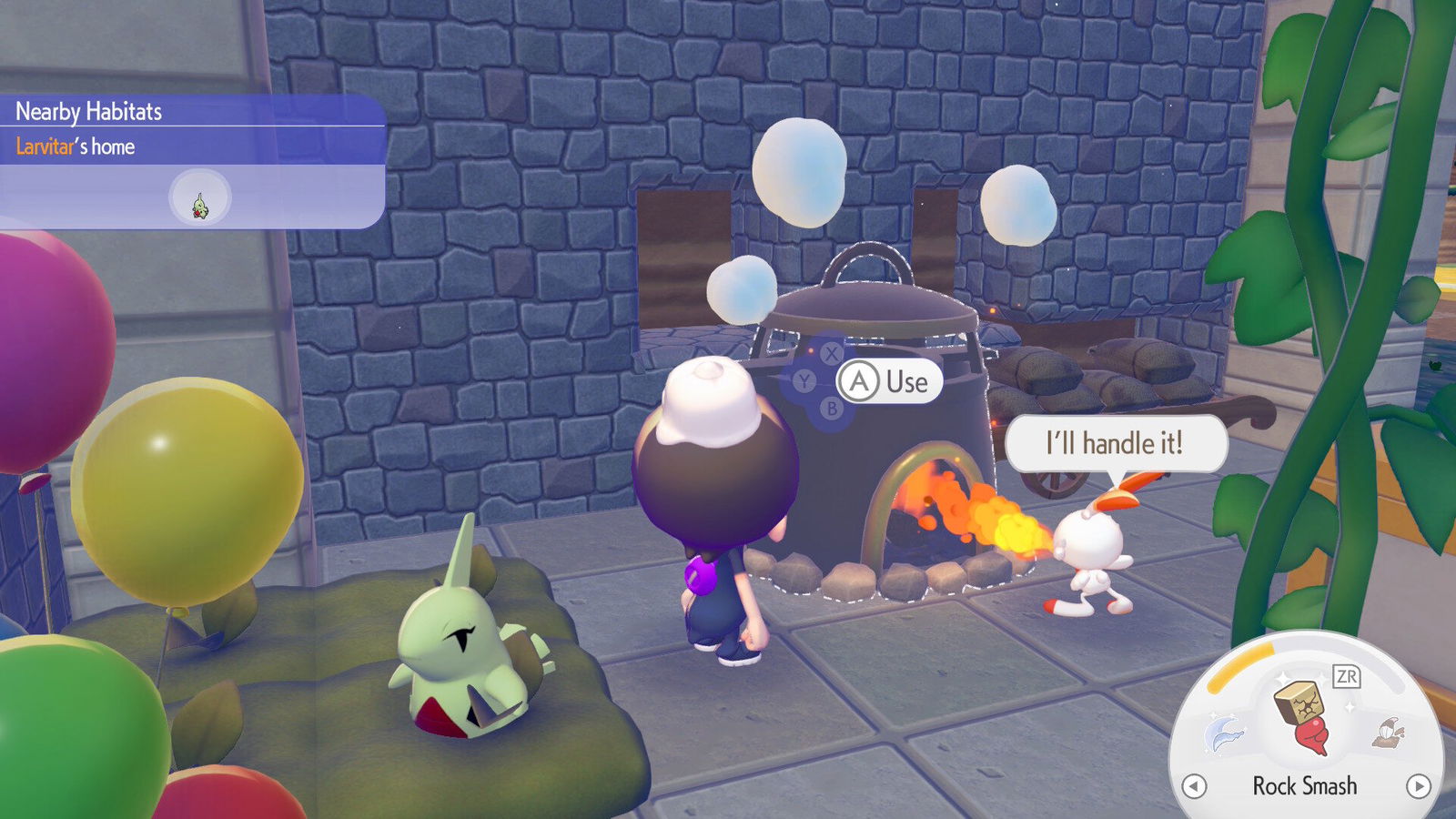
Once you discover the means to smelt in Pokémon Pokopia, it’s hard to resist the temptation to turn every piece of ore you find into ingots ASAP. The poor fire Pokémon in my villages knew no rest for days once I unlocked this mechanic.
But tempting as it is, it’s actually wise to hold back a little bit. Smelting can be time-consuming, so I was eager to have as many ingots stockpiled as I could for all the things that use them. However, ores (especially iron ore) remain important for crafting, being used in many recipes. I ended up with lots of ingots, but no ore left in the coffers for utility poles and other electronic items.
Restocking ore from your towns can be a pain, to boot. You need to power up Rock Smash to be able to even mine iron ore (or have the late-game Magnet Rise transformation), and there’s only so much to be found in the original spawn points. This is where the Dream Islands become a vital feature.
While we’re on the matter of “not overdoing it,” no, you absolutely do not need to water every individual grass tile in Pokémon Pokopia, so go ahead and absolve yourself of that responsibility right away!
Each day you can use a Pokémon doll to have Drifloon whisk you away to a randomized island, based on one of the main islands—Eevee dolls send you to Dream Islands based on Withered Wasteland, or Pikachu to Bleak Beach, and so on. These daily islands are never the same twice (like Pokémon Pokopia‘s answer to Animal Crossing New Horizons‘ Mystery Islands), and you’re free to tear down the environment and claim whatever you find there without worry.
Thus, it’s highly advisable to check out Rocky Ridges-themed Dream Islands often, by using the Arcanine doll. These islands will be rich in iron and gold ores, as well as the Dream Island-exclusive Stardust which can be used to clone items at Pokécenters. The ore in Rocky Ridges will only last so long, while this mechanic provides a bottomless resource over time. Once you’ve come home with your pockets lined with iron, I’d recommend converting about half your haul into ingots, generally speaking.
By the same token, I’ve found it helpful to not snap up every piece of stone, litter, or other resources laying around, and leave some for another day. (And while we’re on the matter of “not overdoing it,” no, you absolutely do not need to water every individual grass tile in Pokémon Pokopia, so go ahead and absolve yourself of that responsibility right away!)
Know Their Roles
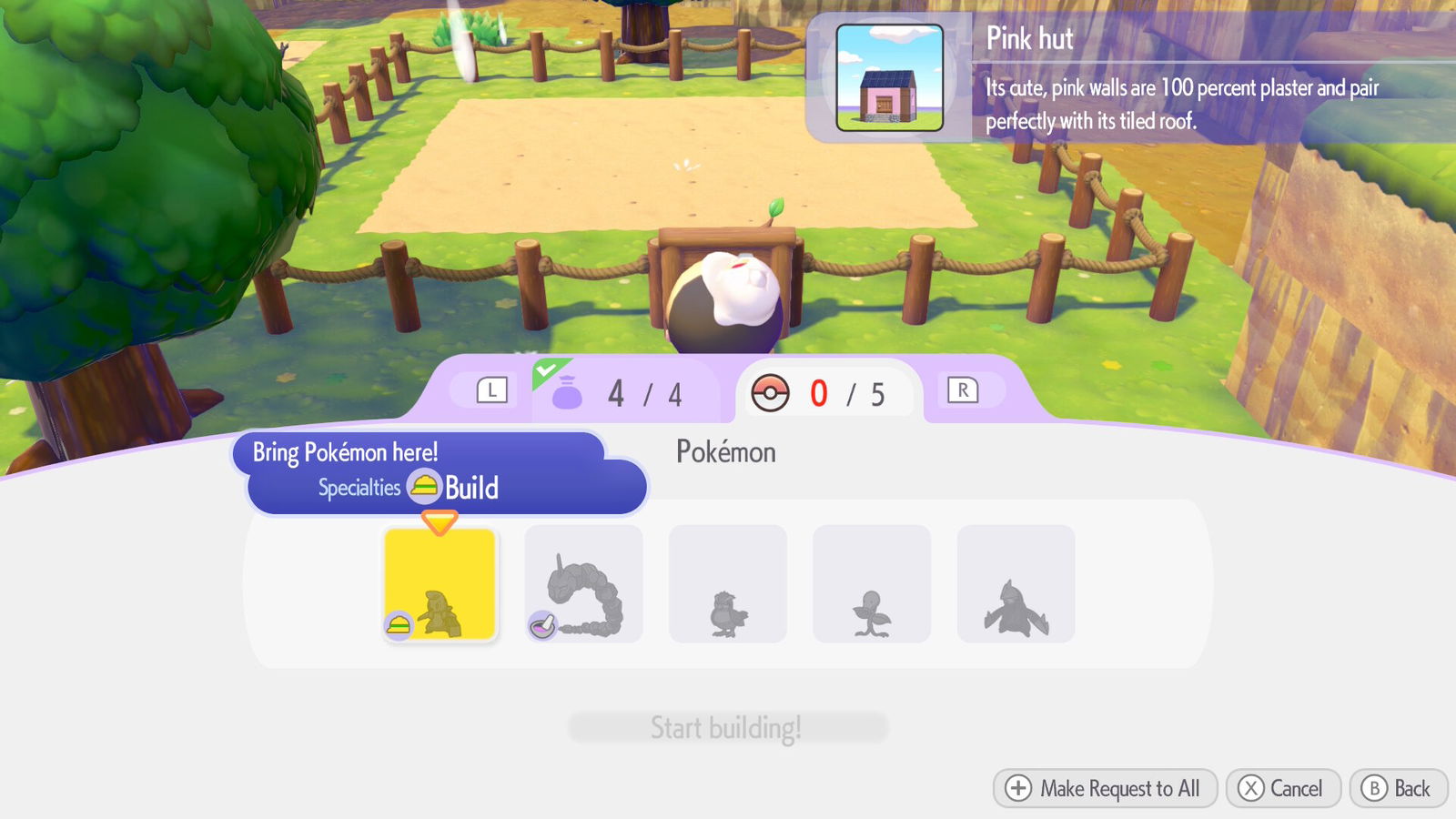
Lastly (for now anyway), it really pays to know the various Specialties offered by each Pokémon. The Pokédex shows this info whenever you find a new species, and tutorializes some of most obvious functions: Grass-types usually have Grow, to make plants, well, grow; Fire-types can use Burn to light fires or smelt ores, and so on.
Yet, the less obvious Specialties can be some of the most useful in Pokémon Pokopia. Searching for someone with the Pokédex is infinitely easier if you can ask a Pokémon with the Fly or Teleport roles, as they will immediately whisk you away to that character—alternately, you can use honey on their habitats to essentially summon them, but being warped is so much more fun (and less sticky).
Arguably the most helpful Specialty, depending on what kind of projects you’re building, is Tinkmaster’s Engineer. On paper, it sounds like it’s limited to its story function, like the other “special” Pokémon. Bring Tinkmaster to a building project and assign it to the Build role, however, and marvel as that construction takes only one hour instead of being deferred to the next day. It becomes available a little late in the main quests, but it’s a complete game-changer for building kits from houses to utilities. I saved Palette Town for the end of the game, and chopping those wait times to shreds made a world of difference.
(Speaking of build times, if you find yourself stuck waiting for a Pokémon you assigned to become available, you can still speak to them while the construction is underway. You can even lead them away temporarily, so don’t fret if you need crops watered while your only Water Pokémon in the area is occupied.)

Savvy use of certain items and Pokémon can make Pokémon Pokopia‘s basic Specialties much more efficient, too. Those with the Gather ability (like Gengar or Machamp’s evolutionary lines) can round up basic materials and deposit them in a Community Box, or even take those things to the machines that process them, like Smelters. Or, you can place one near the home of a Chop Pokémon, like Scyther, and put in logs for them to convert into lumber without being asked to do so.
And don’t be afraid to borrow a Pokémon from its home area, if you need their Role in another town. You don’t have to wait for a Builder to appear in Bleak Beach; you can just ask one in Withered Wasteland to follow you, and assign them to a building task. They eventually meander home afterward (or, in the case of Tinkmaster, appear in their home biome while waiting to perform a build in another area.)
Experiment with these Specialties and the items that interact with them—along with all the other pointers on this list—and you’ll surely find plenty of ways to make Pokémon Pokopia even more suited to your own playstyle.