

The ROG Zephyrus Duo is an impressive gaming laptop, but not for the standard reasons one would think. Equipped with the ever-impressive Intel Core Ultra 9 386H 2.1 GHz processor, NVIDIA GeForce RTX 5090, and a whopping 64GB of LPDDR5X 8533 RAM, the Zephyrus Duo is packing some impressive hardware that places it with the top-end gaming laptops on the Market.
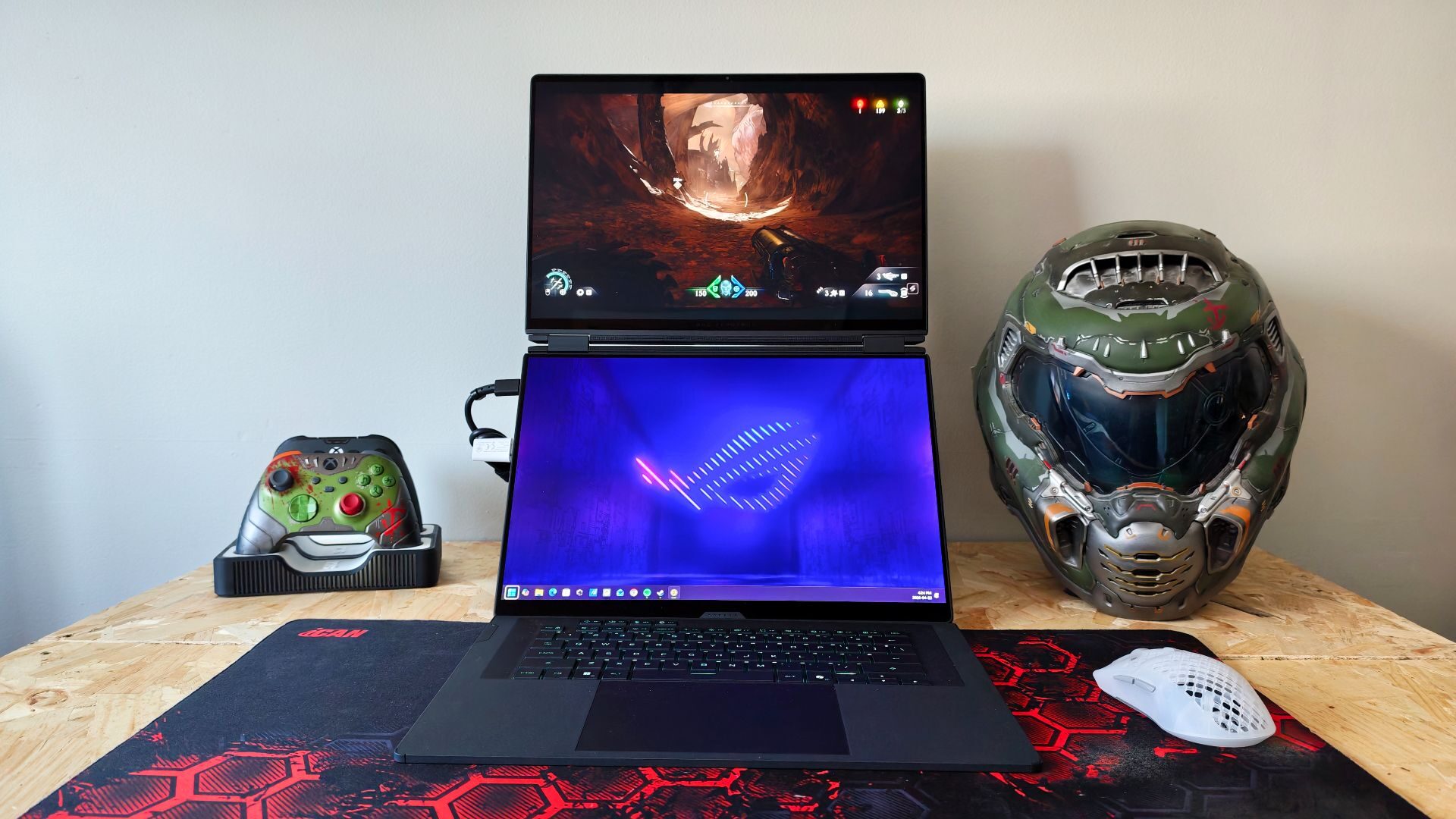
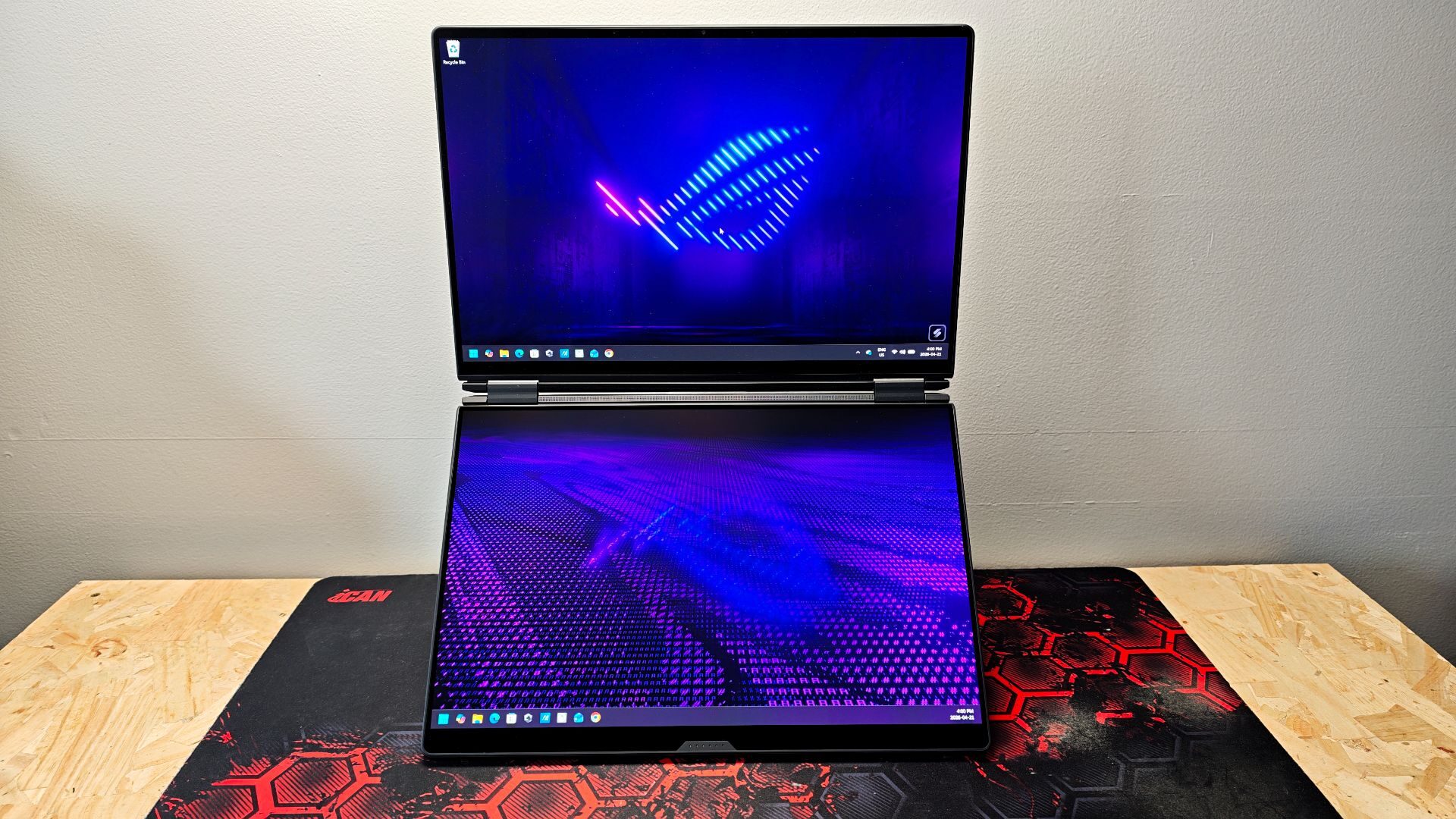
What sets the Zephyrus Duo apart, as the name suggests, is the inclusion of two 16-inch ROG Nebula HDR displays and a full-size removable keyboard and trackpad. A first-of-its-kind, the Zephyrus Duo is an impressive piece of tech that offers all the power and performance you’d expect from a high-end gaming laptop, but with the form factor of a laptop akin to the Lenovo Yoga Book 9i. The one burning question that must be answered is simply, “Is it any good?”
The ROG Zephrus lineup is a staple for the company. Each year sees some notable improvements, with the latest Zephyrus G14 impressing our team here at CGmag. A consistent theme I’ve noted over the past couple of years is ASUS working to pack as much tech and performance hardware as possible into the Zephyrus chassis, and the new Zephyrus Duo is no exception.
“With what is essentially five different modes of use: dual screen, laptop, sharing, book and tent, the Zephyrus Duo offers a host of functional setups to choose from.”
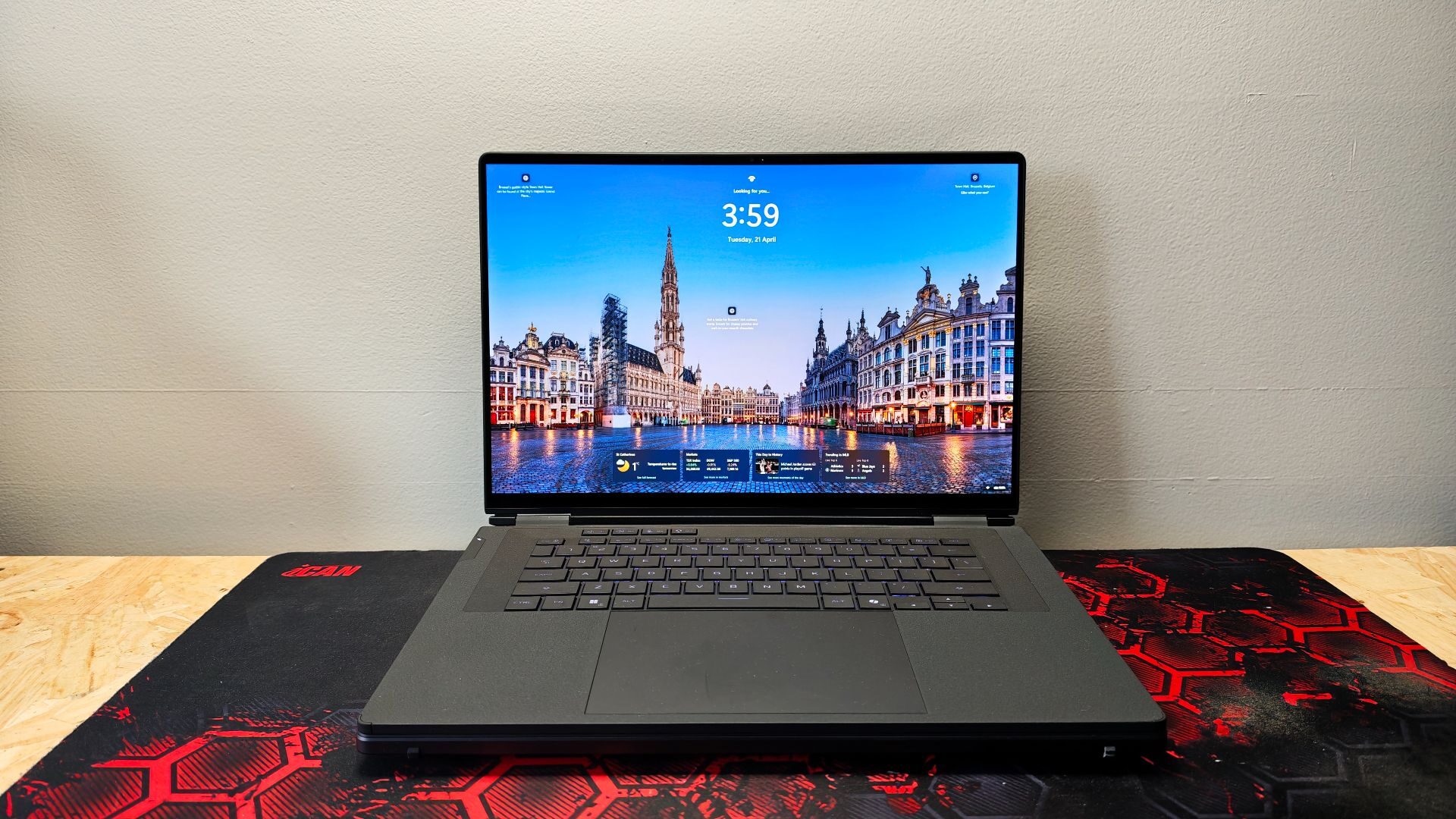
As mentioned previously, the design shares some similarities with the Yoga Book 9i. A pair of dual 16-inch ROG Nebula HDR displays takes up the bulk of the laptop’s surface area. Unlike the Yoga Book 9i, ROG has designed a magnetic keyboard and touchpad system that can sit on top of the bottom display, transforming the Duo into a traditional laptop while simultaneously charging the wireless keyboard system.
The Keyboard/trackpad system is impressive in its own right. Bluetooth-enabled, it comes equipped with single-zone RGB and offers 1.7mm keystroke travel. Measuring only 5.1mm thick, it still feels sturdy when detached from the laptop. In testing, I’ve found it to be an enjoyable keyboard for both typing and gaming.
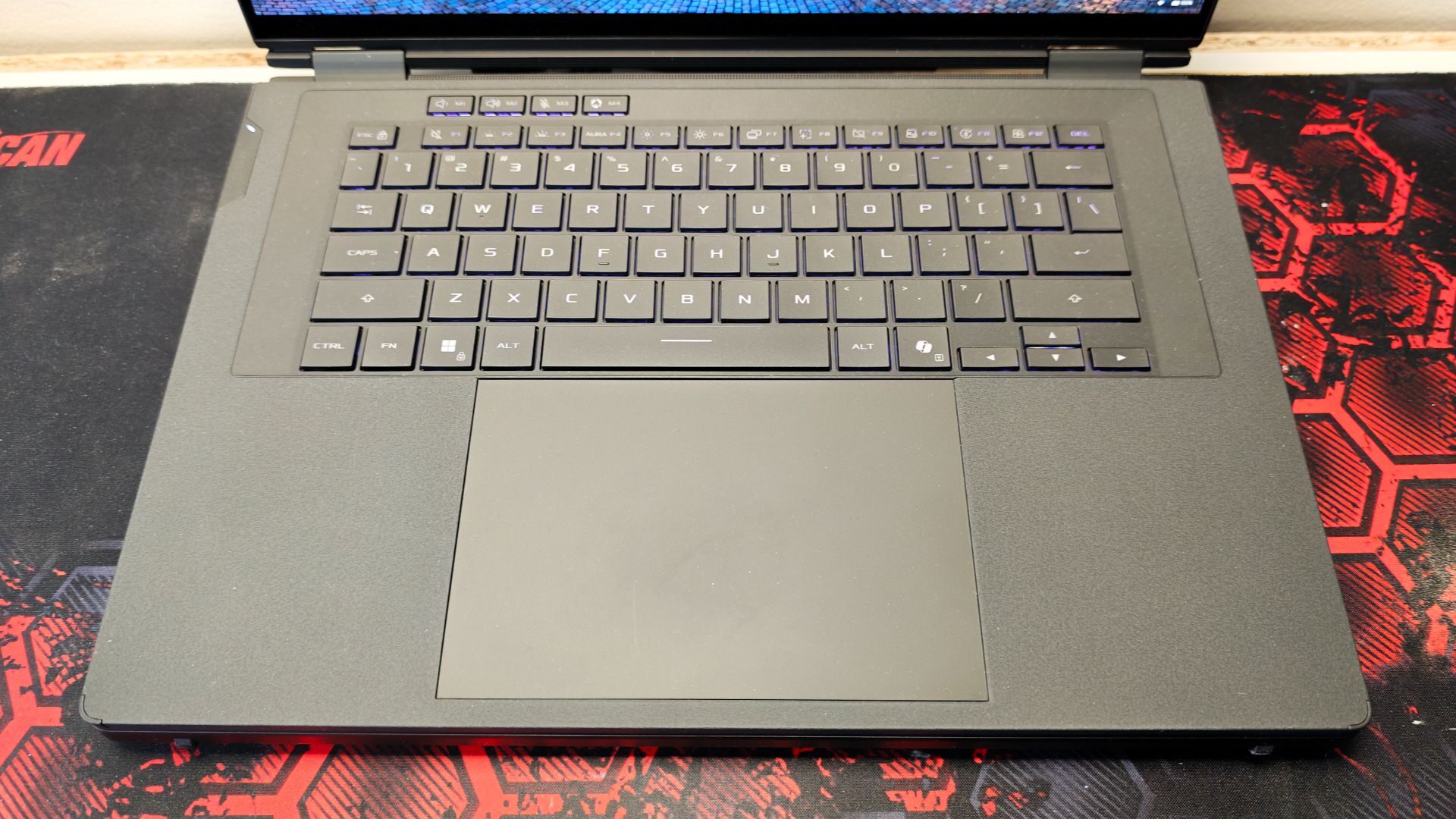
The touchpad, likewise, is responsive and offers great feedback. It’s a bit large, causing more than one accidental bump while typing, but with some time and practice, it begins to feel fairly normal to work with. While I’ve not found an official battery life measurement for the keyboard, it has no problem getting through a workday, detached from the laptop, even with RGB on. As it automatically charges when reattached, the keyboard/trackpad is ready each morning for work, having charged throughout the night.
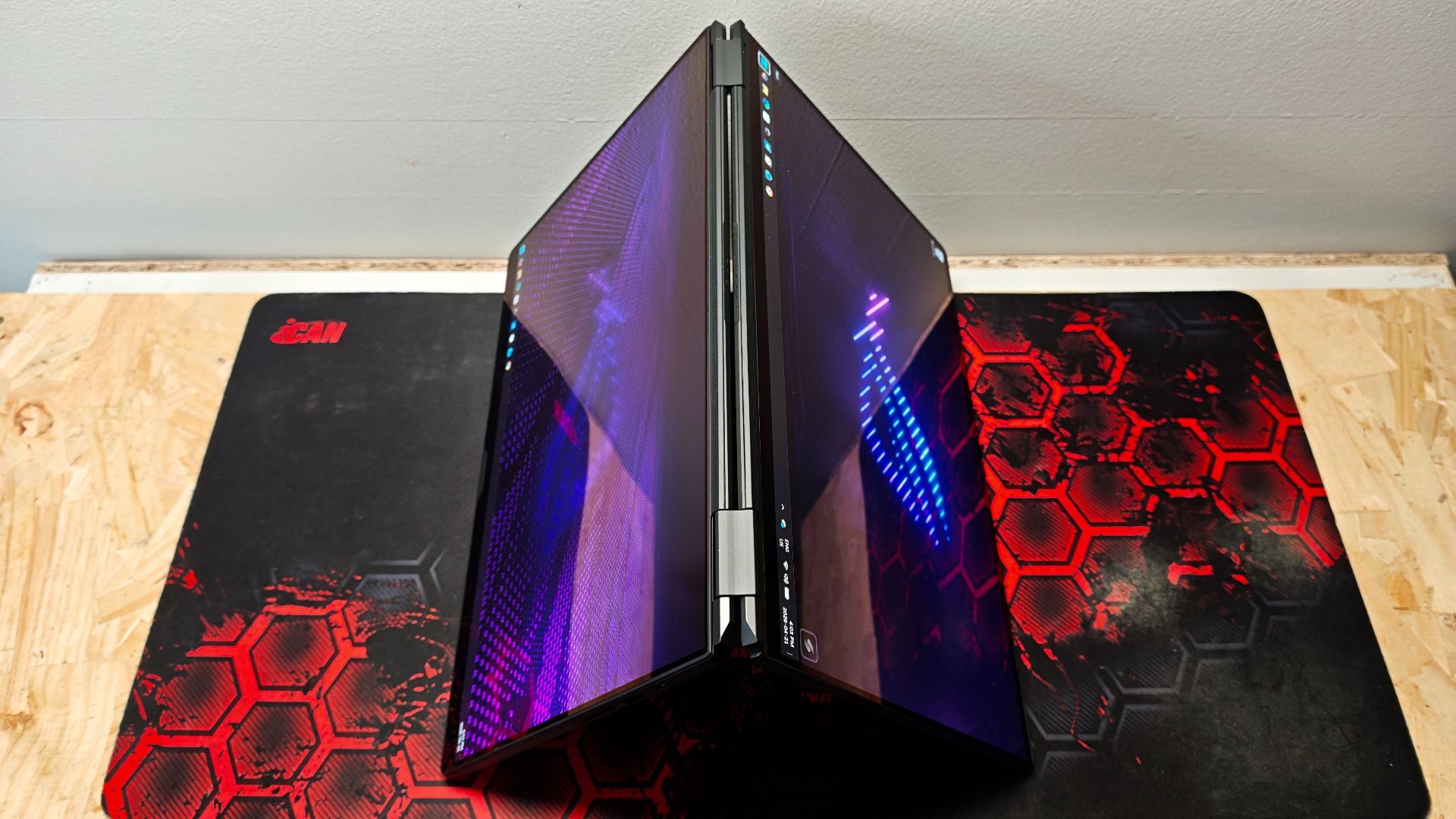
The screens can then be propped (via a sturdy kickstand built into the base of the laptop), flipped, stood on end, or even laid completely flat if needed, providing users with an impressively flexible dual laptop display. With what is essentially five different modes of use: dual screen, laptop, sharing, book and tent, the Zephyrus Duo offers a host of functional setups to choose from.
The overall construction is sturdy as well, in typical ROG fashion, always feeling stable no matter the form factor it finds itself. For those wondering, yes, the laptop can close with the Keyboard/touchpad system attached, easily tucking into your laptop bag like any other laptop. This is a huge win for the Zephyrus Duo design, as one of my biggest issues with the Yoga Book 9i was the sheer amount of accessories that were needed in order to go anywhere with it.
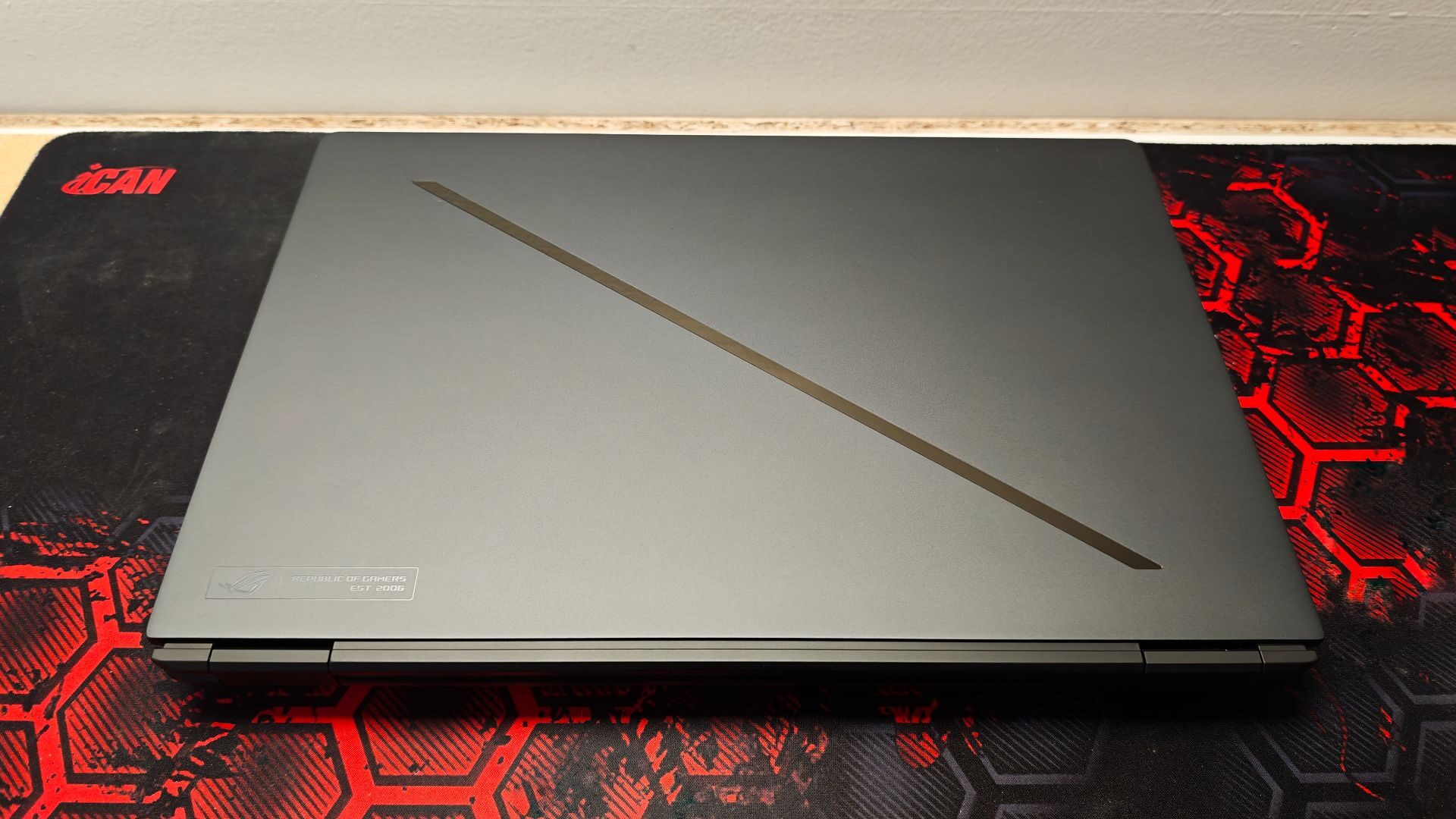
I also appreciate that it features a CNC-machined aluminum chassis and casing, which contributes to the rugged and durable feel of the laptop. Additionally, ASUS has included a unique coating for the outer shell as well as the keycaps that gives the whole laptop a rubberized texture that feels great to type on. As a result of this, the Excimer coating of the Duo is quite easy to clean and resistant to the standard smudges accumulated from daily use.
The Zephyrus is more than a pretty laptop, though, and comes with a solid offering of I/O. The left side of the unit houses the power port, a single HDMI 2.1 port, a single USB 3.2 Gen 2 Type-A, one USB Type-C (Thunderbolt 4 with power delivery and DisplayPort functionality up to 40Gbps), and a 3.5mm combo audio jack. The right side houses a second USB Type-A port, a USB Type-C port, and an SD card reader.
My one small critique of the I/O is that it would have been nice to see at least one Thunderbolt 5 port on the Zephyrus Duo. With so many great Thunderbolt 5 docks available, such as the Razer Thunderbolt 5 Dock Chroma, the Duo could have benefited immensely from such a port, potentially allowing for additional monitors. With that said, it’s a minor critique, as Thunderbolt 4 is still an industry standard and delivers both power and impressive data transfer speeds.
The overall design is one of the most unique and simultaneously functional I’ve worked with and by far the most interesting of the gaming laptops I’ve reviewed over this past year. In regard to overall design and construction, I have to give ASUS top marks. It’s a great innovation within the world of Laptops and is implemented well enough to truly allow the Zephyrus Duo to stand out from the crowd.
“While I’ve struggled with the idea of a dual-display laptop in the past, ASUS has won me over with the stellar design of the Zephyrus Duo.”
While the uniqueness of the Dual display gaming laptop is enough to turn heads, it’s the performance that really helps the Zephyrus Duo stand out. While there is a lot to unpack, it only seems fitting to start with the displays. The ROG Zephyrus Duo is equipped with two 3K resolution OLED displays. With a 16:10 aspect ratio, they provide an absolutely stunning visual experience for users. Each provides 120 Hz refresh, ideal for gaming and can push 1100 nits peak brightness.
To protect the stunning displays is Corning Gorilla Glass, which, in testing, felt exceptionally durable, even when engaging with both touchscreens. As both screens do support touch, the bottom display can act as a virtual keyboard and touchpad and is activated via the ScreenXpert button located on the desktop. The virtual controls work quite well and do provide a solution in a pinch if, for some reason, the keyboard/touchpad system is out of reach.
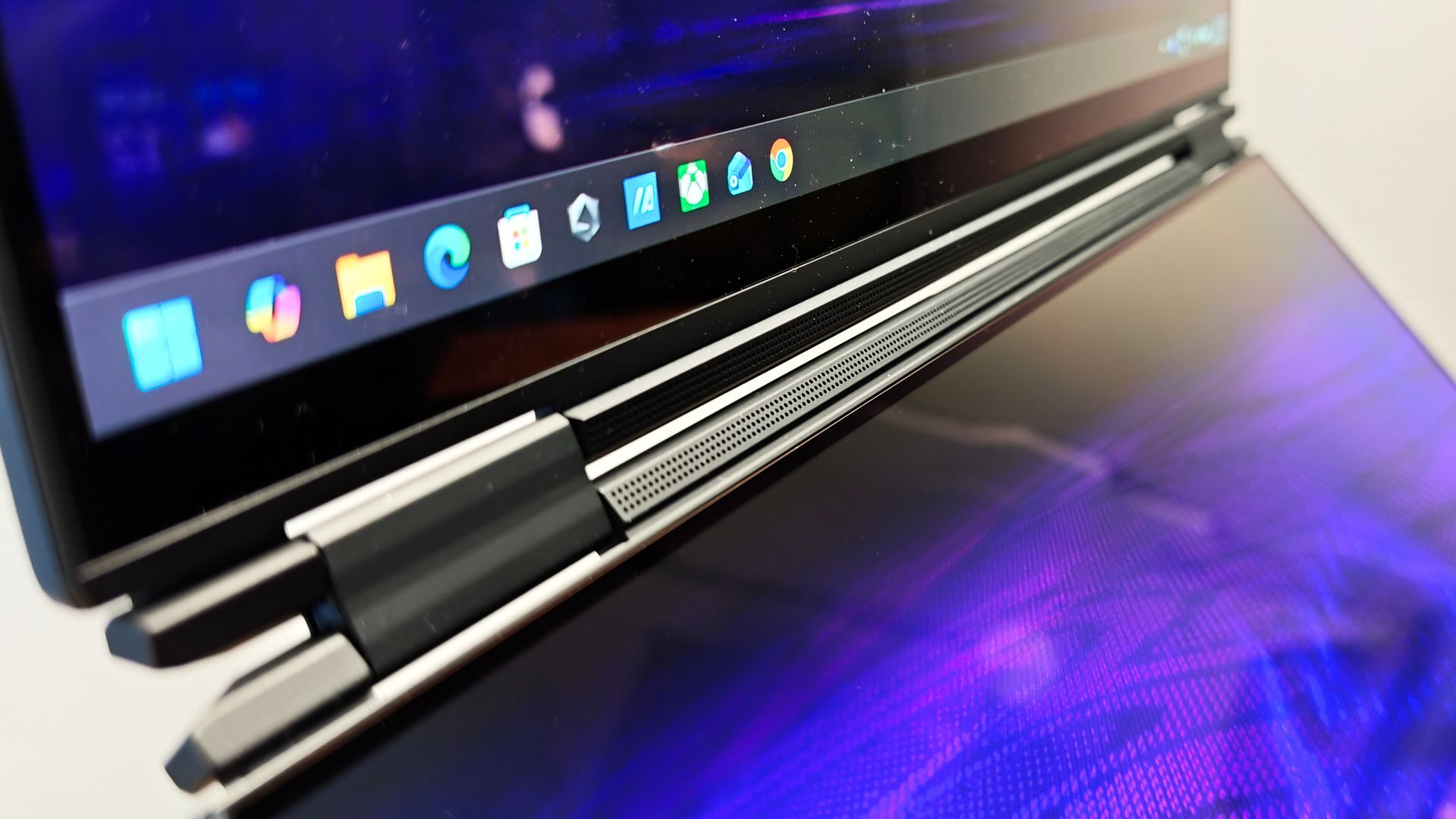
The speaker system is another impressive feature that I didn’t expect to present as well as it does. This is due, in part, to ASUS equipping the Zephyrus Duo with a six-speaker audio system, a notable upgrade over previous generations. Of specific note is the much fuller low-end experience when listening to music and playing games. ASUS included larger, dual side woofers to provide a much more rounded sound scape, and the audio profile and it is noticeable and appreciated.
As for raw performance, as mentioned, the Zephyrus Duo is at home among laptops like the Razer Blade 18 or Legion 9i 18. The Intel Core Ultra 9 386H 2.1 GHz processor, paired with the NVIDIA GeForce RTX 5090 24GB and 64 GB of RAM, allows the Duo to produce similar FPS on the bench as the aforementioned gaming laptops. While not quite as powerful as the Razer Blade 18, the Zephrus Duo pulls in very respectable numbers, easily pushing above 60FPS (71.75 to be exact) on the Cyberpunk 2077 benchmark at ultra settings and native resolution.
The performance improves with DLSS frame generation, easily reaching almost 200 fps (196.13). With ray tracing at ultra settings and native resolution, the Duo managed a solid 52.07 fps. For comparables, I set the Zephyrus Duo to 1440p and found that when compared to the Razer Blade 18 and Legion 9i 18 at the same settings, the Duo, while performing under each, still performed exceptionally well in all three tests (Ultra, RT and DLSS).
It is also worth noting that I ran all tests in both single-display and dual-display modes and noted that there was no difference in the results. The Duo can easily run in dual mode and perform exceptionally well for gaming without skipping a beat. Indeed, in my DOOM: The Dark Ages testing, there was no framerate difference between the two modes, which I was quite impressed by.
“The ROG Zephyrus Duo is an excellent gaming laptop, but even more, it’s an impressive piece of technology.”
The Zephyrus Duo also handles cooling quite well, thanks to a few different design elements. Most notable is the custom-designed vapour chamber paired with a nano insulation film that sits between the motherboard and display panel. When all is brought together, it allows the Duo to essentially pull heat away from the system expediently and expel excess heat away from the system. It’s also relatively quiet, which is much appreciated.
As a gaming laptop, the Zephyrus performs quite well. All the games tested were handled without issue, easily maintaining above 60 fps at ultra settings without engaging DLSS frame generation. Cyberpunk 2077, DOOM: The Dark Ages, Hogwarts Legacy and Indiana Jones and the Great Circle all looked beautiful, and with the dual-display mode engaged, it was easy to pull up the guides to find those last couple of treasures in Indiana Jones (feel free to shame me for looking it up, I have no pride).
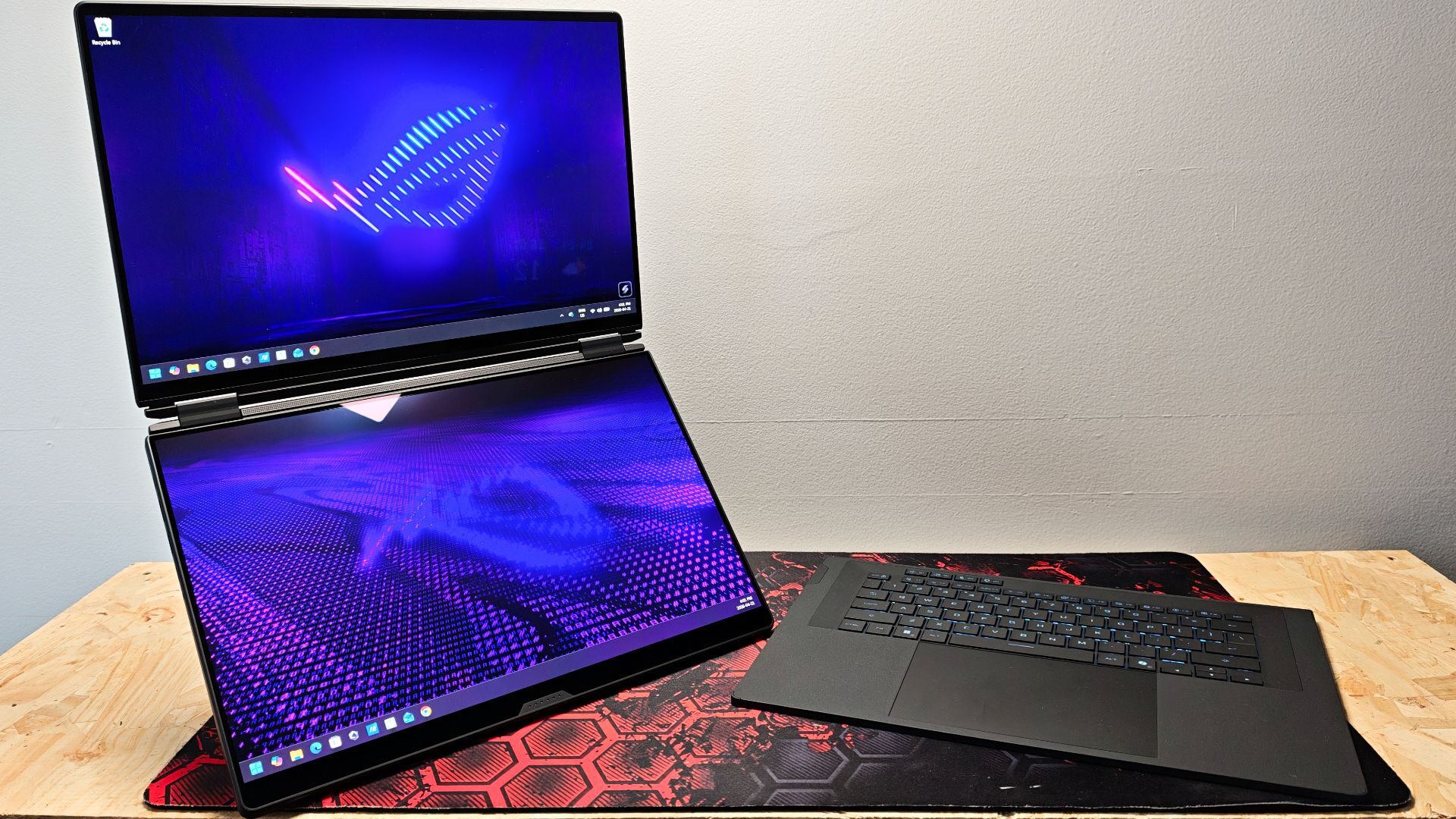
On the productivity side of the coin, the Duo is wonderful to work with. The ability to swap modes, run a dual-screen setup and have the flexibility of the detachable keyboard/touchpad system is a game-changer for work. The fact that it can essentially all snap together into a traditional laptop and live in your bag is the real win here, and I am thoroughly impressed with ASUS’s design.
While there is a lot to like about the Zephyrus Duo, the question remains, “Is it any good?” The answer is absolutely, it is. While I’ve struggled with the idea of a dual-display laptop in the past, ASUS has won me over with the stellar design of the Zephyrus Duo. While its sturdy build, impressive performance and beautiful displays are all contributors to this, it’s actually the detachable keyboard/touchpad system that makes it all come together. It’s smart, innovative, and works seamlessly, allowing users to easily swap modes on the fly. It’s the best of both worlds, and ASUS has struck the balance with the Zephyrus Duo.
The ROG Zephyrus Duo is an excellent gaming laptop, but even more, it’s an impressive piece of technology. Inspired by what’s come before, the engineers at ASUS have taken what sort of worked in other settings and have created their perfect gaming/productivity collaboration, allowing for both work and play to coexist in a single, impressive laptop.