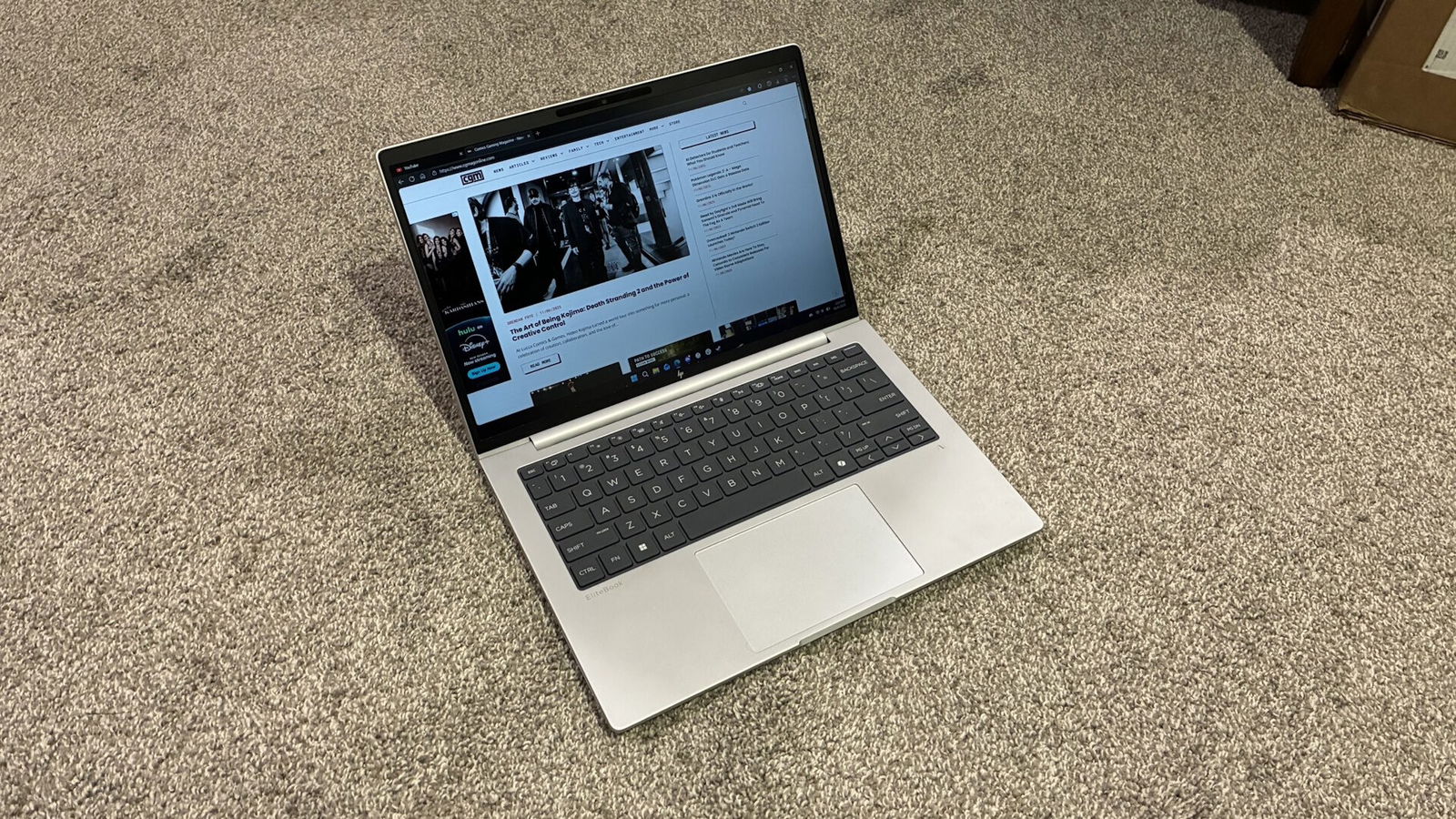

HP has recently announced their new lineup of EliteBooks, paired with new and simpler names. I have spent the last few weeks putting their new HP EliteBook 8 G1i 14”, a traditional style laptop boasting the latest hardware without compromising on connectivity and professional-looking aesthetics. Also in their lineup are a 13” 2-in-1 and a 16” model, although I did not take the opportunity to test either of these units.
The unit HP sent me is powered by an Intel Core Ultra 7 268V, paired with 32GB of LPDDR5 RAM and a 512GB PCIe NVMe SSD drive. It also boasts the latest in connectivity, sporting WiFi 7 and Bluetooth 5.4, ensuring you won’t have any issues connecting to any networks or devices.
Unboxing
Unlike many previous laptops I have tested from HP, this year’s EliteBook 8 G1i comes in a more traditional style eco-friendly box as opposed to the flashier-looking boxes seen with other models. While this is not a big deal to most, I always find myself getting more excited for products when the box looks more presentable than just a cardboard box.
Inside, you won’t find much more than the laptop itself, the premium braided cord, 65W USB-C adapter and some setup and warranty paperwork. Being a traditional style laptop, you won’t find any stylus or extra accessories in the box. I still wish HP would consider including a sleeve of some sort for protecting the laptop itself, but it’s not out of the ordinary for companies to include minimal extras in the box these days, looking at you, Apple.
Design/Appearance
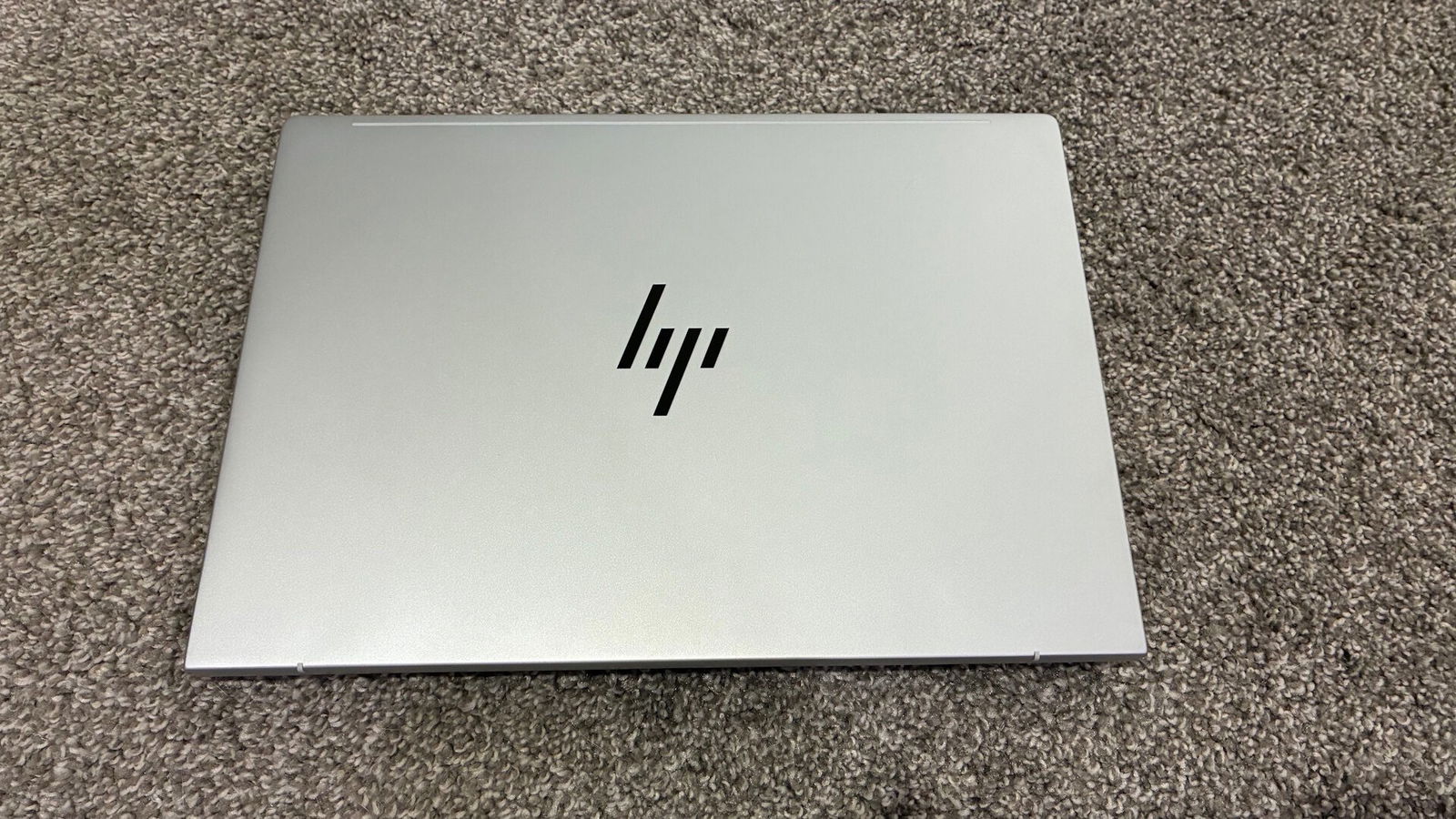
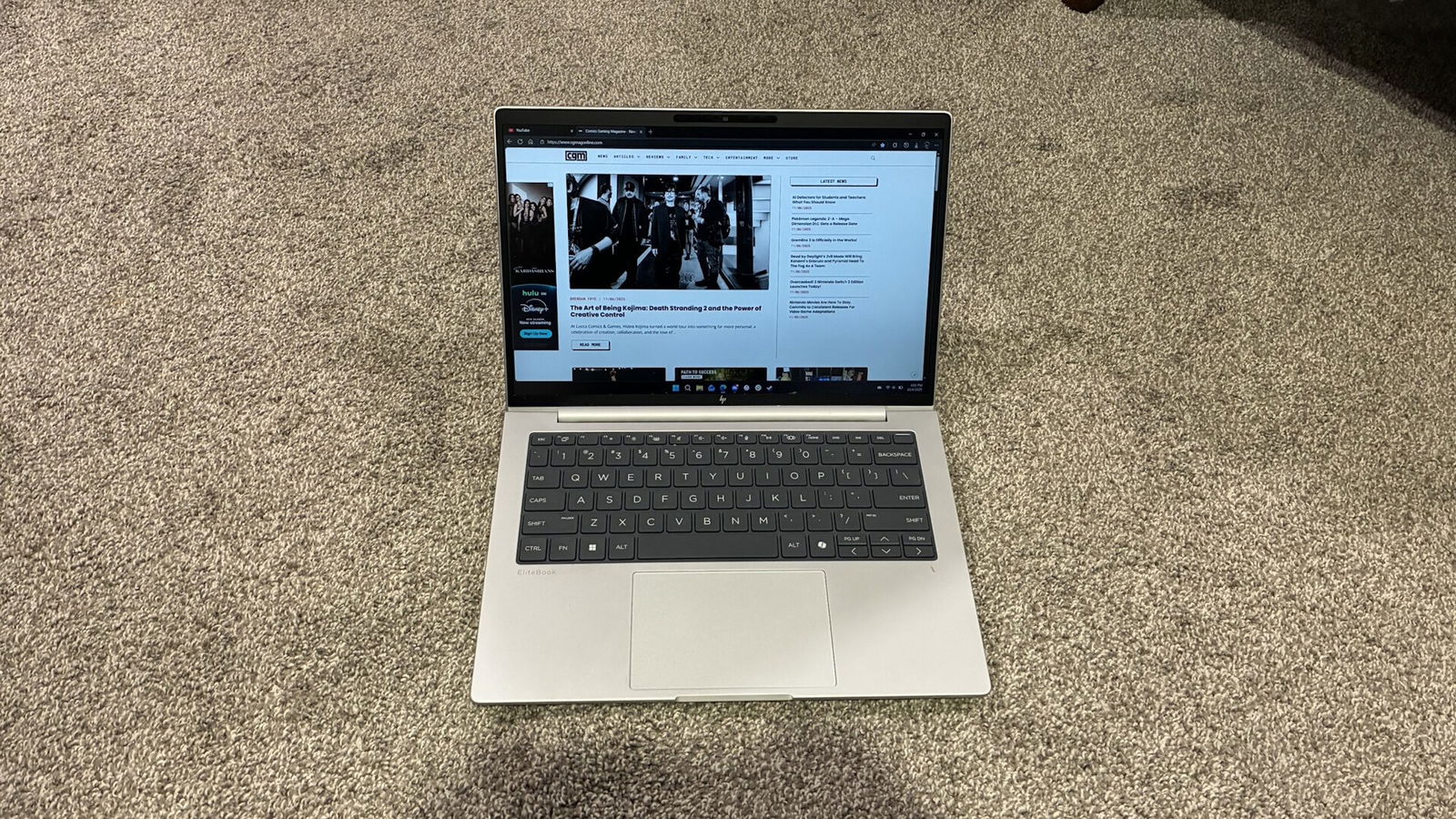
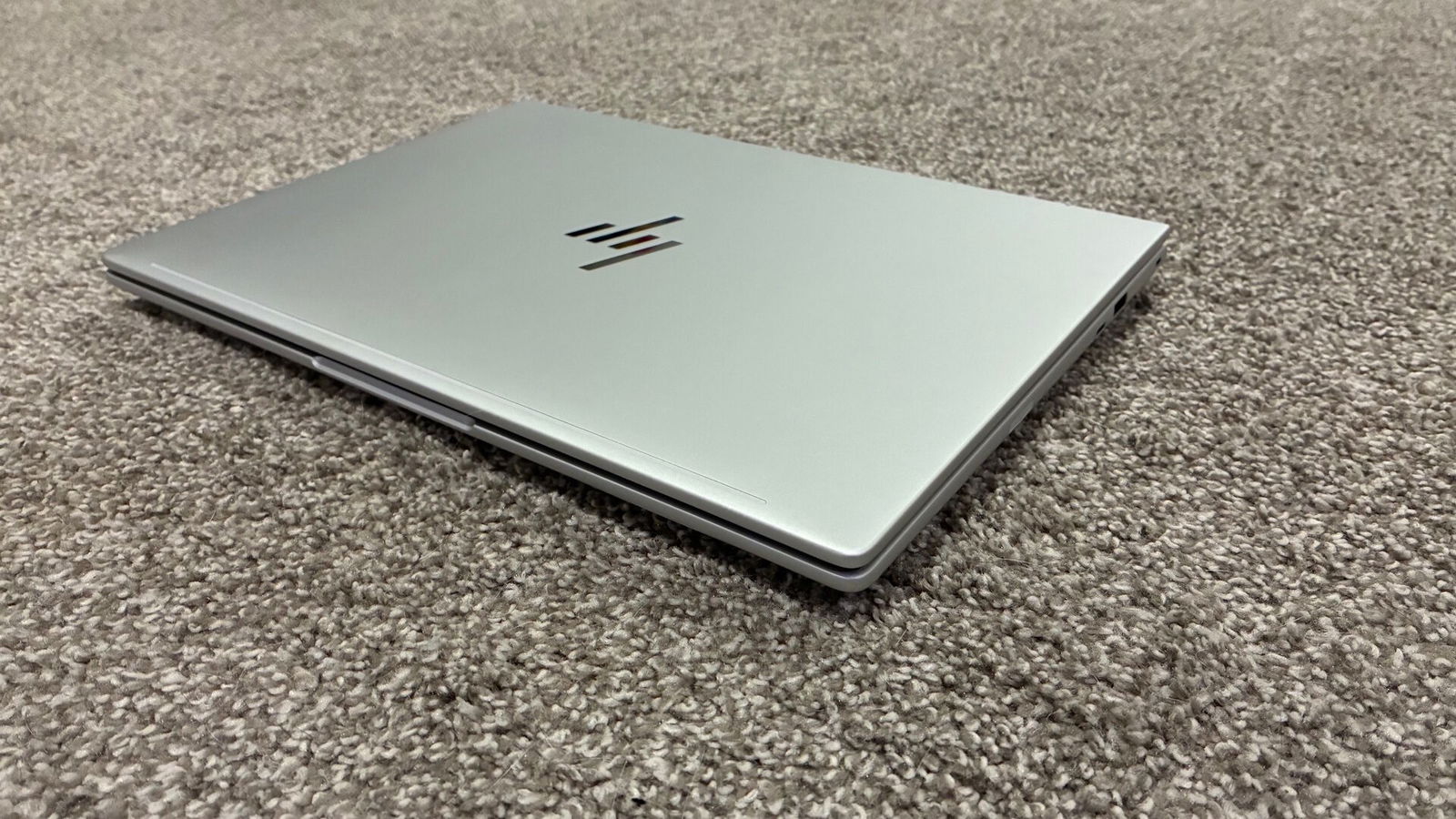
This year, HP has fully redesigned their EliteBook lineup, both inside and out, to not only look better, but also to make things easier for those who both use and work on them. Like the EliteBook 2 in 1 I reviewed last year, this year’s EliteBook 8 G1i retains the same Glacier Silver colour that looks absolutely stunning and blends in well in business environments. To my delight, it also resists fingerprints and smudges on its surface remarkably well.
The dark grey keyboard also contrasts well with the lighter colour of the rest of the laptop, making it significantly easier to see each key than on other laptops with lighter coloured keys. But we will dig into more details on the keyboard later on in this review.
This year’s EliteBook 8 G1i series also sports a thinner chassis than previous years, allowing them to fit into your bag or backpack even easier, while offering even more connectivity options than before. Weighing in at under 1.4kg, while not the lightest laptop on the market, it is still plenty light enough to not weigh you down when carrying it wherever you go.
An aspect about HP EliteBooks that I constantly find myself missing whenever I use a different company’s laptop is HP’s rounded edges, not only the main deck of the laptop, but even around the display as well. Coming from devices like the Lenovo ThinkPad that had sharp edges along each part of the laptop, the rounded edges are like pillows for my wrists and hands when typing on or carrying the laptop for extended periods of time
Connectivity
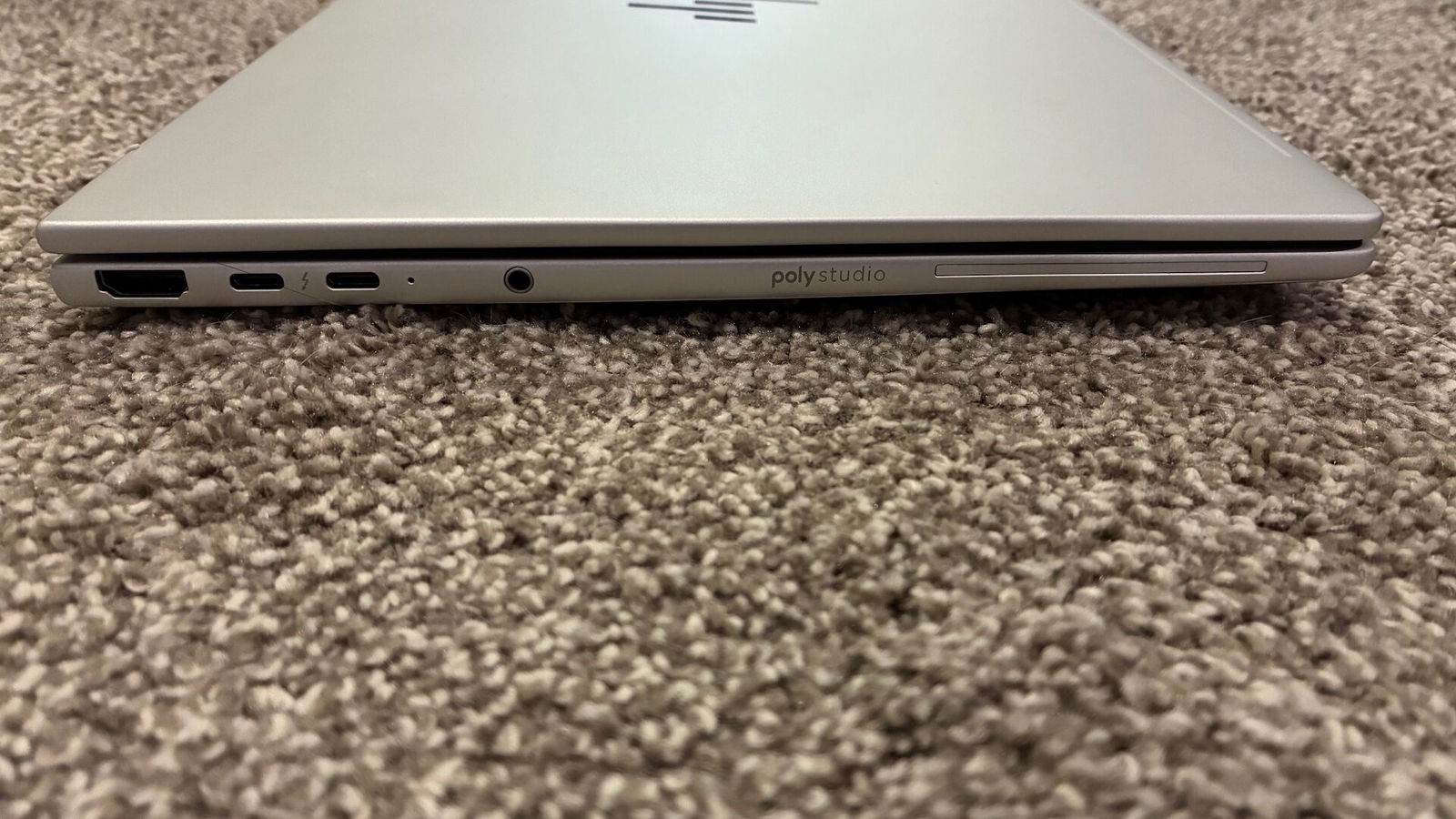
HP cut no corners this year when it came to equipping the latest EliteBook 8 G1i laptops with ports. Running down the left side of the laptop, you will find an HDMI 2.1 port, along with two Thunderbolt 4 ports and a headphone/microphone jack, as standard. Additionally, options are available to equip your unit with a smart card reader, although my unit did not come with this feature.
Along the opposite side, you will find a USB Type-C port, a USB Type-A port and Nano lock port as standard, although you can also fully spec out some units with a Nano SIM card reader and even an RJ-45 Ethernet port, something you don’t traditionally see on thin and light business class laptops, let alone traditional laptops these days but my unit didn’t have any of these optional ports either.
“HP cut no corners this year when it came to equipping the latest EliteBook 8 G1i laptops with ports.”
While I would still like to see a Micro SD card slot on this class of laptops, not many laptops tend to offer this. However, the inclusion of USB Type-C ports on either side of the laptop made charging a breeze, as I am not forced to stretch my cable around the unit when it comes time to top up the battery.
Display
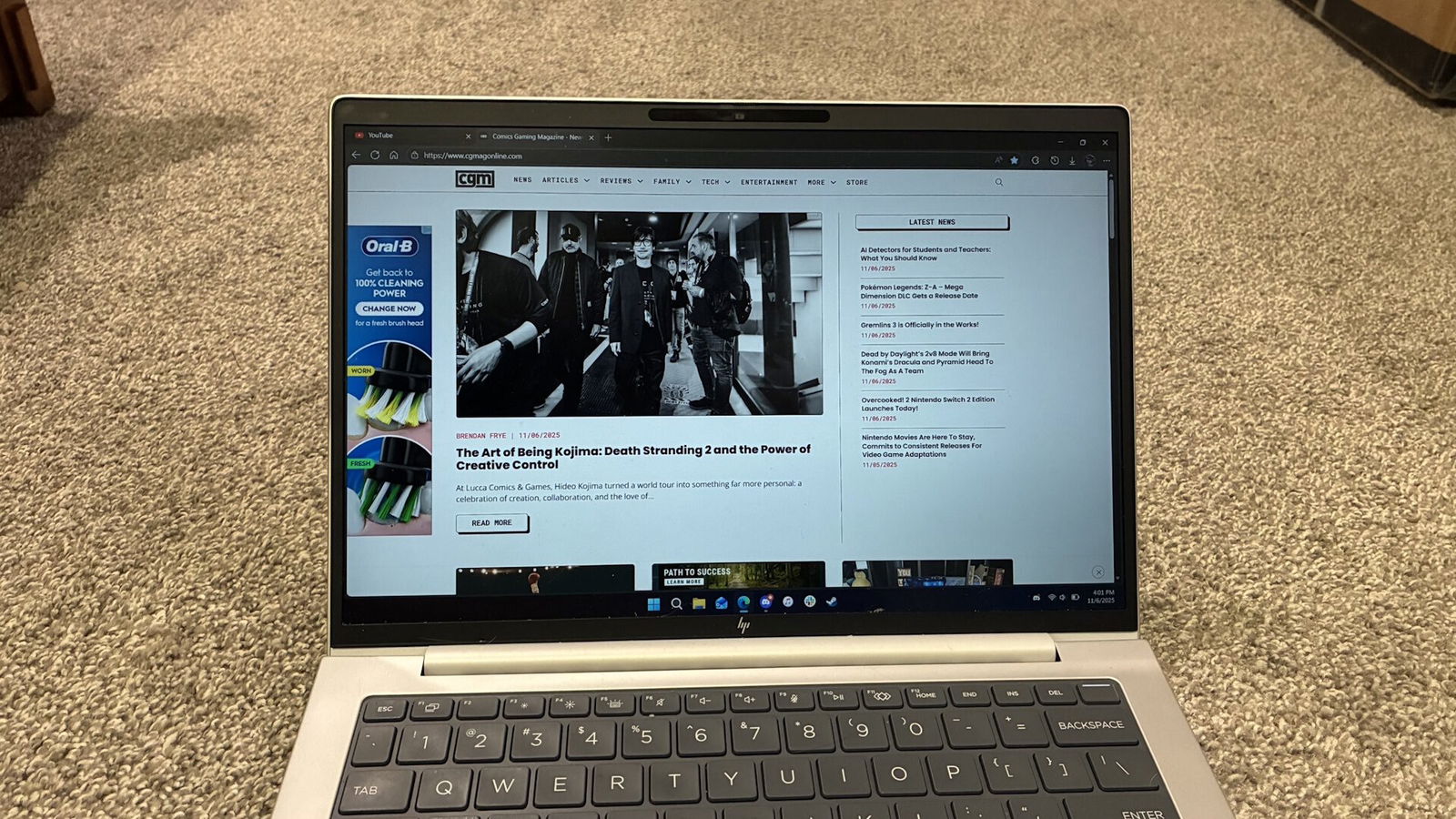
Let’s start off by taking a closer look at the display of this year’s EliteBook 8 G1i lineup, of which HP offers a few options. My unit came equipped with a matte LCD WUXGA display with anti-glare and low blue light technology. Like many business laptops I have recently reviewed, HP has given a display with an aspect ratio of 16:10, my preferred setup, with a 1920×1200 resolution.
This panel is capable of outputting up to 400 nits of brightness, meaning I can view it outside easily enough, provided I am not using it in direct sunlight. For those looking to save a few bucks, a lower-powered 300 nit display is available, or for those looking for the best possible, HP also offered a screen with up to a whopping 800 nits.
I am thankful HP made this panel colour accurate, giving the display panel full 100% coverage of the sRGB spectrum, making everything look much truer to life compared to other competitors. Colour was crisp and detailed without looking blown out like some glossier panels tend to do, and thanks to the low blue light filter, I never found my eyes getting strained or tired, even after using the laptop for long periods of time.
Keyboard/Touch Pad
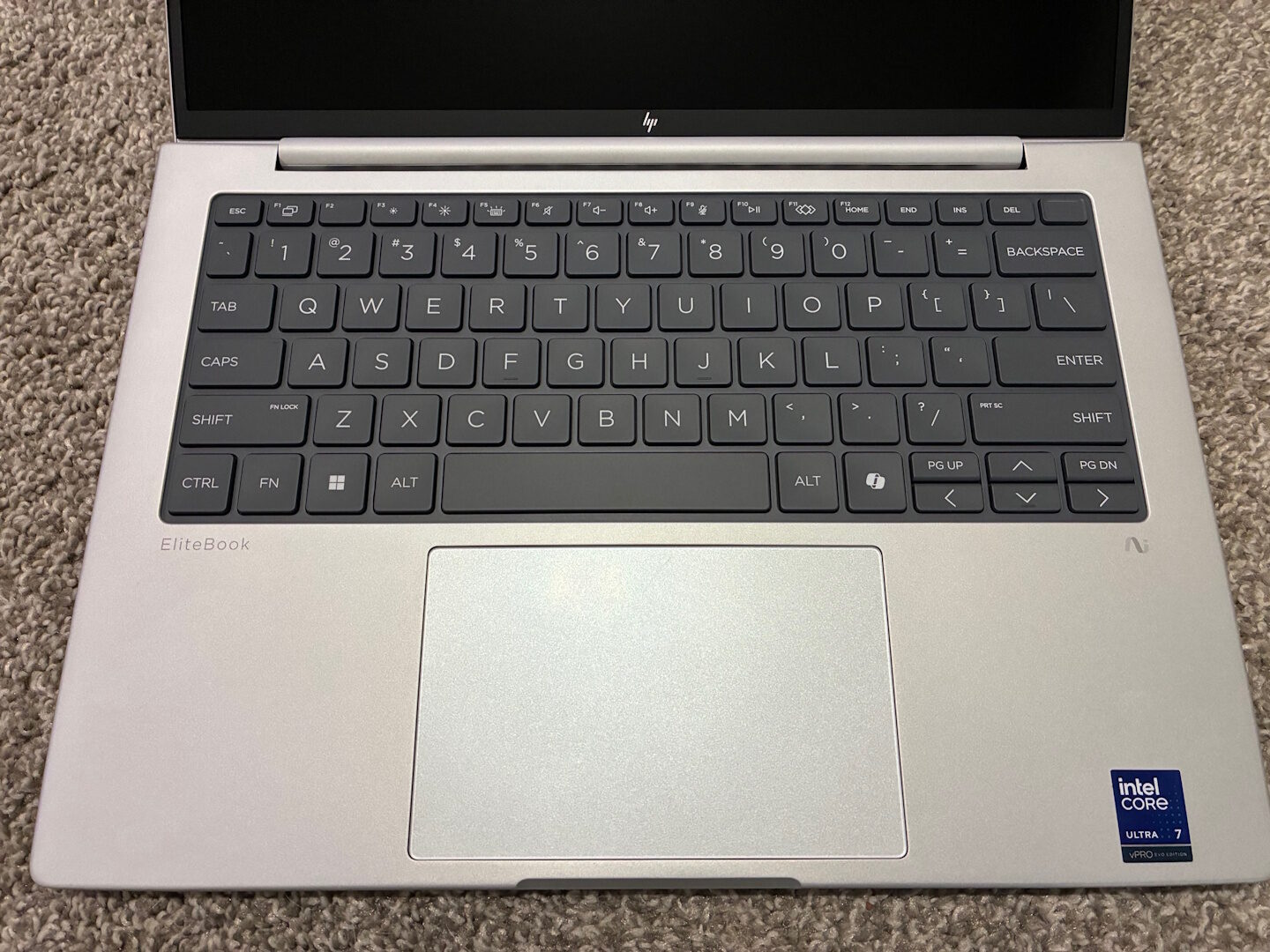
I am always intrigued to see what different companies will do to make their keyboards better or how they lay them out for the user. HP has been one of my top picks in recent years, thanks to not only their overall size of each key cap, but also their key stabilization and key stroke feel.
This year’s EliteBook 8 G1i is no exception, delivering what I find to be the near-perfect typing experience for my needs. Key stabilization was nothing short of excellent, with firm yet smooth actuation, and enough travel to allow a little force with each key press. Even when typing with excessive force, the chassis of the laptop stayed completely rigid, similar to that of a MacBook and other metal unibody laptops.
For those who greatly value security, HP has thoughtfully incorporated a fingerprint scanner in the power button to keep your files safe. In my testing, this was one of the most accurate scanners I have tested to date, rarely ever giving false readings or errors when trying to sign in.
If I had to find one complaint about the keyboard, it would have to be regarding the smaller arrow and page up/down keys. They are half-height which can make them difficult to hit correctly when typing quickly or when trying to play the occasional game.
This year, HP has also increased the overall size of the touch pad on the EliteBook 8 G1i series, giving it similar dimensions to those of other EliteBooks in their lineup. Unlike the EliteBook Ultra I reviewed earlier this year, my unit still uses the traditional diving board style of touchpad instead of using a haptic pad. While this isn’t an issue for me personally, as I prefer the tactile feel of clicking, a haptic touch pad felt more durable and prevented dust or other contaminants from getting trapped below it. The touch pad is still a smooth glass that my fingers glide over with ease, and it always feels great to use.
Audio
In recent years, higher-end laptop speakers have been getting significantly better. HP has been especially good at delivering a top-quality experience in this regard, notably when it comes to hearing how clear and detailed all tones sound in a variety of scenarios.
This year’s HP EliteBook 8 G1i is no exception; audio sounded clear and crisp, making for one of the best-sounding business-class laptops I have tested to date. Whether I was listening to music, watching movies, or participating in a video conference, the HP EliteBook 8 G1i speakers performed admirably, as one would expect.
While I would prefer upward-firing speakers as opposed to downward-firing, this is more a matter of personal preference.
Performance
As mentioned earlier in my review, my HP EliteBook 8 G1i is powered by an Intel Core Ultra 7 268V paired with 32GB of LPDDR5 RAM. Like other laptops I have tested with the same chipset and ram capacity, it performs competently in day-to-day tasks with little to no noticeable slowdowns or issues.
Running my usual slew of benchmarks, the HP EliteBook 8 G1i was one of the top performers with this chipset. Cinebench R23 delivered a score of 10767 points, and even Cinebench R24 still gave a score of 637 points, which blew my expectations out of the water. Next up was my Geekbench 6 test with a result of 2818 points in Single Core and 11086 in Multi Core, respectively, which again places the HP EliteBook 8 G1i at the top of the charts when it comes to laptops I’ve tested with this chipset.
“Whether I was listening to music, movies or in a video conference, the HP EliteBook 8 G1i speakers performed admirably, as one would expect.”
While business-class thin and light laptops are never designed to be gaming machines, I still find myself testing them to push the integrated graphics to their limits just to see what they’re capable of. And once again, the HP EliteBook 8 G1i managed to push out some truly incredible numbers for this class of laptop. When running the benchmark test in Cyberpunk 2077 in the high preset, I had to pick my jaw off the floor seeing a result of 110fps on average.
In one of my favourite games, BeamNG Drive, I was able to achieve a steady 50-60fps at maxed out settings, something I have yet to see on any laptop without a proper graphics card. Testing GTA 5 Enhanced Edition maxed out, I was still able to get a fluent 60fps. Needless to say, while this is not a gaming machine, the Intel Arc 140 graphics are plenty enough for some occasional gaming, provided you set your expectations accordingly.
What truly impressed me was just how cool the laptop remained, even while stress testing it through benchmarks and higher-demanding tests. At no time did I ever feel uncomfortable from the heat on my lap. Not only that, the fan remained relatively quiet the entire time, so even pushing the HP EliteBook 8 G1i to its limits in quiet environments, you likely won’t have to worry about interrupting those around you.
Battery Life
Of course, all the performance in the world on a thin and light means nothing if the battery won’t get you through a workday. The HP EliteBook 8 G1i won’t leave you hanging or searching for a wall plug, giving the unit a 62Wh battery, which puts its size above average on the market. With me using Microsoft Edge to watch several hours of video, along with playing music, browsing the web and my usual slew of daily tasks, I averaged about 12 hours of battery life before needing to top up. If I went even lighter, I could get upwards of 18 hours of battery life, making this one of the best laptops I have tested in this class.
When it came time to top up, HP’s Fast Charge will get you on your way faster than competitors, giving a 20% charge in as little as 15 minutes. HP tends to ship some of the nicest chargers I have used with any laptop, and I wish more companies would at least give the option of a similar style of cable. The wire has a soft and flexible, rope-like cable that is not only more durable but looks and feels very high quality.
The ability to charge from either side of the laptop adds further flexibility, making charging times much less frustrating as I no longer have to worry about how I have my laptop positioned or how my cable is being stretched when in use.
Repairability
One aspect I wish more companies would follow is HP’s attention to repairability and servicing the HP EliteBook 8 G1i. Unlike most other companies, HP allows not only the battery to be easily serviced, but also the keyboard, touchpad, display, and many other components. All can be accessed via the lower panel that is simply removed with only four captive Philips head screws.
This will not only make repairs significantly easier for technicians to service a fleet of laptops faster, but will also make these laptops more eco-friendly, as you will be throwing out fewer laptops over what could otherwise be a cheap repair. I additionally appreciate this for knowing I can replace the battery if I ever run the overall health low enough, but don’t want to replace the laptop.
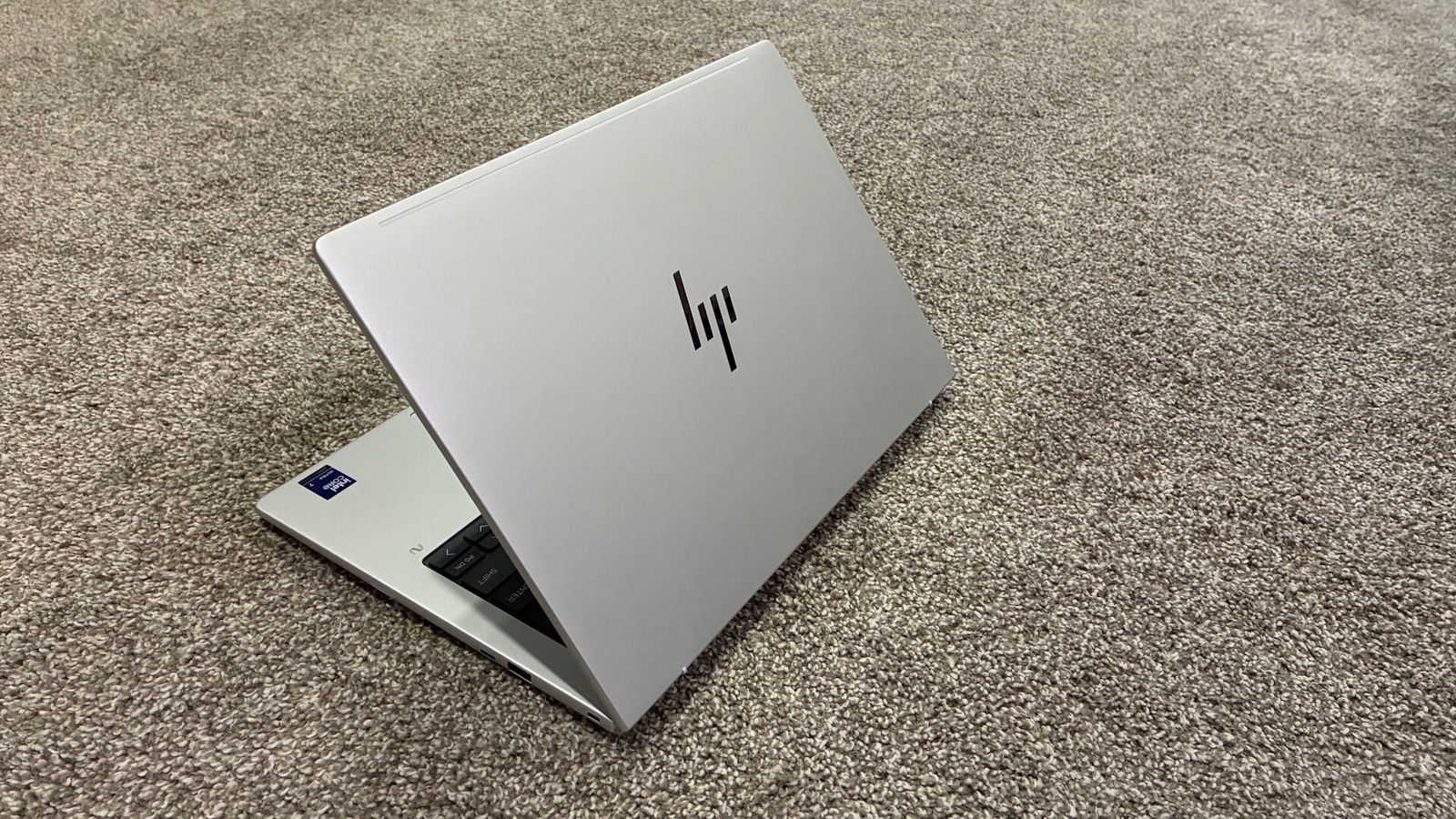
The HP EliteBook 8 G1i is one of the laptops I wish I had back in school for its well-rounded capabilities. Not only is it a great professional work laptop as expected, but its ability to handle the occasional game from time to time is great for the space savings of having to carry a much larger laptop for the task. Having exceptional battery life keeps me away from having to top up as often, and even when I have to, it takes less time than most other laptops I have tested to date.
While the price likely puts it out of reach for the average consumer, it’s more likely that companies will be the ones providing them to their workers. It is certainly worth every dollar of its cost in terms of professional appearance, functionality and overall performance.