
PC players guarded their wired audio setups for years like an unshakeable rule. Cut the cord, and you risked delayed sound effects, dropped audio packets, or a dead battery in the middle of a clutch round. A standard 3.5mm headphone cable meant guaranteed, instant sound delivery. You heard an enemy flanker the second their footsteps hit concrete.
Early wireless gear deserved that poor reputation. Standard Bluetooth added 100 to 200 milliseconds of latency. That fraction of a second feels minor when watching a movie on a phone, but in fast shooters like Counter-Strike 2 or Apex Legends, it completely throws off your timing.
Audio hardware moved fast over the last few years. Peripheral makers solved signal delays by dropping standard Bluetooth connections entirely for desktop setups, building direct hardware pipelines instead.
Deconstructing the Hardware Pipeline & System Mechanics
Standard Bluetooth was built for battery efficiency on phones, relying heavily on the host operating system’s default audio stack. This meant using legacy protocols that fundamentally limit real-time performance. In Windows, for example, sound passes through the Windows Audio Session API (WASAPI) shared-mode engine. This pipeline buffers data into large 10ms to 20ms chunks, applying software mixing before compressing the audio into legacy codecs like SBC. That processing chain creates an unavoidable bottleneck before the signal ever leaves your PC. Modern wireless audio tech revises this framework by using dedicated hardware streams that bypass software queues altogether.
- Custom USB Transmitters & Driver Bypasses: Dedicated 2.4GHz USB dongles present themselves to the OS as high-rate USB Audio Class devices running at 1000Hz polling rates (1ms packet intervals). Instead of relying on host-level mixing, the receiver interfaces directly with proprietary hardware drivers that bypass WASAPI’s shared-mode buffer queues, routing raw PCM data straight to the RF baseband IC.
- Buffer Size Reduction & Packet Timing: Standard Bluetooth uses large sample buffers (often 512 samples or more) to prevent audio dropping when a user moves around. Modern 2.4GHz gaming dongles drop buffer sizes down to 64 or 128 samples. Transmitting tiny, dense packets every 1ms to 2ms over uncrowded channels pulls latency below 20ms—well under the human perception threshold for audio-visual sync.
- Codec Mechanics (LC3 vs. SBC): Legacy SBC encoding requires heavy algorithmic processing to compress audio, adding over 40ms of codec delay on its own. Next-gen codecs like LC3 (Bluetooth LE Audio) use block-based MDCT (Modified Discrete Cosine Transform) algorithms. LC3 compresses audio into tight 5ms or 10ms frame durations at lower bitrates without gutting dynamic range, taking the processing burden off the DSP.
DSP Optimization and Power Efficiency
Speed used to come at the expense of sound quality. Older fast-wireless headsets stripped out dynamic range to keep packet transfers tiny, leaving games with thin bass, compressed treble, and muddy directional audio cues.
Modern digital signal processors handle higher audio sample rates easily without clogging signal bandwidth. Dynamic bit-rate scaling constantly checks for local radio interference—like home Wi-Fi routers—and tweaks data compression on the fly. Hardware-level Forward Error Correction (FEC) interleaves redundant data bits directly into the RF payload, allowing the DSP to reconstruct lost packets instantly without demanding a time-consuming packet re-transmission (ARQ). This keeps directional sound sharp when listening for footsteps or gunfire in Call of Duty: Warzone.
Power efficiency made similar leaps forward. Older high-speed receivers drained small batteries in eight hours because the baseband radio ran at full power continuously. Current setups use smart duty-cycling, dropping power consumption during silent frames while keeping the RF link active. Modern gear easily runs 30 to 80 hours on a charge, with USB-C quick charging topping off hours of playtime during a ten-minute break.
Comparing Audio Connection Methods
| Transmission Method | Average Latency | Best Application | Key Strengths | Main Drawback |
| Standard Bluetooth | 100ms – 200ms | Casual music, media streaming | Universal device support | High OS buffering, unviable for gaming |
| Low-Latency Bluetooth (LC3/aptX LL) | 30ms – 50ms | Portable and handheld gaming | Efficient power usage, 5ms–10ms frame sizes | Requires host hardware codec support |
| 2.4GHz USB Dongle | Under 20ms | Competitive PC play | Bypasses WASAPI queue, 1000Hz USB polling | Occupies a dedicated USB port |
| 3.5mm / Wired USB | Near-Instant (<1ms) | Desk setups, studio monitoring | Zero codec overhead, zero battery care | Cable drag, physical port wear |
Real Desk Usability
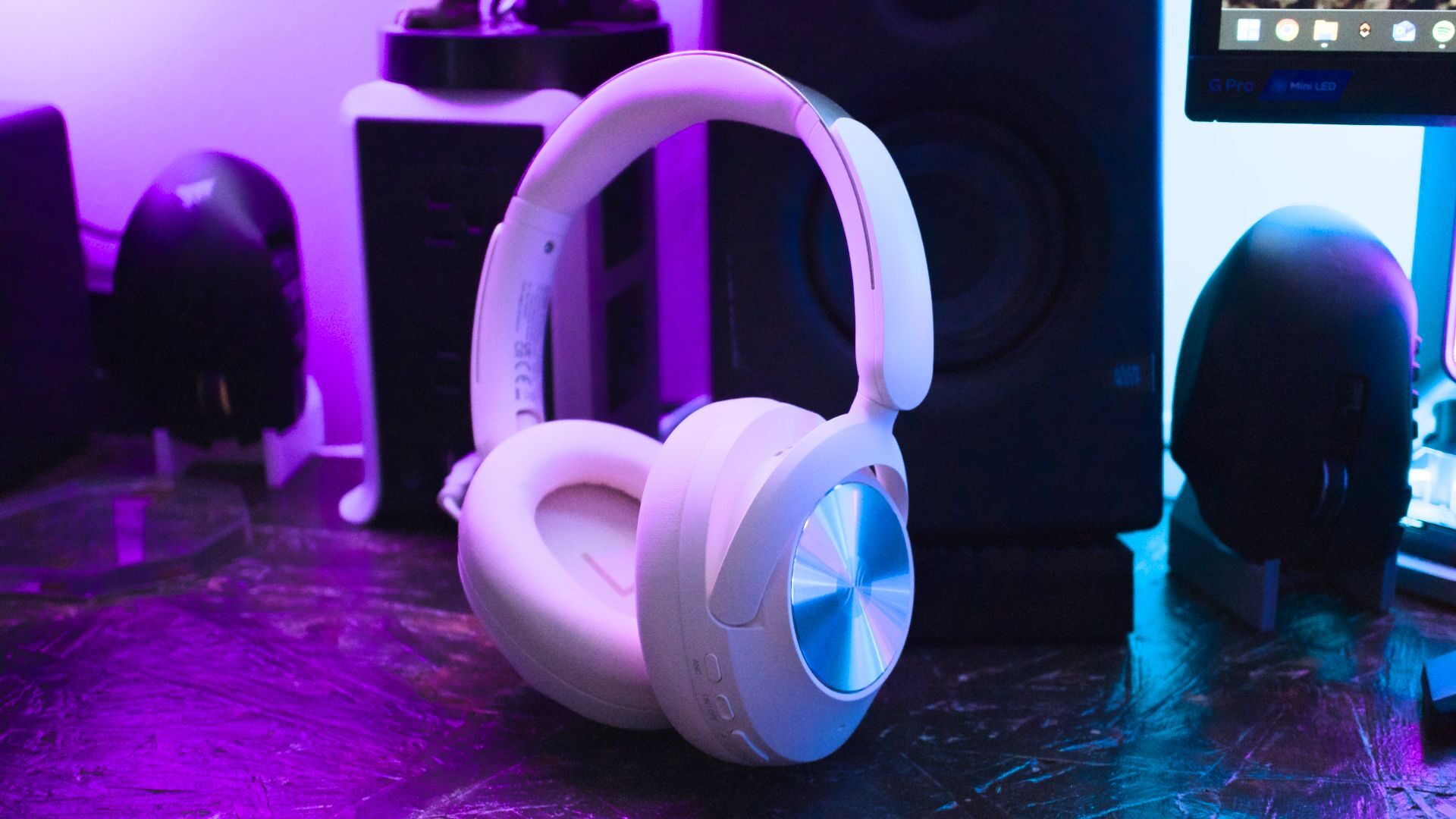
Going wireless changes how a gaming setup feels day to day. Removing the headset wire stops cable drag across mousepads, letting players make sudden, wide arm sweeps without snagging a cord on desk edges. It also removes the main reason headsets fail: broken wires and bent audio jacks.
Multi-device switching has also become standard. Modern headsets feature dual-radio architecture, letting you handle an incoming mobile call over Bluetooth via secondary audio endpoints while keeping low-latency 2.4GHz game audio running simultaneously in your ears.
Wired headsets still hold a place for studio work or zero-maintenance setups where charging batteries feels annoying. However, with modern wireless audio tech pushing signal delay past the threshold of human perception, physical cables are no longer necessary for competitive desktop play.