

Have you ever wanted to bring the possibilities of a video village to a shoot you are working on, but do not want to carry the bulk of needing four different field recorders? This is the problem the Hollyland V-Core Wireless Video Transmission System is looking to solve, and it does so in an incredibly elegant way. The device is simple: the V-Core connects to your camera and turns any compatible iPhone or Android device into a fully featured camera monitor. And while it may sound gimmicky, in practice it works incredibly well and expands the potential for creators wanting to up their content game without the extra bulk that can bring.
Opening the box, you would be excused for thinking it looks a little overwhelming at first glance. The unit is relatively light and small at 72 by 47 by 22 mm, and 54 grams without cables, and looks like an odd battery-like device. But the Hollyland V-Core is much more than that.
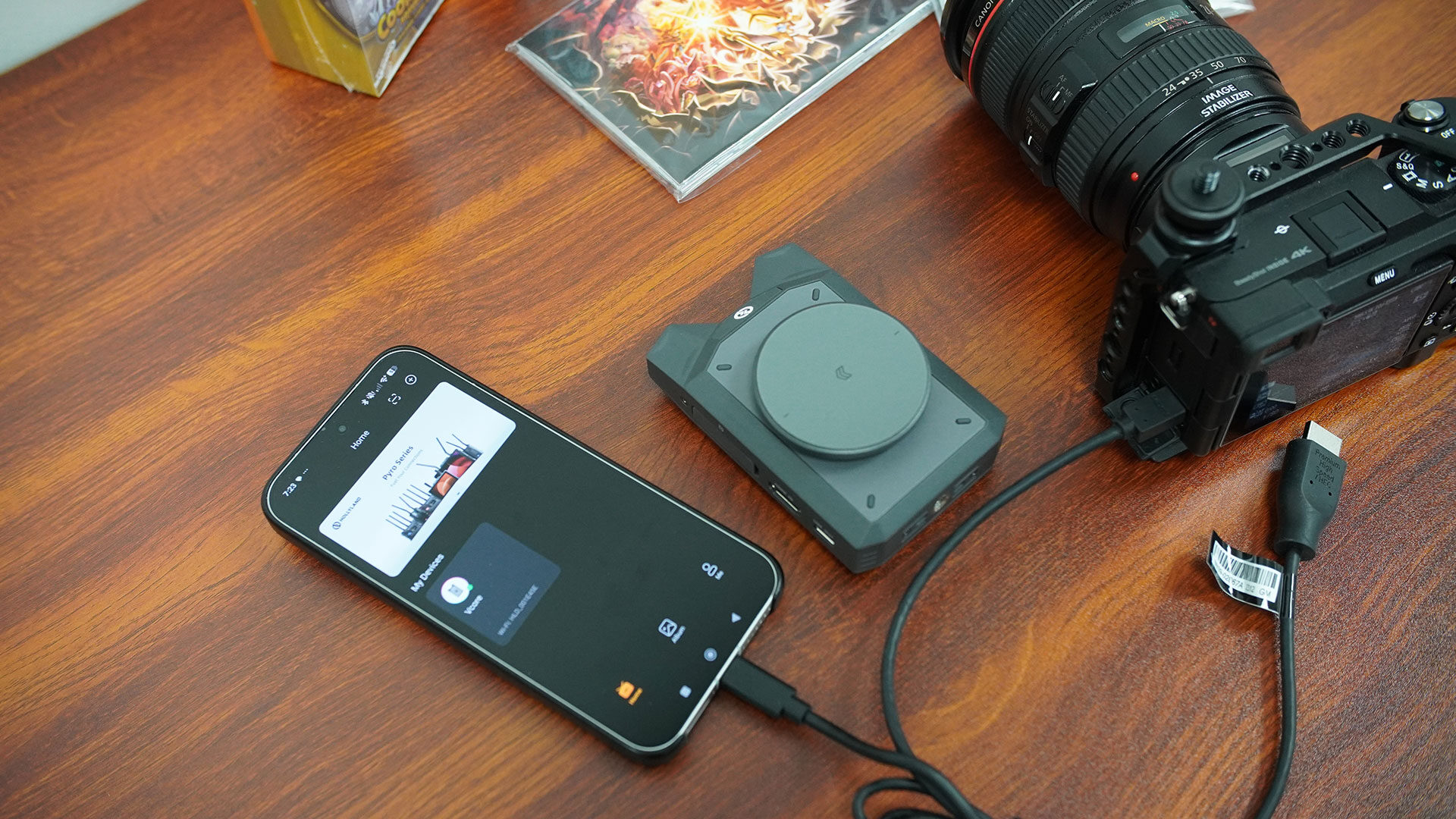
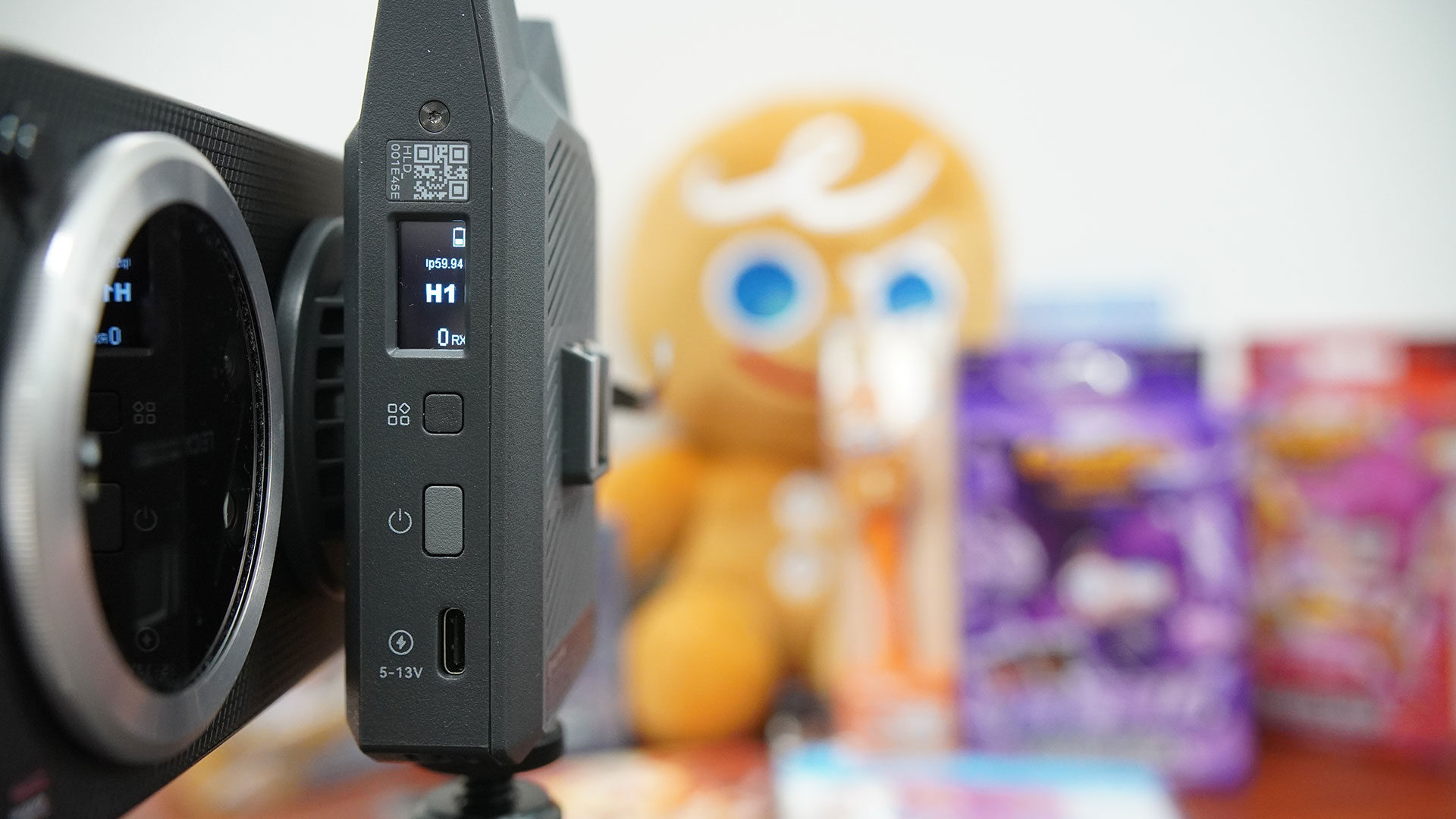
The little device works as a transmitter, connecting to your camera through the ports on the left-hand side and sending the signal from the camera to up to four different devices. It is a very simple concept, one that has been attempted in a few different ways in the past, but this is the first time I have seen it done so seamlessly, and with the overall process so streamlined.
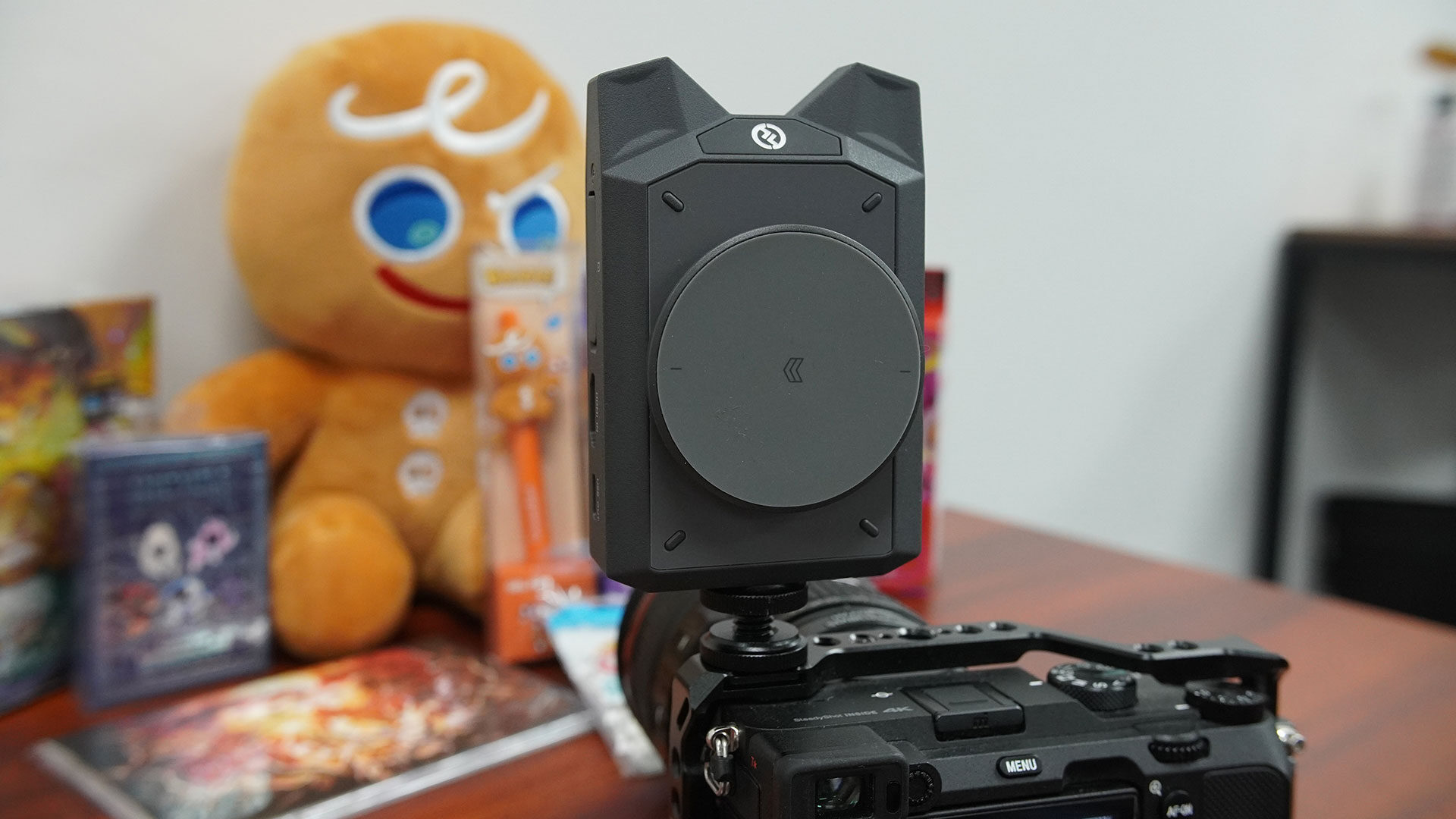
In the box, you get the V-Core transmitter unit itself, a USB-C to USB-C power cable, a cold-shoe adapter, a phone holder, a quick-start guide, a magnetic mount and a calibration pattern card. And while it can seem like a lot right out of the gate, once you start getting things set up and the unit hooked up to the camera, you quickly find out how well thought out the V-Core is, and why it actually makes sense as something to invest in.
The Hollyland V-Core is relatively easy to get going. You connect an HDMI adapter from your camera of choice to the HDMI port on the unit, then connect the USB-C cable, and you are ready to go. The V-Core offers the option to connect wirelessly to up to four different devices through a 5 GHz Wi-Fi signal, or you have the option to connect directly if you so wish. From unboxing to getting it all set up should take most people under 30 minutes, and it is once you have the V-Core unit receiving the video signal that the fun really starts.
You have the option to connect the V-Core wirelessly to your phone, tablet or a Hollyland monitor, though we have not tested that aspect as part of this review. From there, you can do a wide range of things, many of which you would normally need a full field monitor to achieve, and even more exciting is that each person connected to the V-Core can record onto their own device. Using the HollyView app, you can record a 1080p signal right away, while the camera records onto its own memory card.
This is fantastic if you are looking to capture video for both long-form and short-form content, along with social clips, meaning you will not need to fiddle with transferring footage after a live shoot, and each person can use the footage they captured directly. With sub-100 ms latency, you are able to see what is happening in real time without worrying about missing the action or not seeing what is going on.
What is even better is how much the HollyView app actually allows. It gives you many of the tools you would normally need a full-size field monitor to take advantage of, and that is what every person connected to the V-Core can access. This includes false colour, zebra stripes, focus peaking, RGB parade waveform, histogram, grid overlays, safe-area markers and aspect-ratio frame guides. There are a lot of features that casual filmmakers may not take full advantage of, but when you are looking to step up your creator game, they are all present and easy to dive into.
“I found the Hollyland V-Core incredibly stable, with it working across multiple devices with no noticeable lag or signal degradation.”
Of course, there are some limitations in how it all works. While you are feeding the V-Core up to a 4K signal, each monitor gets only a 1080p image, so you are seeing some compression in the process. That said, during my testing, it was very workable, and if you are just looking to capture footage for reference or socials, it is more than usable.
The fact that it gives up to four monitors the same abilities is fantastic, especially when working at a live event. Everyone on scene can see what is being recorded and can chime in and give input, a fantastic thing, especially when you consider how much can go into a shoot, and how missing the best possible shot can mean walking home with great video or walking away empty-handed.
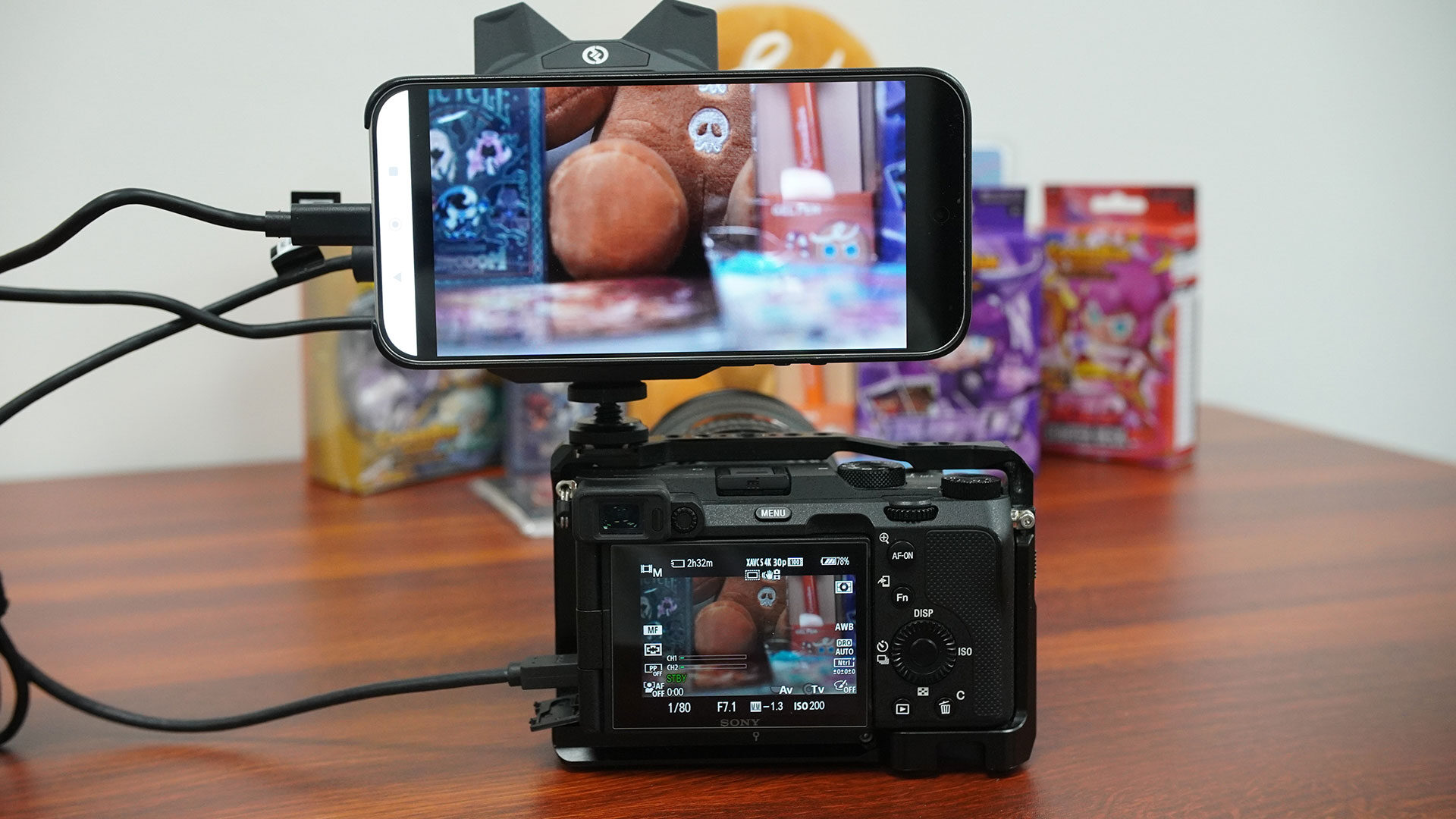
In testing, I found the Hollyland V-Core incredibly stable, with it working across multiple devices with no noticeable lag or signal degradation. The quality of the footage captured was good, although I would say it is best suited to casual social posts over full production-quality use.
That said, it was good enough to use as a reference when working with an editor, or just to highlight aspects of a shoot you think looked especially good or bad and want to make note of for future editing. I was surprised by how well it worked with multiple devices, and I would be even more interested to see how it works in tandem with a Hollyland field monitor, something I hope we can test down the road.
The real question is who the Hollyland V-Core is for, and at $219 US, it is a pricey device for people who do not necessarily have a use for it. This is built for creators, whether solo or growing, who want to expand how a production can work, especially in the field. It lets you travel light while still getting the experience of setting up your own video village, and it works incredibly well without the need for miles of cables to get everything hooked up and ready to go.
It is also great to see that it can work with field monitors already on the market, making it a device that can grow with you as your production style changes over time. If you are someone who just records video blogs quickly while on the go, this may not be the device for you, at least depending on how you take advantage of each piece of equipment you use while recording.
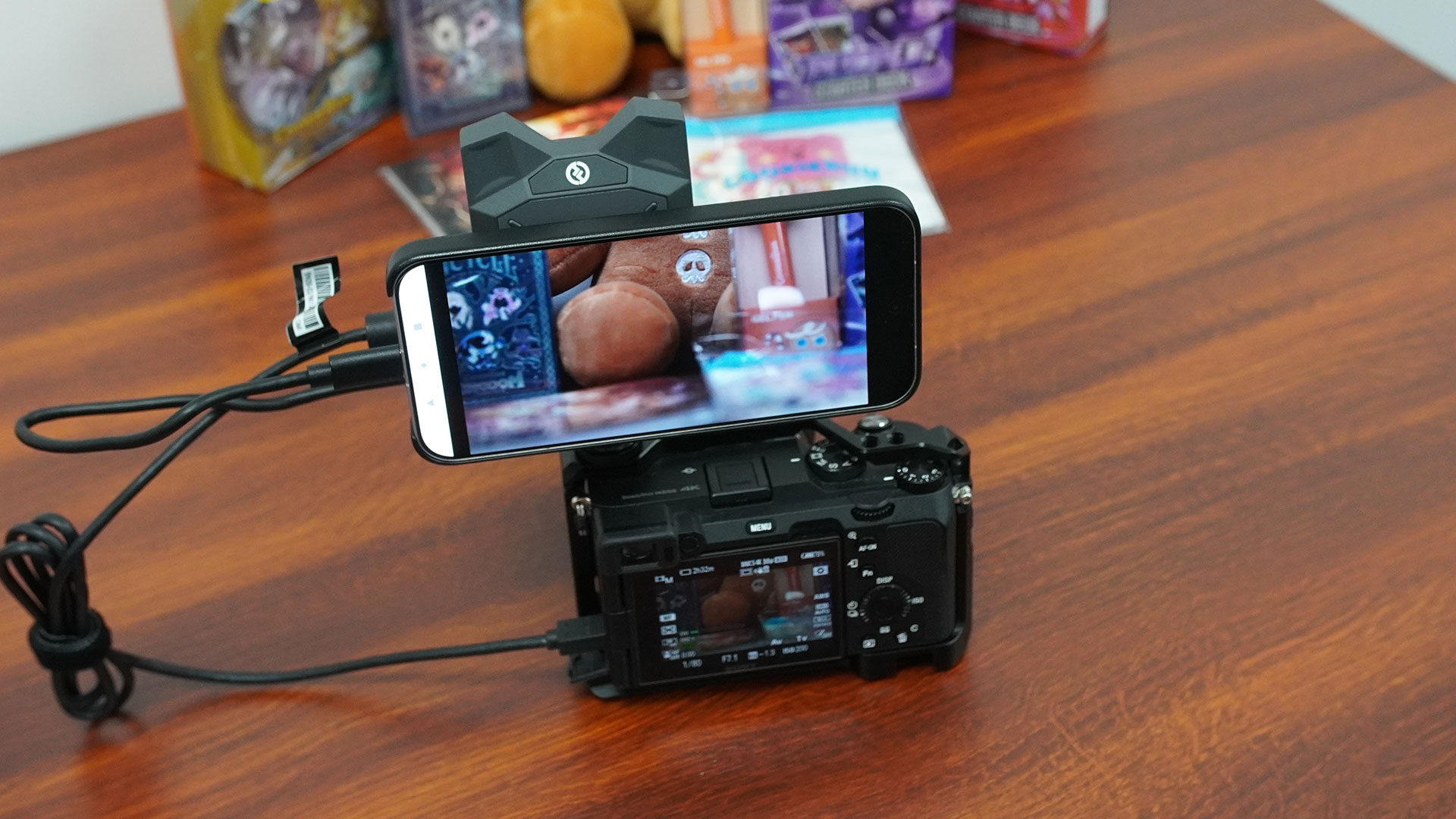
I was not sure how the Hollyland V-Core could fit into the video work we do at CGMagazine, but having tested it for a few weeks now, I am only just starting to see the potential. It is not a device that will work for everyone, and it does have its limitations, but when it comes to what it is built to do, this is a device any smaller production team should look into, and it offers a range of potential, even for solo creators.
It is not perfect, but it delivers on the promise, and with the potential to grow as you invest in more gear, I can see the Hollyland V-Core being a piece of gear more people will start including as part of any shoot.

- 【Plug-and-Play, Streamlined Workflow】- Connect Vcore to your camera via HDMI and to your phone via USB-C. With the HollyView app, your phone instantly becomes a real-time wireless monitor, supporting 4K 30 fps ultra-low latency transmission with exceptional image quality. With a built-in 5150mAh battery, Vcore can charge your monitoring phone simultaneously. *Note: The HDMI cable must be purchased separately based on your camera model. The HollyView App could be downloaded via Google Play (App Store) for Android (IOS) devices.
- 【Pro-Grade Proxy Recording, Seamless Post-Production Integration】- Vcore supports recording at up to 1080p 60fps with H.264 encoding and intelligently detects the camera’s frame rate and timecode. The resulting MP4 proxy files can be seamlessly linked with original footage, offering full compatibility with mainstream editing software such as Premiere Pro and DaVinci Resolve — significantly enhancing post-production efficiency.