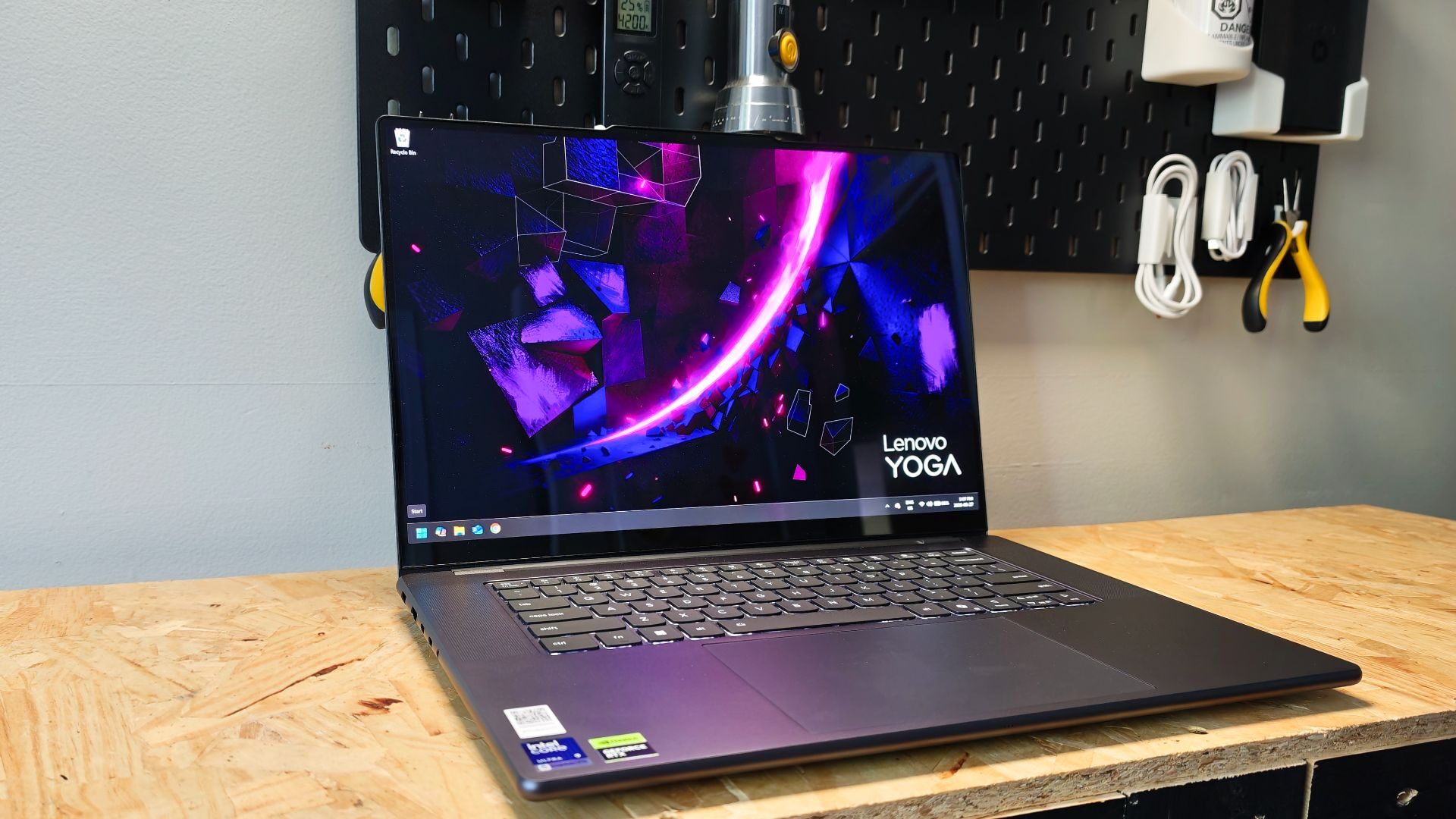


The Pro 9i Aura Edition Laptop is the latest creator-focused machine from Lenovo. Boasting the excellent Intel Core Ultra 9 386H processor, NVIDIA GeForce RTX 5060 graphics card, and 32GB LPDDR5X RAM, the Pro 9i Aura Edition provides a solid platform for productivity. content creation and mid-tier gaming. Trading in design flair for practical application, this latest entry in Lenovo’s lineup aims to walk the line between productivity and play.
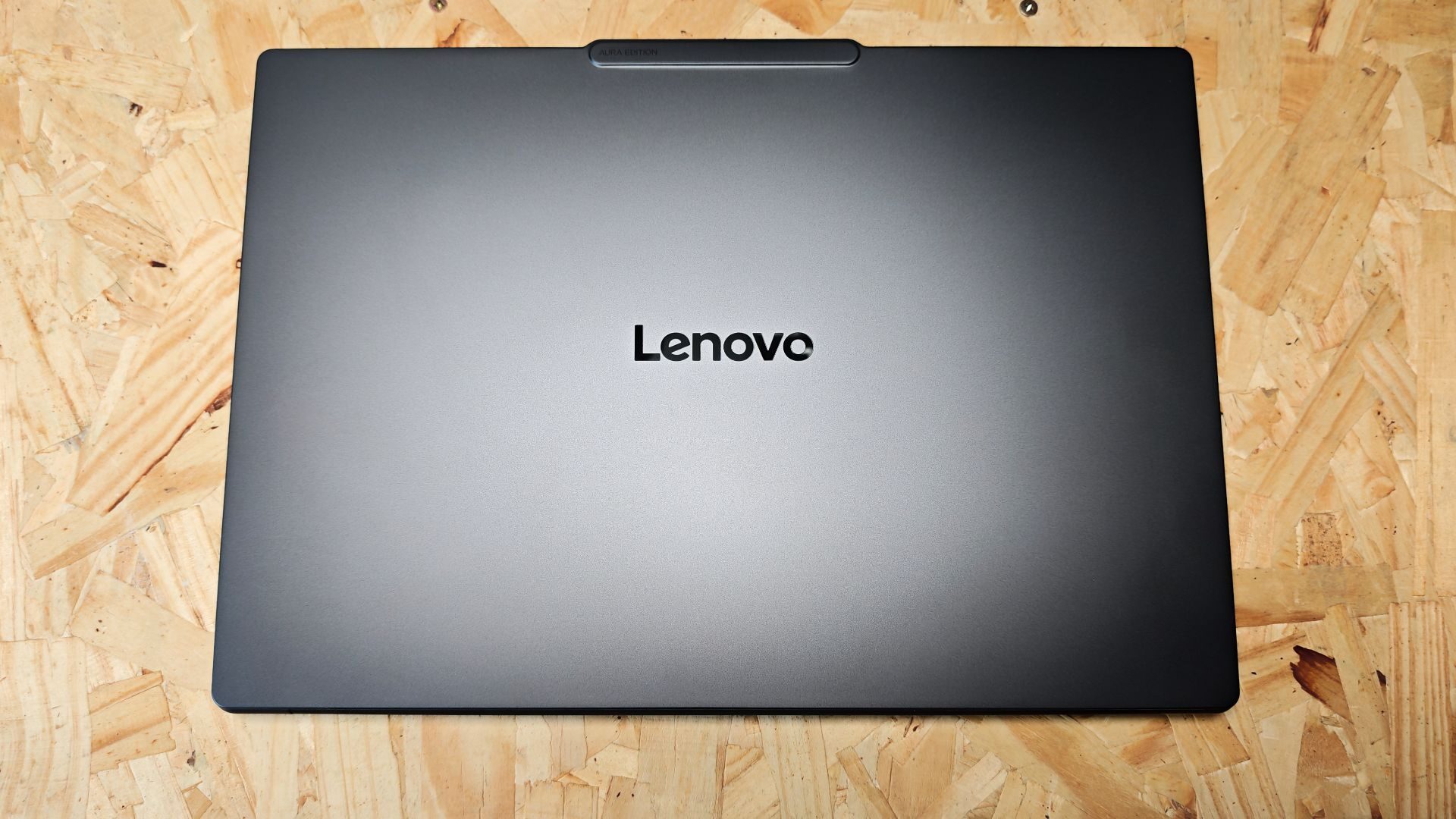
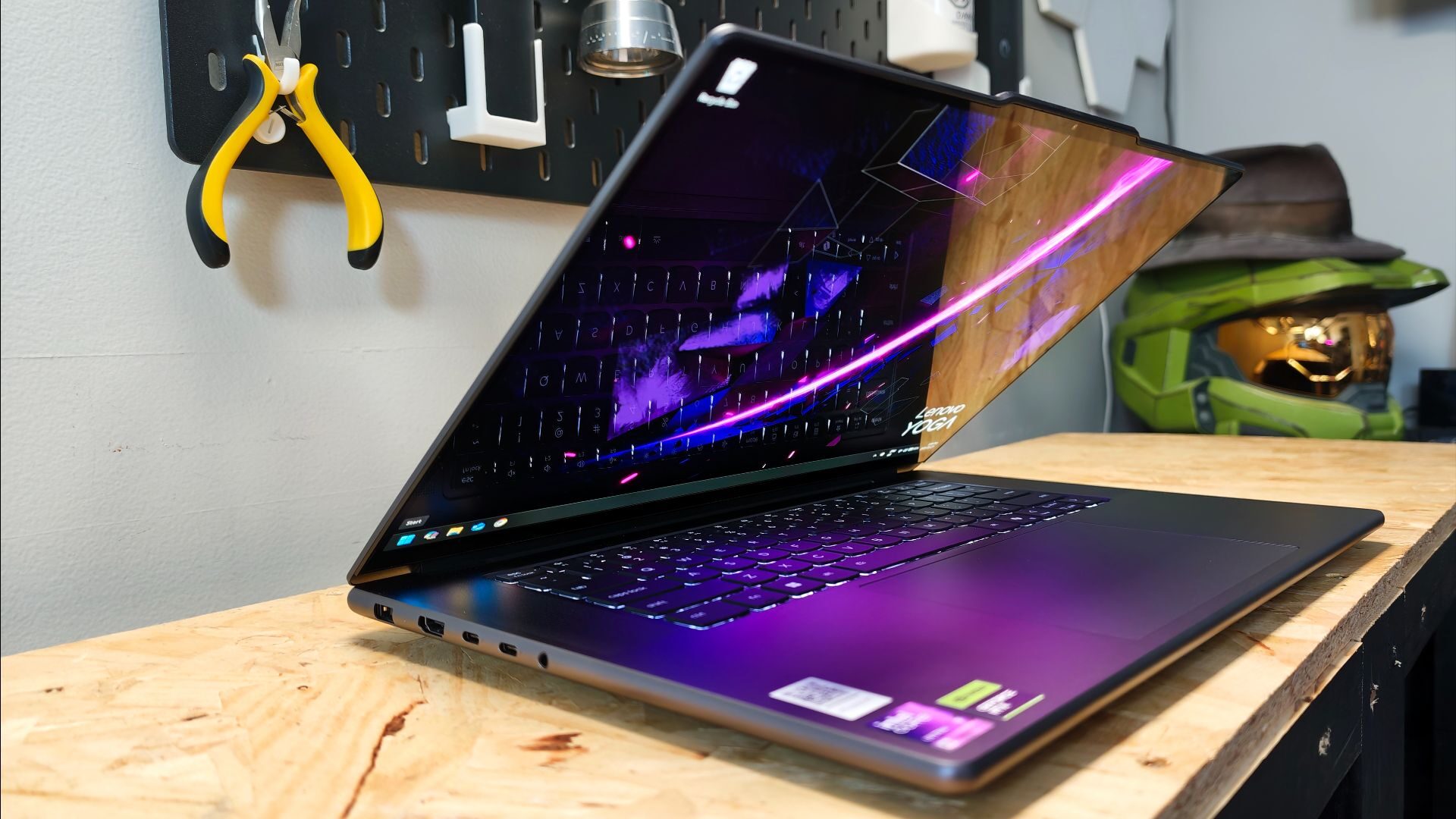
Asthetically, the Pro 9i looks fairly standard in design. In fact, on its surface, you would be forgiven for thinking it was last year’s excellent Yoga Pro 9i. Featuring a Thunder Grey matte finish, the aluminum-clad laptop is clean and minimalistic. Measuring 14.20 x 9.80 x 0.68 inches, it’s quite thin compared to many of the Content creator laptops I’ve tested, especially given the dedicated GPU. Despite its thin dimensions, the Pro 9i is still a solid-feeling laptop, with an all-aluminum casing weighing 4.19lbs.
A large trackpad sits front and center, providing an exceptionally large surface area for engaging with one of the laptop’s key features, the Pen-enabled Force Pad. With the included Lenovo Pen, the trackpad becomes a dedicated sketching area, reflected in whatever drafting program suits your fancy.
Interestingly, Lenovo has included haptic feedback to the interface so that when the pen is moved across the surface, it simulates a pen-to-paper experience. While I’m not one to spend much time with digital sketching, I am still impressed with the technology at play. It works well for creative work and provides a new level of engagement with what is traditionally a dedicated navigation tool.
It’s worth noting that it spans a fairly large surface area (95 x 150mm) and is centred on the laptop, two things I tend to dislike on a laptop. The reason is that when typing, the palms of my hand tend to brush the touchpad, engaging the mouse and moving my cursor to other locations within a document.
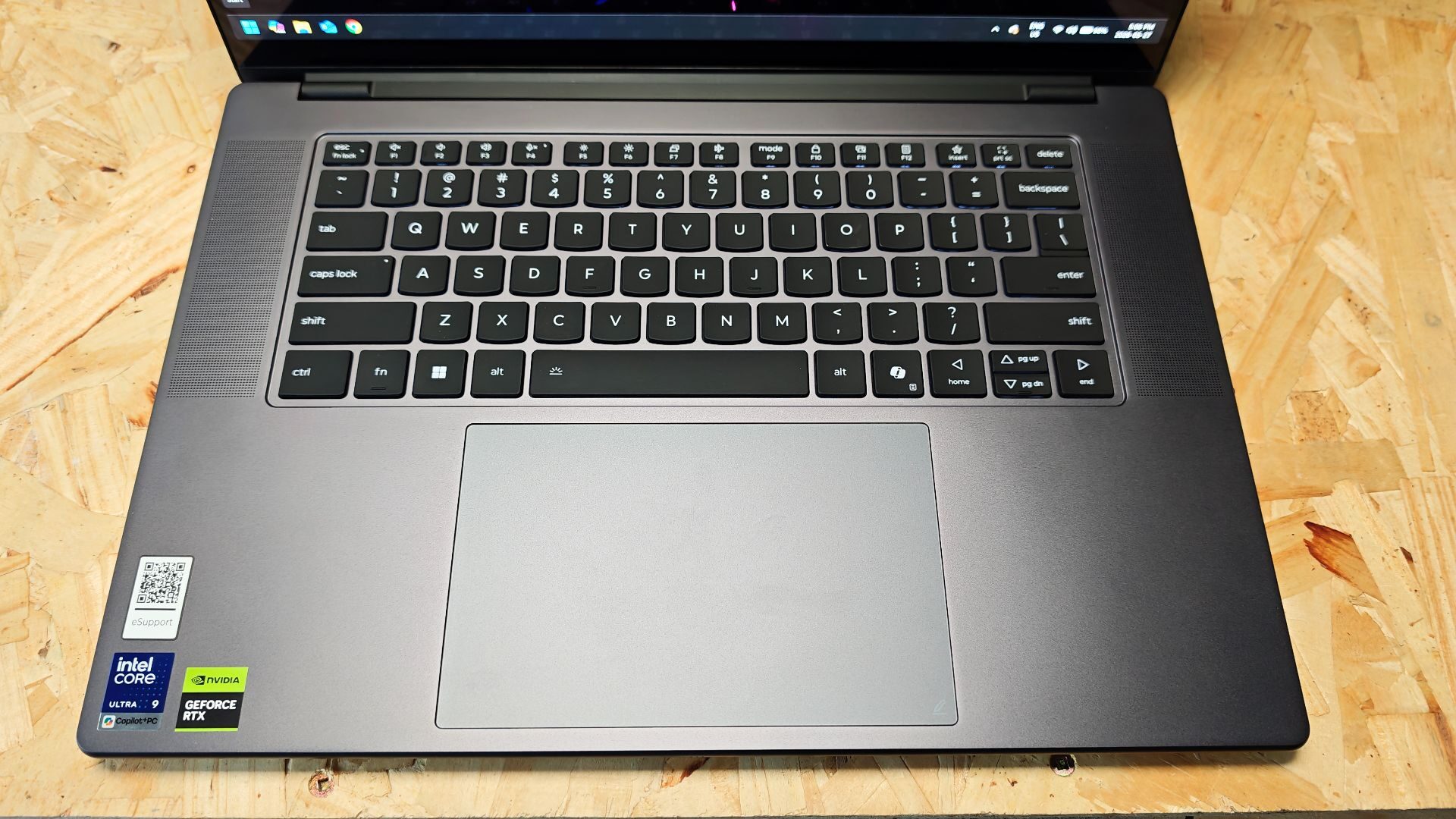
However, in the case of Lenovo’s Force Pad, it seems to natively distinguish between deliberate finger and pen gestures and your hand simply resting on the trackpad, with the latter action provoking no unwanted mouse movement. This is the first time I’ve experienced this on any laptop, and to Lenovo I tip my hat.
“Every aspect of the Lenovo Pro 9i Aura is built for function, not frill.”
The keyboard’s design is fairly straightforward, offering standard chicklet-style typing. It’s responsive and feels comfortable enough to type on. While the Pro 9i does offer keyboard backlighting, don’t get too excited. It’s a single-zone, white backlight that opts for functionality over flair. It’s nice and bright, though, which is great for those late-night work sessions.
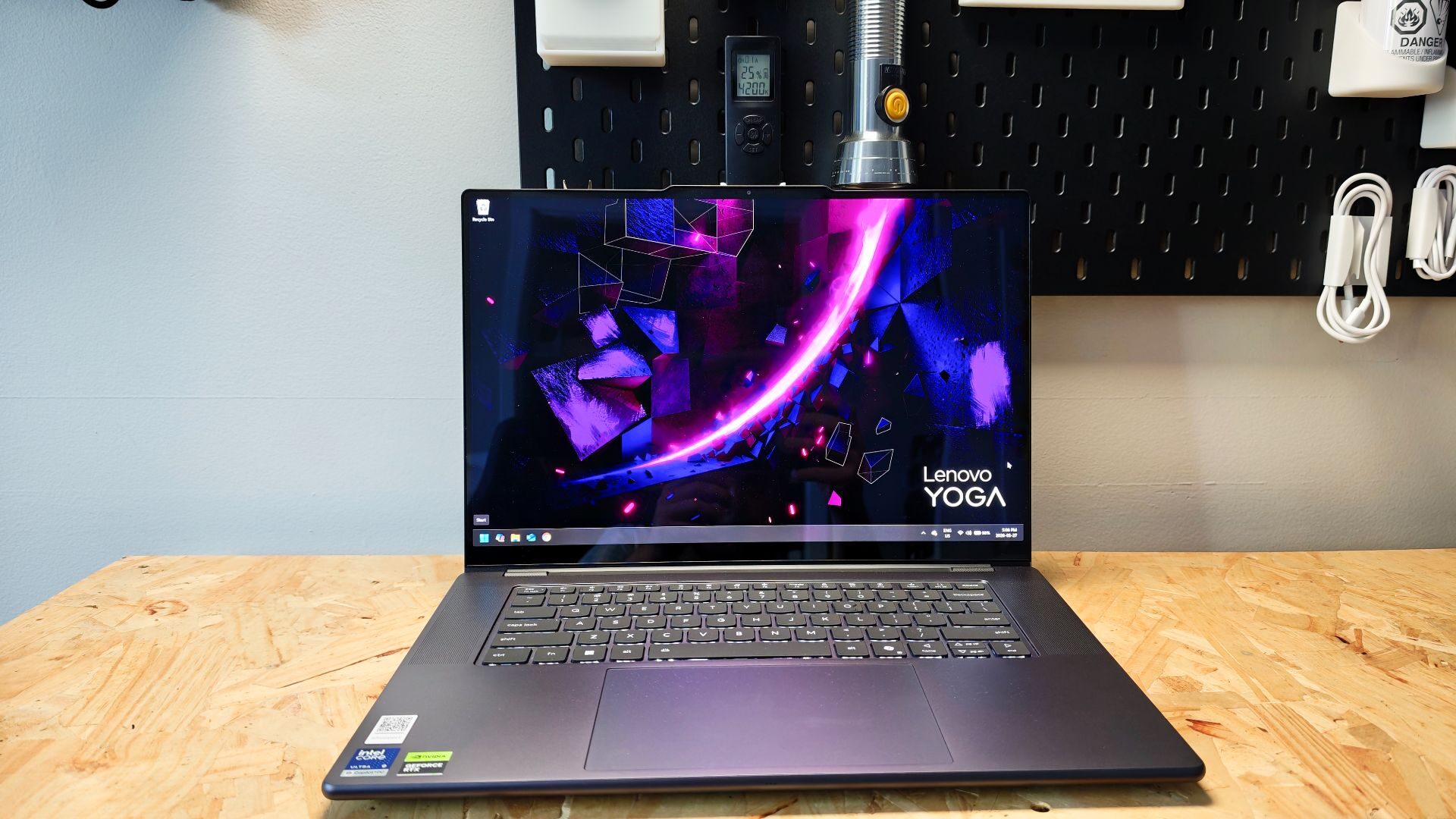
The display, by contrast, is absolutely gorgeous. The Pro 9i features a 16-inch 3.2K PureSight Pro Tandem OLED display. With a resolution of 3200×2000 and peak brightness of 1600 nits, this 16:10 aspect ratio display beautifully handles both content creation and gaming. The 120Hz variable refresh provides consistently smooth presentation as well. The inclusion of touch is a nice addition, though, as the laptop doesn’t support 360 flip, it feels a little unnecessary in this application.
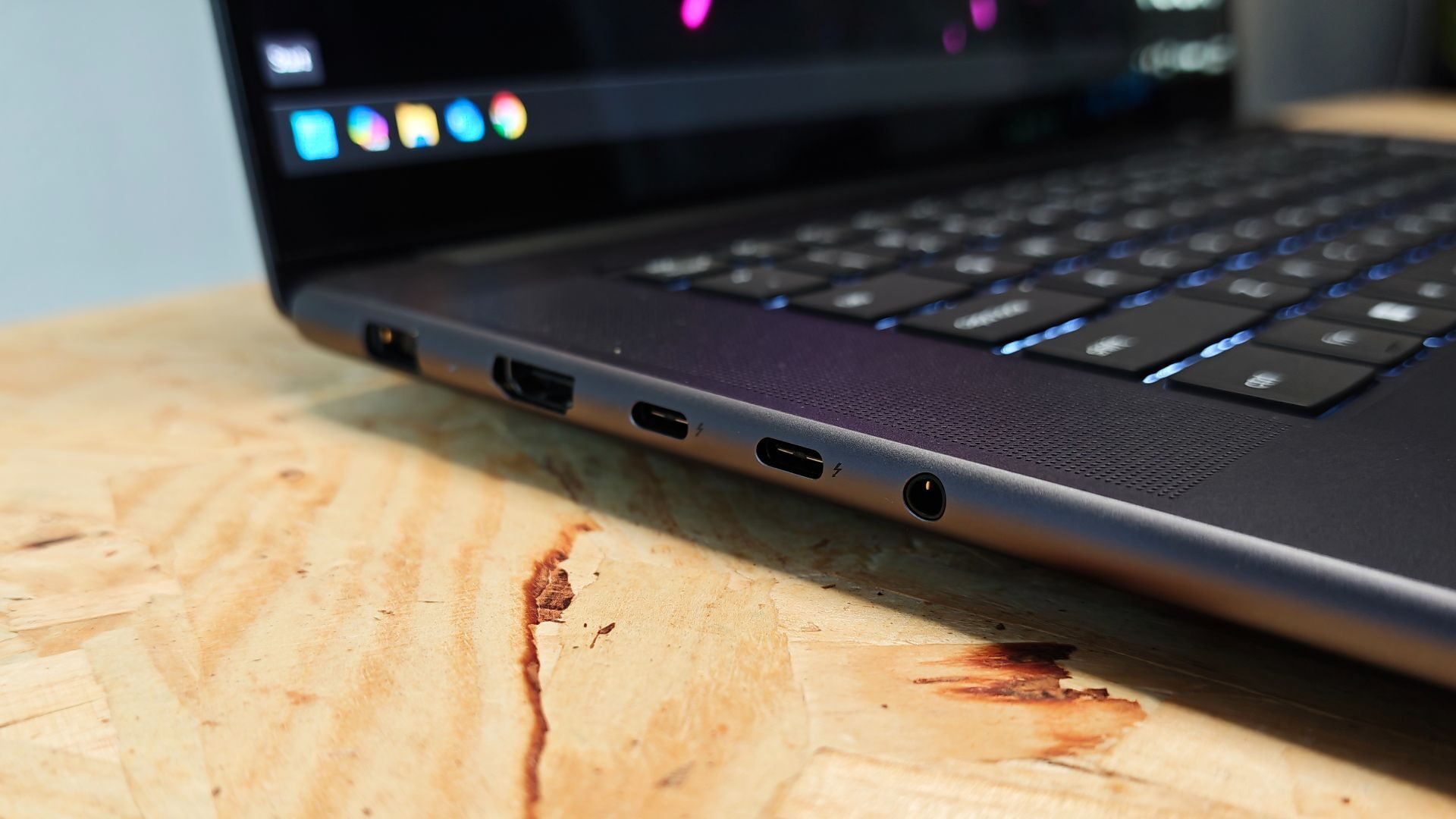
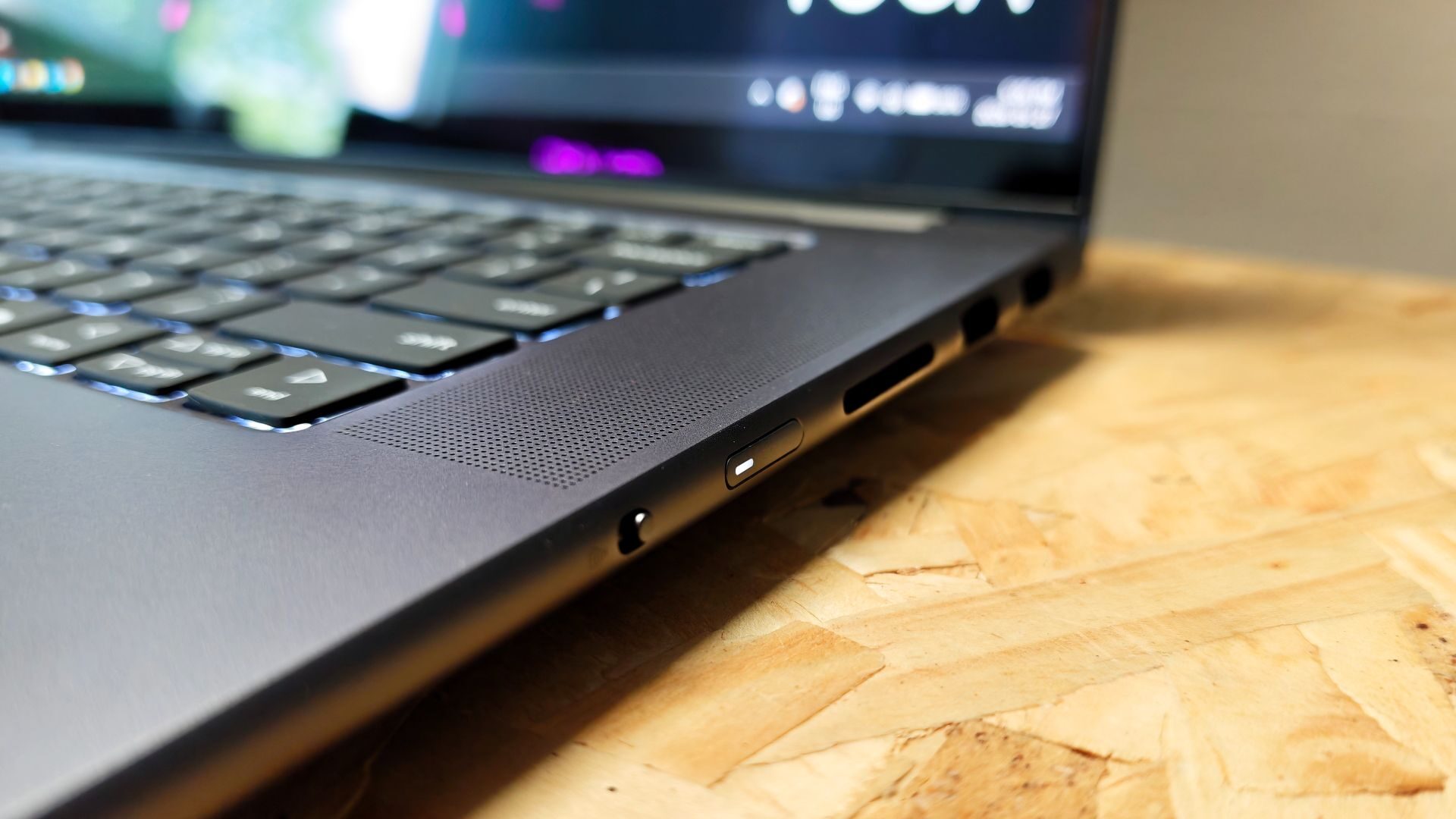
There is a solid selection of ports included with the Pro9i as well. The left side of the laptop hosts two Thunderbolt 4 ports with full USB PD-65-100W and DisplayPort 2.1 support, a 3.5mm audio combo jack, an HDMI 2.1 port and power. The right side rounds out the I/O with two USB-A ports and an SD Card reader. It’s a good offering for content creation, though it would have been nice to see Thunderbolt 5 ports included, especially with so many Thunderbolt 5 Docks, such as the Razer Thunderbolt 5 Chroma.
Lenovo has included a fairly decent audio setup with a 6-speaker system (2Wx4 dual side woofers, 2Wx2 tweeters). It provides good overall sound quality, with just enough low-end and midrange to make it feel above average for a laptop. Listening to music while working, streaming content, or gaming are all quite serviceable with the speaker system and provide a fairly good listening experience. While it won’t replace your mixing or gaming headphones its better than the main laptop speaker systems I’ve tested.
Shifting to battery power, I’m seeing a trend across both laptops and other battery-powered peripherals. While the battery life of the Pro 9i is in line with what I would expect from a 16-inch Windows laptop, I managed about 6 hours of editing and general productivity on average, including some rendering and playback. It’s the quick charging that is the highlight.
A fifteen-minute charge provides about 3 more hours of use, which is amazing when you spend all day in and out of meetings. This has been a great asset on longer days at work as well, when I often don’t have a power source nearby. A quick charge while grabbing coffee or lunch is so appreciated.
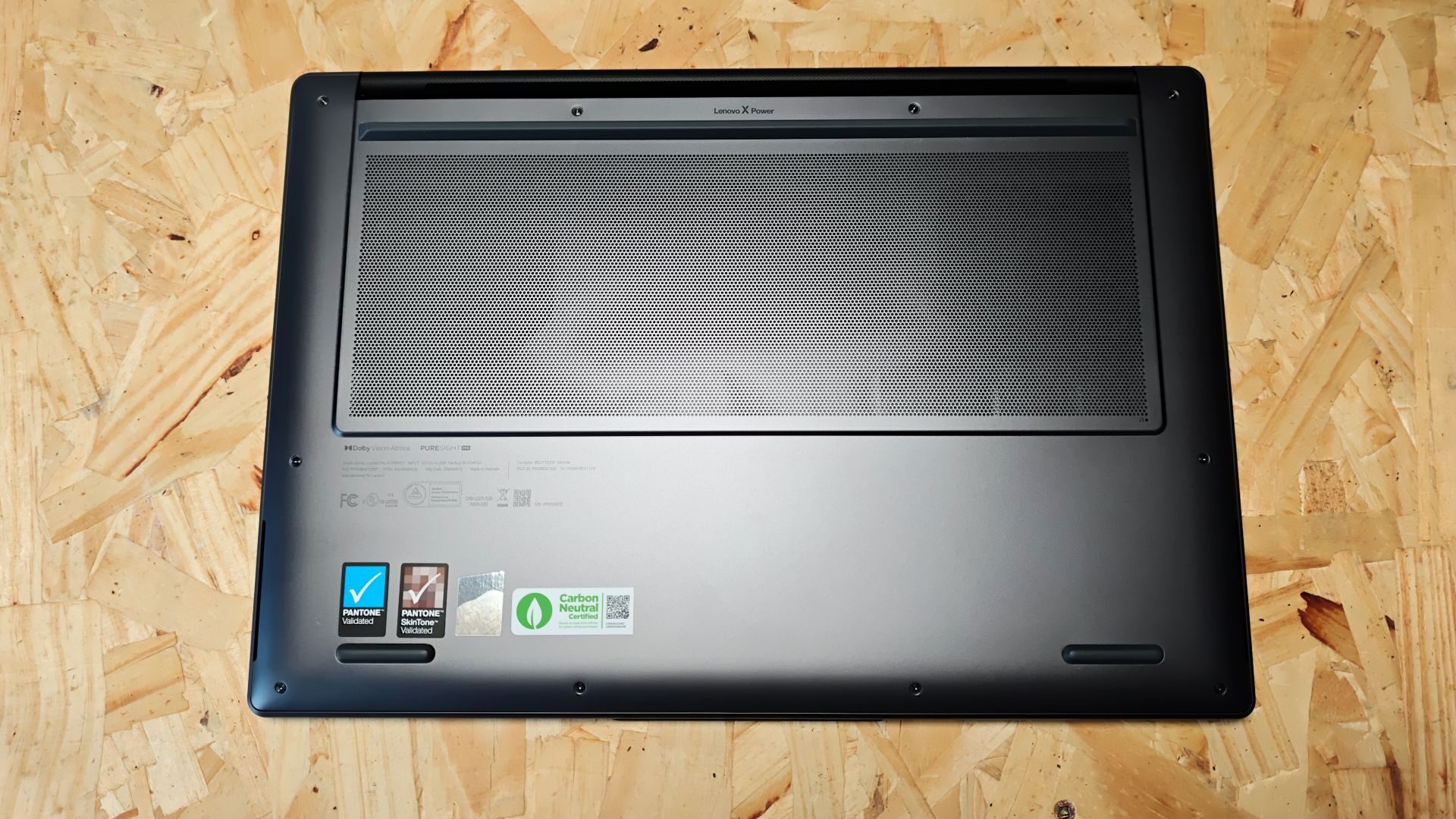
Circling back to the design for a moment, I wanted to touch briefly on the thin design. Lenovo has redesigned the internal chassis of the Pro 9i to deliver much better thermal performance with larger vents, all without sacrificing its form factor. In testing, the system performs well under load, staying cool and providing plenty of airflow. Even with the fans running, it’s still relatively quiet, which is also impressive. Overall, I’m impressed at how Lenovo has refined the cooling on the Pro 9i.
Before jumping into the performance, I would be remiss if I did not take a moment to spotlight the namesake of the Pro 9i Aura Edition. The Aura elements that make up the Aura edition come in three features: the Smart Modes selector, Smart Care and Smart Share.
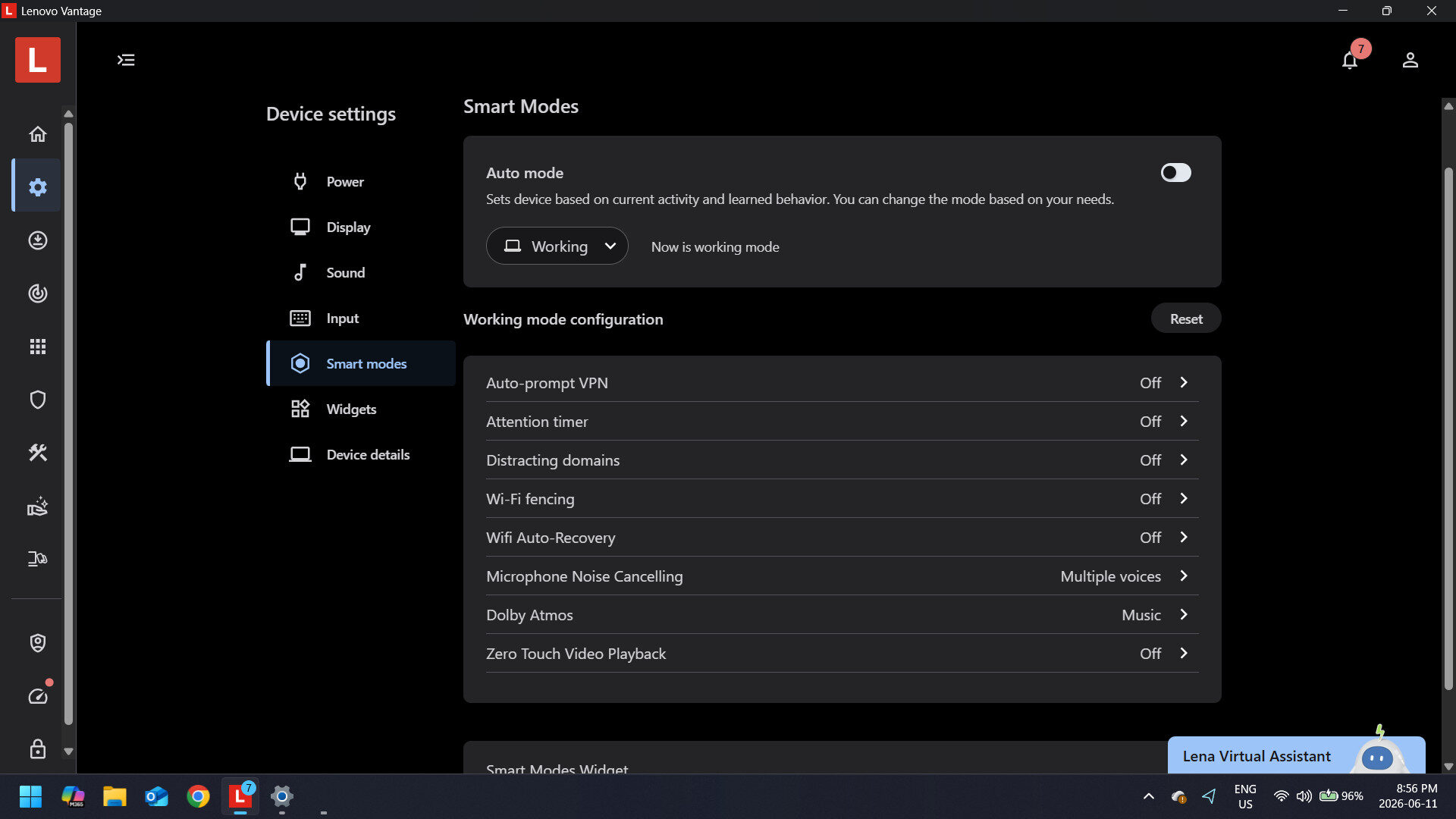
The first is simply a glorified profile selector that cycles through a series of preset modes such as gaming, creating, and meeting. Each mode turns various features on or off, such as focus mode and VPN. It’s a fun quality of life feature that some might find useful. Smart Care is simple. Lenovo’s support network in the form of real-time support with Lenovo Technicians, with the option to upgrade to their white-glove service.
“Running DaVinci Resolve for 4K editing is exceptionally smooth; real-time rendering is quick and responsive, and render times are snappy.”
The most interesting, though, is Aura Smart Share, which allows for tap-to-launch and tap-to-connect functionality. Setting it up is fairly straightforward, with the former requiring the Smart Connect app to be installed on your phone. Once installed, a quick tap of the phone on the screen enables photo transfer. While it is nice for instances when you might not have internet access, for the times when we do have internet access, Cloud-based photo transfer is still my default option. Tap to Connect works great too, as long as you are using a supported device.
Every aspect of the Lenovo Pro 9i Aura is built for function, not frill. It strips away many of the flourishes in something like the Legion 9i and focuses entirely on performance. In this regard, the Pro 9i holds its ground well. Sporting an Intel Core Ultra 9 386H processor, the NVIDIA GeForce RTX 5060 8GB, 32 GB of RAM, and a 1 TB SSD Gen 4, the Pro 9i provides solid performance.
In real-world tests, the Pro 9i Aura handles content creation quite well. Running DaVinci Resolve for 4K editing is exceptionally smooth; real-time rendering is quick and responsive, and render times are snappy. With the addition of the just above-average laptop speakers and beautiful 3.2K display, the user experience for editing is great for working on the go.
“The Lenovo Pro 9i Aura Edition is a solid piece of hardware with a few standout features.”
Gaming, likewise, is solid, though the RTX 5060 does struggle a bit with that higher resolution. While it can achieve a solid 40ish FPS at Ultra in titles like Cyberpunk 2077 (see chart below), I found that the sweet spot for this laptop is 1440p gaming, which still provides excellent visuals but puts a bit more strain on the CPU to maintain a consistent 60 FPS experience.
Speaking of Cyberpunk 2077, its benchmarks show how the RTX 5060 and Intel Core Ultra 9 386H help push the Pro 9i above other similar laptops, such as the aforementioned Yoga Pro 9i, which runs the Intel Core Ultra 9 285H processor, NVIDIA GeForce RTX 5050 8GB. In almost every metric, the Pro 9i pulls ahead, most notably when comparing FPS measurements directly between the two.
While the native FPS on the surface seem to indicate the Yoga Pro 9i pulls its head, it’s important to understand that the native resolution of these two devices is vastly different. The Yoga offers a native resolution of 2800×1800, while the new Arua Edition boasts a whopping 3200×2000. At every comparable setting, though, the Arua is the clear winner, thanks in part to the RTX 5060.
On GeekBench 6, the Yoga actually scored better with single-core testing, measuring 2926 vs the Aura’s 2832. This shifted back in favour of the Aura in multi-core testing, with the Aura’s score coming in at 16784 to the Yoga’s score of 16281. The point I wanted to address here is that when looking at laptops sporting any of the Core Ultra 9 processors and all their Panther Lake processors (P-cores and E-cores), there is a level of diminishing return that should be considered.
This brings me to my one point of wrestling with the new Pro 9i Aura: Is it worth its price point? I like the functional design, sleek aesthetics, and unique Pen-enabled Force Pad. They all add levels of creator enablement without a big bulk of gaming-dedicated laptops. The inclusion of the RTX 5060 also means native 1440p gaming is possible, which is a nice treat for content creators looking to kick back after a long day of work.
The challenge for me is that, for over $ 1,000 less and thanks to DLSS voodoo, I can have a similar experience on last year’s Yoga Pro 9i. Sure, I lose the Force Pad and fun features of the Aura experience, but in my case and possibly the case of many creators, these are a novelty, not a necessity. While I love everything that the Lenovo Pro 9i has to offer its hard to swallow the extra $1200.
That being said, this is a great laptop; it’s simply not one I would recommend to everyone. If you’re a creator who does leverage digital drafting or sketching, or often works with a drawing tablet, and are looking for a laptop that can handle robust rendering tasks and doesn’t mind spending a bit more than the Pro 9i Aura Edition does, it makes sense. For those needing a more streamlined, straightforward workhorse that can still game, there are simply more affordable options.
The Lenovo Pro 9i Aura Edition is a solid piece of hardware with a few standout features. The inclusion of the Pen-enabled Force Pad is a truly innovative and appreciated piece of hardware. The cooling system redesign is also impressive and helps to keep the machine lean and clean-looking. While the inclusion of the RTX 5060 and Intel Core Ultra 9 386H processor is nice, the price of 3149.99 might be a show stopper for some.