
Running out of storage is a familiar problem for content creators, and the Synology DiskStation DS1525+ aims to turn scattered drives into a single, expandable home for growing workloads. As a reviewer and content creator, I make heavy use of the storage in my PC and am always looking to expand it, especially when it comes to storing footage.
It can be a challenge to maintain high-quality files while also moving them from device to device as I edit at home or on the road. I’ve long been aware of NAS systems but never owned one to help organize the virtual avalanche of files spread across half a dozen hard drives. The Synology DiskStation DS1525+ may be an ideal beginner-friendly NAS that can grow with you.
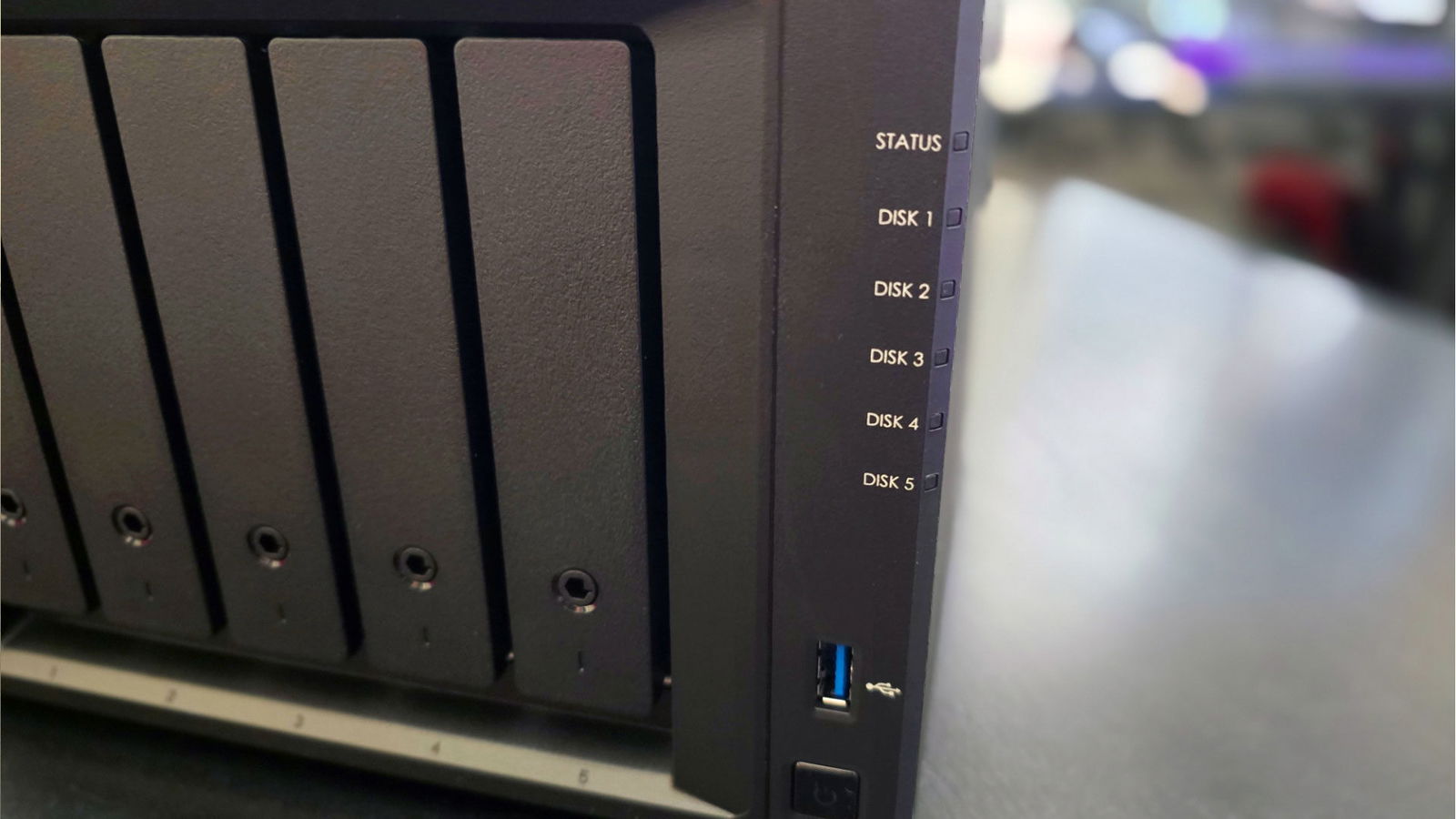
The Synology DiskStation DS1525+ is a five-bay system powered by an AMD Ryzen V1500B CPU with 8 GB of memory, expandable to 32 GB. In addition to the five drive bays, which support Synology and third-party drives, the DS1525+ includes two NVMe slots for additional storage or caching to improve the performance of the drive array.

If all of those drives aren’t comfortably enough storage for you, or you’ve gradually outgrown them, the whole system is expandable with Synology’s DX525 via USB ports in the Synology DiskStation DS1525+, allowing you to expand to up to 15 drives. The NAS also has two USB 3.2 Gen 1 ports, one on the front and one on the back, for connection to peripherals or additional drives.
“The Synology DiskStation DS1525+ may be an ideal beginner-friendly NAS that can grow with you.”
On the back of the Synology DiskStation DS1525+, you’ll also find two 2.5GB ethernet ports that can be aggregated to a 5GB connection if your setup will allow for it, but that can make for some serious speed. Since Synology is all about expanding with this device, they’ve also left you with a PCIe expansion slot for up to a 10GB Ethernet card to put the speed of the DiskStation into hyperdrive. Speeds like this will allow for rapid transfers, but also allow you to edit straight from the NAS without any lag.
Installing the drives was a simple process. You open the drive slot with the provided key. If it is locked, secure the drive in place and slide it back into the bay, where it connects seamlessly to the Synology DiskStation DS1525+. Each bay supports a 3.5-inch SATA HDD, 2.5-inch SATA HDD or 2.5-inch SATA SSD, making the system a versatile storage solution.
Finding and connecting to the Synology DiskStation DS1525+ was straightforward using the Synology Assistant app, which quickly recognized the system and connected to it through a web interface using default credentials. There are several settings to configure, and this stage can feel tedious, but it is necessary to tailor the system to your needs, from security preferences to how your drives are arranged.
“While the upfront cost may seem high, those who need an accessible storage solution will likely see it as a necessary investment.”
Configuring the drives was the most intimidating part of the process for me. There are many options available, and to Synology’s credit, the system clearly explains what each configuration does and why it might suit your needs. For testing purposes, I chose a basic setup that provides maximum storage capacity but no redundancy. That means if a drive fails, you lose the data stored on it.
You can configure the drives in a RAID setup for added redundancy or choose Synology Hybrid RAID, which makes use of the extra capacity on drives that are larger than the smallest drive in the array. That additional space is allocated as redundant storage and allows you to swap out and expand drives more easily. It is widely considered the best option for beginners and the ideal configuration if your drives are different sizes. If all drives are the same size, a traditional RAID setup will suffice.


The DiskStation Manager (DSM) operating system makes it easy to adjust settings, monitor system health, manage file transfers and access stored files. A number of app packages can be added through the DSM Control Panel, allowing users to view videos with specialized codecs, open various document formats or manage multiple NAS servers from one interface. It is a powerful tool that reduces the learning curve while still allowing you to build a more complex system over time.
The Synology DiskStation DS1525+ costs $799 US without drives included. Storage pricing will vary depending on capacity, brand and any additional expansions you choose. While the upfront cost may seem high, those who need an accessible storage solution will likely see it as a necessary investment. Content creators and editors can quickly share files for streamlined collaboration. It can serve as a strong business solution, centralizing and securing important files, or function as a powerful Plex server.