
Every so often, a brand becomes so synonymous with a product that it almost seems insane for another company to try its hand in that market. The stream controller is definitely among those products. We know what we all call a programmable, multi-button stream controller. Ulanzi, a jack-of-all-trades manufacturer of creator gear, however, felt capable of challenging that dominance with their own product in the space, the upgraded Ulanzi D200H Stream Controller, and they did a pretty good job.
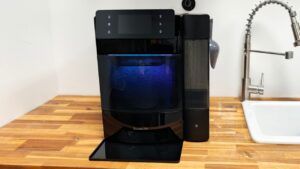
In the box, you get the Ulanzi D200H Stream Controller, a USB-C to USB-C cable and the documentation. The stream controller is built solidly, with 13 programmable keys, an LCD screen, and one additional LCD key for display and launching a visual feedback ring that allows you to swap between your various profiles. My only gripe with the keys is that, because of the shallower angle they sit on compared to the Stream Deck, it’s actually a little harder to read any text on the bottom of the icons attached to the keys.

A key selling point of the Ulanzi D200H Stream Controller is that it is not just a stream controller but a 7-in-1 hub, providing a lot of I/O to your computer and putting it all at your fingertips. The D200H has dual card readers supporting SD cards and TF/Micro SD cards, a 100W USB-C charging port, two USB-C 3.0 ports, and two USB-A 3.0 ports, all capable of 5Gbps file transfer, making it easy to connect powerful peripherals or external storage. This is a fantastic addition, especially for laptop users, to expand your setup.
“The Ulanzi D200H Stream Controller comes with preset profiles for you to hit the ground running.”
The Ulanzi D200H Stream Controller comes with preset profiles for you to hit the ground running, including a basic desktop control profile with volume controls, media controls, and folders with apps, links, and more. Ulanzi Studio is the app you’ll rely on to customize the D200H, providing you with a number of plugins full of useful functions, and it also connects you to their marketplace, where you can find additional plugins, profiles, and icons for all kinds of creator and productivity applications.
For people less versed in the stream controllers, the difference between plugins and profiles is pretty simple. A plugin provides you with all of the functions you need to make the most of an app, whereas a profile gives you a pre-set layout of functions on the stream controller for an app. In most cases on the Ulanzi D200H Stream Controller, the profile will automatically load when you open the corresponding app, making it so convenient to work, as the stream controller dynamically adapts to the work you are doing.

The marketplace, while it provides profiles and plugins for virtually every major app that would best make use of the Ulanzi D200H Stream Controller, is still quite a bit behind Elgato’s marketplace for a couple of reasons. First of all, it’s just a matter of who had the head start. Elgato has been working for a lot longer to create compatibility with so many creator apps and productivity tools.
The more important difference, though, is that Elgato allows other people to submit plugins and profiles, whereas Ulanzi appears to be the only author of everything in the marketplace. Opening this up to other authors will lead to more creative and user-friendly profiles, as they are often created by users who are much more well-versed in the applications than the controller’s manufacturer. It will also lead to way better icon packs, which, at least at the time of writing, is a real weak point with Ulanzi, whose icons aren’t great.
Ulanzi has also created a profile dedicated to connecting you with different AI products. It is little more than a series of links to some of the bigger AI products, like ChatGPT, Gemini, Claude and others, but it’s an interesting thought to help introduce you to some tools you may not have known about before, especially because not all AI tools are built to do the same things for you, and you may find something that you needed and didn’t know was there.

From a functional standpoint, the Ulanzi D200H Stream Controller does exactly what it is supposed to. There really isn’t much to it. You push a button, and it does what you expect it to without delay. Connection to any of the ports or card readers is fast and flawless, and the programmability and customizability are on par with the Stream Deck, with support for deep folder structures for endless access to keys, multi-action functionality, and the ability to build any profile to your own specifications.
“At $69.99 USD, you are getting a lot more from the Ulanzi D200H Stream Controller than you get from the Elgato Stream Deck at $149.99.”
At $69.99 USD, you are getting a lot more from the Ulanzi D200H Stream Controller than you get from the Elgato Stream Deck at $149.99. Sure, you have fewer function keys, but you gain an entire USB hub, which is an Elgato accessory for the Stream Deck + and costs almost as much as the D200H by itself, so you are getting a ton of value from Ulanzi on this one.
When it comes to choosing the Ulanzi D200H Stream Controller or the Stream Deck for your setup, I would say it depends on the level of compatibility you need. If you own a lot of Elgato products, you aren’t going to find those plugins showing up on the D200H anytime soon. If you want to control the lights in your house, be they Nanoleaf, Govee or whatever, that support may come for the Ulanzi, but with the company being the sole maker of those profiles and plugins, that may be a long way out.

If, however, you want something that lets you control your stream competently and you use the controller for your everyday products like Microsoft Office, or if you are a creator using virtually any of the most popular applications in that space, then you would do well to save a lot of money and go with the Ulanzi D200H Stream Controller.

- Preset Made Simple, Control Made Smooth: Packed with versatile presets and plugins the deck lets you execute complex tasks with a single tap. No steep learning curve just plug in and take full control.
- Content Creation—instantly open menus, select tools, merge layers, pick tracks, and import files—making photo, video, and art work effortless. Supports Ps, Pr, Ae, DaVinci Resolve, and CapCut; Office Assistant—works with ChatGPT, Deepseek, Excel, and more office apps. One tap to launch apps, start calls, share screens, switch windows, and open files; Streaming Control—one tap to start streaming, switch scenes, send presets, and control lights and sound for an engaging solo show.