


If you are currently building a football Ultimate Team in EA Sports FC 26, you already know how exhausting matchdays can get. You are trying to play your own matches, check transfer market prices, watch your favourite real-world club on TV, and keep up with live scores across the league all at once.
It usually turns into a chaotic loop of minimizing your TV stream, unlocking your phone, and scrolling through social media to find out why a match is paused, only to look up and realize you just missed a goal.
You don’t need a massive wall of monitors to fix this. With a little bit of organization, you can turn your smartphone or tablet into a dedicated, live-tracking second screen. By syncing the official EA FC companion app alongside real-time match data, you can keep your head in both the virtual and physical games at the exact same time.
Here is how to set up your own football command center.
1. Set Up Your Screens (Keep it Simple)
You do not need a complicated desk setup to make this work. You just need to arrange your devices so you aren’t constantly fumbling with them mid-match. Keep your television, console, or computer monitor dedicated entirely to the matches themselves – whether that is a live Premier League stream or your own Weekend League games. Your smartphone or tablet is going to act as your “second screen.” Grab a cheap phone stand or find a spot to prop it up right below your main screen.
Before you launch any apps, open your device’s display settings and turn off “auto-lock” or set the screen timeout to “Never.” There is nothing more frustrating than having your screen go black right during a fast break, forcing you to mess around with passcodes or FaceID while a crucial play unfolds.
2. Keep the EA FC Companion App Armed
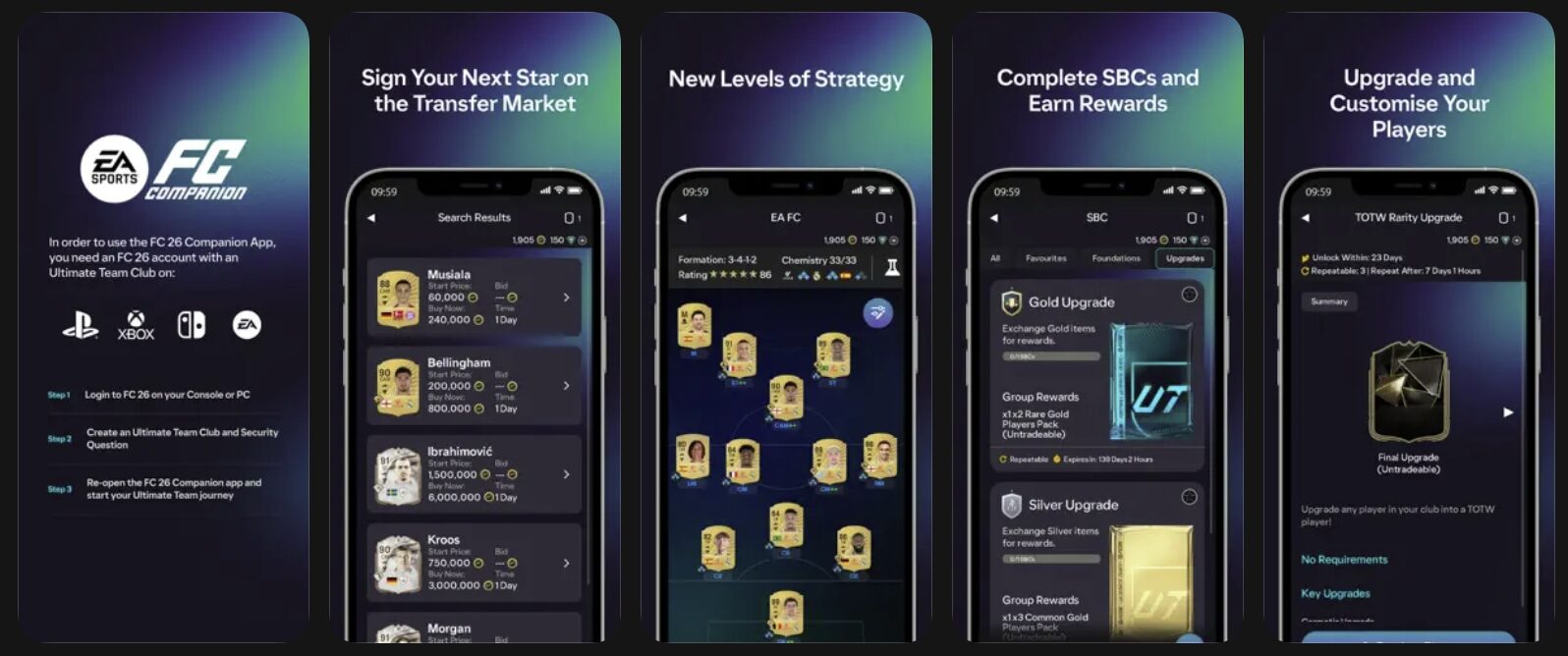
The official EA FC Companion App is an absolute must-have if you want to make coins during live games. Because real-world performance directly affects the virtual transfer market, keeping this app open next to you is a major advantage.
Log in to the companion app and navigate straight to the Transfer Market tab. If a real-life player scores a quick brace or picks up an early red card, their virtual card value will shift wildly in a matter of seconds. Having your app open and ready to go allows you to buy up cheap cards or list yours for a premium before the rest of the community even realizes what happened.
3. Layer on Low-Latency Live Stats
To back up what you are seeing with your own eyes on TV, you need a fast, data-heavy app that tracks real-world pitch statistics. Standard sports news websites are usually too slow and delayed by several minutes. Instead, download specialized analytical apps like FotMob or Sofascore.
If you are using an iPad or a tablet, take advantage of the split-screen multitasking feature. Put the EA FC Companion App on the left side of the screen, and your live stats app on the right.
If you are using a phone, turn on aggressive push notifications specifically for the games you are watching. This way, you get an instant vibration alert the second a card is shown, or a VAR check begins, giving you a head start to react on your transfer market app.
4. Turn Live Stats into Real Predictions
For a lot of fans, analyzing real-world match patterns isn’t just about upgrading a virtual midfield – it is about testing your football IQ against the actual bookmakers. When you notice a real-world team heavily dominating possession or exploiting a struggling defender, those live statistical trends are incredibly valuable indicators for in-play wagers.
If you want to back your live analysis with real stakes, keeping a sportsbook tab open alongside your companion app is a great way to stay involved. To get the most out of your bankroll when setting up a new profile, make sure to search for and apply active bonus code promos on trusted sports betting platforms. These sign-up codes can secure you matched deposits, free bets, or risk-free live wagers. Having those promo funds loaded up means you can instantly back your real-time predictions the moment you spot a tactical shift on the pitch.
The Perfect Matchday Flow
Once everything is configured, your setup is incredibly simple to run.
Your TV has the live broadcast running in full screen. Your tablet sits right below it, running live player heatmaps on one half of the screen and the EA FC Transfer Market on the other. Your phone sits nearby, ready to place a quick live bet using your active bonus code promos when the statistics tilt heavily in one direction.
With this setup, you aren’t just passively watching the game anymore. You are actively tracking the data, managing your virtual club, and making calculated plays on the fly – all without ever having to press pause.