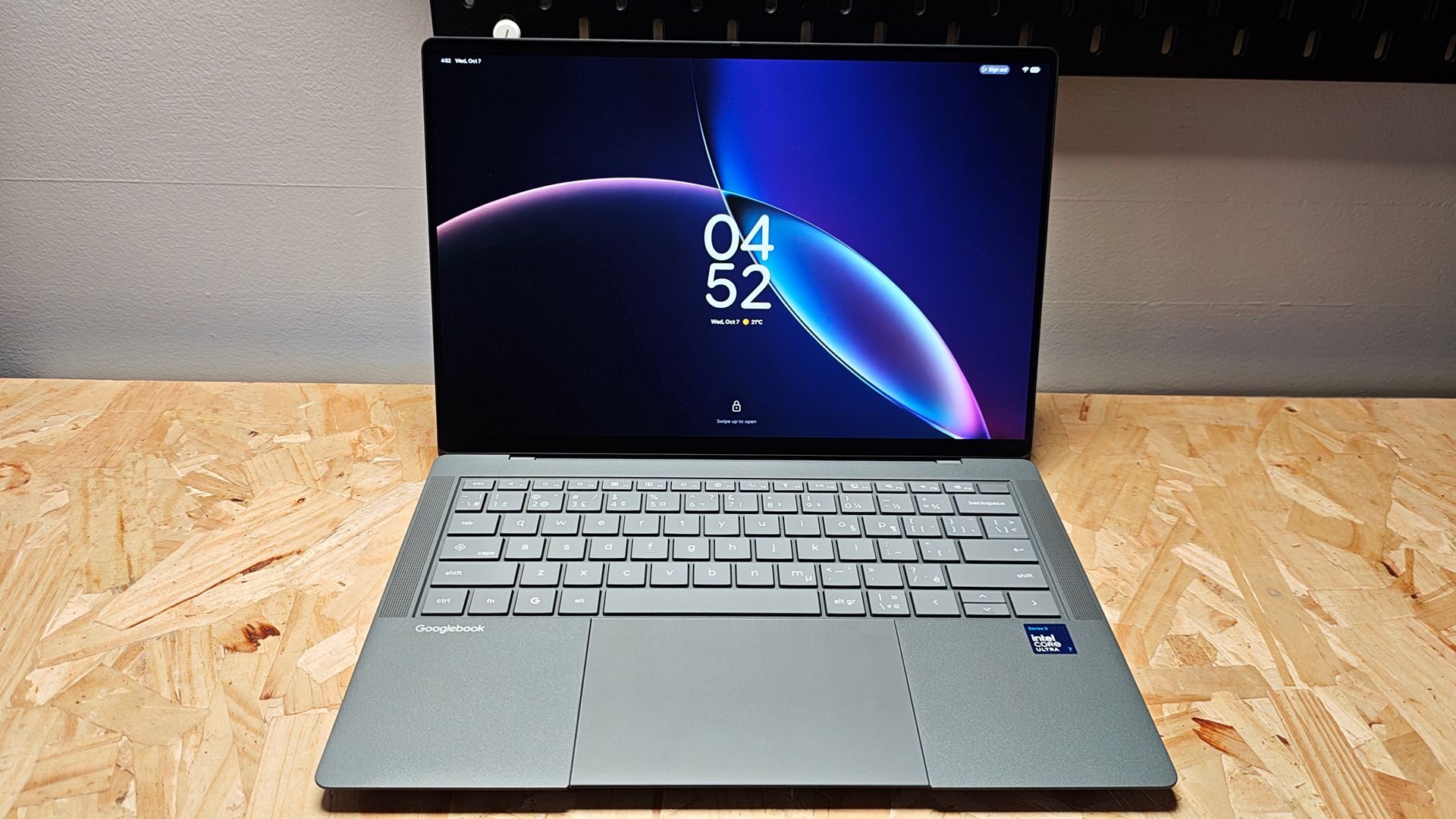


The ASUS Googlebook 14 is a premium laptop designed to leverage the latest in Gemini AI technology and provide seamless integration with your Android ecosystem. Marrying Google’s software prowess and ASUS’ design pedigree, the Googlebook 14 is an impressive piece of hardware that does a lot of things right. From its featherlight chassis to its intuitive touchpad and OLED display, the Googlebook 14 is well designed and constructed. However, with a price point of $1,799.99 CAD, it’s a bit difficult to understand who this Googlebook is geared towards.
As a 14-inch laptop, the Googlebook 14 is incredibly light. Weighing a mere 2.18 lb (just under one kg), it easily falls in the ultralight laptop range. While its dimensions of 310.88 x 212.76 mm (W x H) land it squarely in the 14-inch laptop range, it’s the thickness or rather lack of it, that is impressive. At its thickest point, the Googlebook 14 measures 16.45 mm.
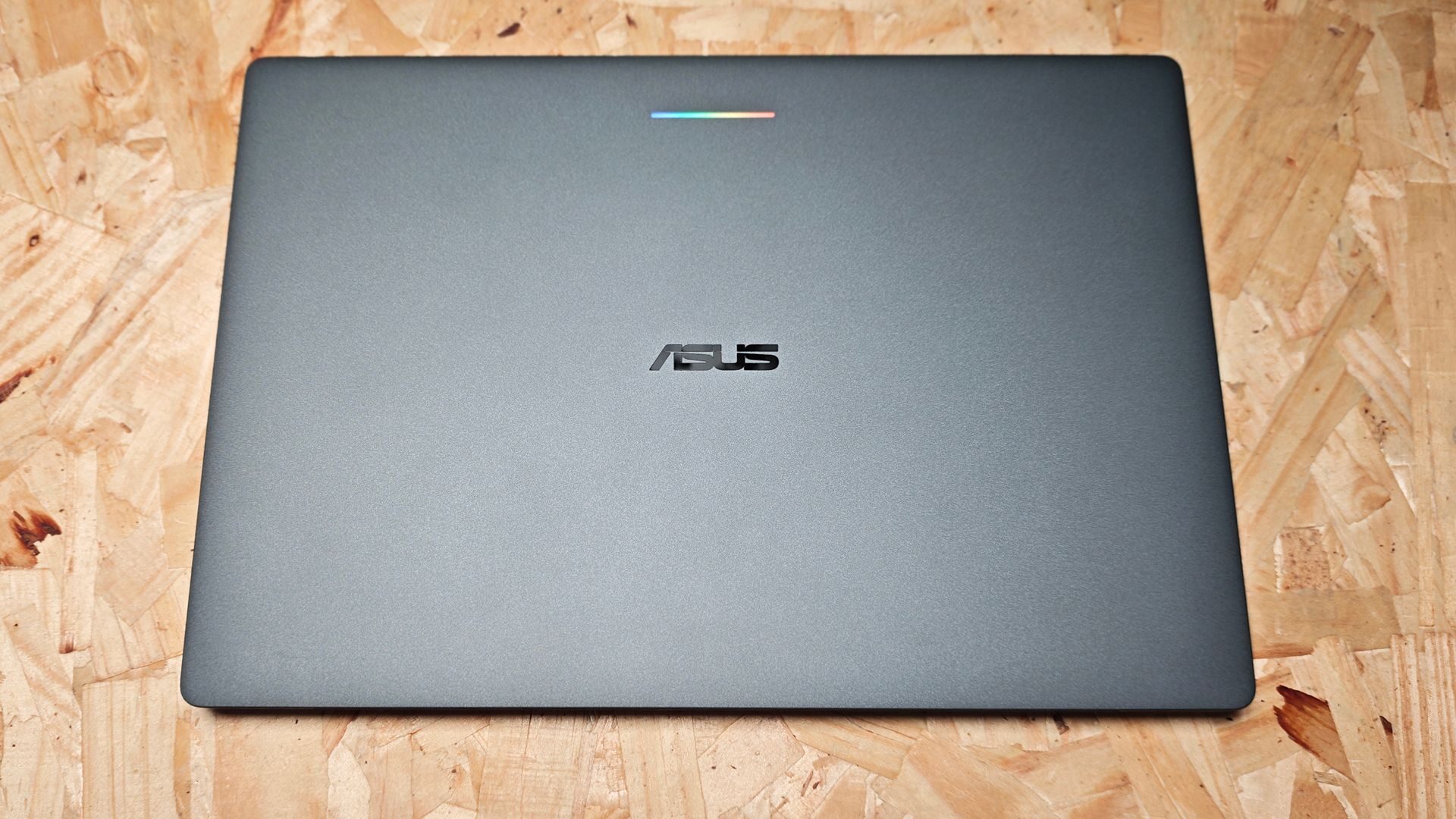
While it would make sense to think that as a result it would feel flimsy in hand, it couldn’t be any further from the truth. The construction is exceptionally sturdy and is comprised of magnesium-aluminum alloy: a bimetal blend that is known for its weight reduction and durability. This is on full display with the Googlebook 14, which is impressively rigid despite its thin structure.
To complement this durable design, ASUS has finished the casing with a nano ceramic material designed to resist scratches and stains. In testing, I’ve found that even after handling, the finish doesn’t show any signs of fingerprints. Additionally, there haven’t been any scratches observed despite it spending every day in my laptop bag with all sorts of other things rattling around. The matte grey finish looks as good as it did when I took it out of the box. For those concerned, though, the ASUS Googlebook 14 also comes with a convenient leatherette sleeve for added protection if needed.
ASUS hasn’t cut any corners in the design either, opting to install a beautiful, capacitive 3K OLED HDR touch display. Constructed of Corning Gorilla matte glass, this screen is vibrant with a full 120 Hz refresh rate. Visuals look vivid and bright, with content viewing and reading translating to a clear, easy-to-view experience. This, of course, is accomplished in part thanks to the 1000 nits peak brightness, as well as the HDR capabilities of the display.
As for the touchscreen capabilities, the matte finish on the Corning Gorilla Glass is something I’ve come to appreciate. For starters, despite using it pretty heavily these past few days, it shows minimal fingerprint smudges. Additionally, it’s incredibly responsive and acts similarly to how you would expect gestures on your phone to function.
“The surprisingly impressive hardware element of the ASUS Googlebook 14 is the audio system.”
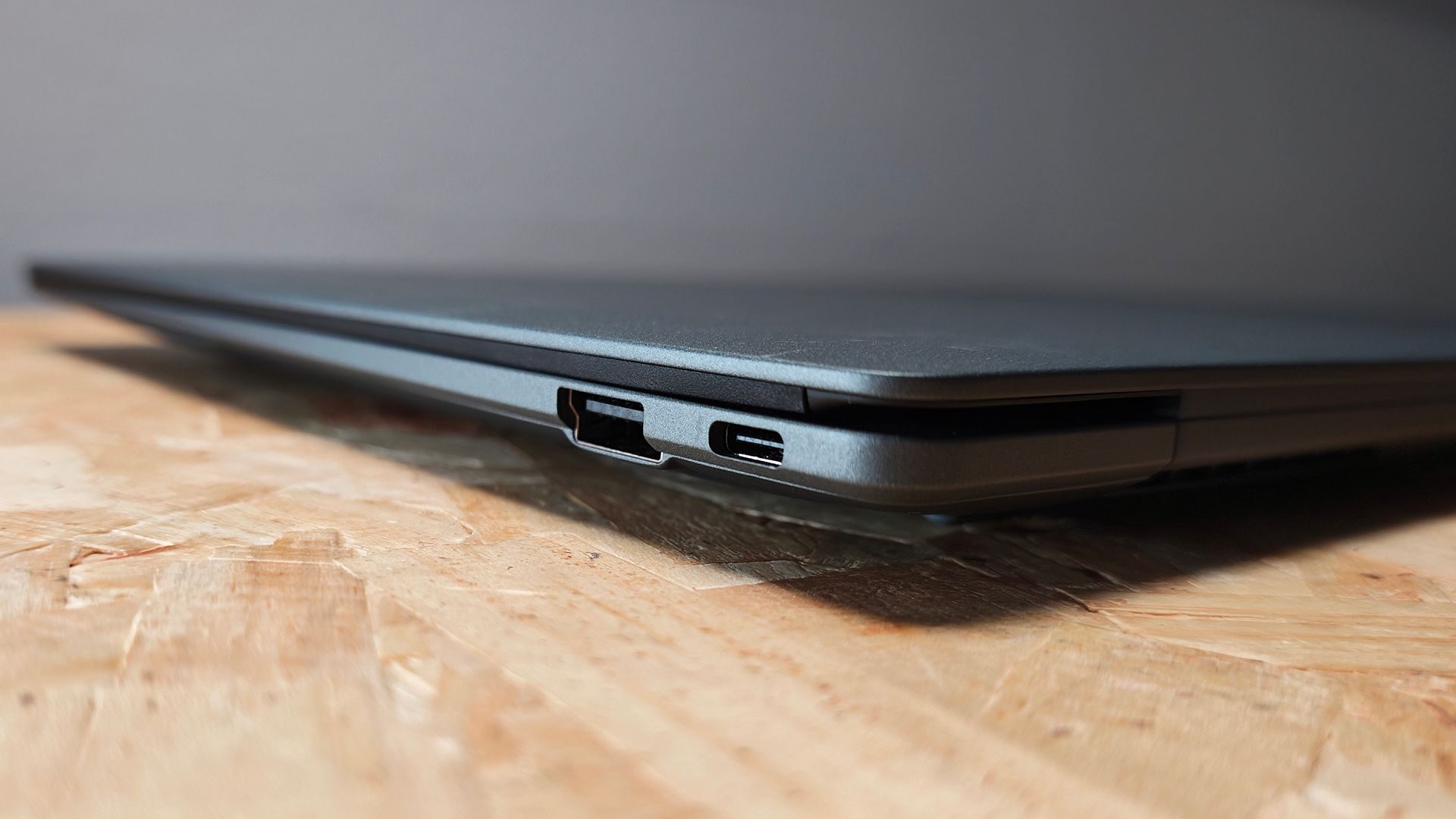
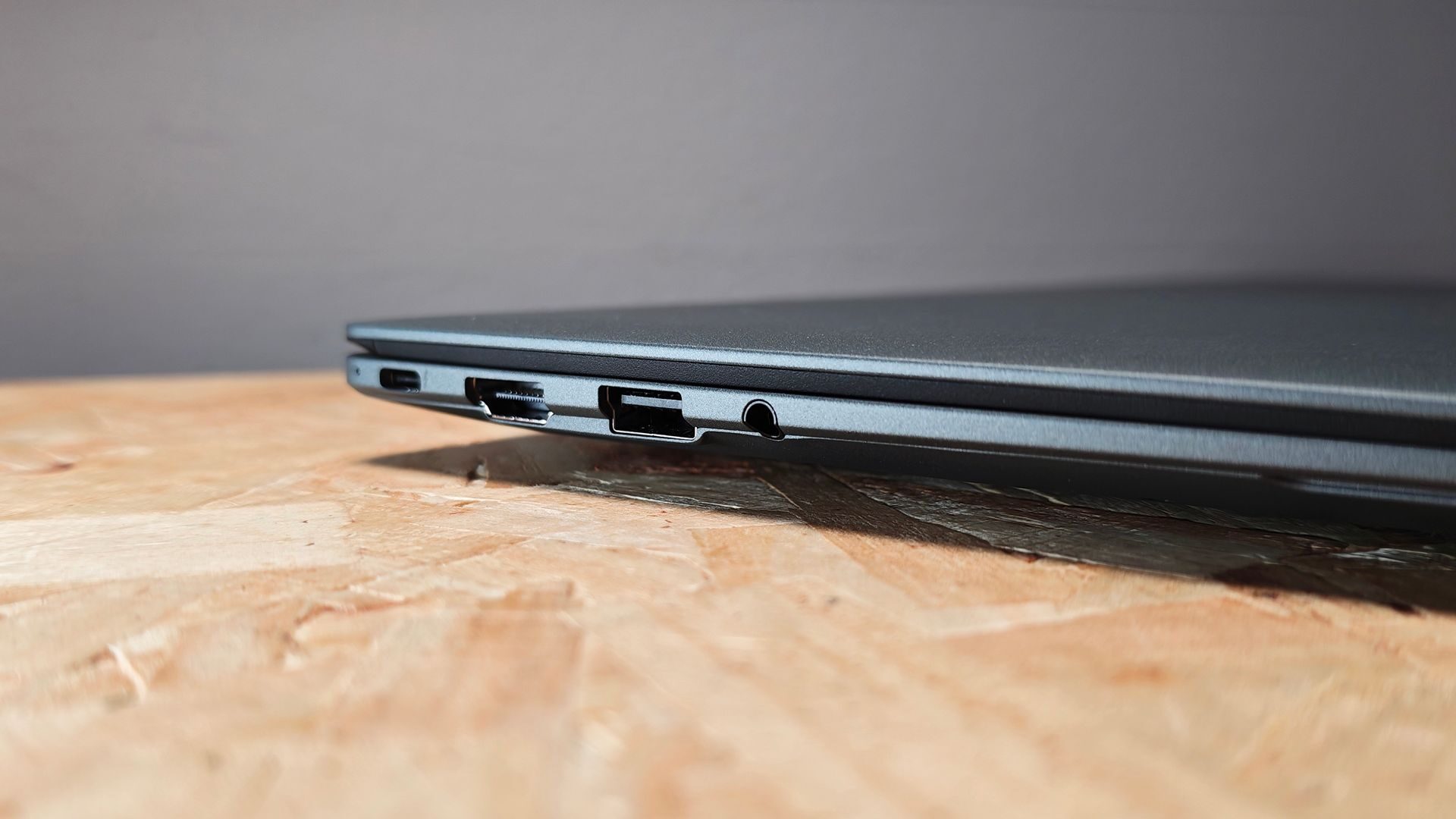
The Googlebook 14 includes enough IO to get by and is better than most MacBooks. The left side includes a Thunderbolt 4 Type-C, HDMI 2.1, USB 3.2 Gen2 Type-A and an audio combo jack. The right side houses an additional Thunderbolt 4 Type-C and USB 3.2 Gen 2 Type-A. I was pleasantly surprised to see both a Thunderbolt and an HDMI 2.1 port included.
The surprisingly impressive hardware element of the ASUS Googlebook 14 is the audio system. It features a six-speaker setup, two of which are dedicated force-cancelling woofers. The system is surprisingly loud and clear, with a much larger soundstage than I normally find on laptops. The Googlebook 14 actually leverages a Smart Amplifier from Dolby Atmos, which boosts the overall audio experience. From an audio/visual perspective, the Googlebook 14 is impressive.
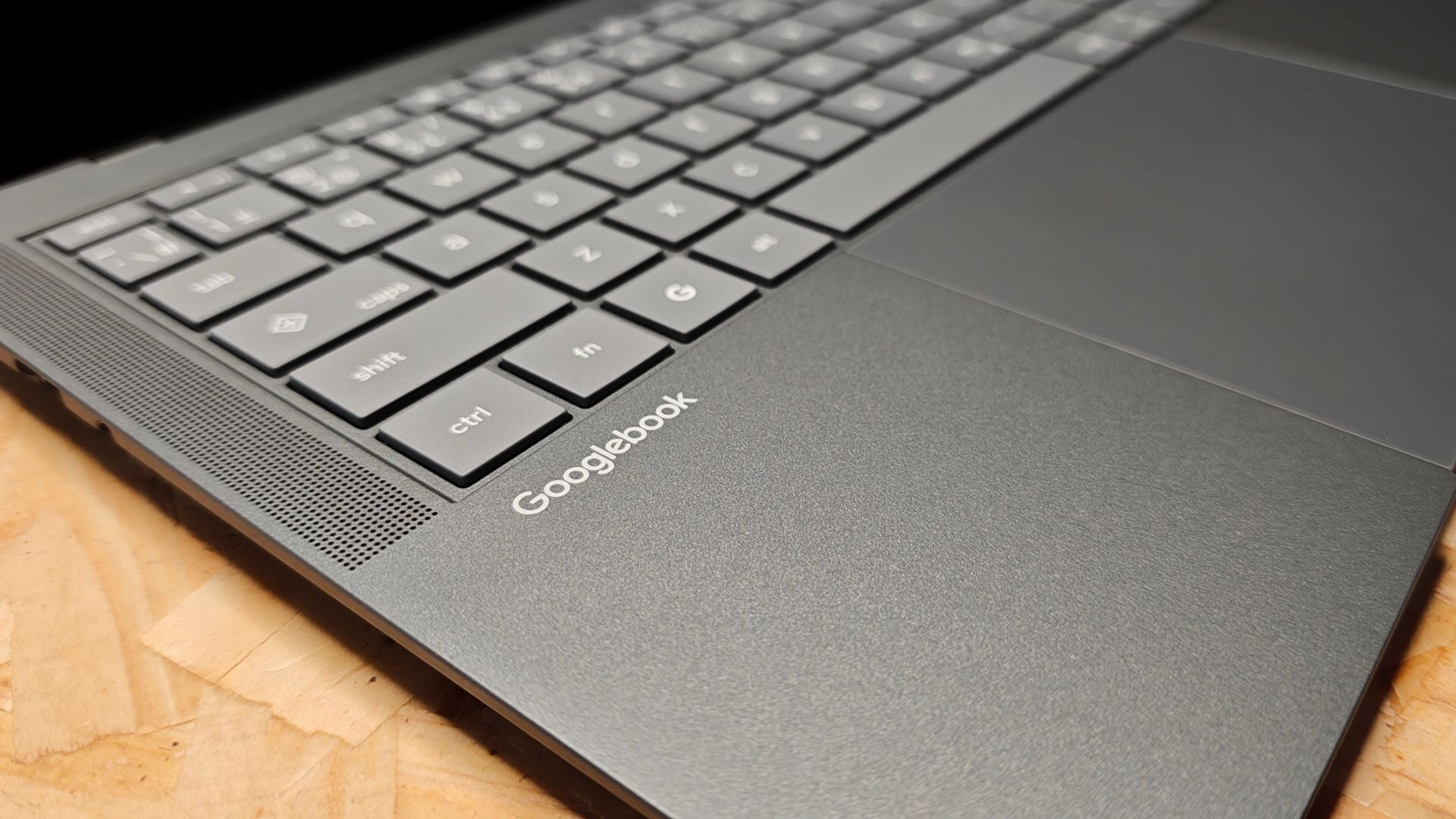
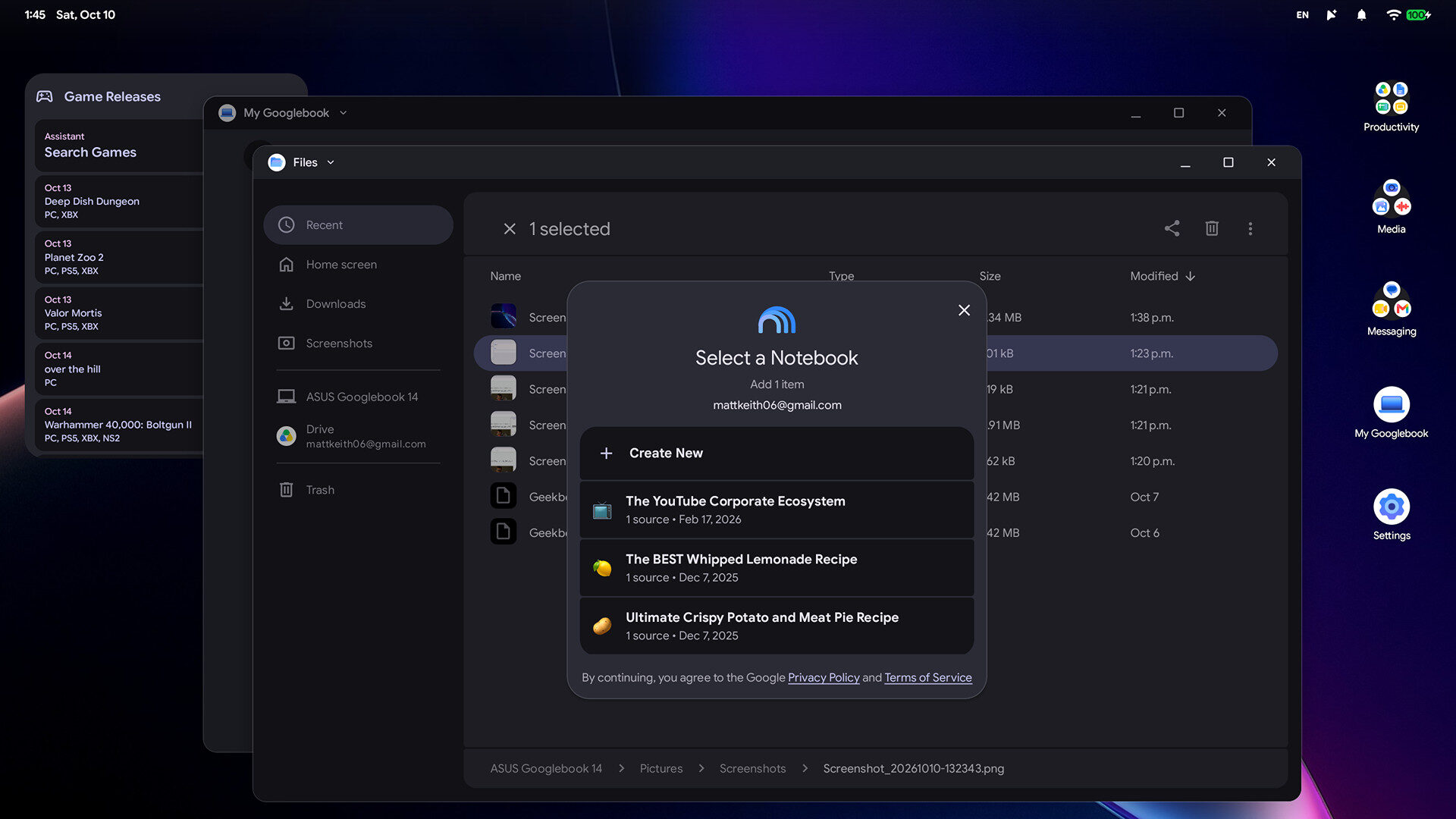
Another impressive hardware feature is the haptic touchpad. Along with a 6-sensor system, the touchpad provides great feedback and provides a smooth, seamless mouse movement experience. It also features full gesture control for easy navigation around the Googlebook OS, something I thought would take more time to learn than it actually did. While I’ve tested ChromeOS on various devices, this is my first experience with Googlebook OS, and it’s a solid, intuitive experience.
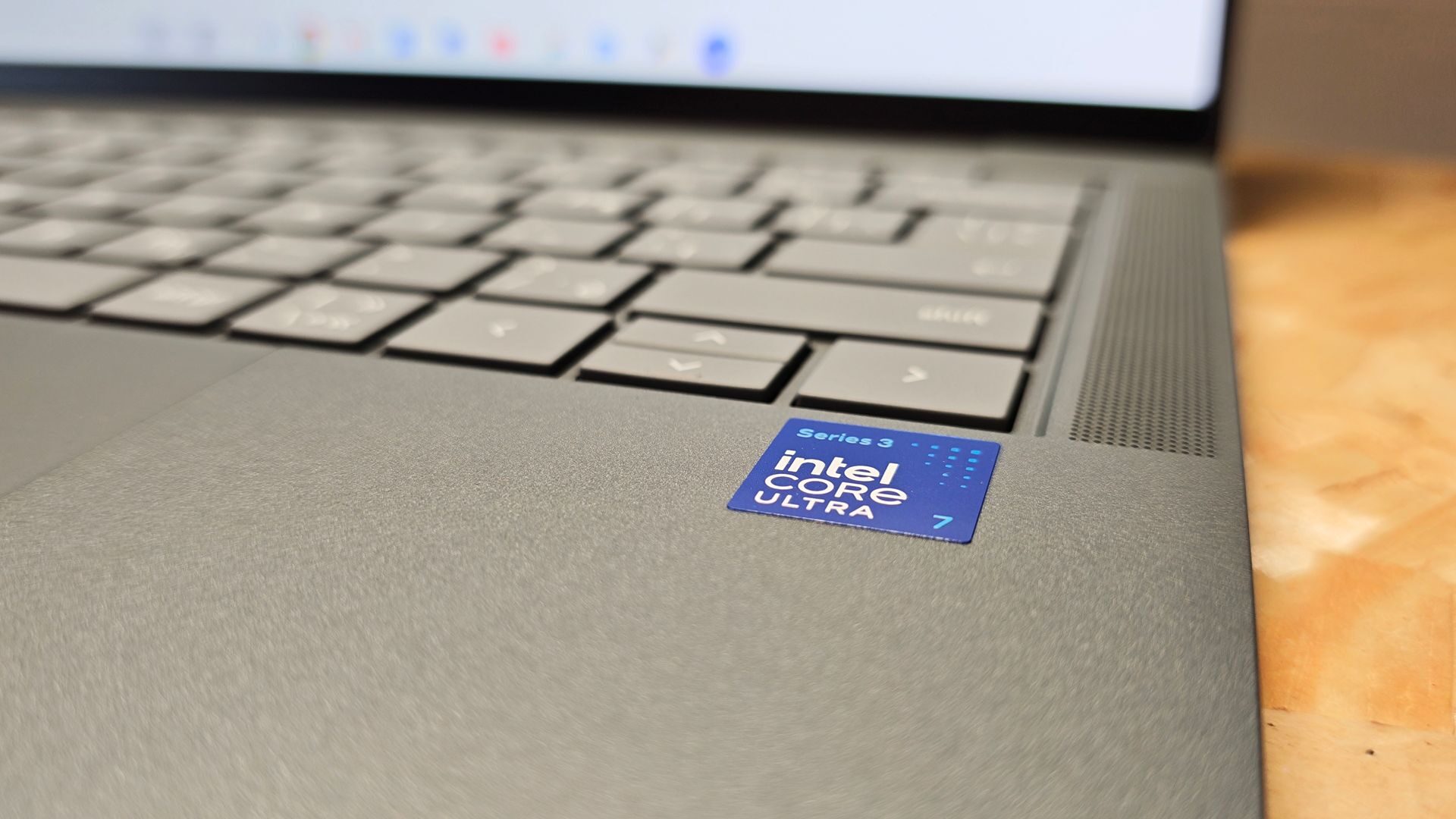
Powering the system is an Intel Core Ultra 5 325 processor (series 3), 16 GB of LPDDR5X RAM and a 512GB M.2 PCIe 4.0 SSD. In the context of operating the Googlebook OS, it’s impressively quick. The key to the Ultra 5 processor is that it’s specifically tuned to utilize AI and boost overall processing.
The more time I spend with the Googlebook 14, the more I’m beginning to understand how much the Gemini Intelligence experience is integrated into every aspect of the machine’s process. It is designed to change the way we work with AI in the context of our daily workflow.
For starters, the Gemini Intelligence experience is built to be at your beck and call, no matter the space you are working in on your Googlebook 14. At any point while working, reading online or quite literally doing anything on the laptop, you can wiggle the mouse cursor, and the Magic Pointer appears. This Magic Pointer can intuitively highlight a piece of a window, be it text or an image, or the whole screen, and once a selection is made, it pulls up a prompt for you to ask Gemini a question.
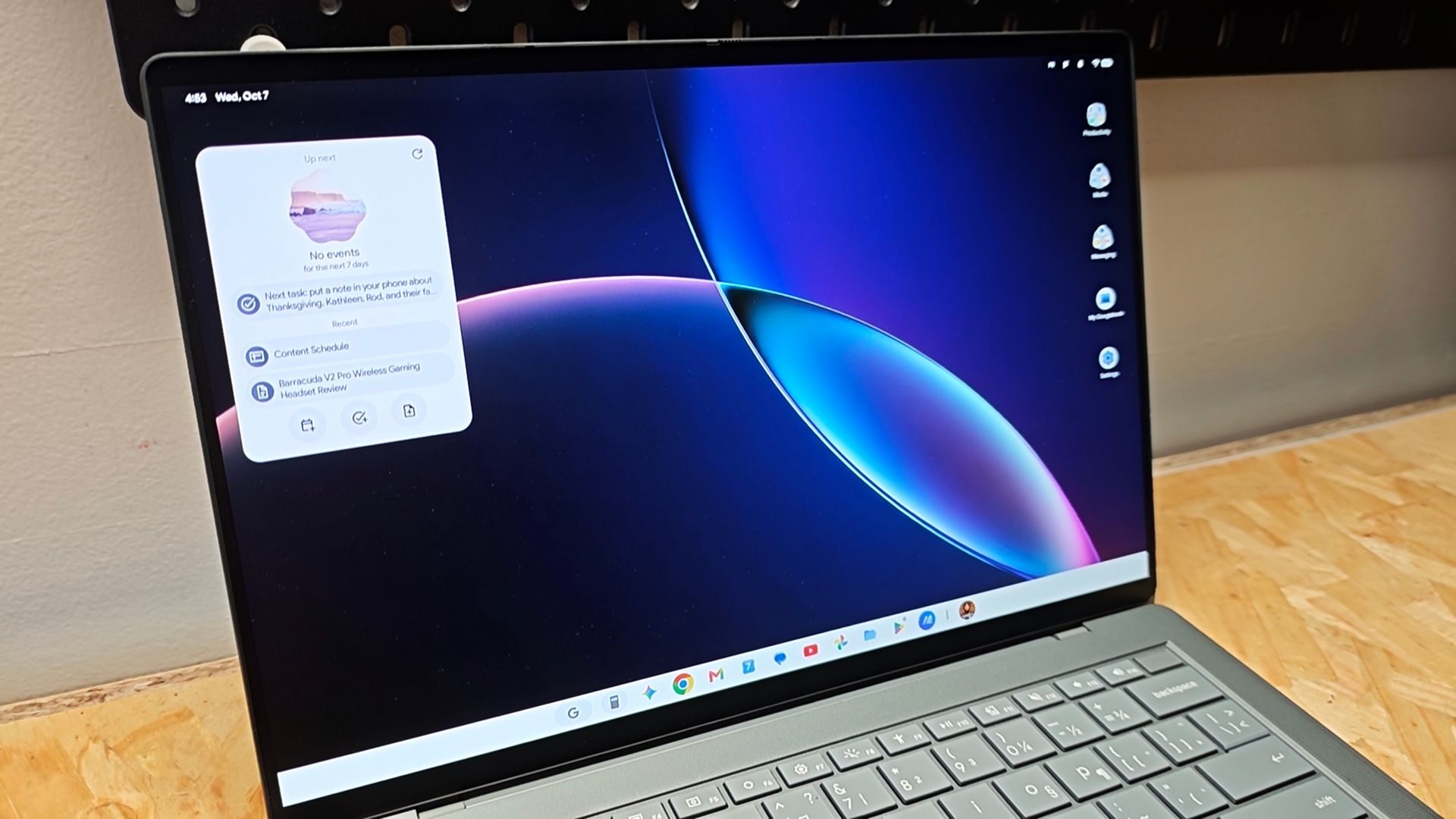
It’s quick and responsive, and while there are variations of this type of thing already on the market, it’s the level of integration, speed of response and the robust application of the tool that makes it so impressive. I can easily have it read an article out loud that I have opened, summarize the article, or share it with someone, all from the prompt window. It’s a slick system that I could see being a game changer for certain workflows.
Another unique and impressive AI feature is Ramble. It’s a voice-to-text system that actively filters stutter words such as “um” or “like” from a dictation as it is capturing the audio. While it took a moment for it to learn my speech, and it does take a moment to start dictating, it does a solid job of dictating my words while removing unnecessary stutter words. As with Magic Pointer, it’s the seamless usage that makes it such an impressive feature to have. These aren’t additional applications that need to be installed for specific applications; they are a fundamental part of the OS and integrated into every aspect of the experience.
The Googlebook 14 also includes a unique feature called Continue On. In essence, it allows you to sync and access whatever you are currently working on between your phone and laptop seamlessly. It sounds great in theory, but unfortunately it does require Android 17, a limitation for those using anything older, which was the case with my Poco F9 Pro.
The Googlebook OS has a lot of other AI-driven features such as the ability to create your own custom widgets through an AI prompt as well as the Antigravity program. The latter is a dedicated AI dev tool that allows you to create custom applications. Similar in some ways to other AI Dev tools such as Claude Code or Lovable.dev, Antigravity is a robust toolset that can help create a plethora of applications.
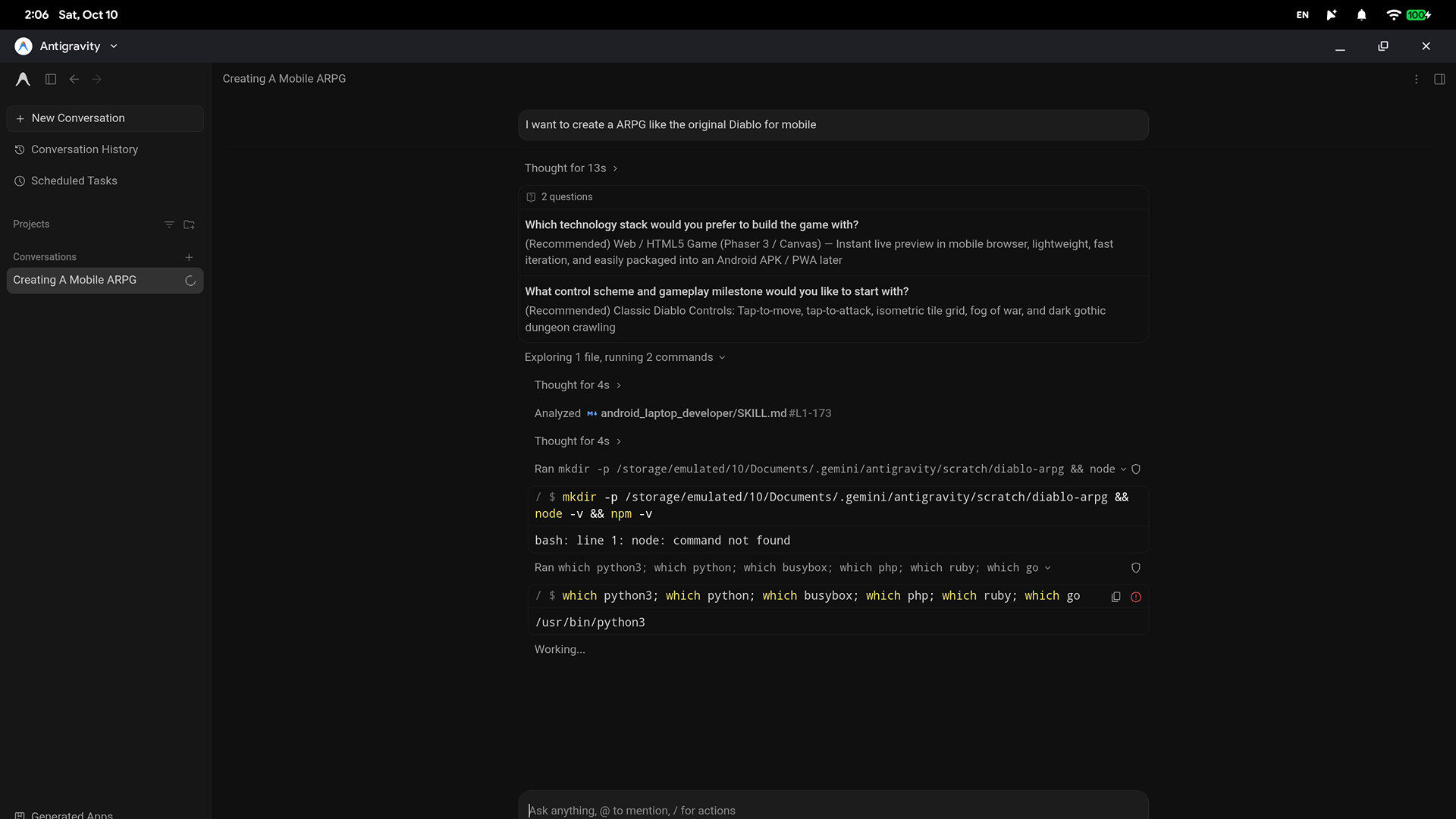
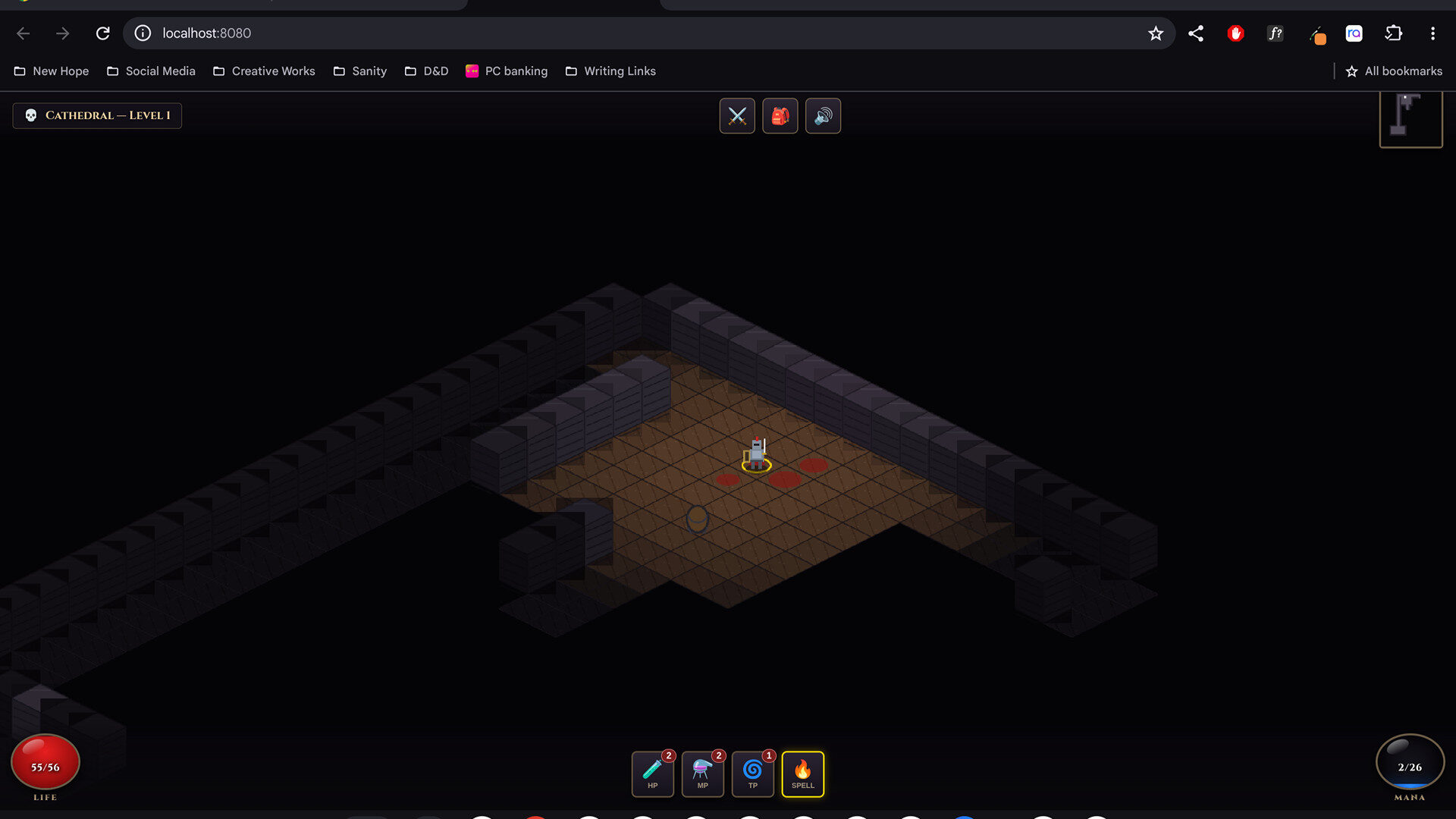
For testing, I had it create an isometric ARPG inspired by the original Diablo. I’ve only worked on it for about an hour, and sure, it’s AI slop, but it now has multiple levels, a health and mana system, a full combat system and progression. The point is that, like the rest of the Googlebook 14 experience, this is all integrated into the Googlebook OS experience. It’s a singular, seamless experience that spans across applications and is much more intuitive and powerful an AI experience than I’ve had with Copilot on Windows 11, and I use that every day for work. Its smart and well-designed user experience, and having dedicated hardware for it, really showcases what it can do.
That being said, when it comes to some types of functions, such as gaming, the Googlebook struggles. Since it has a native Google Play Store, I installed a series of mobile titles to test, such as Diablo Immortal and Deep Rock Galactic: Survivor and sadly the experience leaves much to be desired. While my aforementioned Poco F9 Pro crushes these titles, running seamlessly at over 60FPS on the highest settings, the Googlebook 14 struggles.
What’s worse is that control mapping is rough, even with the ability to customize the control layout. While you can rely on traditional touchscreen controls, because it’s a 14-inch laptop and the screen does not convert to tablet mode, it’s simply awkward to use the touch controls. While a controller can help, the experience isn’t great, and as such, it places the Googlebook 14 squarely in the realm of productivity.
On the front of productivity, though, the Googlebook 14 is a gem, crushing any task given to it with ease. The challenge here, though, is that while you do have access to all the apps on the Google Play Store, anything not compatible with Android is unusable. Thankfully, most productivity apps such as the Microsoft Suite and many streamlined editors have Android versions, albeit limited versions by comparison to the desktop experience.
“On the front of productivity, though, the Googlebook 14 is a gem, crushing any task given to it with ease.”
If, however, you are someone who works from a browser, there is a lot to love about the Googlebook 14 experience. From AI-driven task management and tools to smart integrations within every application, the Googlebook OS is a great space for productivity.
On the note of productivity, you’ll have no issues working all day, thanks to the impressively long battery life. I was a bit concerned that the OLED display would eat through the battery life, but thankfully it provides plenty of life per charge. ASUS has implemented a 2S2P battery architecture which, in essence, reduces the conversion load, using less power and extending the battery life. In testing, I easily achieved about 17 hours on a charge over the course of two days of pretty constant work.
The ASUS Googlebook 14 is a well-designed Googlebook OS driven laptop that has some of the best AI integration I’ve ever tested. The hardware is solid, and the system is well-designed, with some pretty premium components such as the OLED display and surprisingly powerful audio system. The tension here, though, is that while almost every element of this laptop is impressive, it’s still fairly niche, and it costs $1,799.99 CAD.
While Google applications are integrated into many aspects of a lot of people’s work, I do question the mass appeal of a Googlebook OS system at this premium laptop price point. With the M5 MacBook Air coming in at the same price with more robust application support, it’s hard to recommend the ASUS Googlebook 14. Its closed ecosystem, however powerful, struggles to compete with the integration of Windows 11 and macOS. While I love everything about this laptop fundamentally, I have concerns about its long-term viability in such a competitive space.
The ASUS Googlebook 14 is a unique and powerful AI-driven productivity machine. Its smart design, lightweight but durable construction and impressive AI integrations make it an impressive piece of technology to work with. While I hope it can find a mainstream audience, I am concerned for its long-term viability due to its price point of 1,799.99. That being said, the ASUS Googlebook 14 represents the smartest integration of AI in an OS I’ve ever tested, and for that reason, I’m impressed with all it has to offer.