

There is a lot to like about the Elegoo Jupiter 2, and it offers some great specs on paper, but some odd design choices hold it back. Large-format resin printing has been a niche corner of the 3D printing world, but the Jupiter 2 feels like Elegoo trying to bring it into a wider mainstream conversation, and it makes some smart design choices.
It is a machine built for people with big ideas who want to make them real, and it feels purpose-built for hobbyists printing tabletop terrain or small-studio professionals tackling complex multi-part models. There is a lot of good here, but much of it feels half-baked and in need of refinement. I really hope Elegoo can deliver on what this printer promises, because I really like the core of the machine.
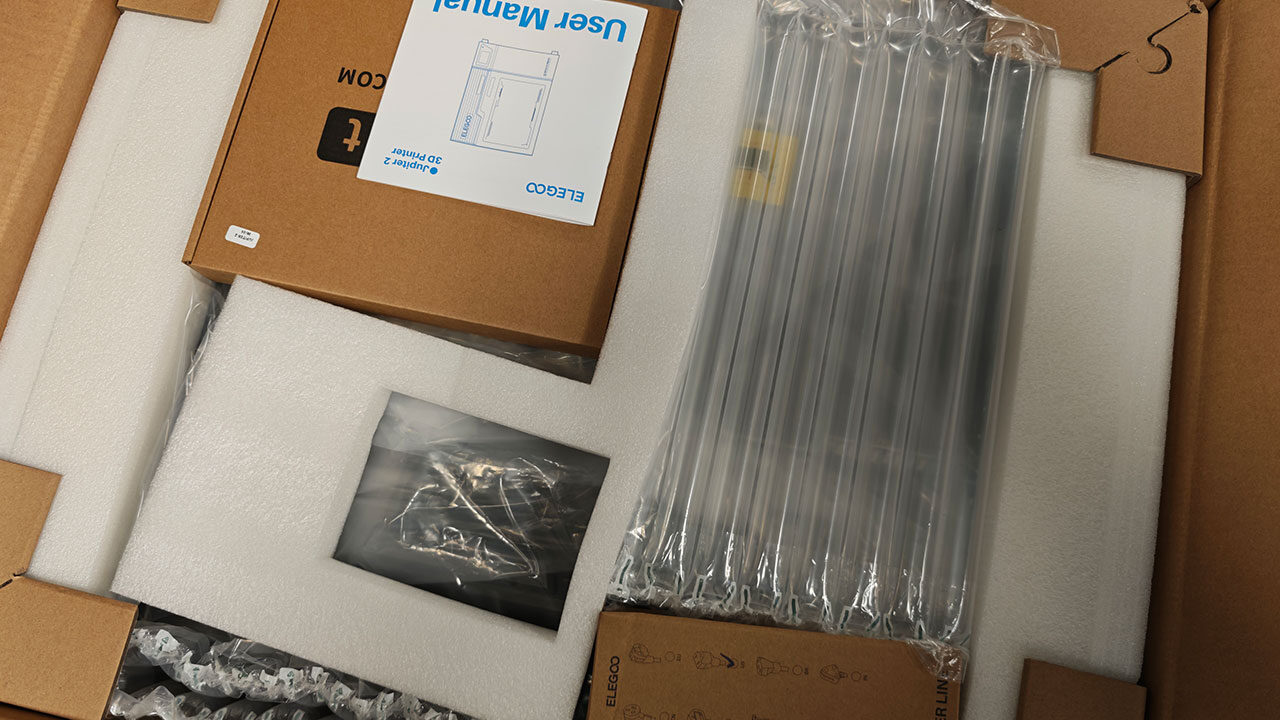
The Elegoo Jupiter 2 is a massive machine, and you had better believe you feel that size from the moment you unbox it. This is a machine where it would not hurt to have someone else there to help with the process. At 465 x 508.10 x 648.1 mm, it is one of the larger resin printers on the market, though somehow Elegoo has managed to make it smaller than the Jupiter 1, so hats off to the engineers at the company for that.
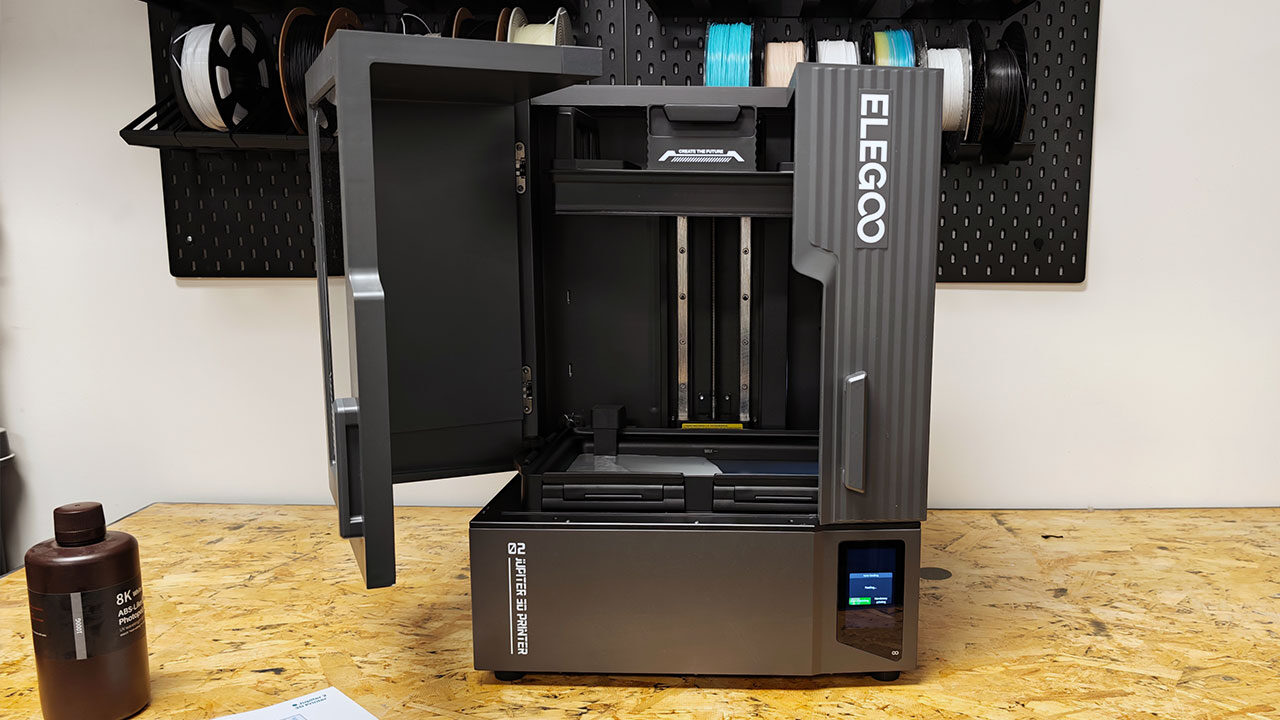
The Elegoo Jupiter 2 now features a double-door enclosure, which is perhaps one of the more divisive changes to the machine. In some ways, this makes for an easier workflow when pulling prints, swapping FEP film or checking on a job mid-run.
The only issue is that it means you now need a dedicated area for the Jupiter 2, since nothing can really go beside it, or it risks being pushed out of the way when the doors open. At CGM HQ, we have a dedicated area just for testing these machines, so we have the space to have a full table with nothing else beyond the machine, but not everyone has this option. It also means that, if you want to use the resin pump—more on this shortly—it cannot be left to the side of the machine easily and needs to be farther to the back for fear of being pushed out of the way.
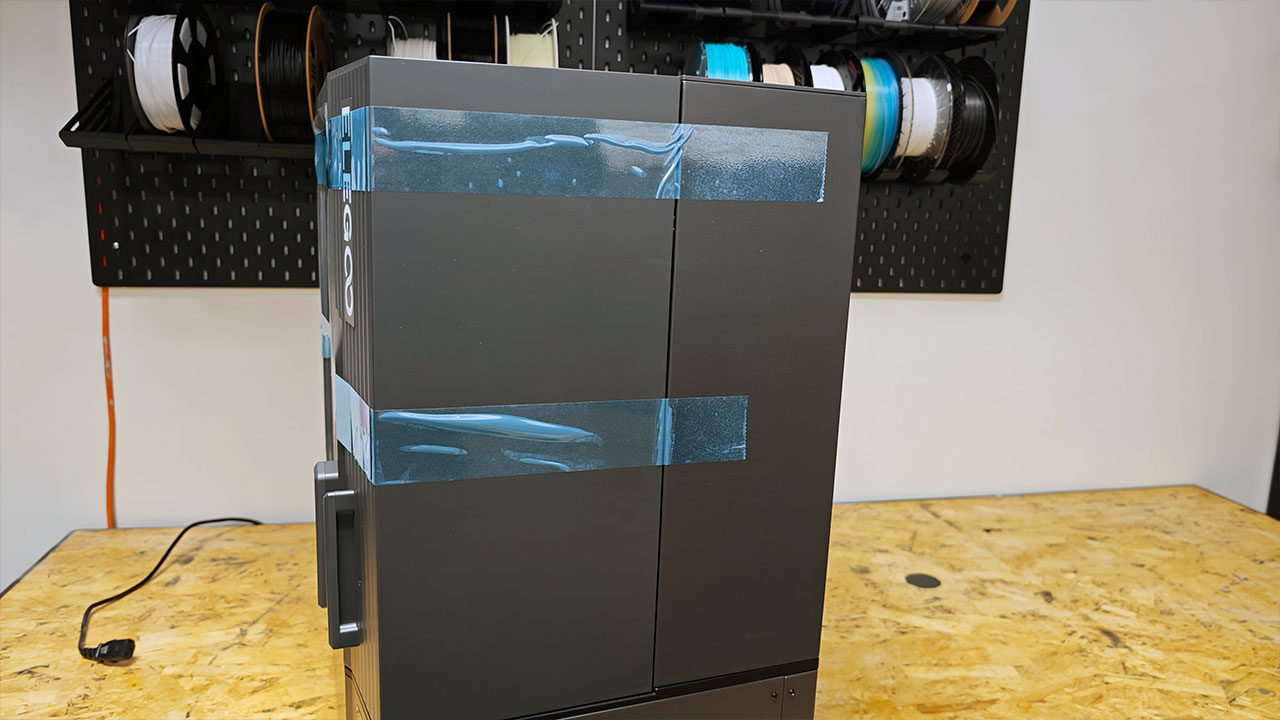
The Elegoo Jupiter 2 is incredibly well-built and feels rock-solid when all set up. It feels ready to take on anything you can throw at it, with a mostly metal construction that looks built ready to run for a long while. Along the bottom right of the machine, you can find the 4-inch capacitive touchscreen that is functional and feels very in line with what we have seen from Elegoo machines in the past. It has all the needed tools to check on prints, send jobs, adjust settings and make sure the printer is doing what it is supposed to.
Looking at the printing specs, the Elegoo Jupiter 2 offers a large build volume of 302.4 x 161.98 x 300 mm, giving users roughly 14.6 litres of print space to work with. It features a 14-inch 16K LCD with a 15,120 x 6,230 resolution, delivering an XY resolution of 20 x 26 µm, while the Z-axis accuracy is rated at 0.02 mm. For printing performance, the Jupiter 2 can reach speeds of up to 70 mm/h and uses a COB light source with a Fresnel collimating lens for more even exposure across the build plate.
The printer runs on Linux EL3D-4.0, works with Elegoo SatelLite Slicer, and, for the most part, it works as intended. Connectivity includes USB and Wi-Fi, while a built-in 1,280 x 720 px camera enables remote monitoring. Power is supplied via a 100–240V, 50/60 Hz input with a 24V/12.5A output, and the full machine measures 465 x 508.10 x 648.1 mm. You can find the power button on the back of the machine, and while it is not ideal, I was not overly upset by this placement, although it would have been nice to have a button on the front to make the overall process of turning on and off the Jupiter 2 a bit less of a hassle.
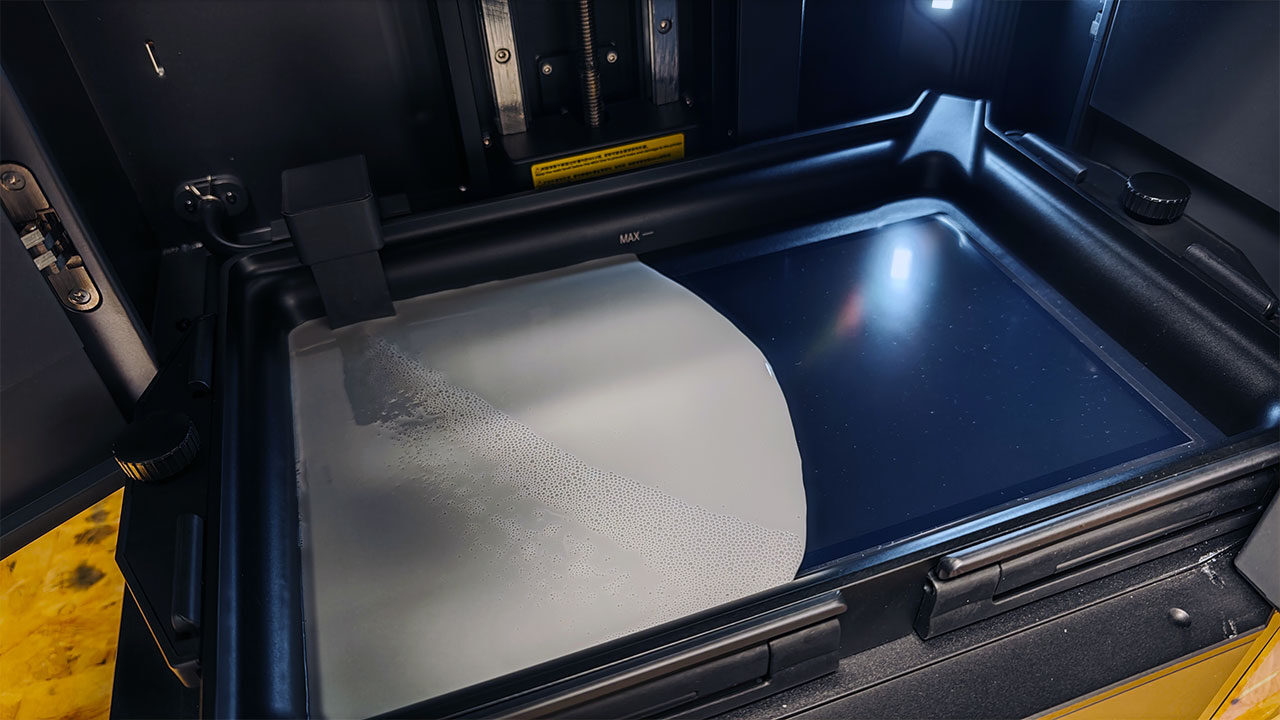
It is worth noting now that the Elegoo Jupiter 2 has some very odd design choices. It feels like a machine designed to be set up and left to run, and many of its features support that concept. The resin tank is not huge, but it fits around a full bottle of resin at a time.
“The Elegoo Jupiter 2 is incredibly well-built and feels rock-solid when all set up.”
This machine is designed to be used with a resin pump, and it includes one as part of its main setup. In concept, this is a good idea. It makes it possible to leave the machine and have it top up the resin as it prints. The only issue is that the resin pump managed to be a struggle as I worked to test the machine.
Do not get me wrong, it does work, and once you have it all set up and ready, it will load in the resin as needed. The issue is that it is not fast by any means, has issues recycling the resin at times and, honestly, can be more trouble than it is worth. With the system mounted on the back top-left of the machine, it can be a bit tedious to get back there for quick changes. I like what Elegoo was thinking, and it is a great idea in concept. It is just that the execution could use some work.
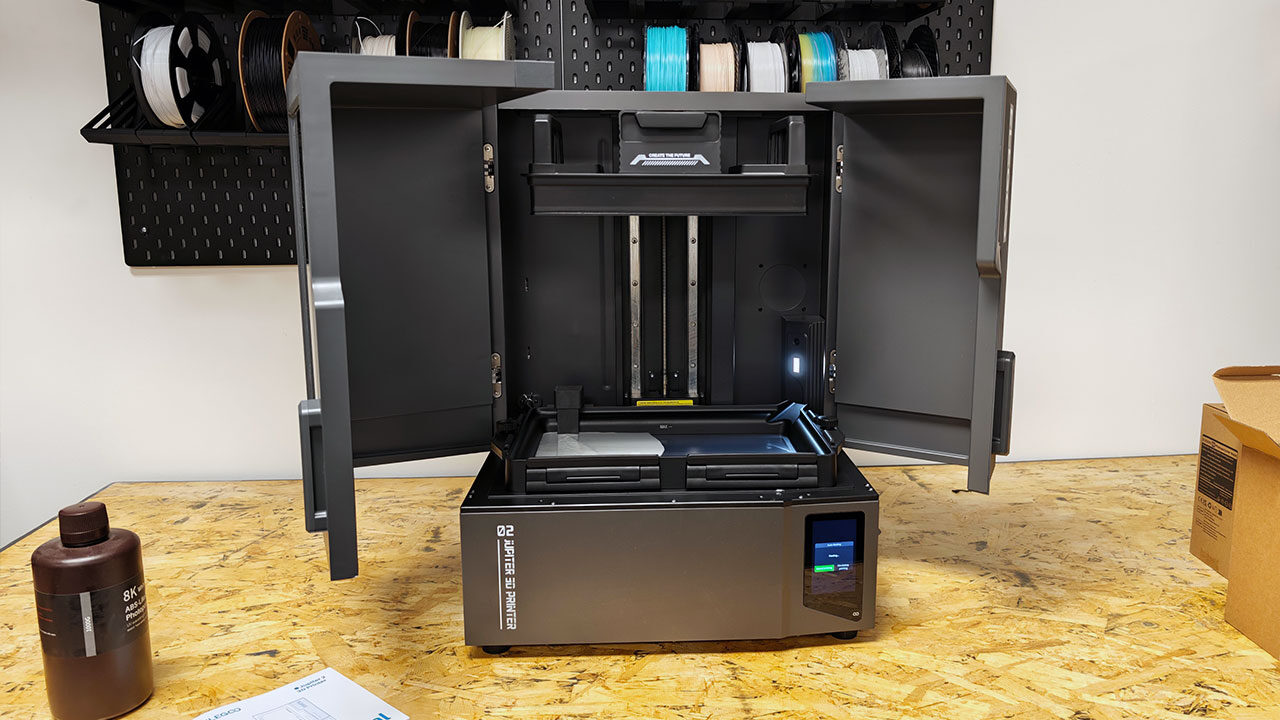
A side-mounting system would have been much easier, but with the doors as they are, it is less than ideal. Either way, while it does have mount points, the pump can be placed on the table, or anywhere that works as long as the lines can reach it. It just feels a bit unfinished in the final execution, at least from the review unit we tested.
Even worse, the machine gives you errors each time you try to print without using the pump system, and, at the time of writing, there is no way to turn this off. It is by no means a dealbreaker, but it can be irritating if you just want to fill the tank and let it print.
To add to the frustration, while the Elegoo Jupiter 2 has a rather large build volume, the tank is relatively shallow, so you need to top things up with larger prints. It is not something we have not seen in other larger resin printers, but with so much time spent working on this machine, I would have hoped to see more attention paid to this issue.
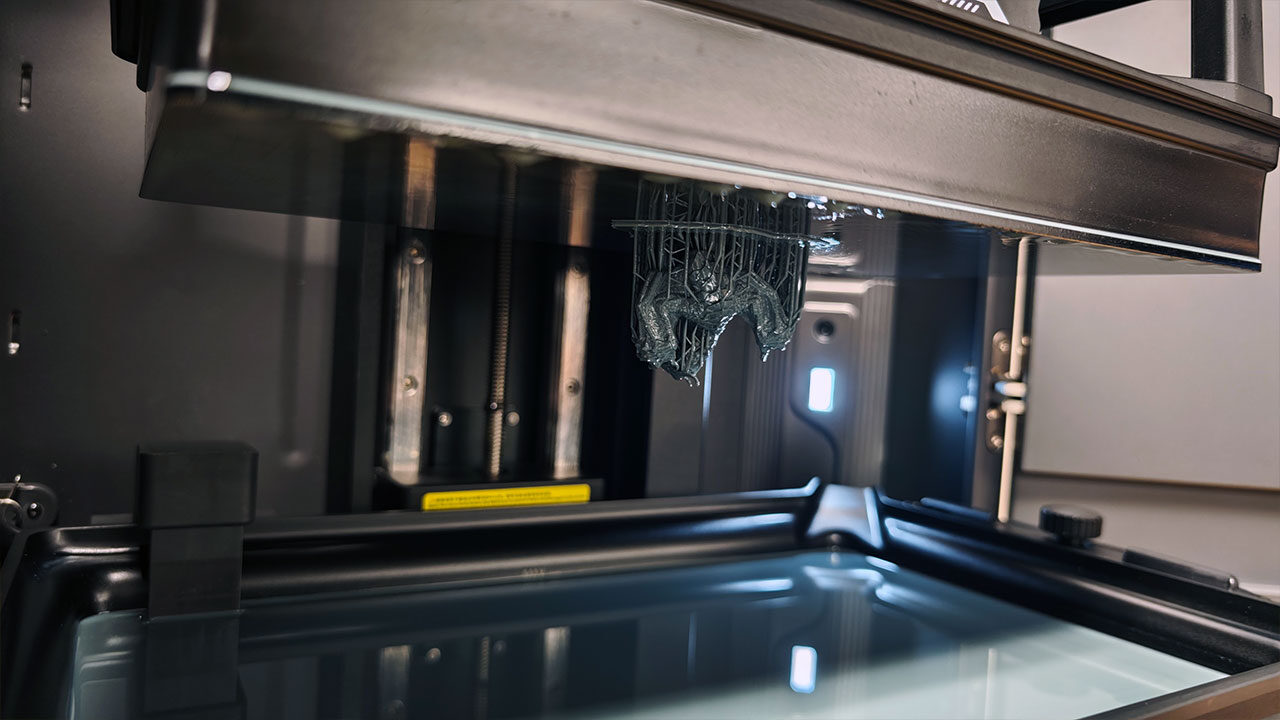
As I mentioned, the Elegoo Jupiter 2 also puts a heavy focus on automation, and there seem to be several features designed to make large resin prints easier to manage. The heated resin tank keeps resin at an optimal temperature throughout the print, helping maintain consistent material viscosity, which matters more than it may sound during long, complex runs.
The issue here is that there is no way to adjust the temperature while printing. This feels like a software issue, with the heater being able to adjust, but as it stands now, it heats to the predetermined temperature with no way to change it. Thankfully, for around 90 percent of people, this should be fine, but with some more obscure resins, you may need to adjust this, and at present, there does not seem to be a way.
A smart mechanical sensor can detect resin vat residue or an unlevel build plate before a job starts, making it a genuine time-saver for anyone who has ever lost a long print to a levelling issue. There is also a resin shortage alarm to warn users before the tank runs dry mid-print, while the auto resin management system feeds and recycles resin automatically through a detachable 2K resin bottle, keeping everything running smoothly through larger prints.
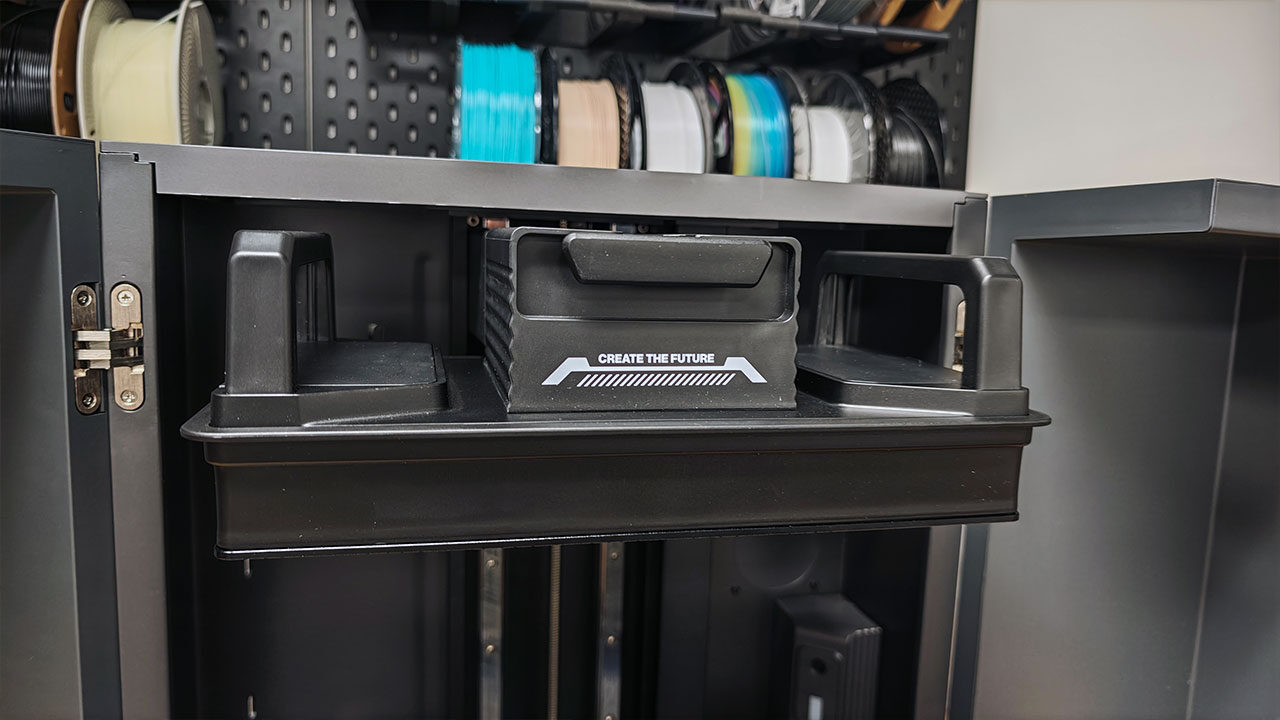
In theory, this lets users start a print and step away with more confidence. The built-in 1,280 x 720 px camera and LED also allow for real-time monitoring and time-lapse capture, while Wi-Fi cluster printing supports multi-printer management from one interface. The camera, while it works in theory, does not provide a clear view of anything going on, and it often appears distorted when watching remotely during a print. Still, this is where the Jupiter 2’s automation promise starts to feel more complicated, as the resin management system is not always as seamless in practice as it appears on paper. That creates a noticeable gap between what the machine is trying to do and how reliably it delivers.
The resin vat has also seen some useful improvements with the Jupiter 2. It now supports a quicker release film replacement system, with the film and metal ring sold together as a preset kit. This makes installation much faster, letting users get a new film in place in a matter of minutes rather than fighting through the usual drawn-out process. The downside is that this approach means buying a more expensive replacement option each time you want that convenience.
You can still install the film manually, and the preset system does take some of the hassle out of the process, but it feels like a half measure. Elegoo could have gone further with a proper tensioning system, as we have seen on some other resin 3D printers, which would have taken much more of the legwork out of replacing the film. Even so, it is still a welcome step forward. Anything that makes release film replacement less frustrating is a win, especially on a machine designed for long, large-format resin prints, where getting back up and running quickly matters.
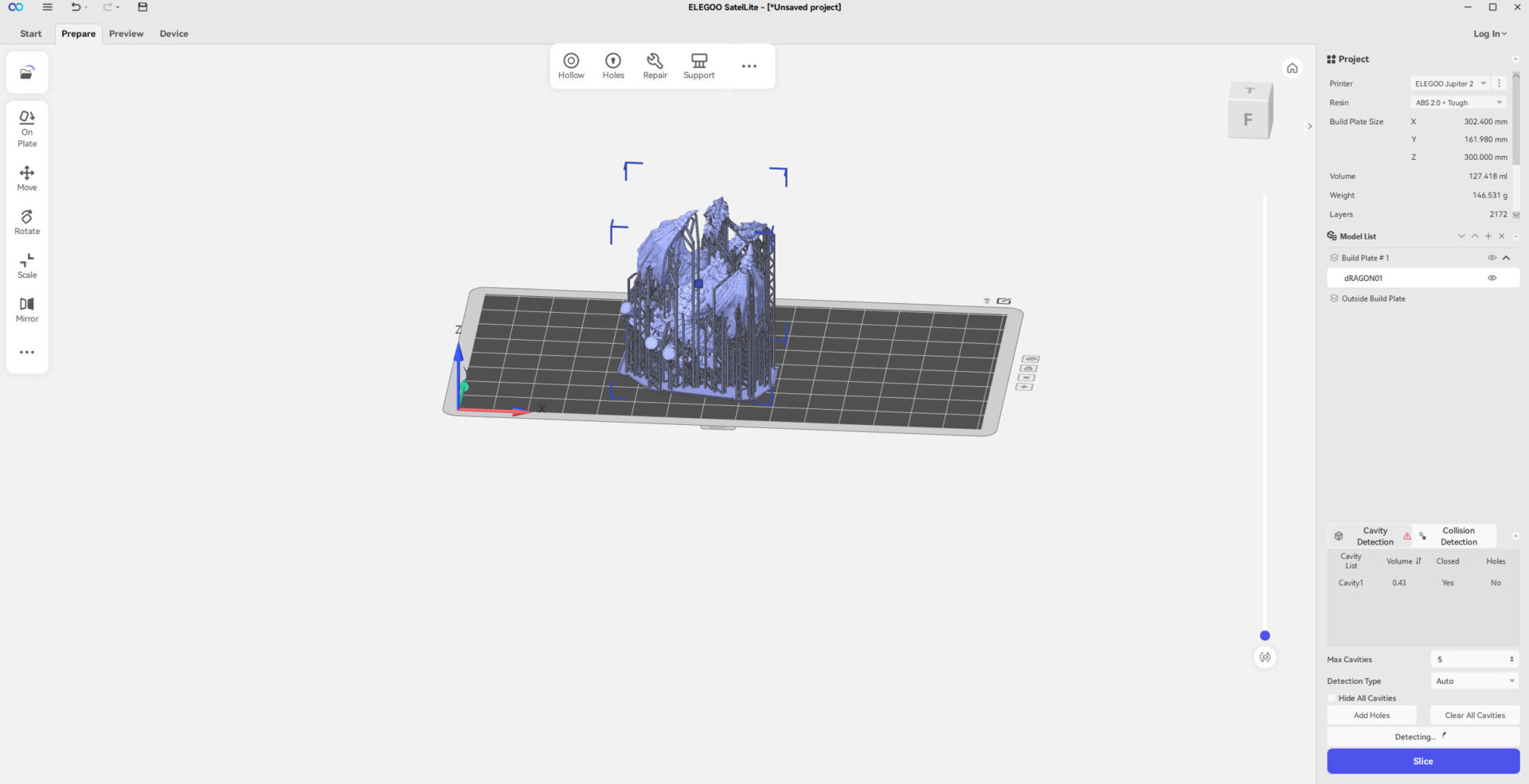
Honestly, for every step in the right direction the Elegoo Jupiter 2 offers, it takes steps back in other areas. There are a lot of great ideas in this printer, and if it all worked as intended, it could be one of the better large-format resin 3D printers on the market.
The only issue is that many of the new features are just tedious or not working at present. Thankfully, most of the problems seem to be on the software side, so Elegoo can work to improve things and slowly deliver what the machine is capable of. Elegoo seems driven to improve on what came before, and most of the ideas are, in theory, good. They just need a bit more time to get the overall concept right and deliver a machine that lives up to expectations.
Yet, even with all the complaints up to this point, I cannot help but like this machine and what it can do, and that is all down to the quality of the prints. The Elegoo Jupiter 2’s 16K LCD and 20 x 26 µm XY resolution give it a clear advantage when it comes to fine detail, and that shows in real-world print results.
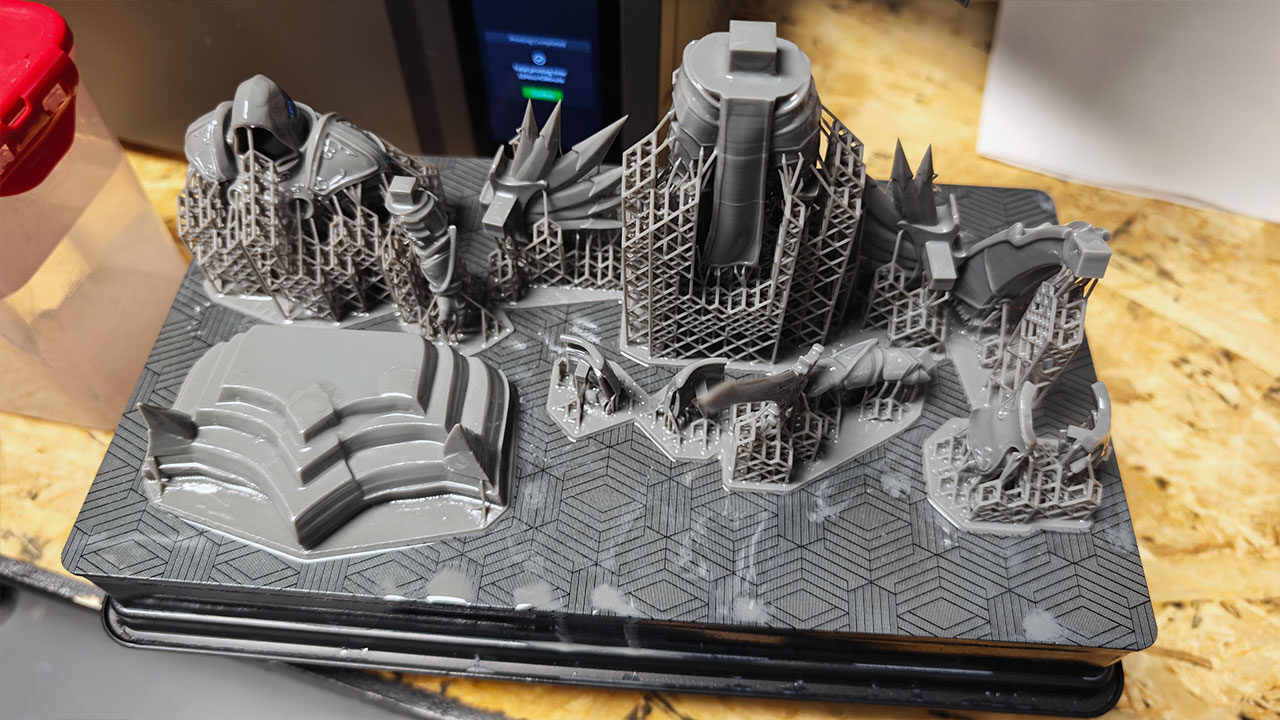
Surface quality is one of the printer’s strongest areas, with fine textures, clean edges and smooth curves coming through well on test prints. Miniatures benefit from the added sharpness, especially on small armour details, facial features and textured surfaces, while larger-format models are able to hold detail across a much bigger print area without looking soft or uneven. The COB light source with a Fresnel collimating lens also helps produce more uniform UV exposure across the full 14-inch panel, reducing the kind of edge falloff that can be an issue on larger resin printers.
Of course, large-format resin printing still requires patience. More ambitious models can easily run for 21 hours or more, and in testing, one print ran for 21 hours and two minutes while still delivering a good surface finish. That said, support detachment mid-print was an issue over a few of the prints we did during testing, showing that the Jupiter 2’s print quality is strong, but setup and support reliability still matter. Its maximum print speed of 70 mm/h is competitive, though with a printer like this, speed rarely feels like the priority. The real appeal is being able to produce large, detailed resin prints where surface quality matters more than shaving time off the job.
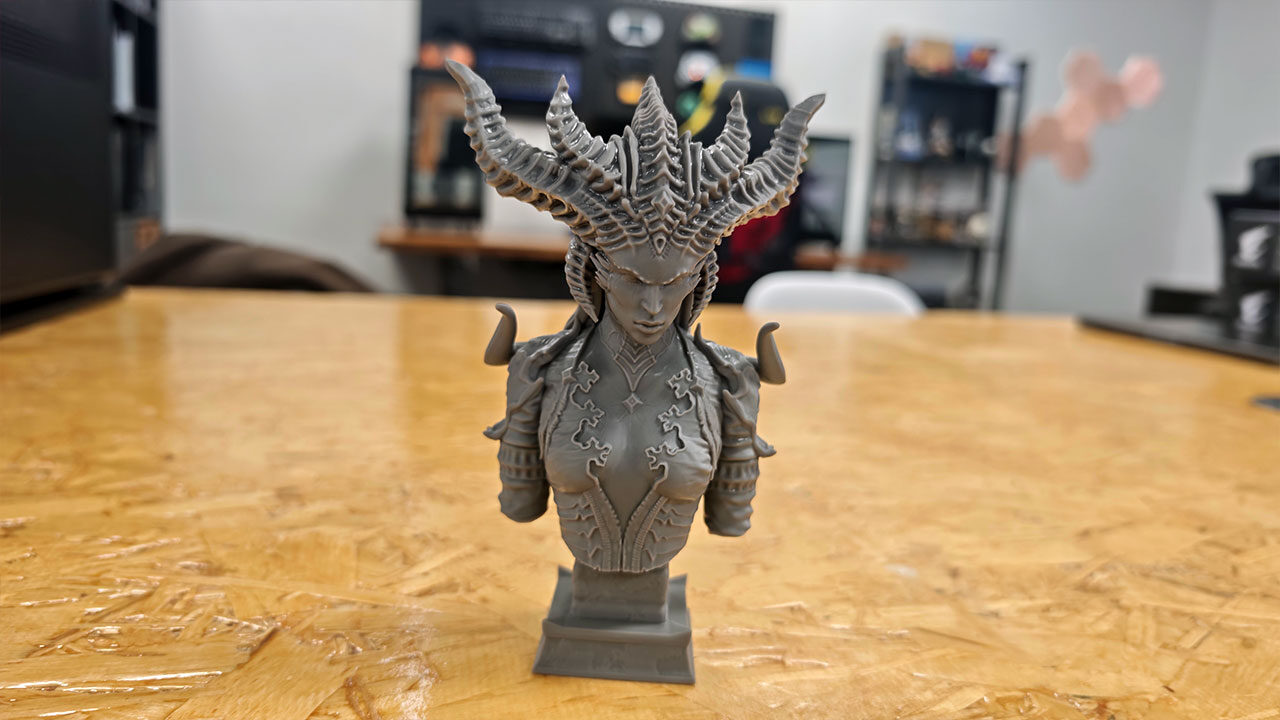
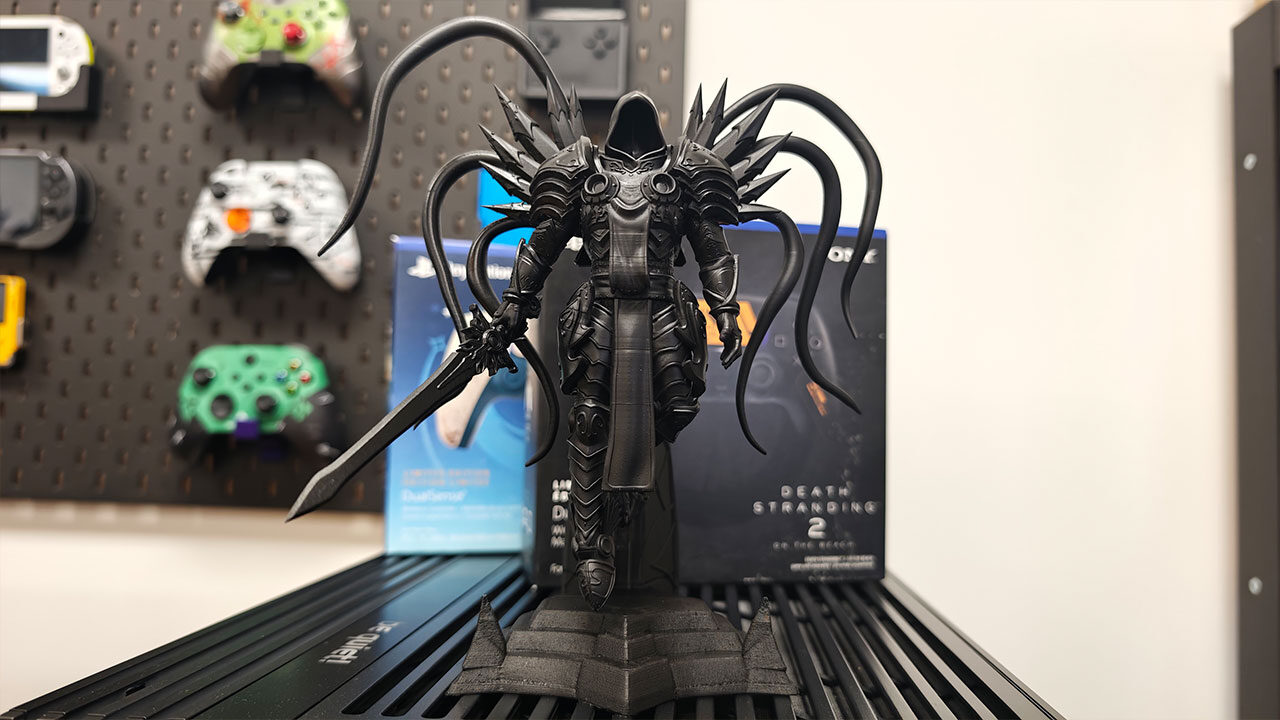
At US$949, or an early-bird price of US$849, the Elegoo Jupiter 2 is a pricey investment. When it works, it delivers phenomenal results, but it is just a question of whether the features it brings to the table actually work as intended, and that is a mixed story. It delivers some amazing prints and brings smart design choices to the world of large-format resin printing, but some feel half-baked, and others just do not work as intended.
I am hopeful that, in time, Elegoo can improve this machine and deliver on the promise it brings to the table. But as it stands, this feels like a machine for people who demand quality and are willing to troubleshoot issues, while more casual resin 3D print lovers could find other machines to be better investments. It is not a bad machine by any stretch of the imagination, but it needs a bit more time to live up to its true potential.