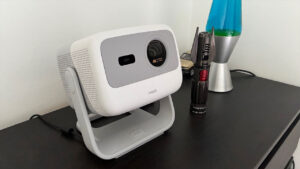


I love watching sports, and if I am not able to watch them live, I need to watch them on the biggest possible screen. While smart televisions have come a long way, nothing can beat a good old-fashioned projector. The TCL PlayCube might be the best compact projector I have ever used, and it has left a lasting impression on me. While this device is very small, I greatly underestimated what it could do and how convenient its size would be for storage and portability.
Right out of the box, the TCL PlayCube comes with one remote and a USB-C power adapter. This device is also a smart projector, and it comes loaded with Google TV OS. This works very well for me because my home is very much embedded within the Google ecosystem. Because of this, setting up the projector was a breeze with little to no resistance.
I primarily use my Samsung Smart TV for the majority of my media consumption. Whether it is playing Forza Horizon 6 or trying my absolute best to keep current with the latest episodes of One Piece, my smart television has always been my go-to. Switching to the TCL PlayCube as my primary device was simple thanks to the Google TV OS, and having the apps ready to download made for a smooth transition.
“The TCL PlayCube might be the best compact projector I have ever used, and it has left a lasting impression on me.”
While the TCL PlayCube does not display in native 4K, it supports 4K input. It uses DLP display technology with a 0.33-inch DMD chip. The maximum native resolution is 1,920×1,080, even with 4K input support. The brightness reaches up to 750 lumens, and the contrast ratio is 1,000,000:1. I particularly appreciated the throw ratio of 1.21:1. Although it does not offer a short-throw option, the screen size range is impressive, from 30 to 150 inches. I spent a considerable amount of time watching baseball and soccer matches, and the image quality was excellent. The colours, especially on jerseys, popped vividly, and there was no graininess, even on larger screens.
I received this projector the same week Forza Horizon 6 was released, and the majority of my gameplay, totalling more than 30 hours, has been on the TCL PlayCube. Since this device does not output in native 4K, playing on this projector was inherently a resolution downgrade. My primary TV is a Samsung QLED 4K TV, and for the purposes I used the projector for, I found its display quality satisfactory.
The blacks appeared very dark, and although this device maxes out at 60 FPS, playing Forza Horizon 6 in quality mode, which is locked to 30 FPS, remained visually enjoyable. Switching to performance mode enhances the device’s capabilities. I was using an Xbox Series S console, and in performance mode, the game targets a maximum output of 1080p with a locked 60 FPS refresh rate. In summary, with the devices I used for this gaming experience, I was able to play at near-maximum settings with virtually seamless performance.
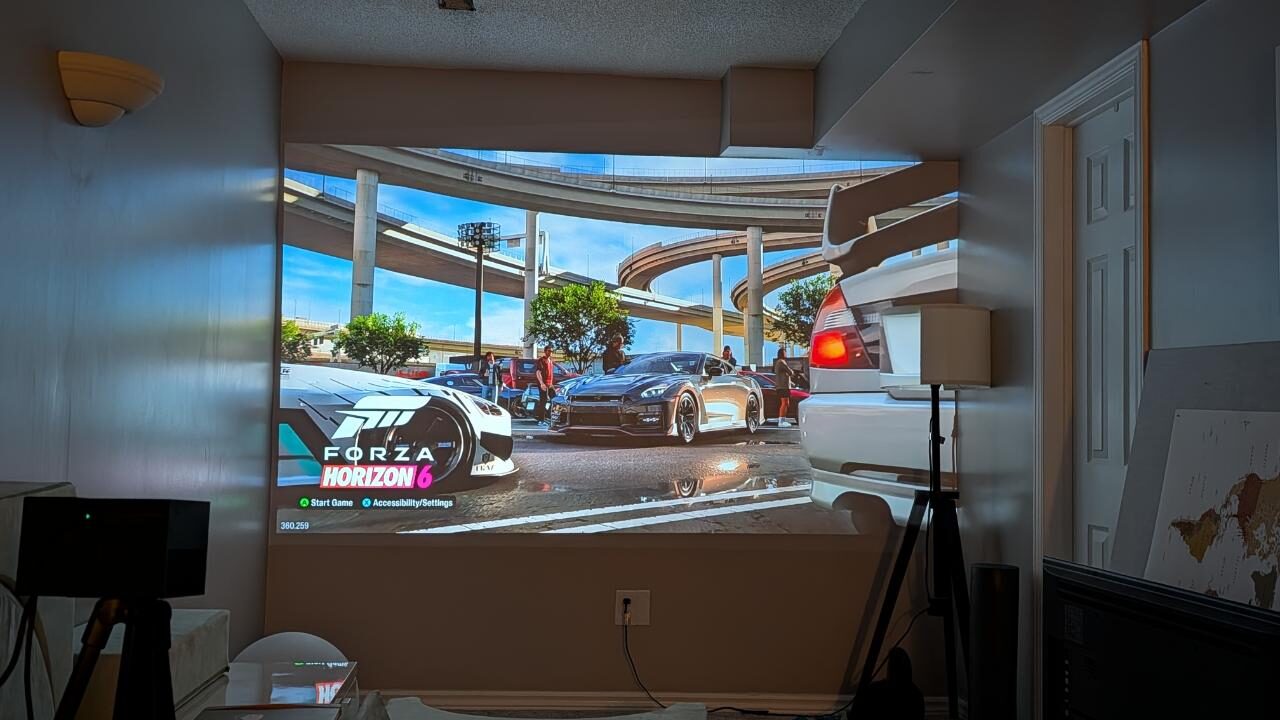
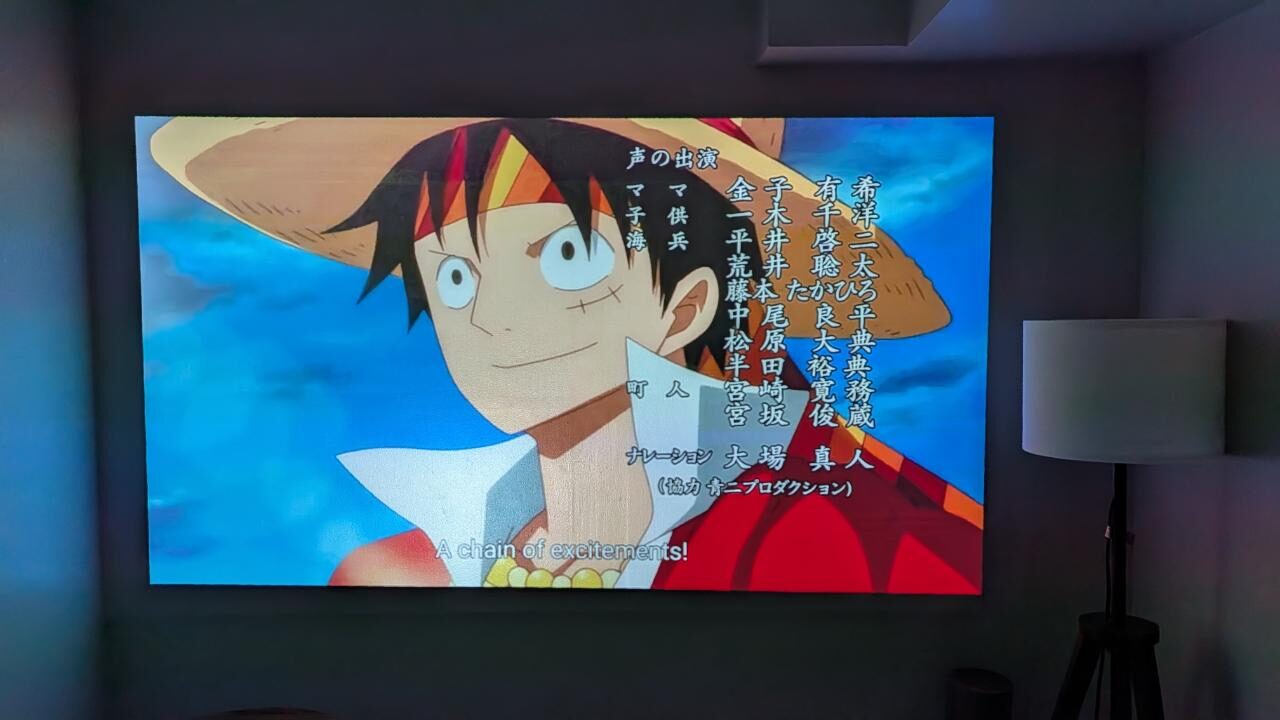
Watching movies, TV shows, and anime is one of my favourite pastimes. Although I cannot always visit the theatre, projecting this content onto my 150-inch wall provides something close to a home theatre experience. I enjoy watching anime to evaluate the performance of projectors and televisions because the vibrant, dynamic worlds they depict effectively showcase the devices’ capabilities. Primary colours are well-defined, while monochromatic tones and shades, as I experienced in Forza Horizon 6, appear dark and sharp. Although I was unable to use a dedicated projector screen due to delivery delays, projecting these shows onto my white wall proved to be a solid solution.
“While the TCL PlayCube does not display in native 4K, it supports 4K input.”
The NBA Finals recently concluded, and I had the opportunity to watch most of the New York Knicks’ impressive playoff run using the TCL PlayCube. This experience was my favourite so far with this device, as I felt fully immersed in each game thanks to the large screen and excellent audio quality. Usually, I watch major sporting events at my local sports bar, but being able to enjoy the games comfortably at home proved to be both convenient and cost-effective. My only minor concern was that the output resolution of the TCL PlayCube is not native 4K.
I am accustomed to watching sports in the highest possible quality with my primary TV. The image was not as sharp as I would like, and some close-up shots of players appeared slightly grainy. Nonetheless, having a 150-inch screen in my home with great audio was more than sufficient for my viewing experience.
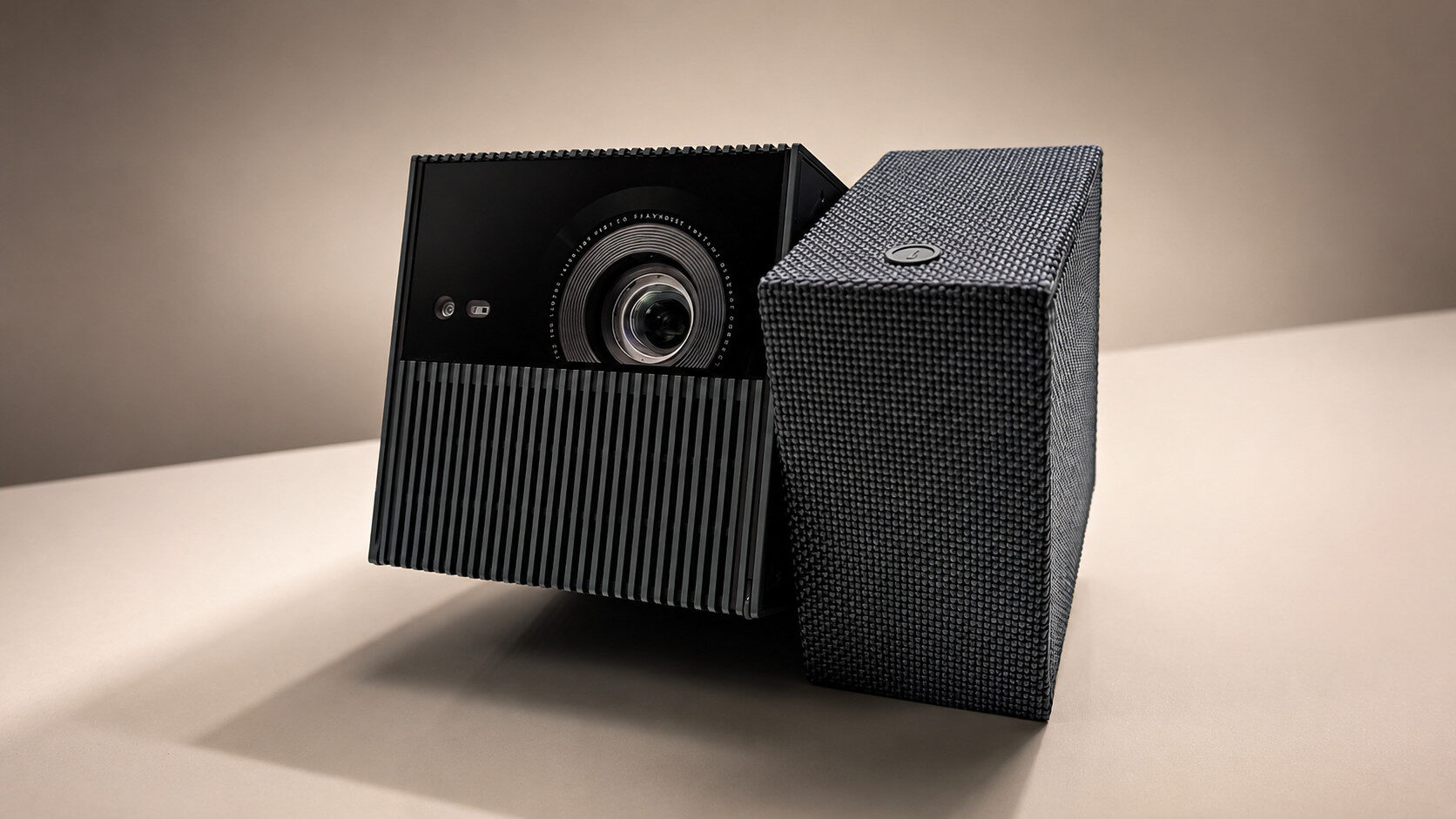
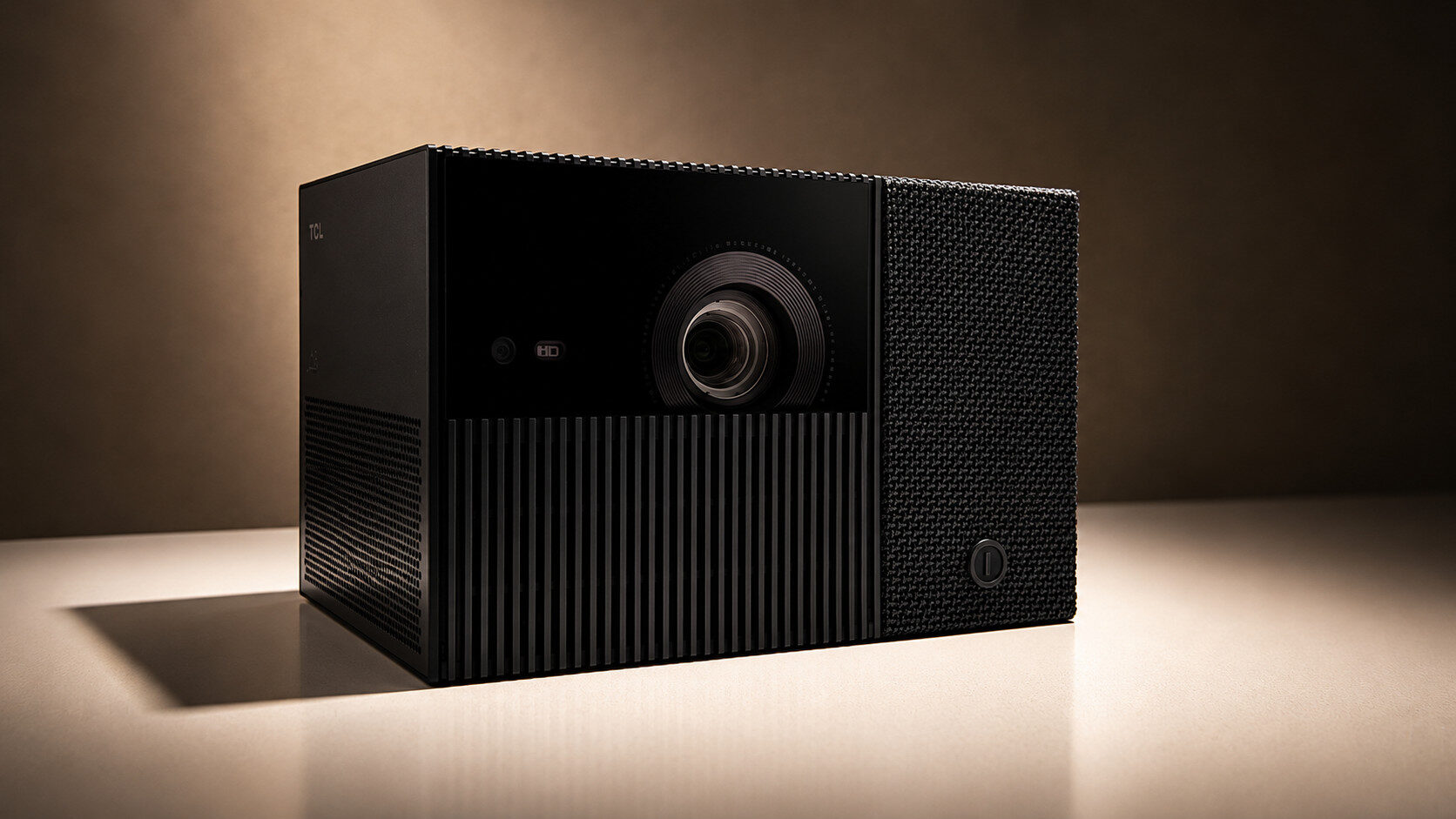
One of the unique features of this projector is how it is positioned on a flat surface. A third of the device rotates, similar to a Rubik’s Cube, allowing for optimal alignment to the wall or screen. A subtle detail is that the reset button is hidden unless you rotate that portion, enabling better access when needed.
The TCL PlayCube is designed for portability, aided by a built-in 66 Wh battery that provides approximately three and a half hours of runtime. During testing, I often achieved close to four hours of continuous use. The device is compact, weighing around 2.7 pounds, with dimensions of approximately 5.9 by 3.8 by 3.8 inches, roughly the size of an Xbox Series X controller, but slightly bulkier. I also appreciated how quiet it is, operating at less than 26 dB, making it unobtrusive during use.
“The TCL PlayCube is designed for portability, aided by a built-in 66 Wh battery that provides approximately three and a half hours of runtime.”
Surprisingly, the internal speaker performs very well. Powered by a 5 W Dolby Digital Plus speaker, it delivers clear sound with decent bass. I was watching Daredevil: Born Again and, at 70% volume, the sound filled the room despite the speaker’s small size. At maximum volume, there was some distortion, but since the device is Bluetooth-enabled, I connected it to an external wireless speaker to enhance the audio experience.
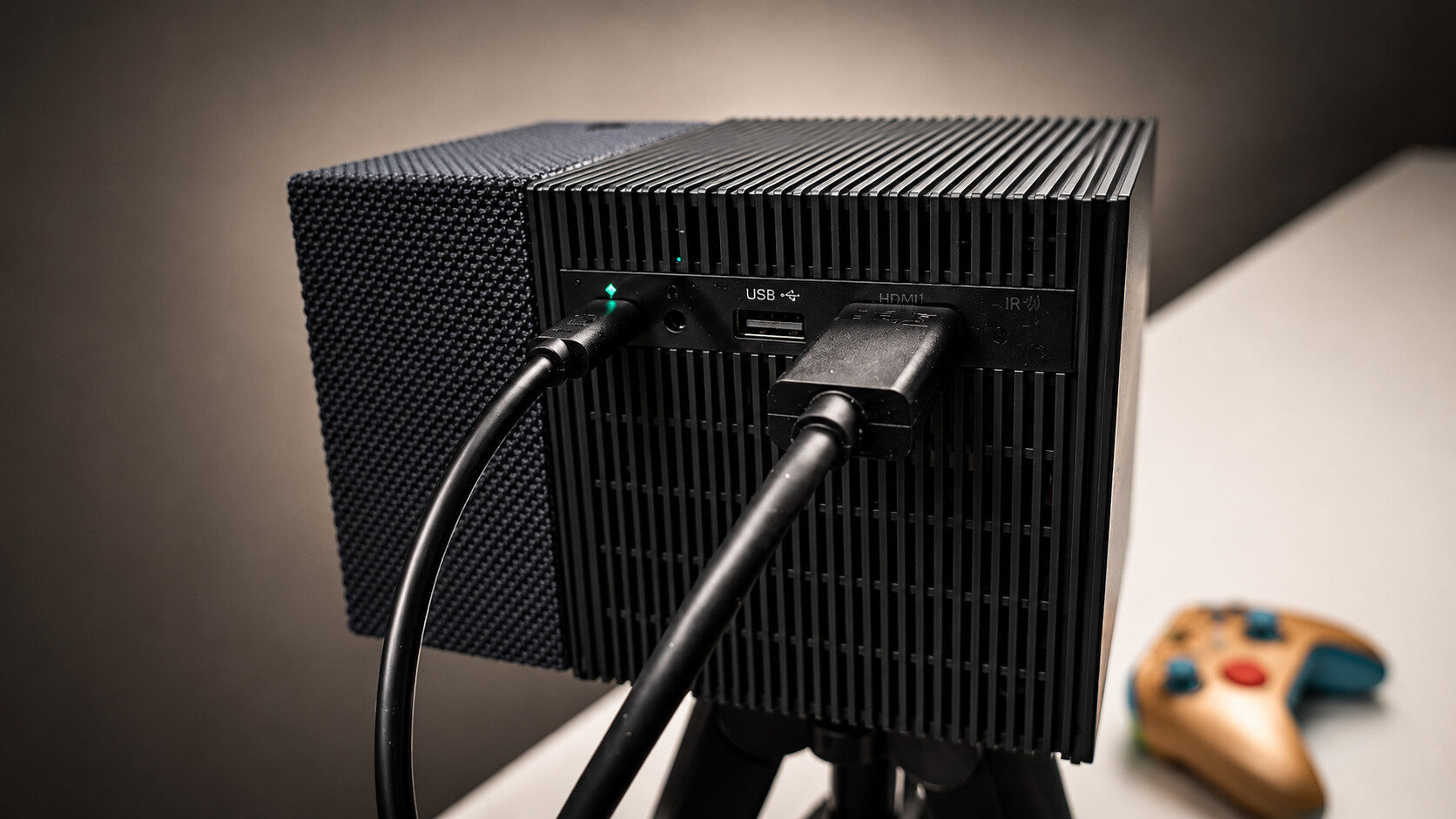
Since the TCL PlayCube is a smart projector, your first-time setup will have to be done over Wi-Fi. The device comes equipped with Wi-Fi 5 and Bluetooth 5.1, one HDMI port, one USB-C port for charging, an additional USB-A port and a 3.5 mm aux output. The smart setup really helps guide the user to the optimal setting based on their room orientation.
During this setup, you also have the option to adjust your autofocus and automatic keystone correction, toggle obstacle avoidance on or off, and enable eye protection if someone walks in front of the light. Due to the various sizing options available, you need to be very diligent during this process to fine-tune your settings for optimal viewing.
One thing that I absolutely disliked about this device had nothing to do with the projector at all: it was the remote. I am not entirely sure why, but the remote that comes with the projector was not very responsive. I swapped out the batteries for brand-new ones and still had the same issues. This made it difficult to do things like navigate the Google TV menus to jump in and out of apps, or even do simple functions like turn the volume up or down, or even turn on the projector. This was my only major issue with the TCL PlayCube.
Overall, I enjoyed my time with the TCL PlayCube, and it currently ranks highly among portable projectors. Its compact size, impressive display quality and integration with Google TV OS make for an excellent viewing device. The primary drawback is the remote control, which affects the user experience when operating the device. I look forward to any future updates addressing this issue. Aside from that, it is an excellent choice for sports fans wanting the biggest screen, or anyone who wishes to set up outdoor movie nights during the summer in parks or nature.