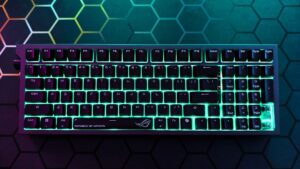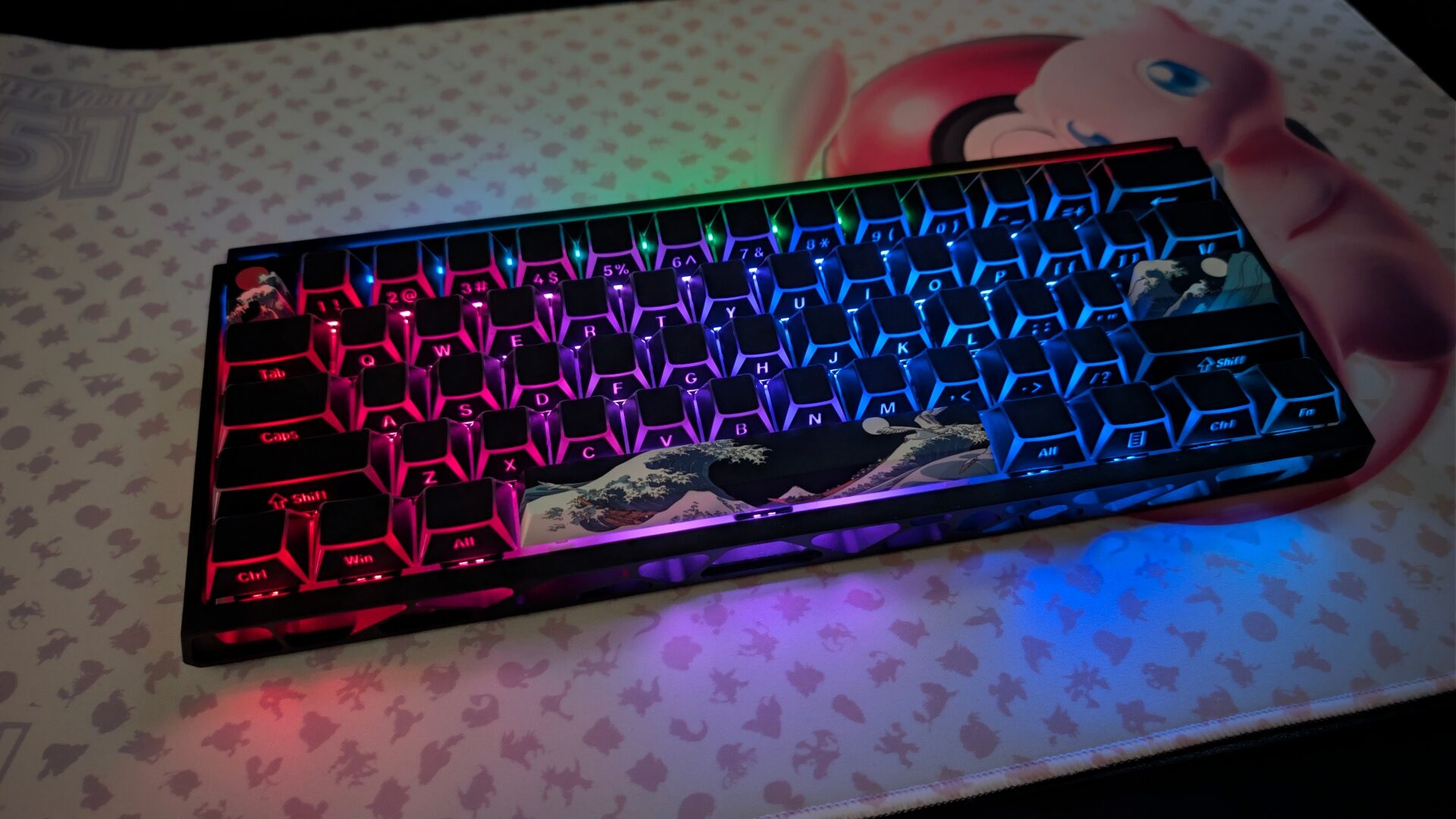

There are several key attributes that make up a good hall effect keyboard, such as the Womier SK61 wireless gaming keyboard. One of them is adjusting actuation using software to change the exact distance a key must travel to register an input, often going as low as 0.1 mm for instant response. This keyboard goes even lower, reaching lows of 0.005 mm and highs of 3.3mm. These keys are also designed with rapid trigger response so that the moment a user resets a key, this allows them to near-instantly repeat the same input. This is great for A-D strafing in competitive shooters or quick-casting in MOBAs.
Because the magnet and sensor never touch, there is no physical friction or metal oxidation, letting the switches last for over 100 million keystrokes without wearing down—meaning the keyboard’s durability is quite high. At the end of the day, choosing a keyboard that works for you comes down to the overall feeling.
My immediate personal bias with the Womier SK61was the fact that it did not feature any dedicated arrow keys, which are essentially for professional typing work. Plus, I have seen other 61-key keyboards keep them. This was meant to save space and provide more room for a user’s mouse while gaming. Technically, you can use arrow key functions while holding down the FN key and pressing the keys closest to the right Shift key. I found this compromise to be fair.
With its gasket mount style and five-layer foam sound dampening, each keycap is a Cherry profile ABS keycap. Underneath each keycap sits a Womier-patented linear magnetic switch. More on keycap design, I was slightly confused by the blank, matte black top while staring down at the keys. But then, it spooked me when I turned on the power switch and saw the legends printed on the bottom side facing me. If you need the traditional key labels on top of your keycaps, then you may want to swap out the keys. I would say it is a cool design change that allows users to either put their own custom keycaps on, or maybe add the proper labels on top of each keycap in another way.
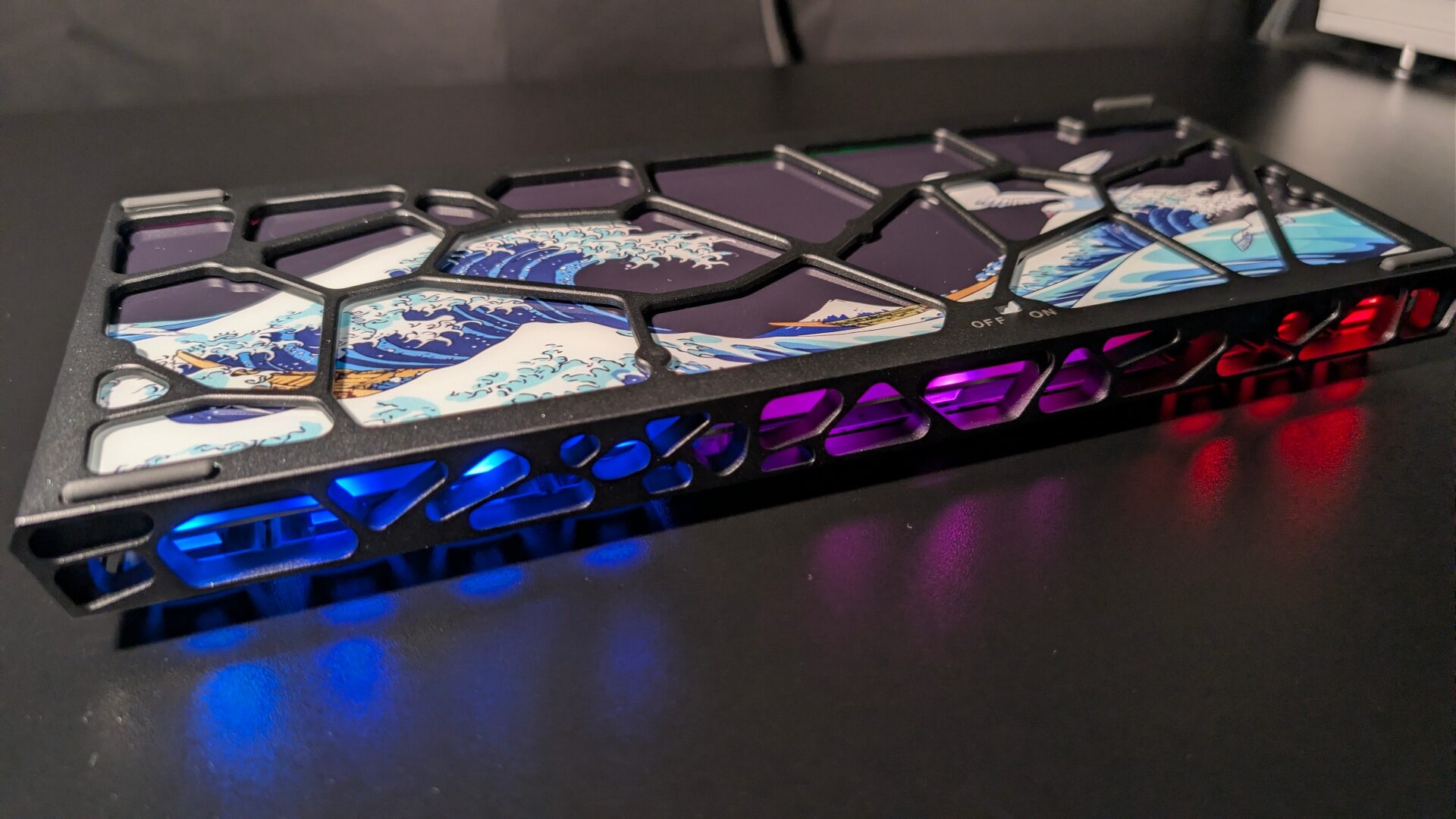
The general typing experience was buttery smooth and the right level of responsiveness for what real gamers want, and it did not sound too loud either. As soon as I flipped over the keyboard, I was met with a different surprise.
The back of the Womier SK61 wireless gaming keyboard contained a glossy, sandblasted pane within the hollowed-out CNC aluminum frame. In terms of the design of the frame, I thought it looked like a pair of Adidas Yeezy foam runners slapped on a keyboard. My primary issue with the hollowed-out CNC aluminum frame allowed for quick dust build-up, especially after the first week of use.
The second issue I spotted after turning the keyboard over: where are the bloody kickstands?! I noticed the keyboard was already slightly sloped from its natural build, but I thought this would surely have some adjustable kickstands to adjust to some other common angles for different user preferences.
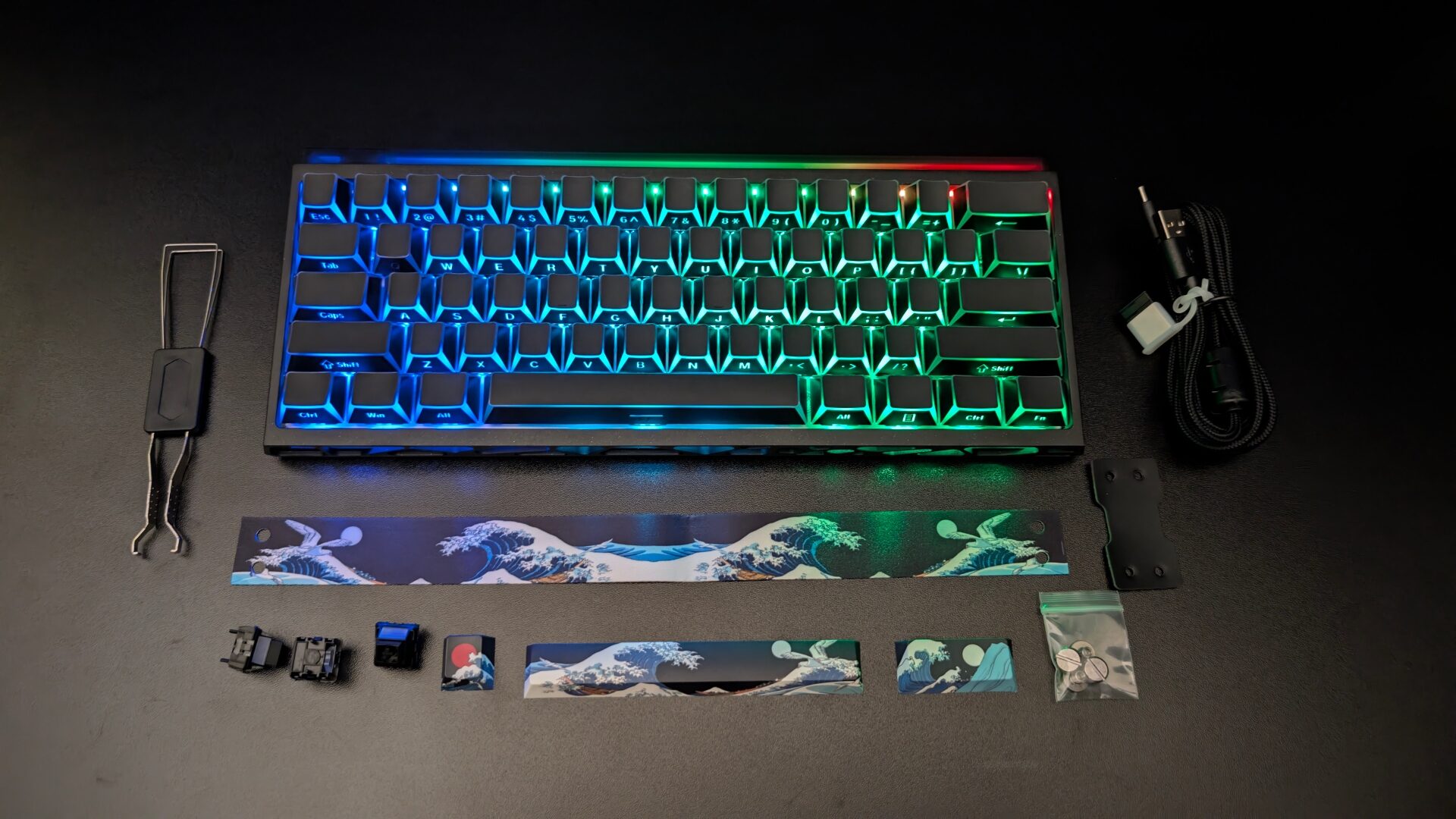
The glossy pane backing is a fairly nice-looking homage to the original Hokusai painting. Digging deeper into the box, the surprises did not stop. Yes, the keyboard came with the usual USB-C cable—a braided one, which I greatly appreciated—a keycap and switch puller, three spare magnetic switches, and the manual. But I chuckled upon seeing a Hokusai-inspired lanyard, three themed keycaps, and a miniature version of the main focal point within the iconic Japanese ukiyo-e painting.
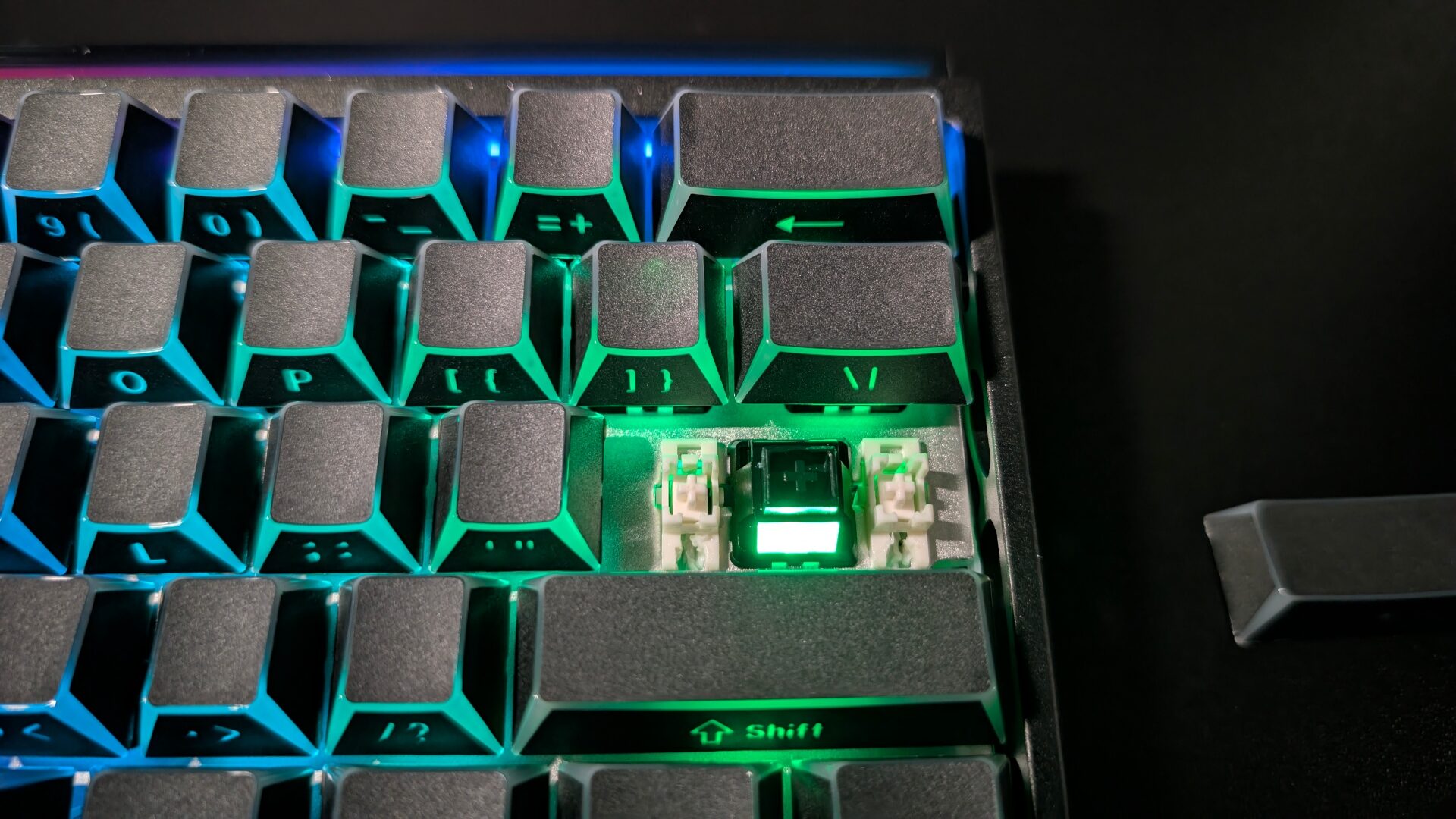
Connectivity was a rough time, both wired and wireless. I had trouble primarily with wired and Bluetooth wireless connections with my PC, which did not have issues with other keyboards. Even though I installed the desktop application dedicated to this keyboard, the keyboard still struggled to stay consistently connected. Only the 2.4 GHz wireless dongle connection worked the most steadily.
“If there is something I must applaud, the Womier SK61 has resilient battery power.”
Once I got the Womier SK61 wireless gaming keyboard set up for perfect working conditions, I jumped into some VALORANT matches. I tested the actuation point of every key with default settings first, then I lowered the actuation point on WASD—all the way down to 0.005mm. Some people like to fine-tune their WASD actuation point not to be too low, for fear of misclicking. But I have pretty good control of my counterstrafing, so I do not mind higher sensitivity for my movement keys.
Playing around with the Rapid Trigger setting was fun since I have never had to experiment with eliminating debounce delays too much with other keyboards that may not offer this customizable factor. I can also attest that ghosting was not an issue when I wanted to move a certain way and use my abilities while playing VALORANT. Since each switch on this board has independent sensors, you can press down a bunch of keys, and they will all register. Of course, the drawback is misclicking something, but then you can adjust the actuation points for those particular key switches.
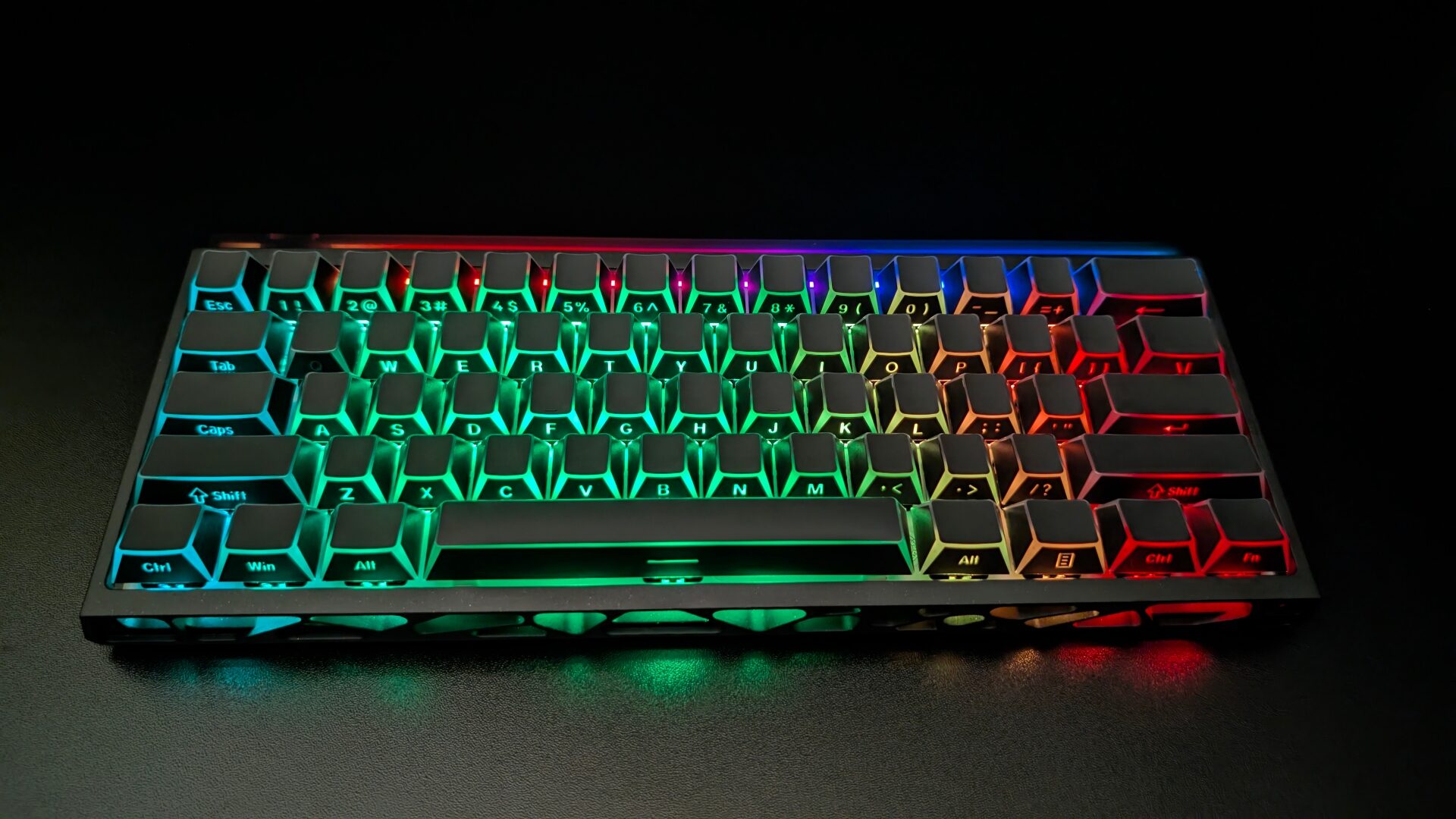
If there is something I must applaud, the Womier SK61 has resilient battery power. For about three weeks of off-and-on testing, this board did not die. The 6000mAh battery accomplished what I put it through. As much as I thought it would eventually die, well, with all the RGB lighting on. The auto shut-off of the keyboard was most likely the reason for the amazing battery consumption.
On the whole, the Womier SK61 wireless gaming keyboard looks cool and has a great amount of switch customizability for its $79.99 price tag. However, this keyboard has some major flaws in a couple of design and reliability categories. This keyboard is perfect for those looking to fine-tune their competitive gaming experience at an affordable price, but you may need to make some sacrifices.

- 【Womier SK61HE Built for Competitive Speed】Gain a competitive edge with this Hall Effect Keyboard and its adjustable Rapid Trigger. Using a simple web driver—no software needed, you can fine-tune every key’s actuation point from 0.005mm to 3.3mm with 0.005mm precision. Set an instant hair-trigger for FPS games or a deeper press for rhythmic accuracy. This Magnetic Keyboard adapts to your playstyle, ensuring every command is registered the moment you intend.
- 【Tri-Mode Wireless Gaming Keyboard】 Break free from cables without sacrificing performance. This Wireless Gaming Keyboard is powered by a massive 6000mAh battery for up to 37 hours of play (RGB off). Seamlessly switch between a lag-free 8KHz wired connection for peak competition, a stable 1KHz 2.4GHz for your desktop, or convenient Bluetooth 5.3 for other devices. Enjoy elite-level gaming from your desk, couch, or on the go.