

I liked the Bambu Lab P3C far more than I expected. I reviewed the Bambu Lab H2S last year, and it ended up being one of the best 3D printers I tested that year. Now, Bambu Lab is back and ushering in the era of mass-market multi-toolhead 3D printers, starting with its flagship H3C. However, with a flagship-level machine comes a flagship-level price, putting it out of reach for many consumers.
That’s where the new P3C comes into the picture, and I have to say, it strikes an impressive balance between price and features. While it doesn’t offer quite the same cutting-edge capabilities as the H3C, it manages to retain most of the key selling points at a much more affordable price. I’ll be honest, for most people, this is probably the machine you need.
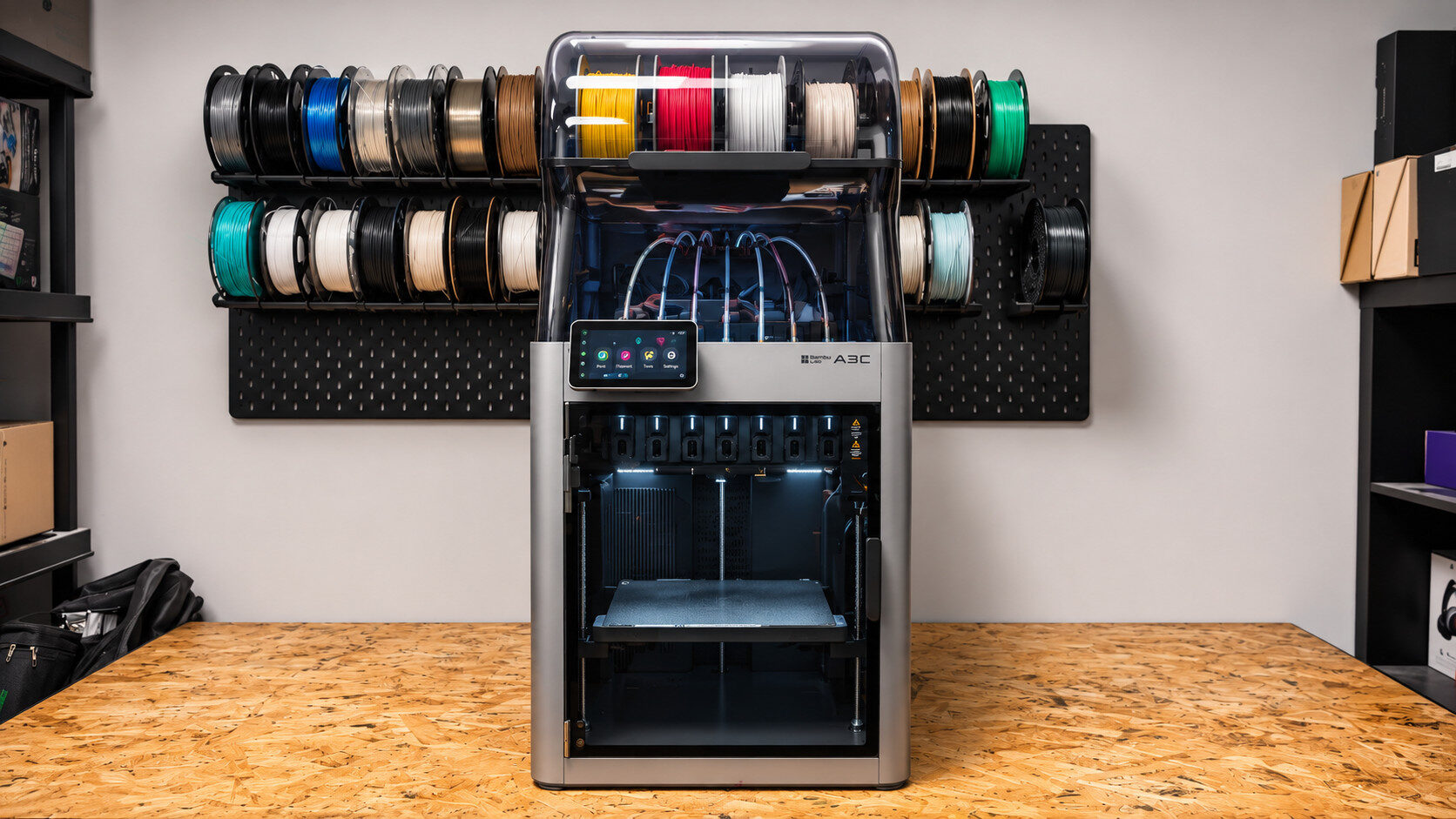
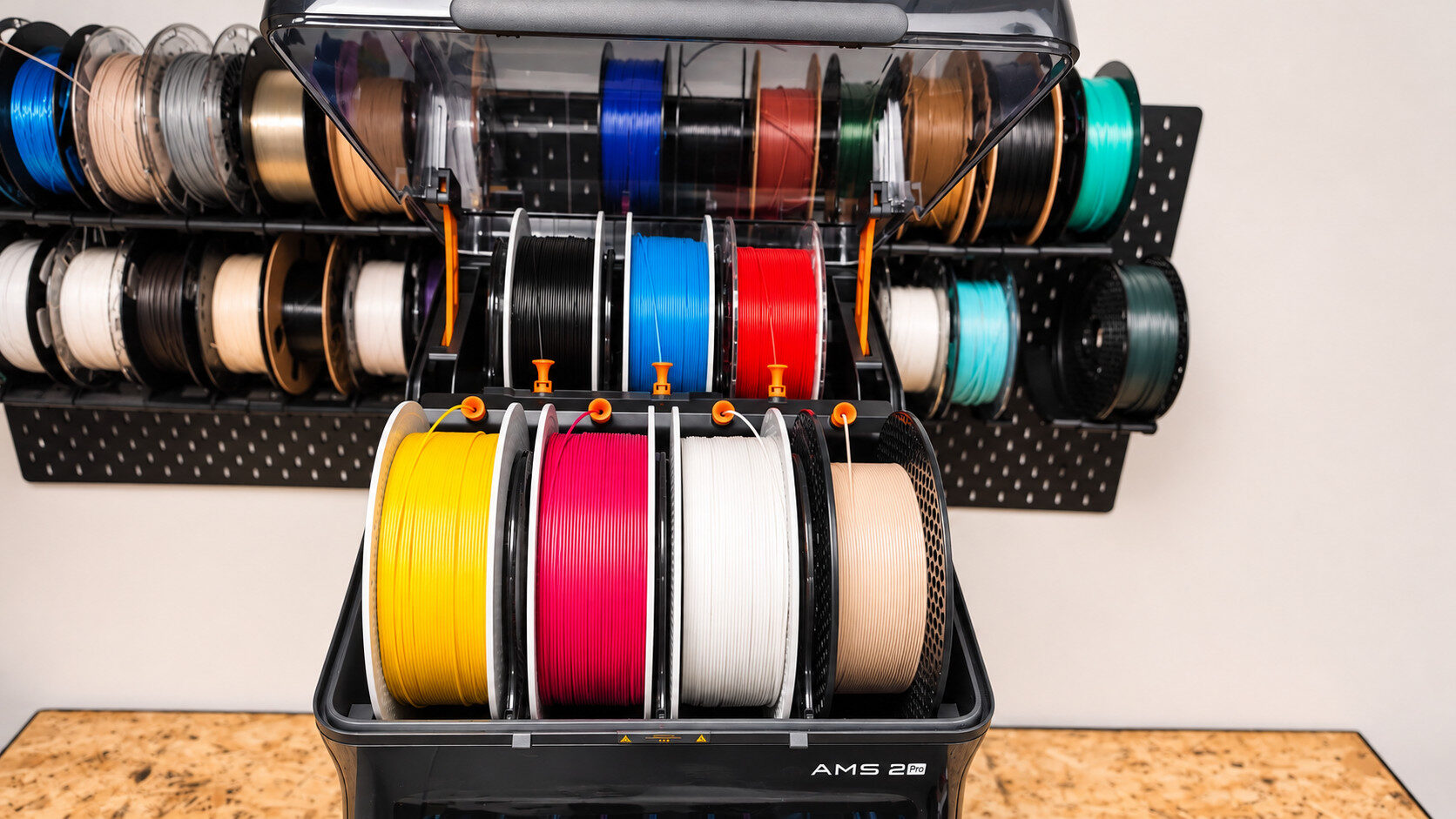
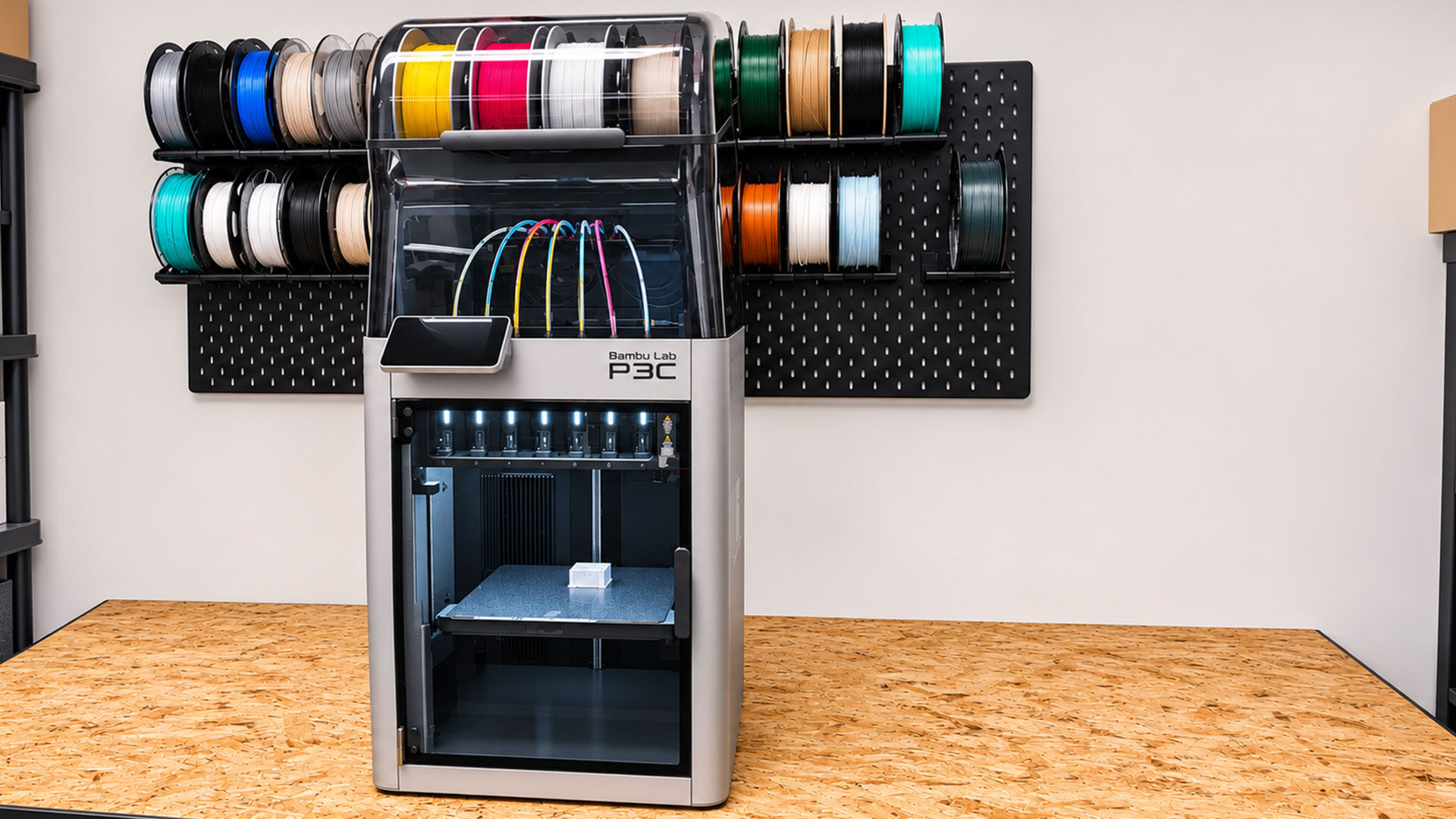
Even though the P3C is designed to appeal to a more mainstream audience, it’s still a massive machine, with the P3C Combo arriving in two large boxes containing the printer and its new AMS system. The Bambu Lab P3C AMS Combo ships with the printer, an enclosed AMS 3P filament-management system and five 0.4 mm PrintTools fitted with hardened-steel nozzles. That leaves two of its seven tool slots available for expansion, whether that means adding more printing tools or branching into cutting, drawing and debossing with optional CraftTools. The complete package weighs 26.5 kg with the AMS 3P included, making it worth planning out your workspace before unpacking everything.
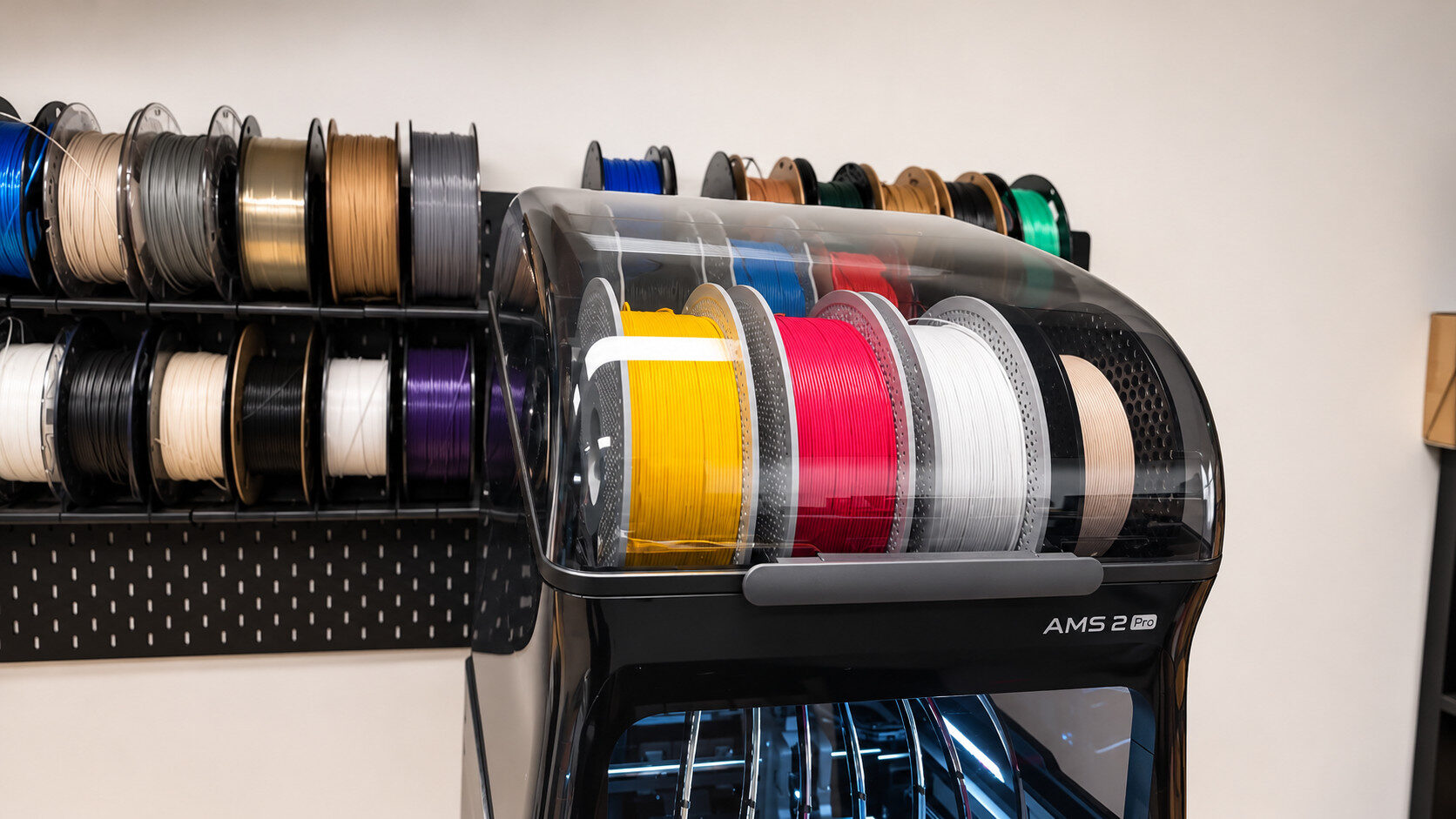
Despite its substantial size, the P3C offers a smaller print area than both the H3C and the H2S I reviewed last year. The P3C features a 256-by-256 mm printable bed area inside an enclosed chassis measuring 413 by 538 by 540 mm. Given its 26.5 kg weight, you may want some help getting everything set up and ready to go. Its top-mounted, seven-spool filament system keeps filament storage above the printer rather than requiring a separate unit beside it. However, Bambu Lab recommends an installation space of 513 by 960 by 1,212 mm to accommodate the machine’s considerable height and provide enough clearance to open the AMS lid.
“When running the P3C, the printer delivers impressive speeds without compromising on print quality.”
What makes this new unit so special is the SwapTek system, first introduced with the H3C. Even though the P3C is designed for a more mainstream audience, this technology remains incredibly impressive. Each PrintTool keeps its own filament loaded and features an independent heating system, eliminating the need to retract one filament before feeding another. Bambu Lab says active preheating reduces material changes to as little as six seconds, and while actual times can vary during printing, watching the system in action is impressive.
The speed makes a noticeable difference when working on multicolour prints, but I’ll touch on that more shortly. Different nozzle sizes can also be used within a single print, balancing fine detail with faster printing speeds for larger sections. It’s a fantastic concept that makes 3D printing far more versatile, opening up new possibilities for the hobby and what creators can accomplish with it.
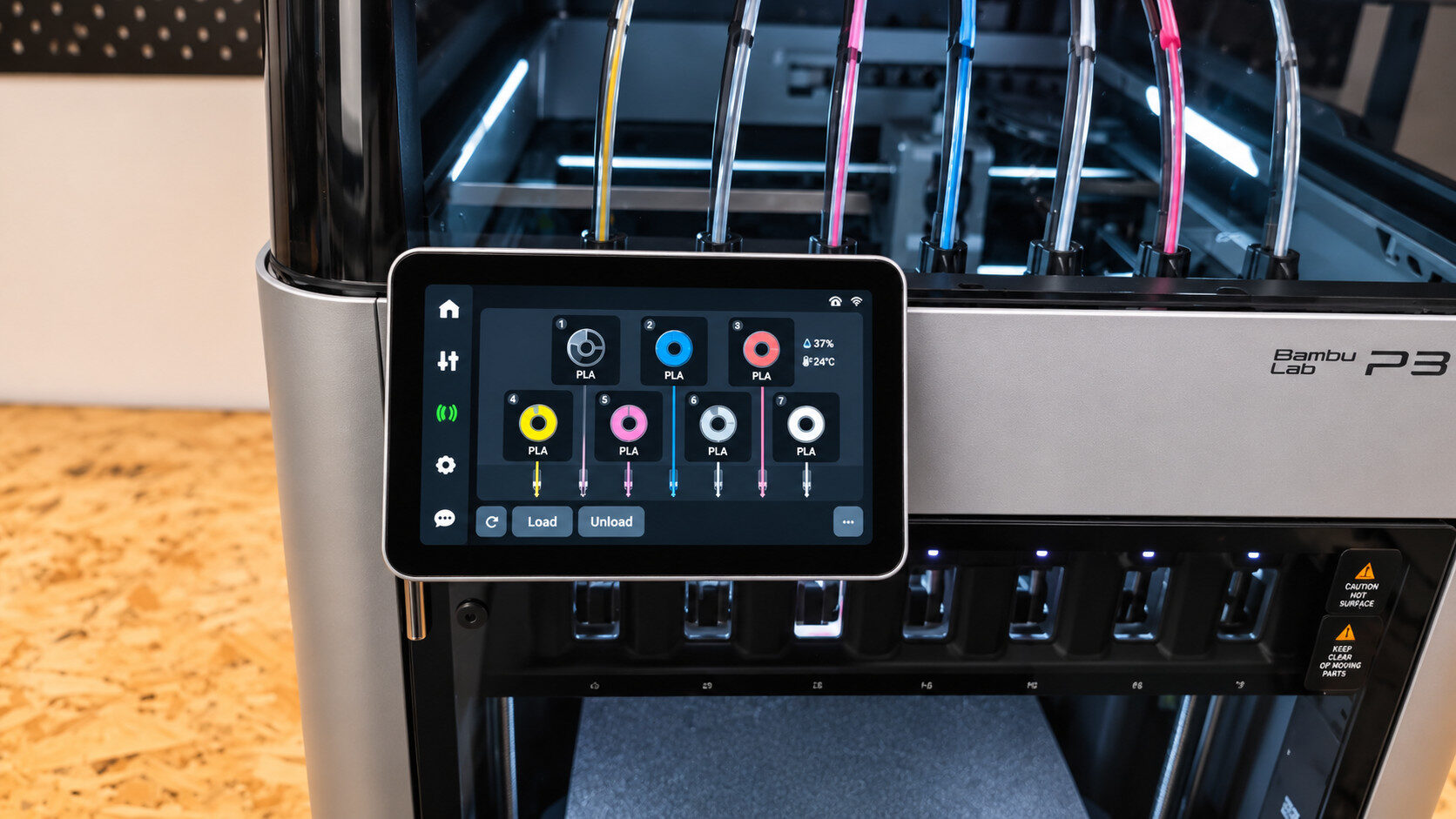
The specifications are also incredibly impressive, especially for anyone looking to upgrade from an older generation 3D printer. The enclosed P3C supports nozzle temperatures of up to 300 C and a heated bed reaching 110 C. Its FlexFeed extruder handles both 1.75 mm and 2.85 mm filament with the appropriate PrintTool, including flexible materials like soft TPU. This further expands what you can create with the P3C, moving beyond traditional 3D printing into more ambitious projects, from detailed models and flexible apparel to a wide range of other creative applications.
Unfortunately, some sacrifices had to be made to bring the P3C to a more affordable price point than the H3C. However, depending on your needs, these compromises make sense and still leave the machine incredibly versatile. The P3C brings the H3C’s third-generation SwapTek tool-changing system to the P Series, but with fewer tool slots and lower temperature limits.
The P3C also supports seven tool slots rather than nine and includes five 0.4 mm PrintTools, compared with the H3C’s nine included tools. Maximum nozzle temperature drops from 350 C to 300 C, while the heated bed tops out at 110 C instead of 120 C. The H3C also includes filament drying capabilities, whereas the P3C requires an optional module. Additionally, the H3C supports Bambu Lab’s Vision Encoder, a feature not available on the P3C.
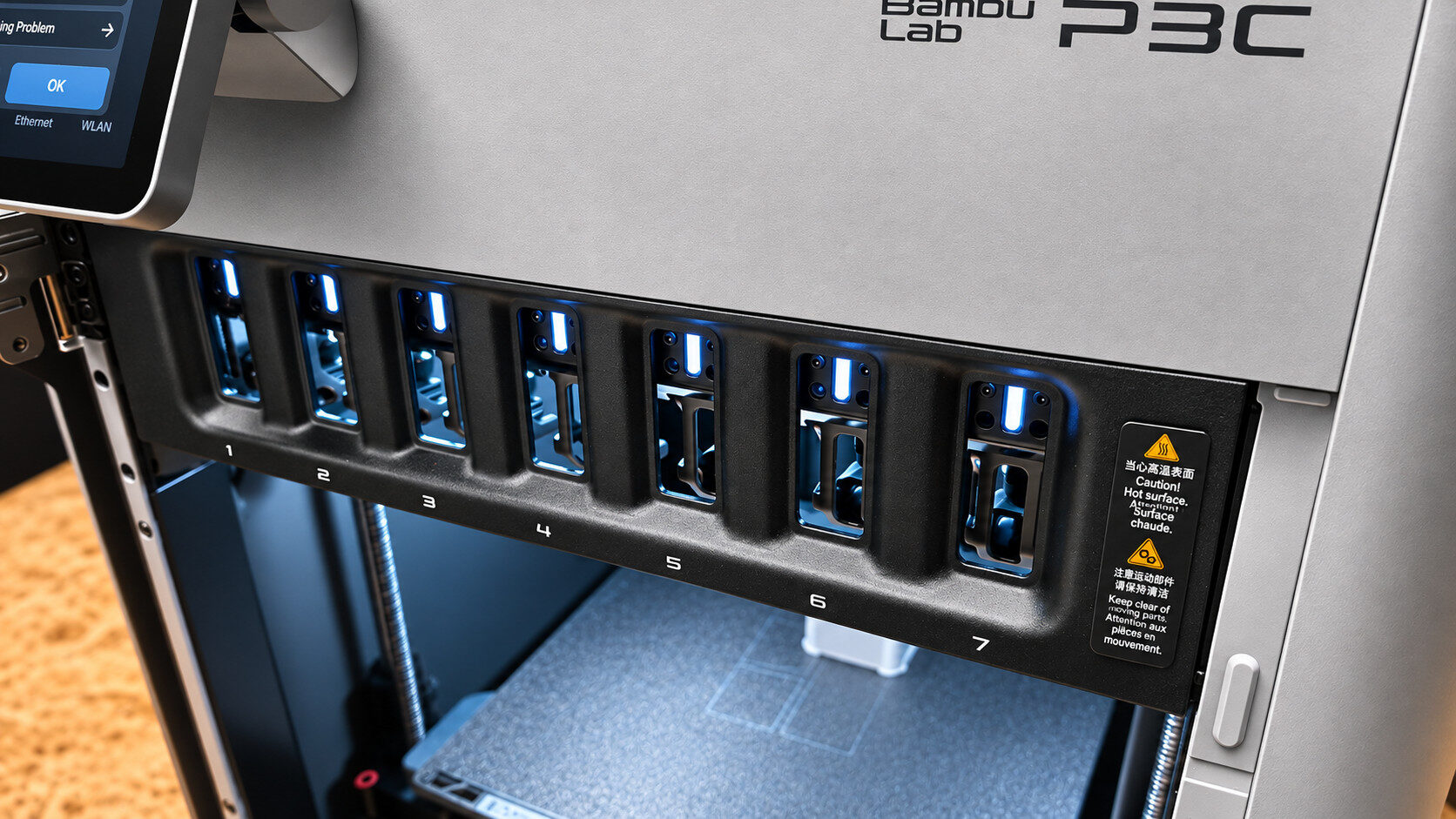
Even with these compromises, the P3C packs an impressive range of features and capabilities thanks to its new tool-changing system, significantly expanding what’s possible with a 3D printer in this class. With a conventional AMS feeding a single nozzle, material changes require unloading one filament, loading the next, and purging the previous material. SwapTek instead keeps filament loaded in separate PrintTools, each with its own heating system. The incoming tool preheats while the current one continues printing, allowing material changes in as little as six seconds, according to Bambu Lab. This promises shorter interruptions and significantly less purging, reducing material waste without eliminating it entirely.
“After testing a range of models and comparing the H2S with the P3C, it’s staggering just how much time you save by eliminating the need for a full purge cycle with every colour change.”
The bigger benefit is the flexibility this system brings to a single print job. Different PrintTools can accommodate different nozzle sizes, allowing the printer to use a larger nozzle for bulk sections and a finer one for smaller details. This is something a conventional single-nozzle AMS setup simply can’t do automatically, making the P3C much more versatile when working on complex projects. As I mentioned earlier, the SwapTek system also supports optional CraftTools for cutting, drawing and debossing, with automatic tool changes allowing users to switch between different processes without manually swapping components.
For anyone looking to push the boundaries of what a 3D printer can accomplish, mixed-material printing is now significantly easier and faster, with the potential to produce considerably less waste. The separate PrintTools allow a single print job to combine materials with different properties, including softer and firmer flexible filaments or a mixture of rigid and flexible components.
For anyone working on cosplay, for example, this means you can place softer materials against the body while using firmer sections for structural support, making it much easier to create complex pieces that are comfortable to wear and serve a wider range of purposes. With the optional 2.85 mm PrintTool and the AMS 3P’s bypass feed, the printer supports TPU as soft as 75A, opening up new possibilities for projects that would otherwise require multiple prints or manual tool changes. Combined with the ability to use different nozzle sizes within a single print job, this makes the P3C an incredibly versatile machine for creators looking to experiment with more ambitious and intricate designs.
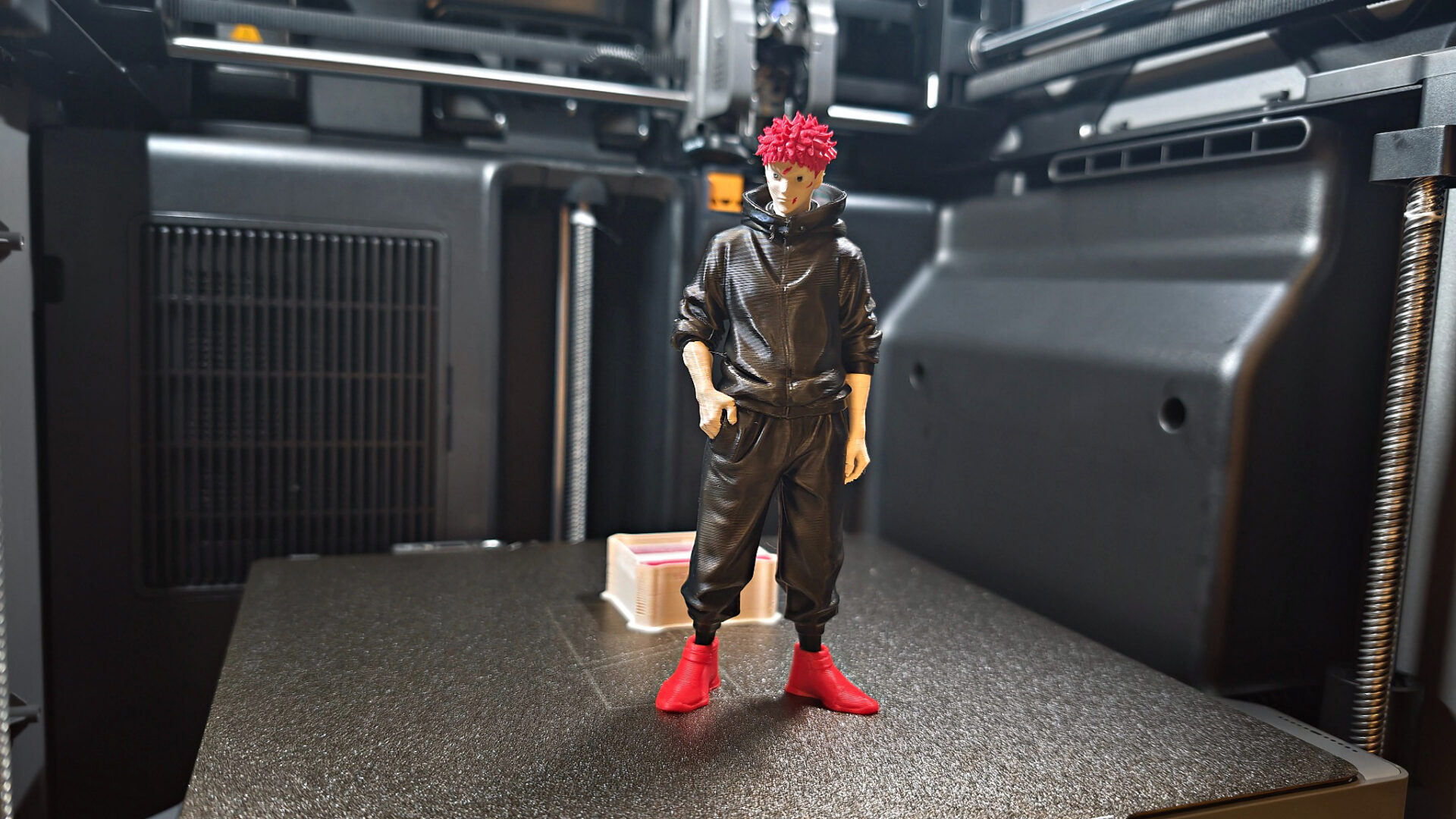
It also allows users to go well beyond what typical 3D printing can offer, particularly when it comes to colour. The available colour options make it possible to produce much more complex results, closer in concept to how a CMYK printer works. Using a CMYKW five-colour mixing system, the printer can reproduce nearly the entire colour wheel, giving figurines and decorative prints a broader palette while relying on fewer filaments.
SwapTek’s claimed six-second material changes are what make this practical without stretching a single print across multiple days, reducing the time required for the frequent switches involved in detailed colour work. While the process still takes time, and a simple single-colour print will remain significantly faster, this is a major step toward making multicolour printing more versatile and accessible. Setting up the machine for the first time involves assembling the various components and preparing all the toolheads for printing. Loading the filament initially is a bit tedious, and unlike machines such as the H2S, you’ll need to manually feed each filament all the way into its respective toolhead once it reaches the appropriate temperature.

Loading all five filaments for the first time can take between 10 and 15 minutes, with the printer guiding you through the process and prompting you to feed each filament at the appropriate time. It’s not particularly difficult, and the P3C provides clear instructions throughout, but if you were expecting to simply drop the spools into the AMS and forget about them, think again.
That’s a lot to take in, and I can see why the Bambu Lab P3C represents such a major launch. Thankfully, actually using it feels remarkably similar to previous Bambu Lab machines, with Bambu Studio taking much of the frustration out of learning the new system. You’ll quickly find that the overall printing process remains incredibly straightforward.
“In terms of speeds, the P3C lists a maximum toolhead speed of 1,400 millimetres per second and an acceleration of 25,000 millimetres per second squared. “
As I mentioned earlier, you can take advantage of spectrum printing if you want to explore more complex colour combinations, but you can also import your files as usual, assign the appropriate colours and send your prints to the machine. The process feels familiar to anyone who has used a Bambu Lab printer before, with the main difference being how the P3C handles material changes. Rather than unloading and purging filament through a single nozzle whenever a new colour is needed, the printer switches between separate toolheads, making multicolour printing considerably more efficient.
When running the P3C, the printer delivers impressive speeds without compromising on print quality. What makes the experience even better is the ability to take full advantage of its rapid filament changes, which produce almost no waste throughout the process. Each PrintTool keeps its filament loaded, eliminating the repeated retraction and feeding required when multiple spools share a single nozzle. On models requiring frequent colour or material changes, these shorter interruptions can make a substantial difference to overall printing times, making the P3C particularly impressive for complex multicolour projects.
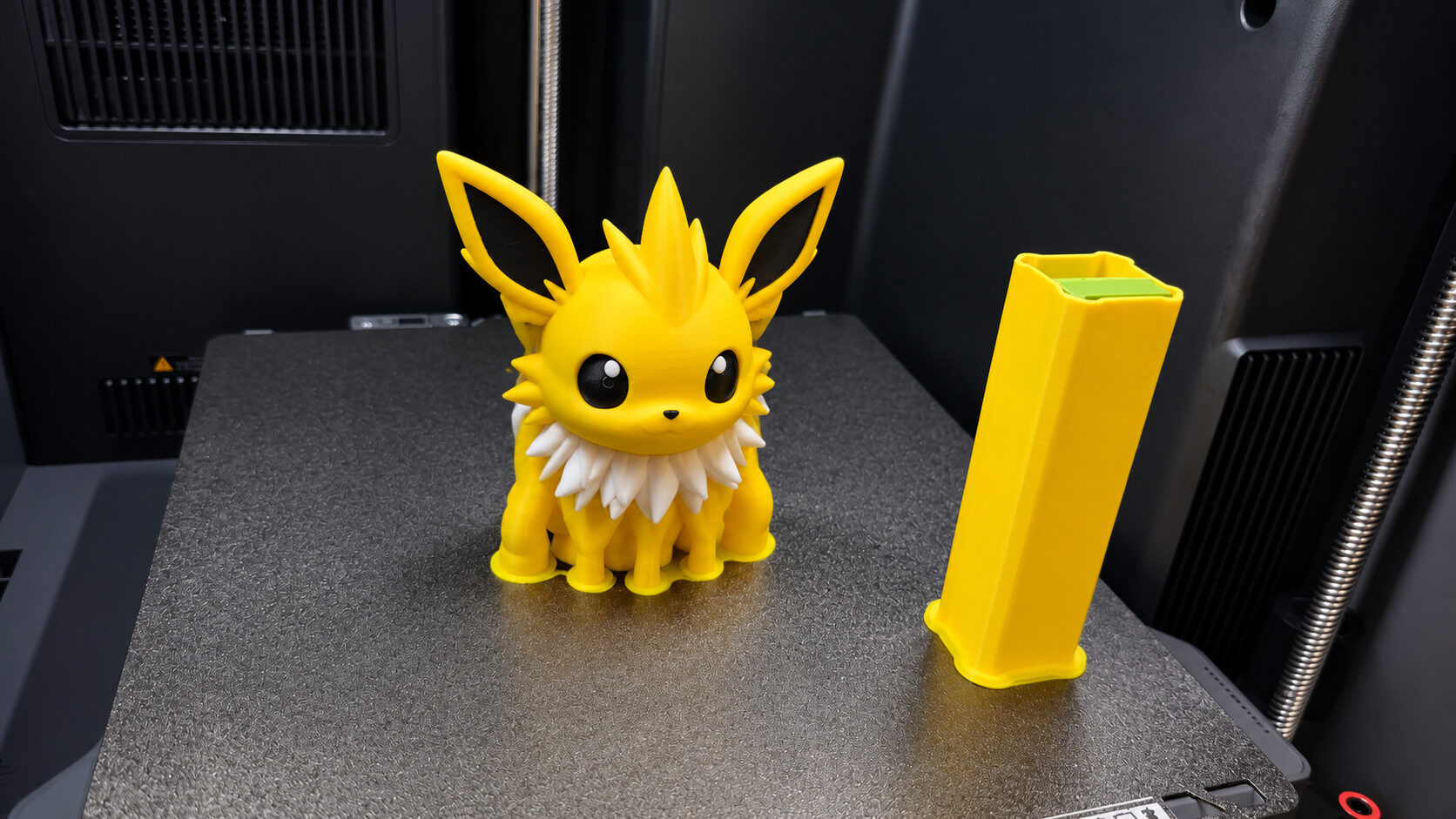
In terms of speeds, the P3C lists a maximum toolhead speed of 1,400 millimetres per second and an acceleration of 25,000 millimetres per second squared. Bambu Lab also rates hotend flow at up to 40 cubic millimetres per second, measured using its ABS filament at 280 C. These are maximum specifications under particular conditions, not speeds every model or material will sustain. For multicolour work, the more meaningful improvement could be the time saved between materials rather than movement speed alone.
After testing a range of models and comparing the H2S with the P3C, it’s staggering just how much time you save by eliminating the need for a full purge cycle with every colour change. With the H2S, a model featuring four different colours scattered throughout the design was estimated to take around 18 hours to print, while the P3C completed the same model in a little over four hours, without leaving behind a pile of wasted filament.
This improvement carries over to a wide range of models featuring multiple colours, with some prints that would take 24 hours on the H2S dropping to around six hours on the P3C. Of course, these results depend heavily on how the colours are used and where they’re positioned throughout the model. You can also influence printing times through your slicer settings, but even accounting for these variables, the difference is staggering.
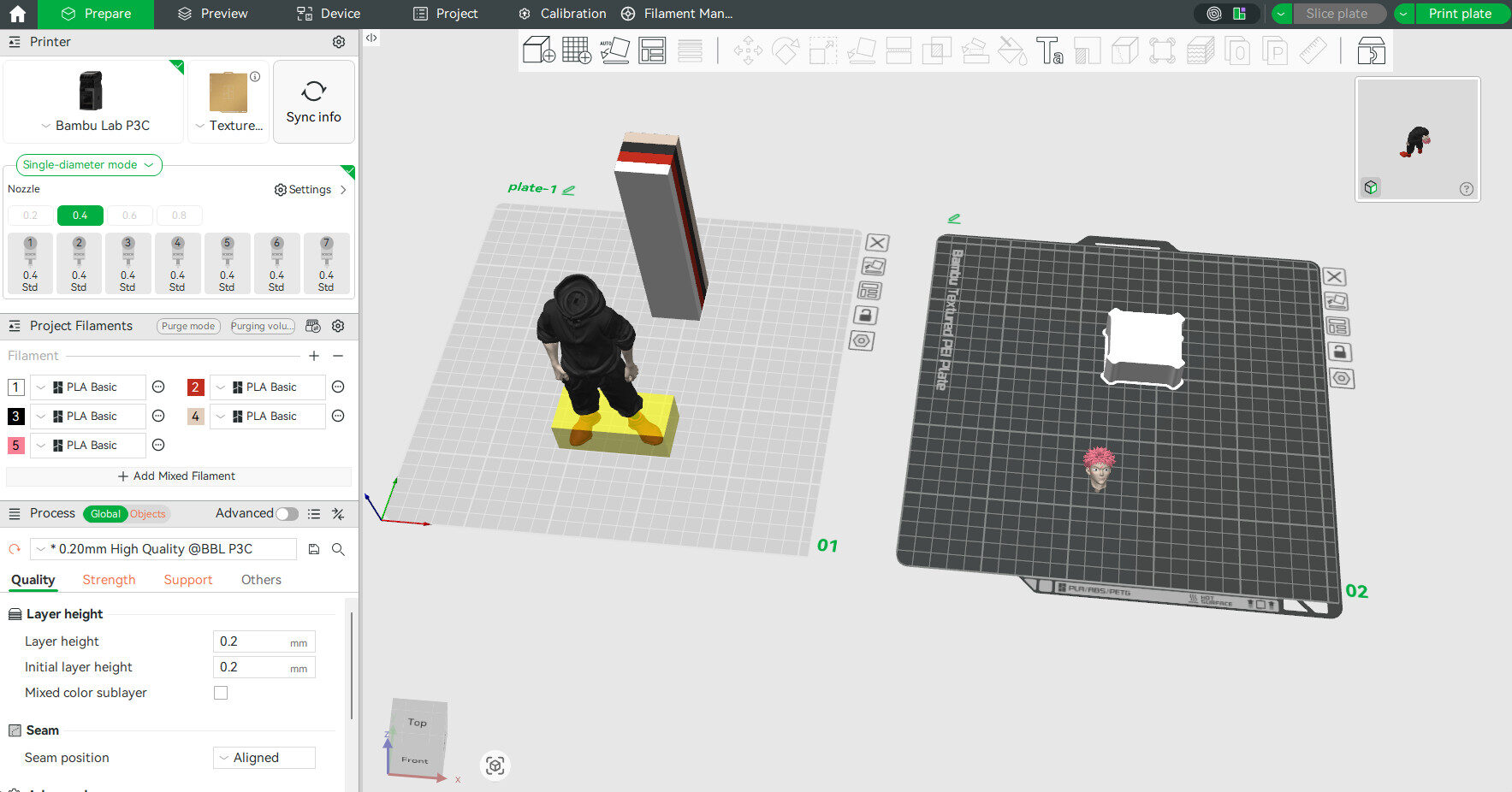
These time savings are much less noticeable when printing models with colours separated into distinct layers, which require fewer filament changes, or when working with single-colour prints. In those situations, the P3C performed roughly on par with what I experienced using the H2S. However, this is a machine designed to excel at multicolour printing, and that’s exactly where it shines.
The reduction in filament waste is equally impressive. A multicolour print on the H2S could leave behind a small box full of purged filament, while the same type of print on the P3C produced only a few scattered pieces of waste. After a full week of printing, I had accumulated less than a handful of discarded filament, which is a remarkable improvement over traditional filament-changing systems.
“Multi-toolhead 3D printers are only beginning to enter the mainstream market, but Bambu Lab has come out swinging with a fantastic machine at a price that makes this technology more accessible to hobbyists…”
What’s even better is that despite all these new features, the P3C remains an incredibly accurate 3D printer that delivers fantastic, clean-looking results. The prints I produced were impressive, with consistent layer lines, excellent precision and an overall level of quality that made them more than suitable for display. While I wouldn’t say the results quite match the fine detail achievable with resin printing, they’re still fantastic. With the right settings dialled in, the P3C is more than capable of producing detailed models you’ll be proud to display.
Now, let’s talk about pricing, because Bambu Lab has taken an aggressive approach with the P3C. The P3C Combo starts at $1,149 USD, with pricing increasing depending on the configuration. One bundle includes the P3C Combo, a 1.75 mm PrintTool, a 2.85 mm PrintTool and a spool of TPU for $1,299 USD before Dec. 3, increasing to $1,319 USD after that date. Other bundles offer different combinations of filament and toolheads, giving buyers some flexibility depending on their needs.
Compare that with the H3C’s MSRP of $2,499 USD or the H2S at $1,249 USD, and the new P3C becomes an incredibly compelling offering. Even compared with the single-colour Prusa CORE One L, which carries an MSRP of $1,799 USD, the P3C delivers impressive value, especially when considering its multicolour capabilities and the versatility of its tool-changing system.
I’ll be honest here: there’s very little to criticize about the Bambu Lab P3C. The company has delivered a solid machine that is incredibly versatile, all at a price that is highly competitive with other offerings on the market. Print quality is excellent, reliability has been rock-solid throughout my testing, and the machine is incredibly easy to set up and use.
Multi-toolhead 3D printers are only beginning to enter the mainstream market, but Bambu Lab has come out swinging with a fantastic machine at a price that makes this technology more accessible to hobbyists looking to expand what’s possible with 3D printing. There’s a lot to love about the P3C, and if you’re in the market for a new 3D printer and the idea of multicolour printing has piqued your interest, this is a fantastic option. I can only imagine the incredible creations people will come up with as they begin exploring everything the Bambu Lab P3C has to offer.