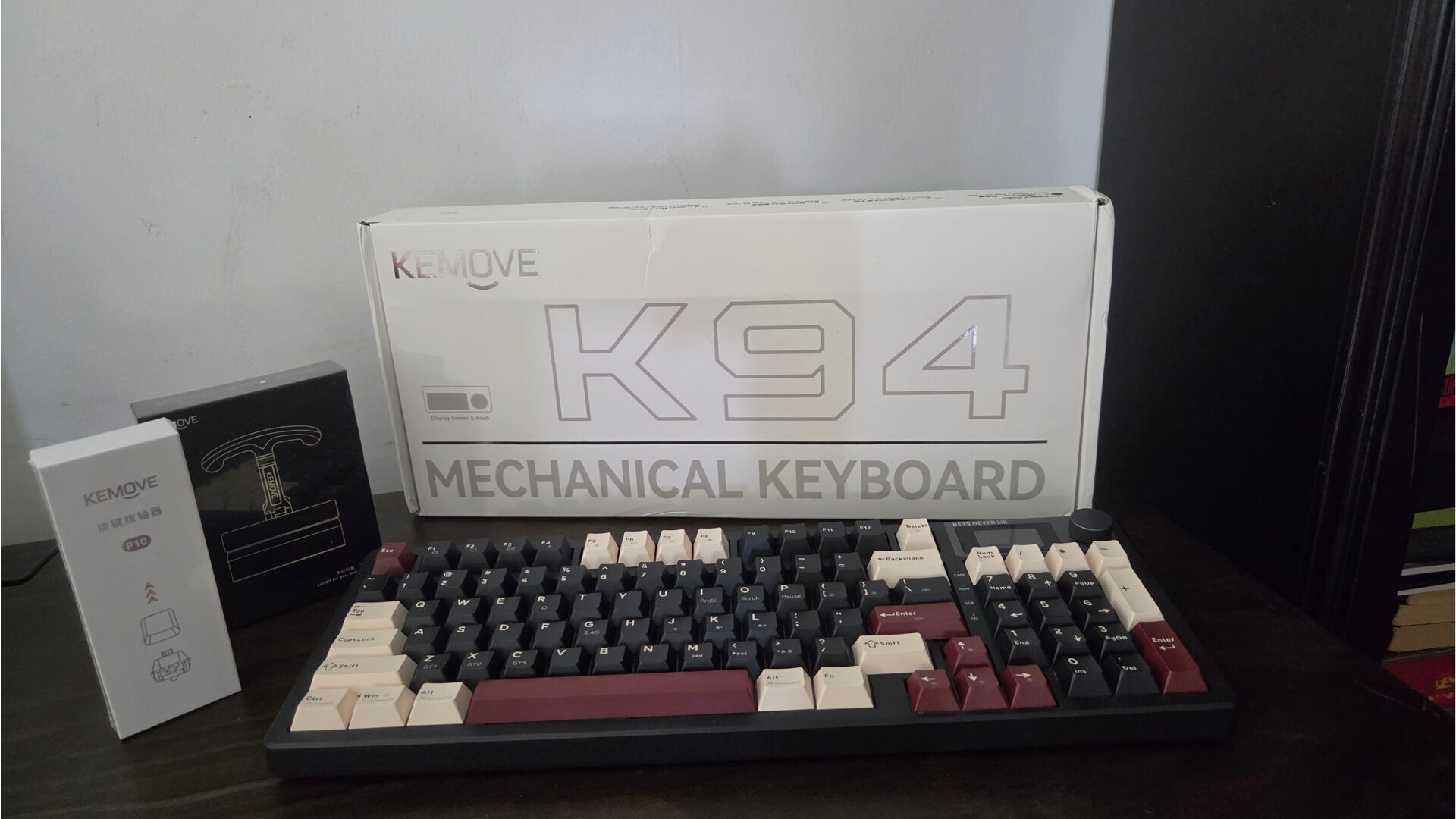


The Kemove K94 falls into the category of a 90% range keyboard, something that offers users looking for a smaller form factor afforded by TKL-style boards with the functionality of full-sized offerings.
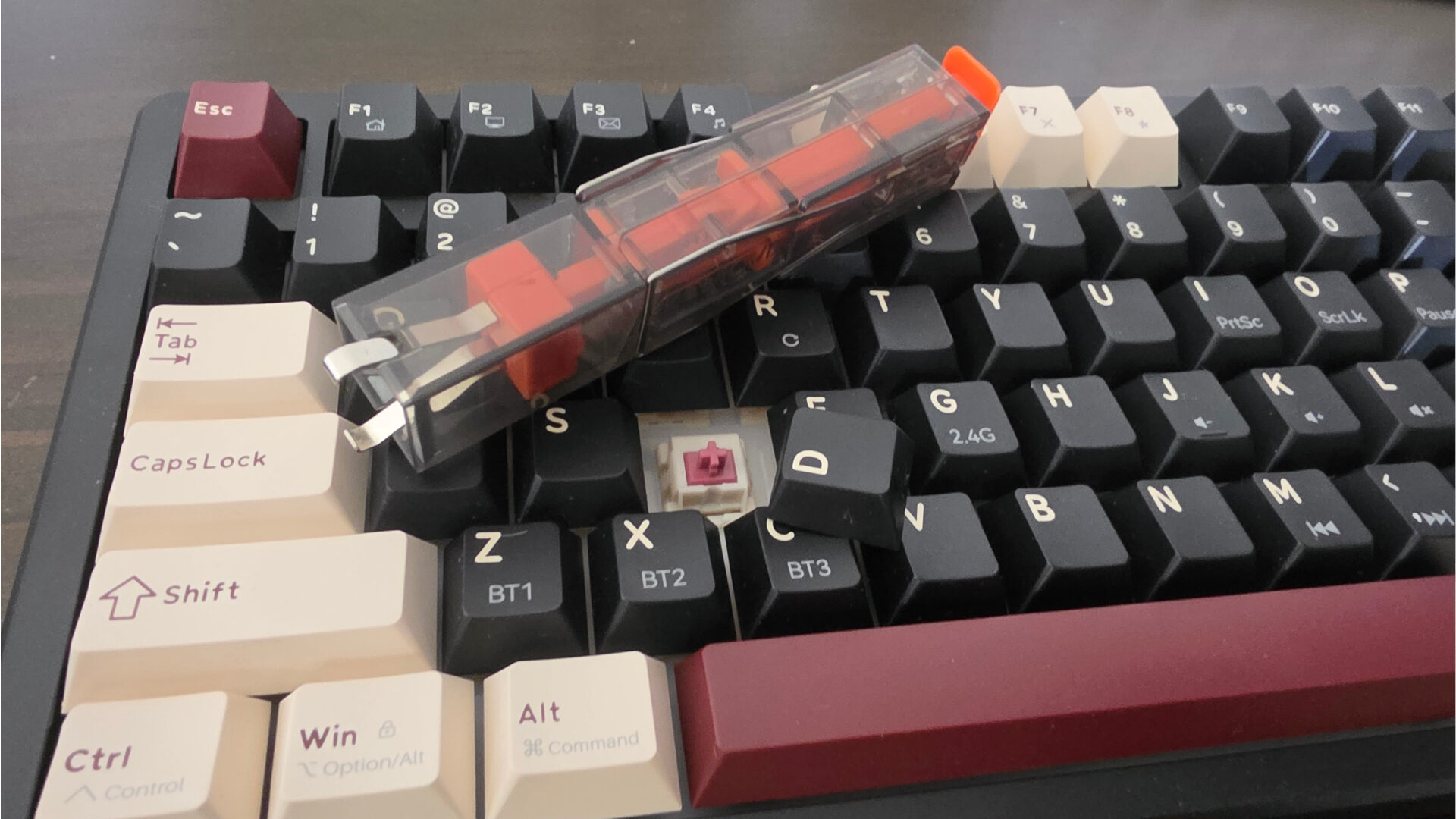
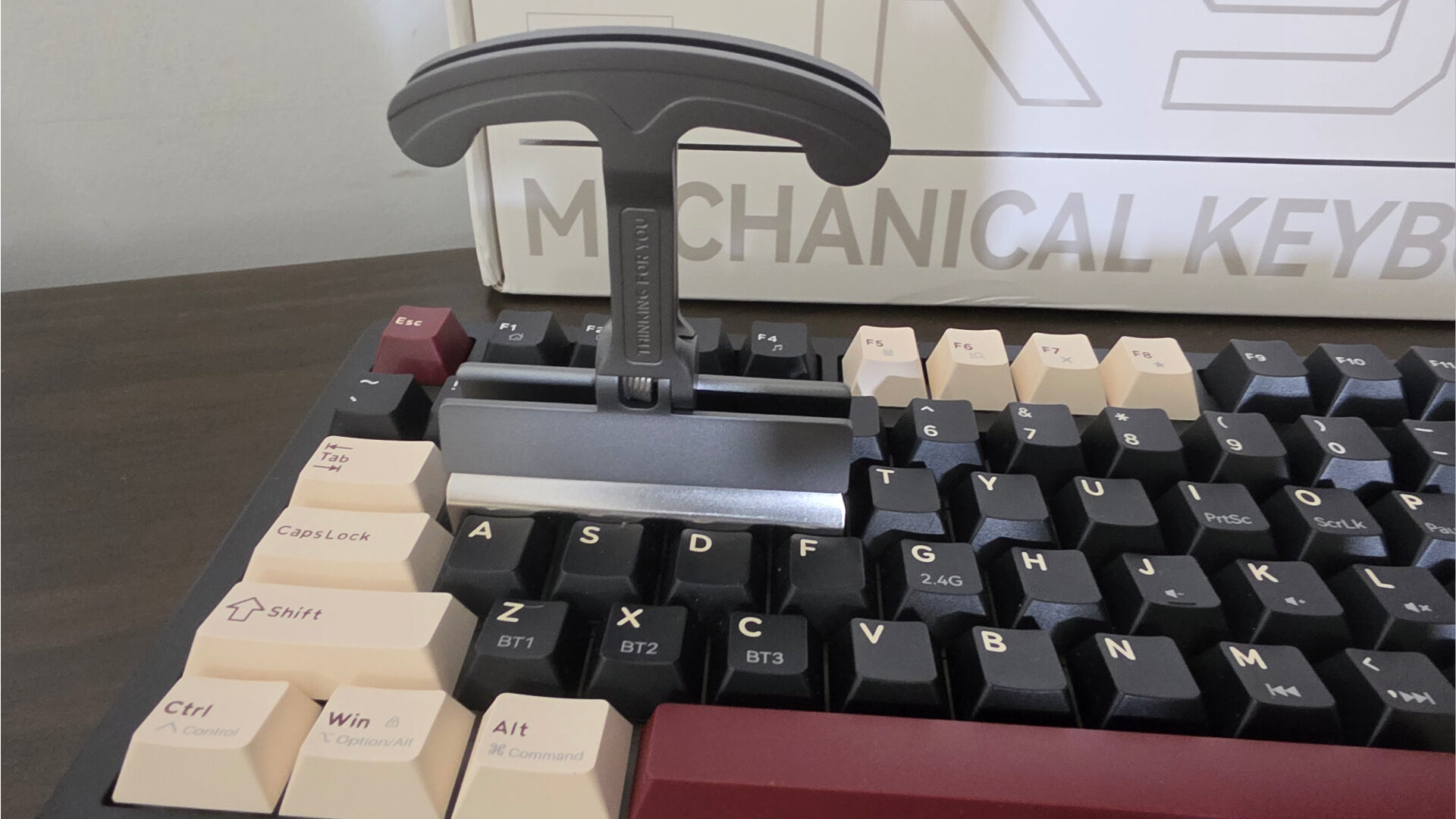
As someone who prefers TKL-style keyboards, I do sometimes find myself missing the convenience of having a number pad during my typing experience. The Kemove K94 doesn’t compromise on its keys, giving users a fully featured set that still manages to take up roughly the same amount of space as a TKL-style keyboard. Included in the box, users will find the Kemove K94 keyboard itself, a standard set of printed materials, and what may just be the nicest key puller I’ve seen, with Kemove’s P10 2-in-1 Switch & Keycap Puller.
The Kemove K94 features both wired and wireless use, utilizing Bluetooth 5.2 and a wired 2.4Ghz connection, with the latter offering a polling rate of 1,000Hz, ensuring a rock-solid connection, suitable for competitive play. On the topic of its 2.4Ghz connection, the Kemove K94 features one of the nicer implementations I’ve seen for its dedicated USB dongle, which sits flush with the back of the board in its own little compartment when not in use.
“Typing on the Kemove K94 is satisfying and indicative of a high-quality mechanical board’s offering…”
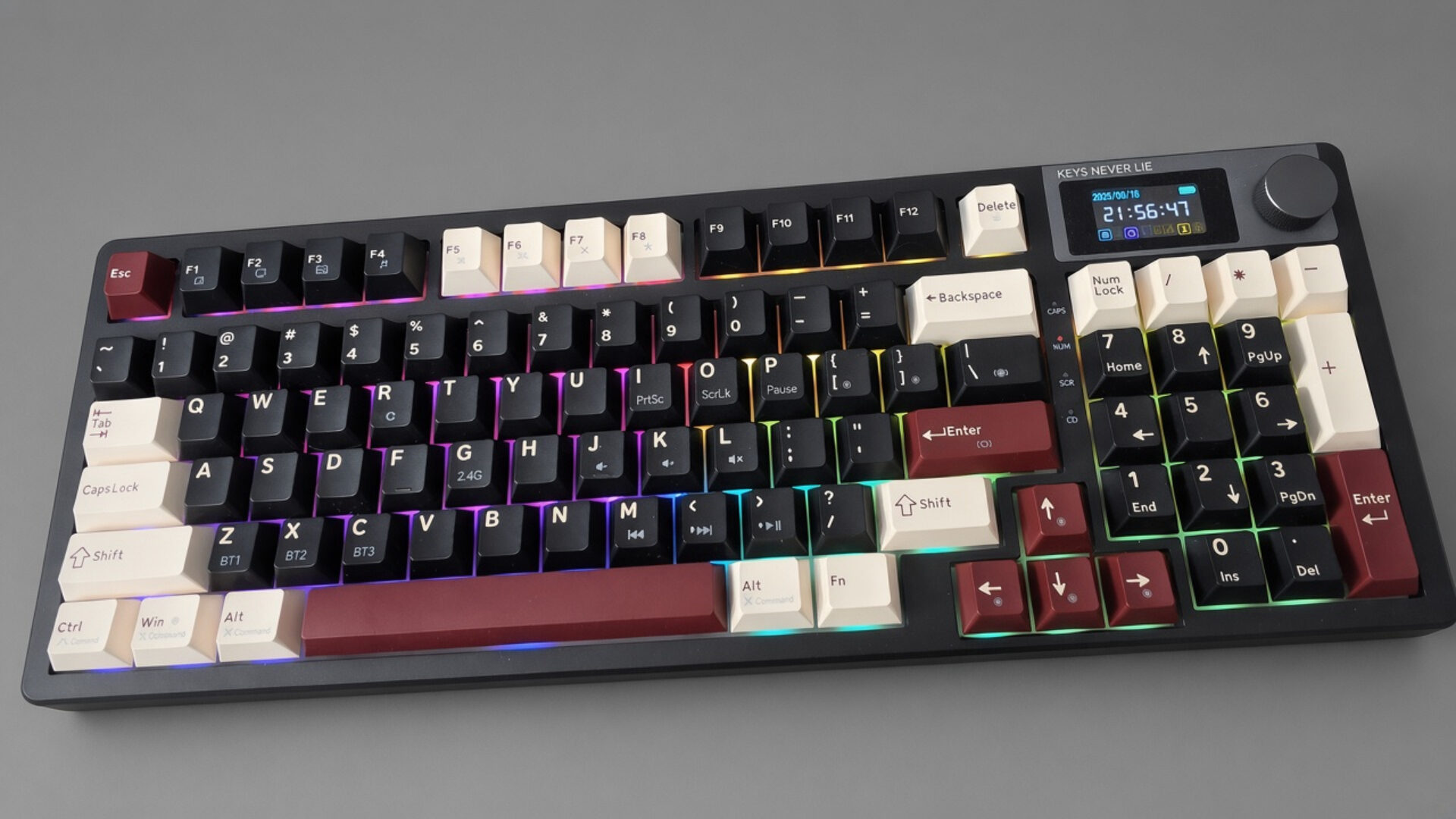
Taking a look at the Kemove K94 keyboard itself, the diminutive-sized offering features a retrofuturist aesthetic, combining maroon, beige and an understated matte black finish on its keys, reminiscent of something like the Japanese Nintendo Famicom system. Of course, the standout element that most people will notice about the Kemove K94 is its roughly 1.1” TFT LCD screen and control knob.
The screen on the Kemove K94 keyboard gives users easy access to a plethora of lighting effects, quick-access tools and even GIF support, which can be toggled via the Kemove web portal. As someone with a lot of PC peripherals, I always appreciate it when a new device, such as a keyboard, doesn’t require external software. In terms of actually using the on-board display of the Kemove K94, its wider aspect ratio affords a lot of screen real estate, making it a cinch to effortlessly parse info and get to where you need via the knob/wheel of the device.
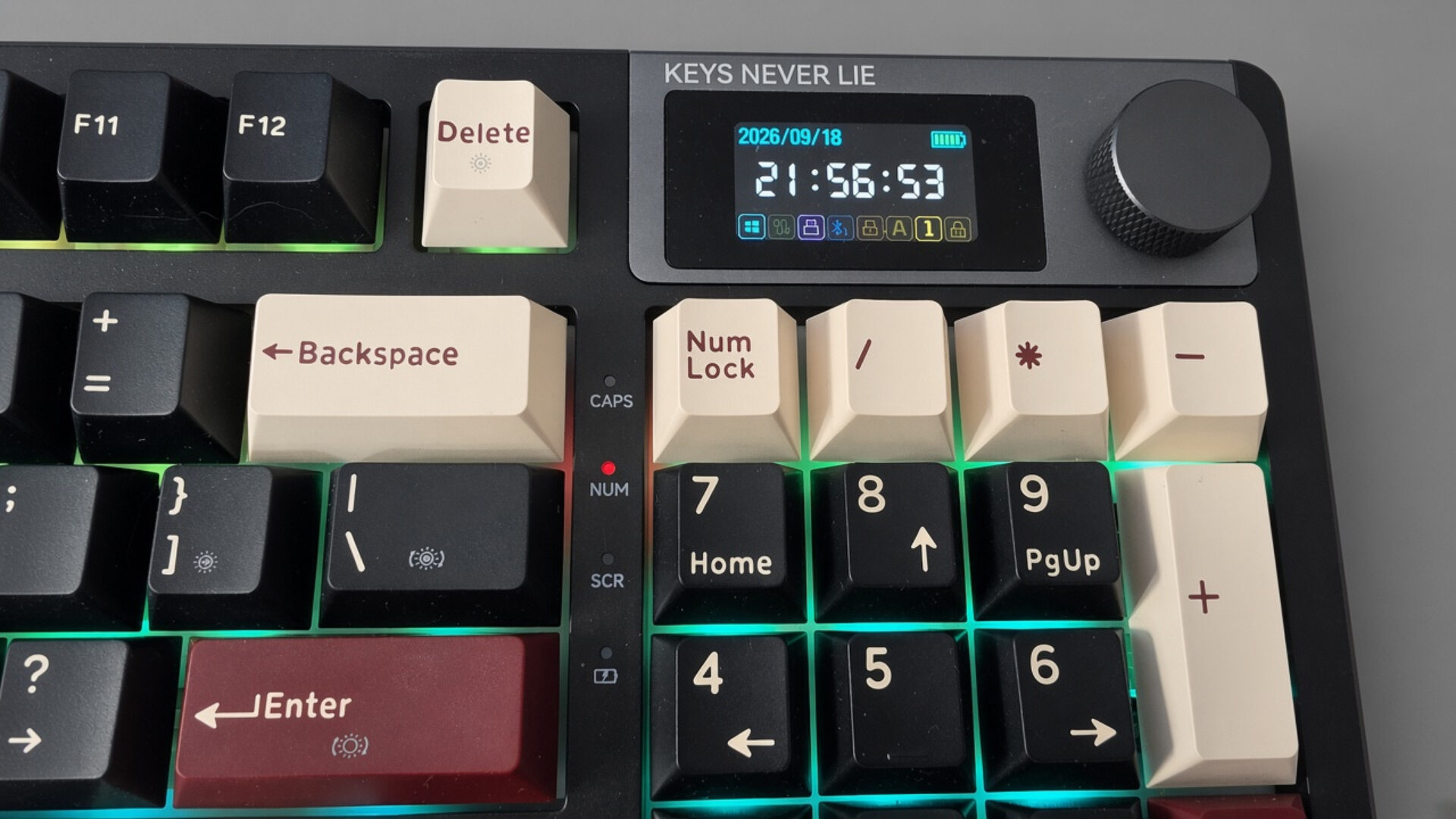
Using Kemove’s web portal also makes it simple for users to quickly set up macros and shortcuts using the portal’s suite of tools, ultimately giving the Kemove K94 and its 4 built-in profile options a lot of flexibility. If you’re like me and have multiple devices, the extra profile option allows the Kemove K94 to serve as a single input device across multiple computers and tablets. On that note, the Kemove K94 features a toggle on the top right section of the keyboard, close to its LCD screen, which can toggle between Windows and macOS profiles, in addition to wired, Bluetooth and 2.4Ghz modes.
Typing on the Kemove K94 is satisfying and indicative of a high-quality mechanical board’s offering, with its double-shot PBT keycaps that have a satisfying actuation point and thunk when recessed, while being slightly more intrusive and loud compared to something like my Cherry MX offering. The overall feel of the material and the individual keys feels solid, while the chassis itself can feel a bit on the cheaper side with its all-plastic frame. Fortunately, being slightly over 2lbs, the Kemove K94 does have that premium, weighty feel that also doubles as insurance and peace of mind, knowing it won’t slip off or move when on a table or workspace.
If there is one area that users might struggle with, or at the very least take some time to get used to, it is the compact nature of the Kemove K94, which, unlike a TKL offering, squishes things down to allow for more keys, making the offsets feel distinct and fairly different from most traditional keyboards. Of course, given time, or if you’re accustomed to 90% style keyboards, this will be a non-issue, but nevertheless, for first-timers, the Kemove K94 keyboard may take some time to get used to.
Battery life is also excellent on the Kemove K94 with its internal 8,000mAh battery; users can expect around 80 hours of use if they dial back the RGB lighting options and limit the GIF playback settings of its built-in display. If you’re not planning on moving and using the Kemove K94 in a stationary desk or gaming area, a wired connection is perfectly suitable and ensures maximum RGB goodness without the worry of internal batteries running dry.
With its inclusion of Bluetooth and a 2.4 GHz dongle, it can act as a solid secondary option for when moving away from your main setup. On a side note, Kemove also sent me their P11 4-key puller, a separate product sold separately from the Kemove K94, but one that works well with its OEM offering, allowing for a quicker disassembly or removal of keys from the frame of the unit. Priced at around $14 CAD, it is a solid choice for those who like to clean or tinker with their boards.
Ultimately, the Kemove K9 is a solid mechanical keyboard that doesn’t skimp on its physical keys, while at the same time offering users extra features found on higher-priced variants for a much more affordable asking price.

- Tri-Mode Wireless: Switch between low-latency 2.4G, Bluetooth, and USB-C wired connections for gaming, work, and everyday desktop use; the 8000mAh rechargeable battery supports extended wireless use
- QMK/VIA Customization: Remap keys, create macros, and build custom layers with QMK/VIA support; KEMOVE’s browser-based driver makes key functions, macros, and RGB easier to personalize; VIA setup is available in USB wired mode