

Finding a good keyboard and mouse for a desktop or laptop setup can be crucial to maximizing productivity while staying comfortable. While there are plenty of “standard” mouse and keyboard sets available, many lack ergonomics and comfort to prevent wrist strain. The Logitech Signature Comfort Plus MK880 set could be an ideal solution for both offices and schools, offering padding on both the mouse and keyboard, plus ergonomic designs to make using them much more comfortable, even on the longest days.
Coming in at $99.99, this combo set is budget-friendly for businesses and consumers alike. Both the mouse and keyboard come in your choice of either Graphite Grey or Off-White colour options to suit your setup, with mine coming in the Graphite Grey colour. Compatible with Mac, Windows, Linux and even mobile platforms, you can easily pair the combo to any OS you desire with ease.
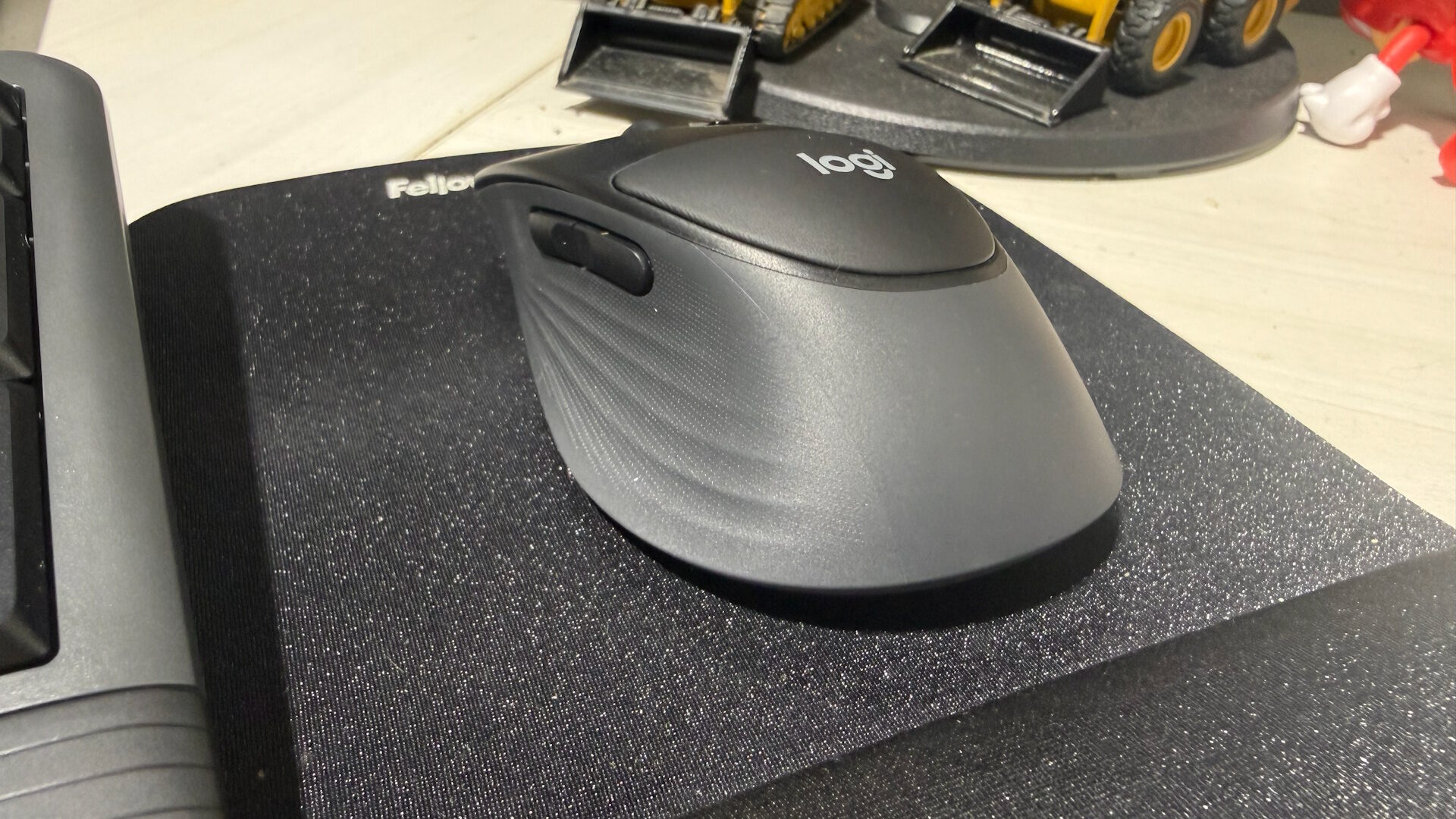
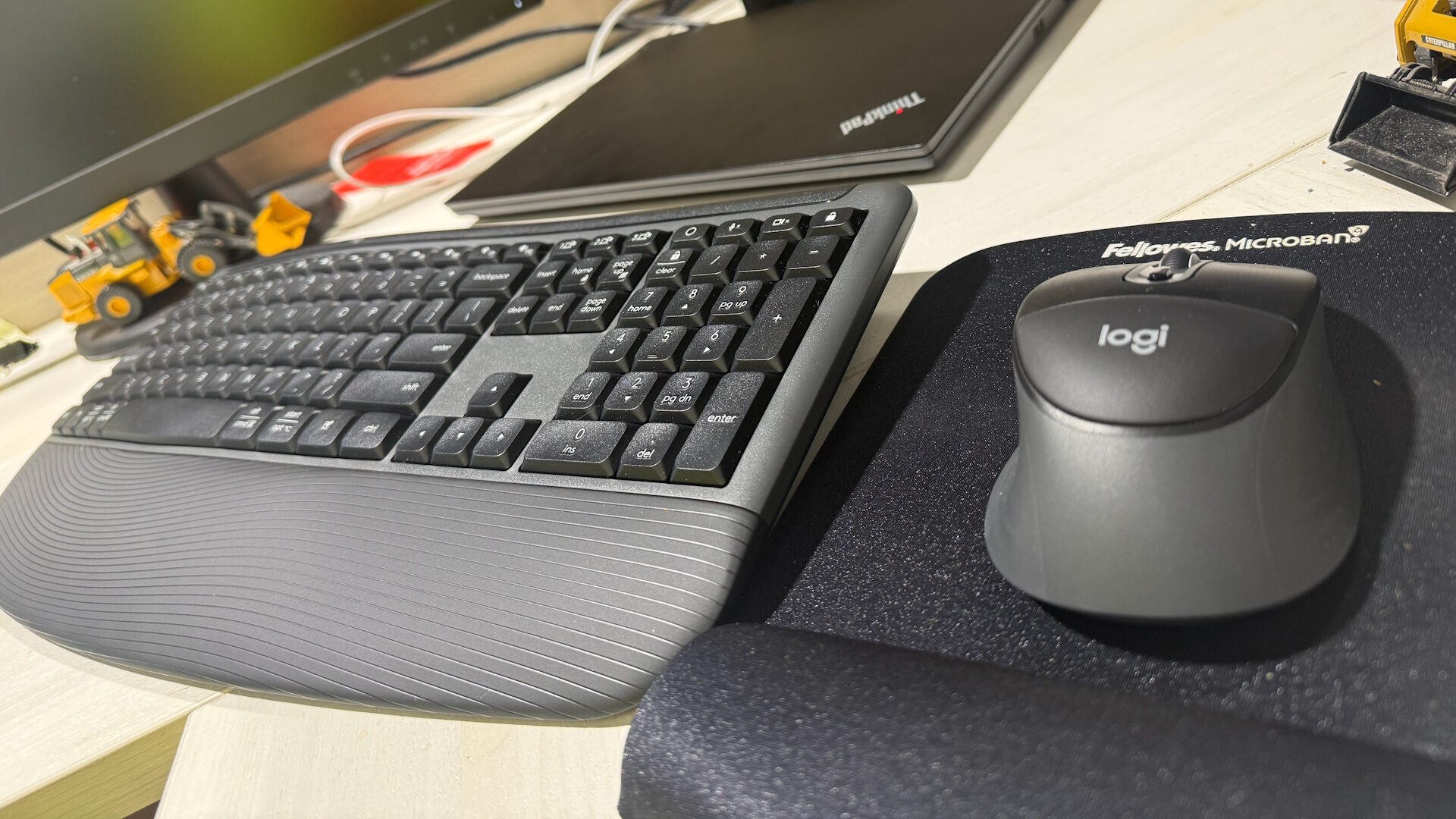
First taking a look at the mouse, the Logitech M850 L, it sports a fairly typical design with some noticeable features that make it one of the best and most comfortable mice I have used to date. As someone who has smaller-sized hands, finding a mouse that fits my hand well without being too large or unwieldy can occasionally be a challenge for me. In this regard, the Logitech M850 L fits my hand perfectly. Just below the click buttons, Logitech has inserted a foam pad to enhance comfort, something I thoroughly enjoyed during my time of using it.
Clicks and scrolling were nearly silent, making it ideal for use in quiet environments. I also found this to be nicer after some long days at work, as some louder and clickier mice tend to get annoying after a while. The side buttons are slightly more audible; however, these aren’t something I need as much as the click buttons, therefore making them more tolerable.
The keyboard, the Logitech K880, looks like a fairly typical full-size desktop keyboard that also packs its own share of nifty features that I found myself enjoying while in use. Similar to a laptop, Logitech has given the function key row a number of different shortcuts, such as volume or track control, that make using the keyboard when paired with a laptop much more convenient.
Similar to the Logitech M850 L mouse, Logitech has also given the K880 a comfortable foam wrist rest to comfort your wrists during longer typing sessions. I had no issues with getting up to full speed when typing on this keyboard, and it felt somewhat reminiscent of the keyboards I used to do programming with back in my high school years.
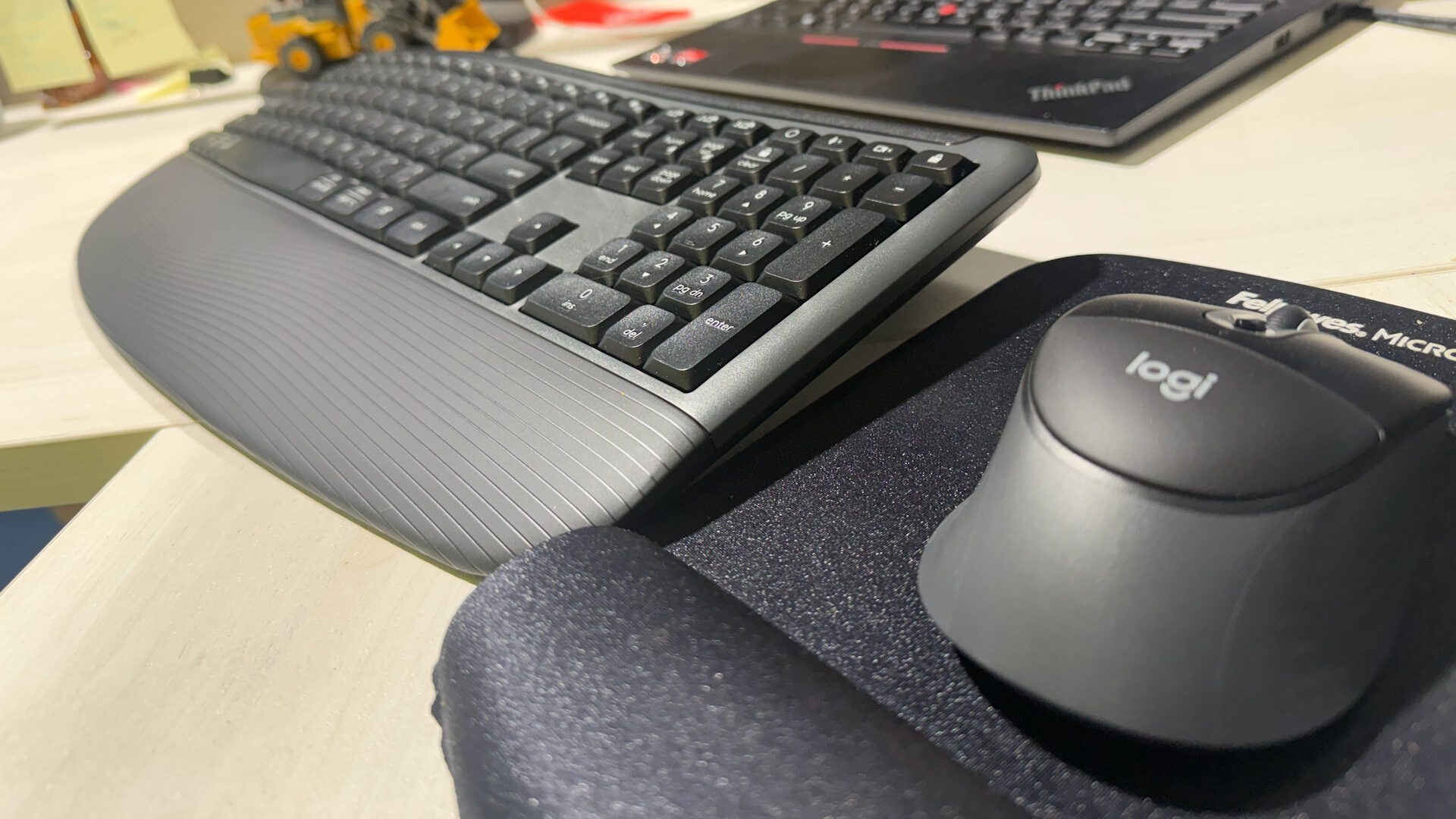
Keys all had what I feel is a perfect amount of key travel for my liking without sounding overly loud when typing. While there isn’t any fancy RGB or lighting as you find on gaming keyboards, this likely won’t be a problem to anyone unless they are looking to fancy up their gaming setup. Offices are usually all properly lit, so this is not a problem to me and shouldn’t be to the appropriate target audience.
For those who want to tilt their keyboard when typing, Logitech has built in 2 different folding leg heights to angle the keyboard at 0, 4 or 8 degrees, so everyone should be able to find an angle suitable for their needs.
A feature I hope I don’t need to take advantage of, although great to see here, is the inclusion of making the keyboard spill-resistant. This will be great in cases where you accidentally spill your water bottle or cup of coffee on your keyboard or if your kids happen to spill their drink on your keyboard. I have seen this on laptops, but this was the first time I have seen it on an external keyboard.
Both units use conventional batteries (1x AA for the mouse and 2x AAA for the keyboard), making keeping them ready to use a simple task. The pair also boast very long battery life, ensuring you won’t need to search for batteries very often either.
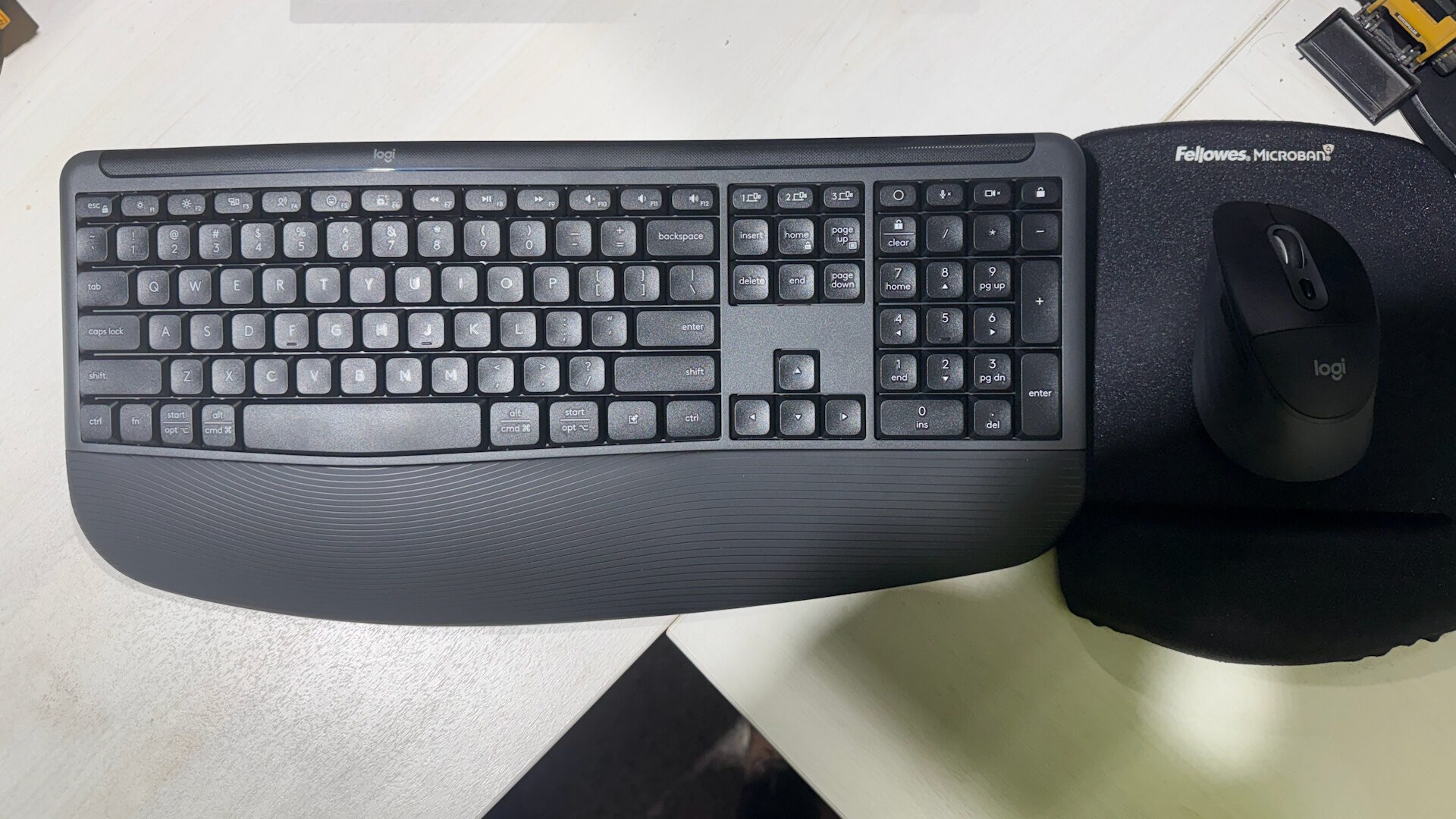
For those users who use multiple computers, both units can be used with up to three computers at once with the press of a button, making switching between computers quick and seamless. While I never found myself making use of this, friends of mine who work in offices with both a desktop and laptop would find this exceptionally useful.
In my time of using the Logitech Signature Comfort Plus MK880 Combo set, I found both the mouse and keyboard worked as expected while not only offering superior comfort and ergonomics, but also helping boost my productivity with their added functionality. These would make an excellent set for anyone looking for a new keyboard and mouse who wants to make their workflow more efficient and who uses their computers for long periods of time. At $99.99, the Logitech Signature Comfort Plus MK880 Combo is well worth checking out and, in my mind, provides excellent value for the cost.

- All-day typing comfort: With a curved dual-foam palmrest for silky-soft support and adjustable tilt legs, this Bluetooth keyboard supports a natural typing position for longer workdays
- Enhanced comfort for your palm: The right-handed mouse adapted for most hand sizes is sculpted with an innovative built-in palm cushion and comfy side grips, for everyday comfort and fit