

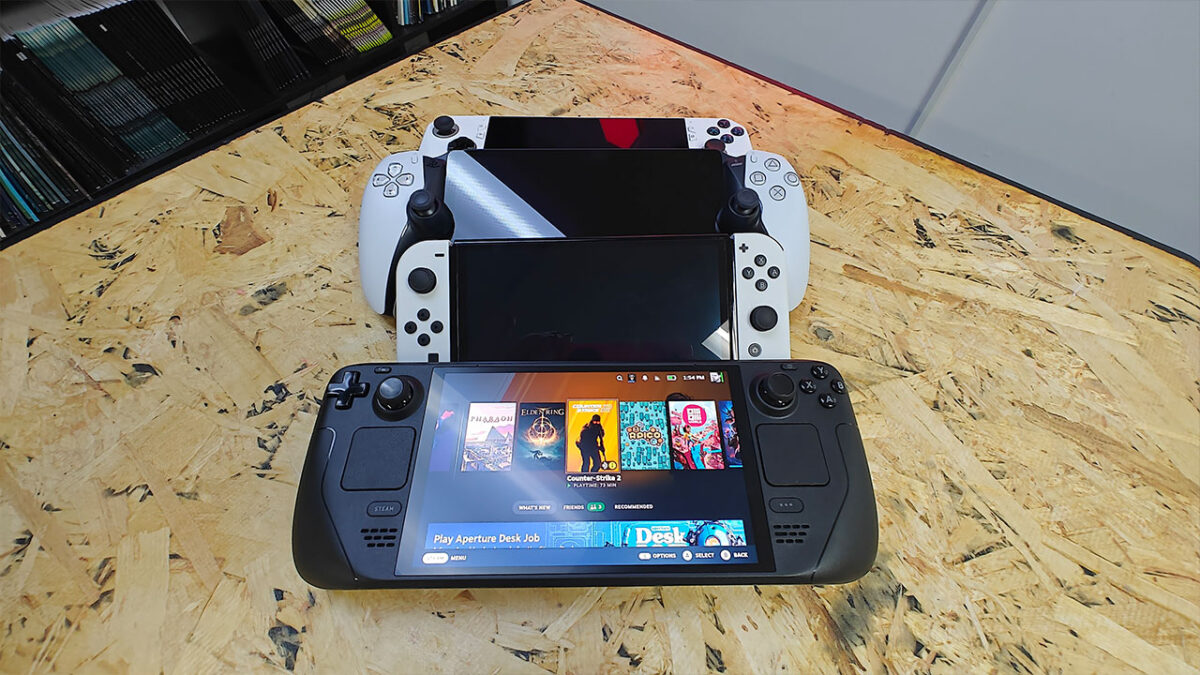
Hotel Wi-Fi was built for phones and laptops. A Steam Deck or Switch can get online in most rooms, but the route there is rarely the obvious one.
Getting a Steam Deck Past the Hotel Wi-Fi Login Page
Most hotels put a captive portal in front of the internet: a web page that wants a room number and a surname before any traffic gets through. Phones spot it and open the page on their own. SteamOS is less dependable.
In Gaming Mode, the Steam Deck often joins the network, shows a full signal icon, and then sits there with no connection because the sign-in page never loaded. Threads on Valve’s community forums have described this since August 2022, and the fix that keeps coming back is always the same. Press the Steam button, choose Power, then Switch to Desktop. Connect from the system tray, open Firefox and type any plain web address. The hotel’s page should take over the tab.
Sign in, return to Gaming Mode, and the session normally carries over. Many hotels expire guest sessions after a day, so expect to repeat the routine.
Blocked Ports, Strict NAT and a VPN That Won’t Connect
The login page is only the first filter. Travellers who run a VPN on a Steam Deck (mostly to protect a Steam login on shared Wi-Fi) tend to hit the second one within minutes: the tunnel never establishes, because the hotel drops the ports and protocols it depends on. Gizmodo’s testers ran into the same wall on office, school and hotel networks, and their guide to getting past those blocks comes down to a handful of settings, including an obfuscated protocol, TCP over port 443 or a switch to mobile data. Consoles have a different problem, and it has a name: NAT.
Run the connection test in System Settings on a Switch, and the console grades the network from A down to F. Nintendo’s support pages warn that a stricter NAT type can stop a console from connecting with other players at all, and hotel networks rarely score well. In practice, Mario Kart World lobbies time out and Splatoon 3 matches drop during matchmaking. GameChat on Switch 2, which needs a persistent connection and a Nintendo Switch Online membership, is usually the first thing to fail. Nothing on the console fixes this. The router belongs to the hotel.
The Switch Says “Registration Is Required”
Nintendo’s hardware handles portals better than its reputation suggests. Join the network on a Nintendo Switch or Switch 2 and the console reports that registration is required to use this network, then opens a stripped-down browser for the hotel’s form.
When that page fails to appear, the console throws error code 2110-3400. Nintendo’s own guidance is blunt: update the system software over a different connection, then try again. The company also concedes that some networks are simply not set up to support the console.
There is a low-tech alternative. Call the front desk and ask whether they can register the console’s MAC address, which is listed under Internet in System Settings. Properties that already do this for guests’ streaming sticks tend to know the drill. Others will have no idea what the question means.
Do the Heavy Downloads Before You Leave
Hotel bandwidth is shared across hundreds of rooms and frequently capped per device. Baldur’s Gate 3 runs well past 100 GB on a Steam Deck, and no guest network is the place to find that out.
So the real preparation happens at home. Launch every game once on a trusted connection so first-run setup and shader caches are finished, then put the Deck in Offline Mode and confirm each one still opens. On a Switch, let cloud saves sync before the console goes in the bag. Single-player games do not care what the hotel’s NAT type is, and a week of Hades II needs no hotel Wi-Fi at all.
A Phone Hotspot Beats Arguing With the Router
When online play matters, a phone hotspot is the shortest path. Both handhelds treat it like a home network: no portal, no registration page, no front desk. Mobile carriers apply their own NAT, so results vary, but an online match uses a small fraction of the data a game download does. Canadians crossing into the United States should check that their roaming plan allows tethering before counting on it.
A pocket travel router is the other option. It signs in to the portal once and shares the connection with everything else, though some hotels forbid personal routers in their terms of use. Read them first.
And look behind the desk. Older business hotels often still have a live Ethernet jack in the room, and both the Switch 2 dock and the Switch OLED dock have a LAN port built in. For a Steam Deck, a USB-C Ethernet adapter weighs almost nothing. It is the least glamorous item in the bag, and some nights it is the only one that works.