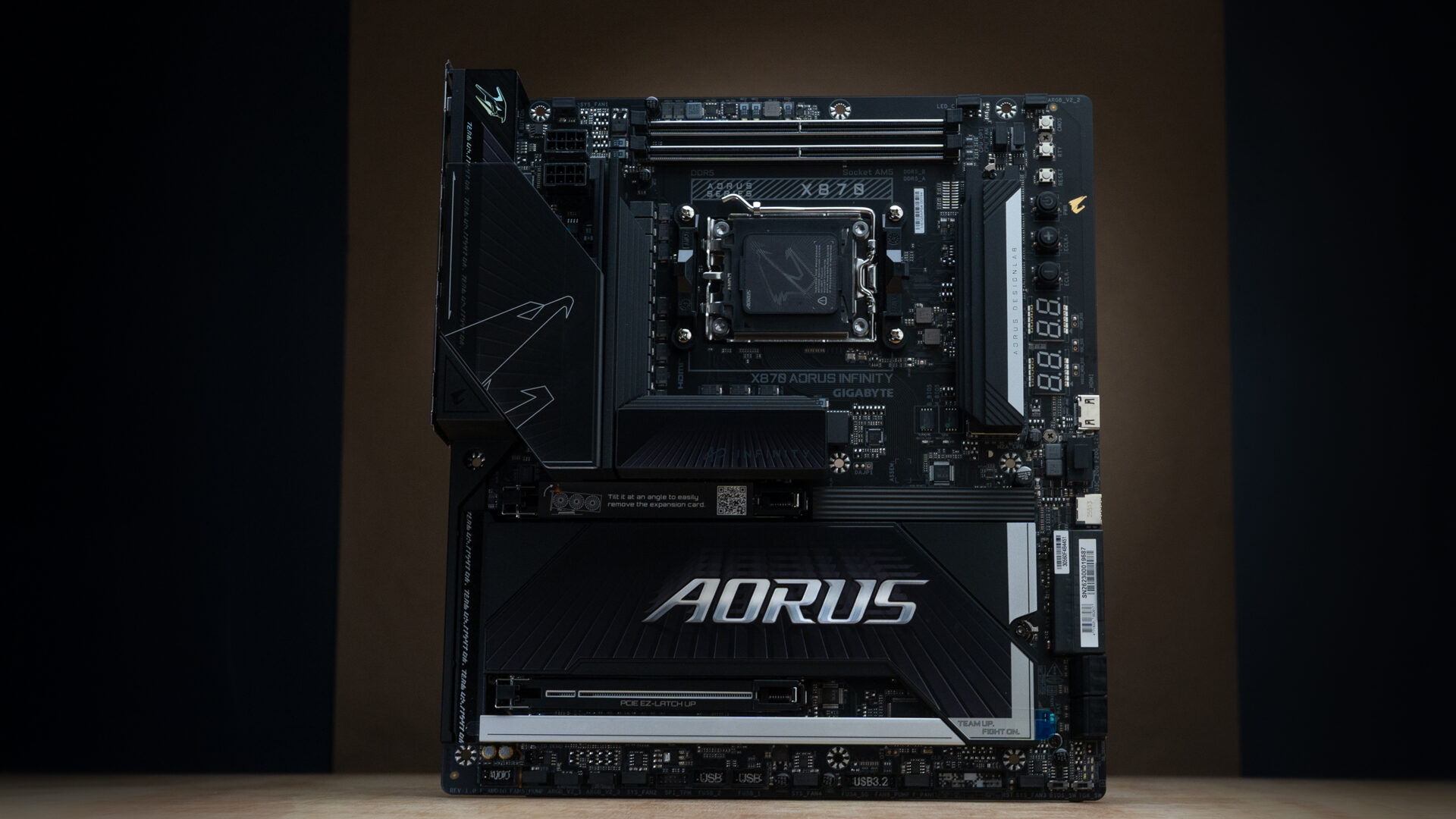


GIGABYTE has had an interesting year. To celebrate its 40th anniversary, the company has been releasing unusual, over-the-top motherboards at a breakneck pace. The X870 AORUS INFINITY is one of its most impressive—and strangest. While most motherboards target gaming or content creation, the limited-edition X870 AORUS INFINITY is built for extreme memory overclocking. Its dedication to speed comes with a premium price and a hit to versatility, but if you’re chasing record-setting benchmarks, it’ll be hard to find a better platform.
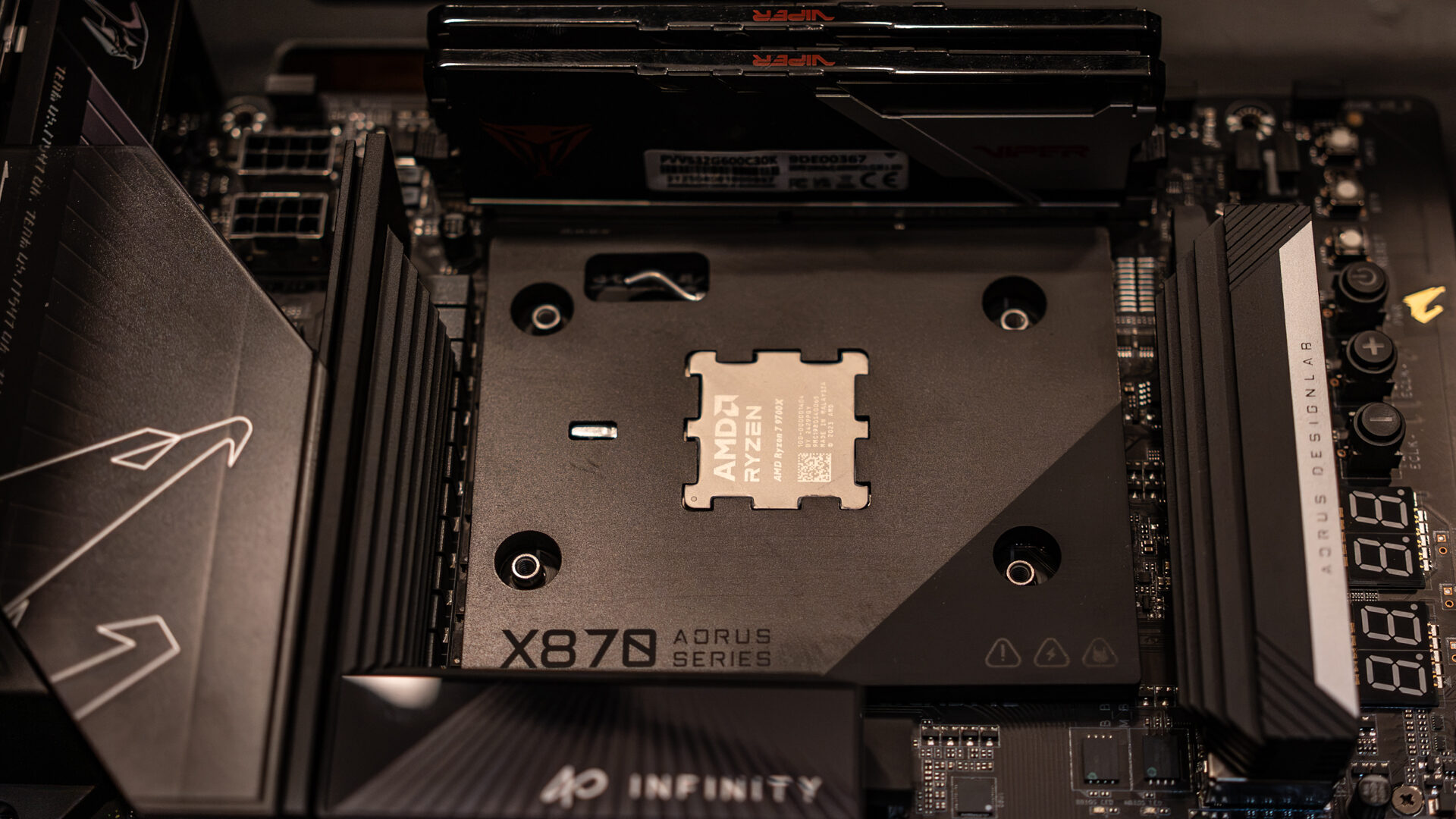
Usually, the difference between limited and standard edition motherboards is branding or colour. Here, the changes are so substantial that you’ll have to reassess your build. The board has a unique layout that rotates the AM5 socket and VRM 90 degrees, with DIMM slots that sit above the processor instead of beside it. There’s only room up there for two DIMM slots, but their proximity to the CPU allows memory overclocking up to 11400 MT/s. The memory’s previous position is now home to an x4 NVMe slot. SATA, USB, and ATX power connections have been clustered on the bottom half of the board to make room for code displays and overclocking buttons.
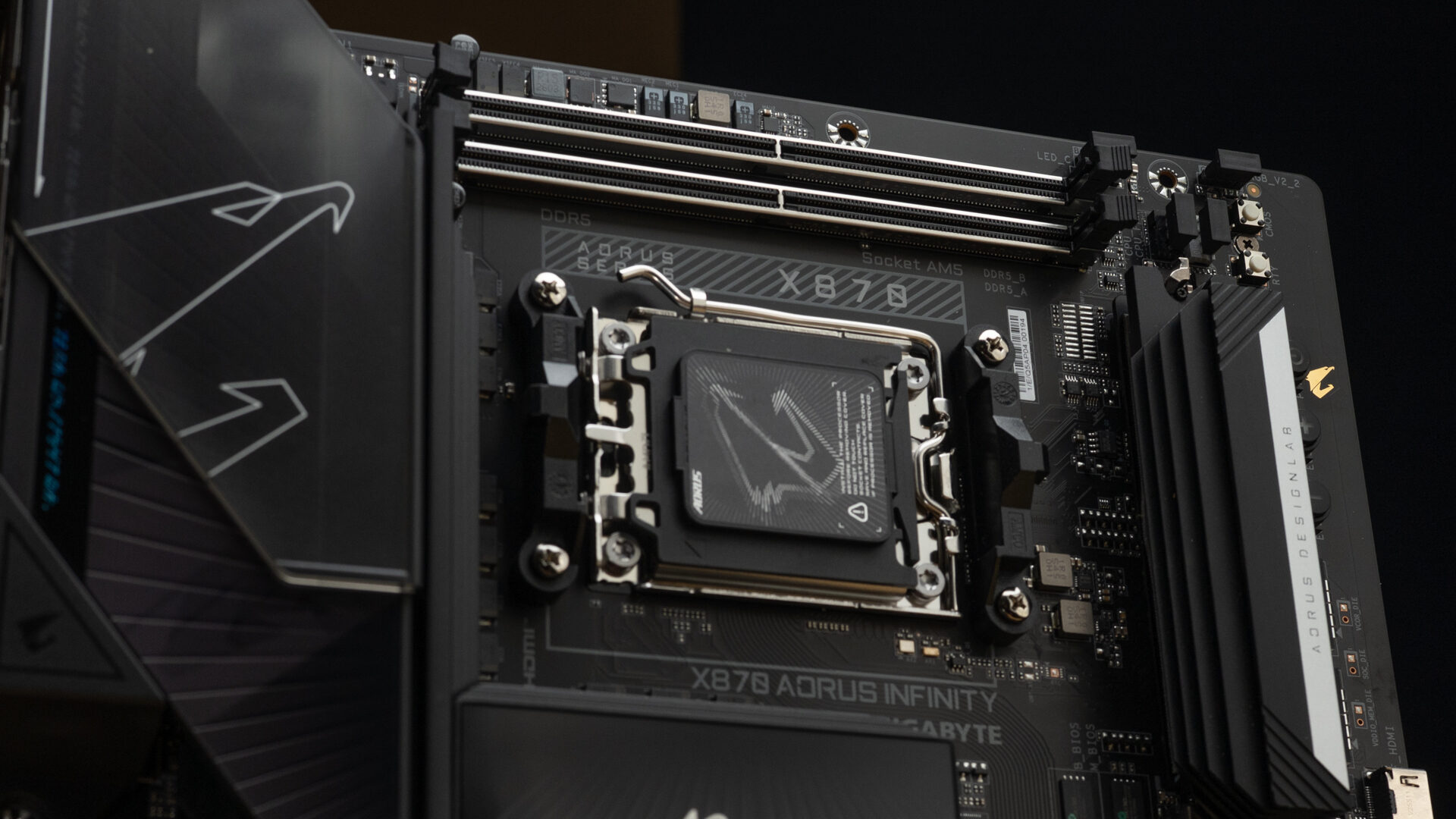
The X870 AORUS INFINITY has a lot in common with GIGABYTE’s other flagship overclocking motherboard, the X870 AORUS TACHYON ICE. The two boards share a rotated layout, an 18+2+2 110A VRM design, and the same rear I/O arrangement. What’s been upgraded are the potential memory speeds, the wireless module, and the addition of 65W fast charging to the internal USB header. The only compromise is some lane splitting between a secondary NVMe slot and the USB4 controller.
“The X870 AORUS INFINITY is one of the most impressive overclocking boards ever made, but it’s arrived at the worst possible time.”
The biggest change has been made to the thermal design. Much like the X870E AERO X3D Wood, the X870 AORUS INFINITY has a full-coverage all-metal backplate. The company claims this increases thermal performance by 14%. I’m inclined to agree. In my benchmarking, HWinfo reported VRM, chipset, and mainboard temperatures that were five degrees cooler than plateless motherboards in near-identical test builds.
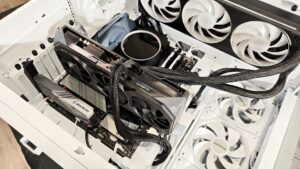
More impressive were the CPU and DIMM temperatures. Even when overclocked, memory temperatures idled at 30 degrees, down from 35-40 on the X870E AERO X3D Wood and CVN X870 ARK Frozen. CPU temperatures were harder to judge because my tests used an NZXT Kraken Elite 360 AIO cooler, which is an absolute monster, but the readouts after benchmarking dropped noticeably faster than on other motherboards. Both improvements are from the new CPU thermal matrix, which is a heatsink that shrouds the CPU and isolates the memory from the VRM. It’s an optional feature, but I can’t think of a reason not to use it.
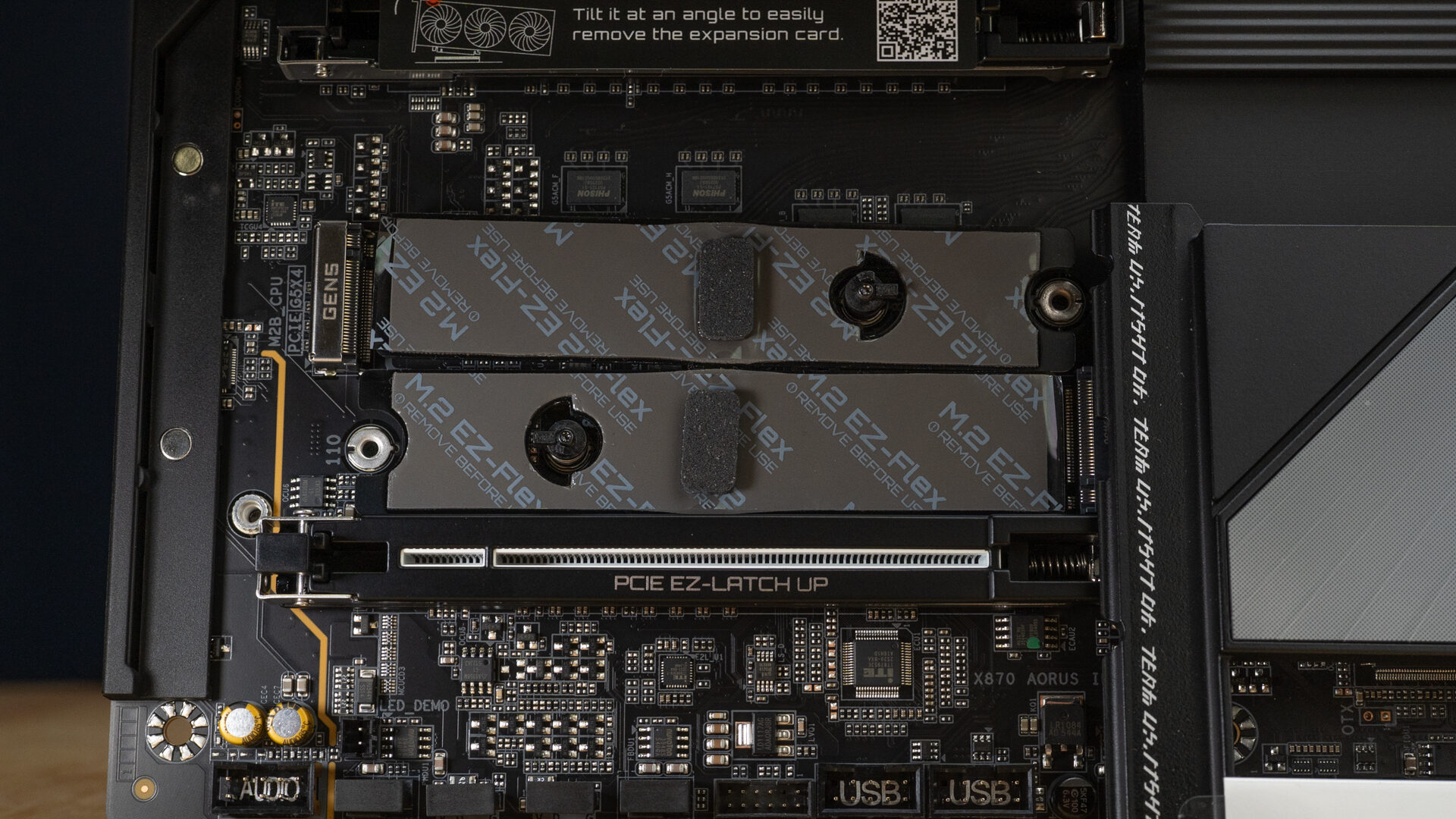
Installing a high-end motherboard is always a pleasure, but the user-friendliness here is on another level. There’s an attention to detail on every piece you interact with that’s rare even at a flagship level. Drive covers and heat shields naturally slide into their magnetic attachment points and can be locked in place with a light press. Power cable sockets have external metal liners. The CPU power connections even have a sliding shroud that can partially mask the cables. Everything is designed to be worked with one hand and sturdy enough to rework without wear. Which is what you want for a board that’s intended to be tinkered with.
The only place this user-friendliness didn’t work for me was in the latchless PCIe card slot. The locking mechanism is a spring-loaded tab that’s supposed to release when you lift the back of the card. It does work that way, but it also works if you pull on any section of the card. It didn’t feel terribly secure, and even if it did, I’ve never lamented having to push a button or flick a release switch.
My other gripe is versatility. The odd rotated socket layout all but locks you into a water-cooling system. Modern high-performance air coolers like the Be Quiet! Dark Rock Pro 6 have immovable front-mounted fans. The socket’s orientation faces those fans downward, pulling in hot air from the GPU. To make an air cooler work, you’d have to design an offset mount to rotate the block. If you’re overclocking, chances are you’re using water anyway, but air-cooled builds are a whole category in overclocking circles.
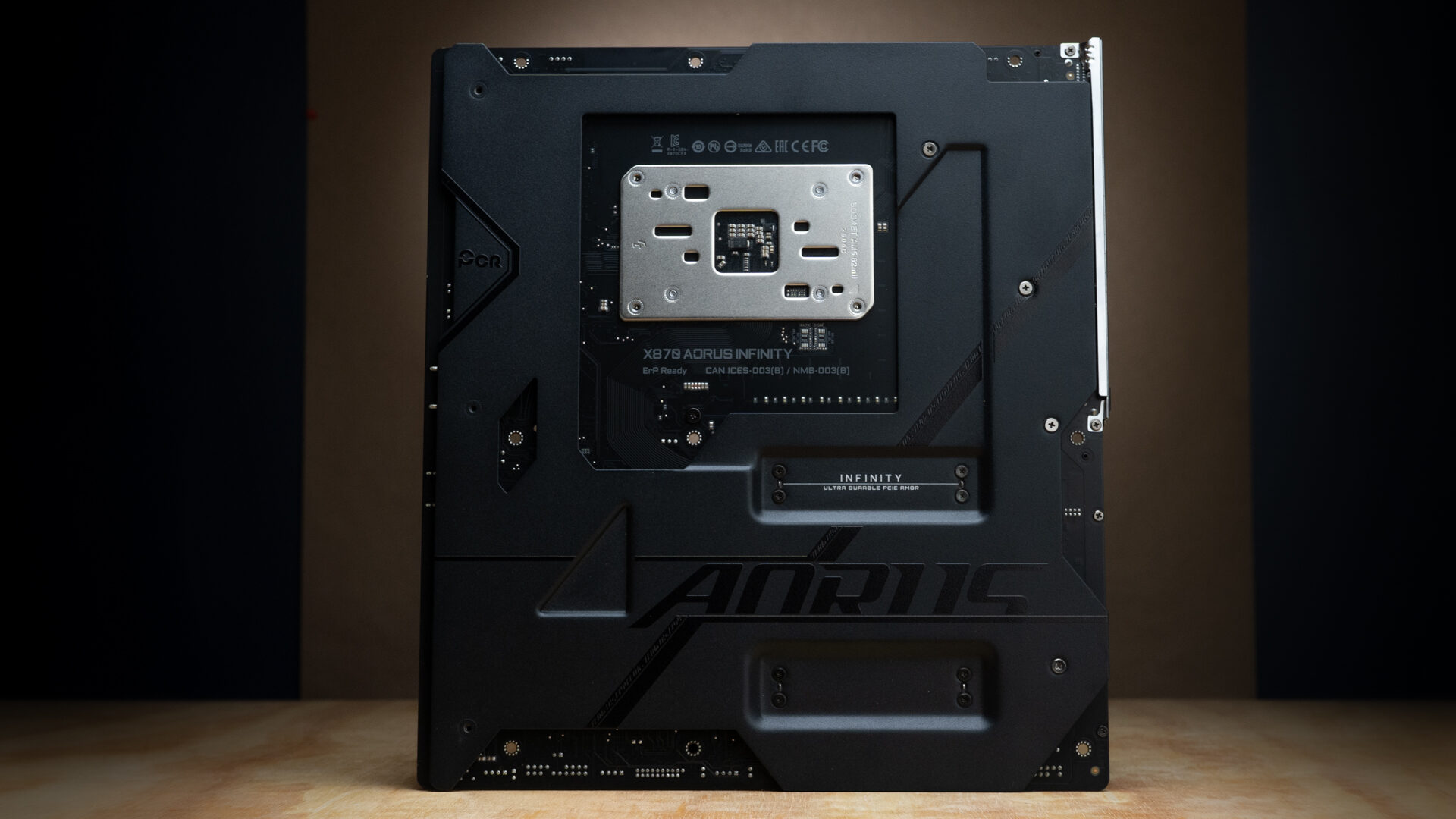
I only bring this up because “gaming-performance” is a predominant part of the marketing pitch. Gamers like myself prefer high-end air coolers for their reliability and cost-to-performance ratio. But if you can afford an eight-hundred-dollar memory overclocking motherboard during a RAM crisis, value may not matter. When deciding if this motherboard is for you, consider this: it’s the only board I know of that includes mounting hardware for liquid nitrogen pots.
“For ordinary gamers, buying the X870 AORUS INFINITY is akin to getting a Veyron for your daily commute.”
Once the board is installed, setting up your overclock settings in the UEFI is as intuitive as it gets. The menu layout is very similar to other GIGABYTE motherboards, but if it ain’t broke, don’t fix it. There’s an easy mode for selecting EXPO profiles and enabling X3D Turbo Mode 2.0. The advanced tab offers granular control with real-time performance readouts. Once in Windows, users can also run the unfortunately named “AI Snatch”. This utility scans your system and makes custom memory profiles. The results aren’t crazy, but you can expect some very mild gains without sacrificing stability.
It’s been a while since I had the chance to play around with dedicated overclocking hardware. I got lost in the weeds experimenting with this motherboard but couldn’t avoid a hard fact: overclocking isn’t what it used to be. CPUs are more efficient than ever and don’t leave a lot of headroom for practical improvement. The same is true for memory, but with the added complication of RAM becoming increasingly rare.
The X870 AORUS INFINITY is one of the most impressive overclocking boards ever made, but it’s arrived at the worst possible time. $799.99 is an exorbitant price for a motherboard, especially considering that the memory you’ll want for it can cost twice that—if you can find it. If your goal is benchmarks, this will be what it costs to top the charts. For ordinary gamers, buying the X870 AORUS INFINITY is akin to getting a Veyron for your daily commute. But like a Bugatti, it’s not about need; it’s about flexing. But if you’re into performance computing or conspicuous consumption, the X870 AORUS INFINITY will deliver.

- X3D Turbo Mode 2.0 : Incredible X3D performance unleashed by AI, DDR5 OC up to 11400MT/s
- AMD Socket AM5: Ready to support AMD Ryzen 9000/8000/7000 Series Processors.