
The Logitech Mobi Fold is the company’s first foldable mouse peripheral designed for compact portability and longevity. With a unique hinge system, impressive battery life and adaptable connectivity, the Mobi Fold is an impressive piece of tech. While it provides a solution for business professionals with a full mouse experience on the go, its square design falls a bit flat. The result is a mouse that might not be for everyone.
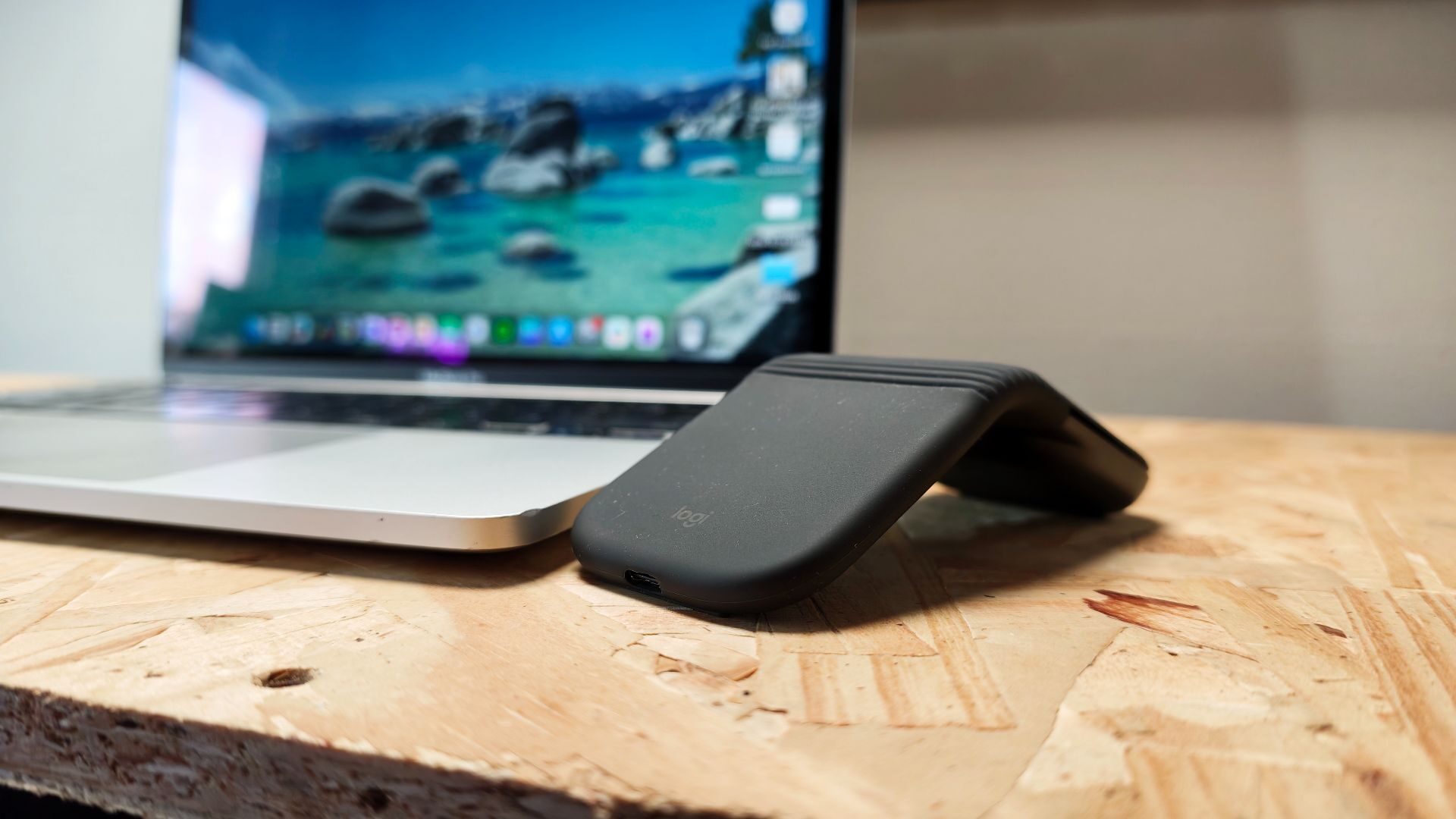
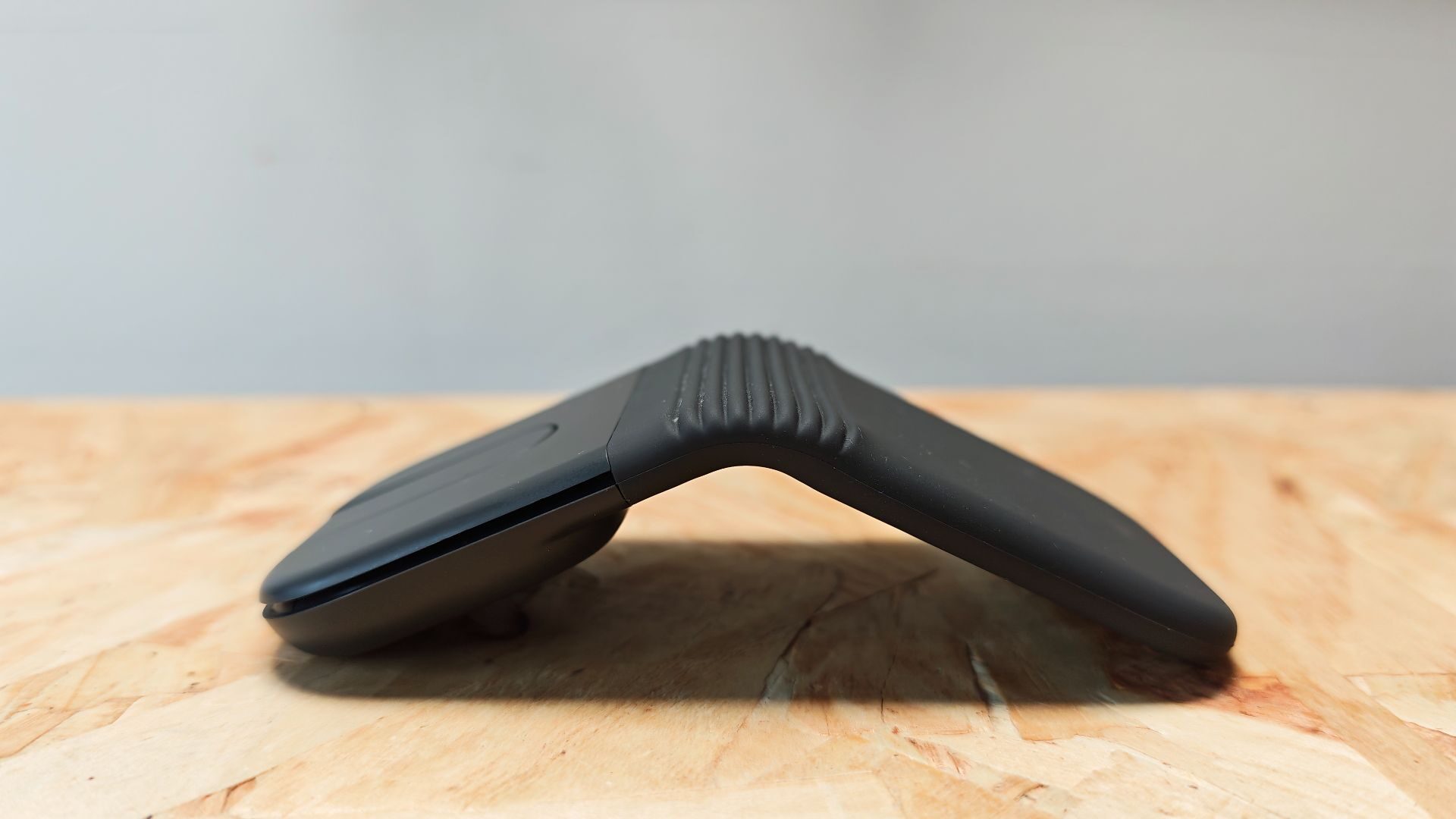
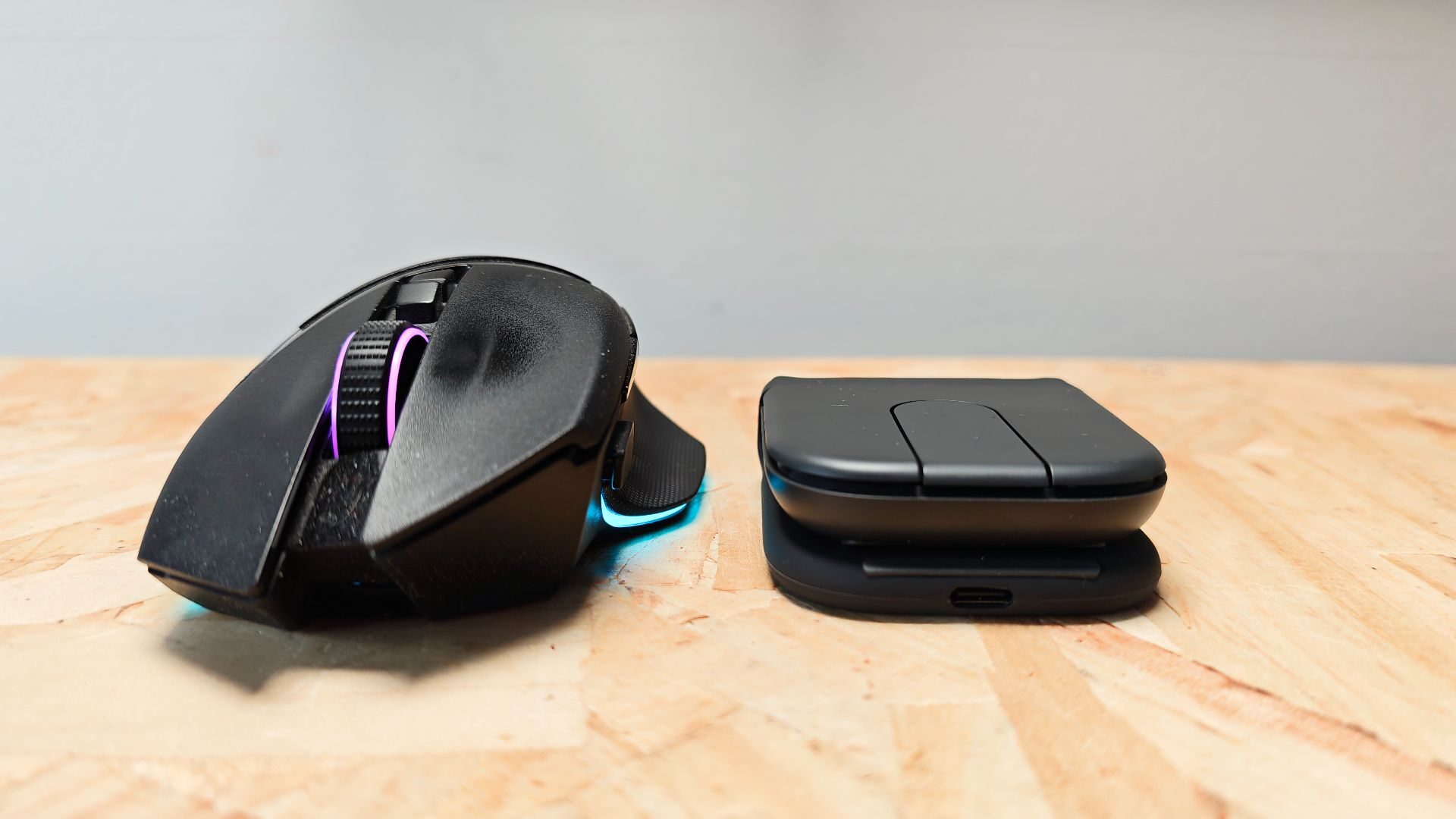
The standout feature of the Mobi Fold is, of course, its foldable design. Leveraging a unique folding hinge system, this 79g mouse becomes a pocket traveller with a simple folding action. A silicon shroud covers the back two-thirds of the mouse, hiding the technology and providing a soft palm rest for users. When folded, the Mobi Fold measures a mere 21 x 66 x 57mm, ideal for storing in your bag or pocket. When unfolded, these measurements expand out ot 33 x 122 x 57mm, similar in width and length to a standard mouse.
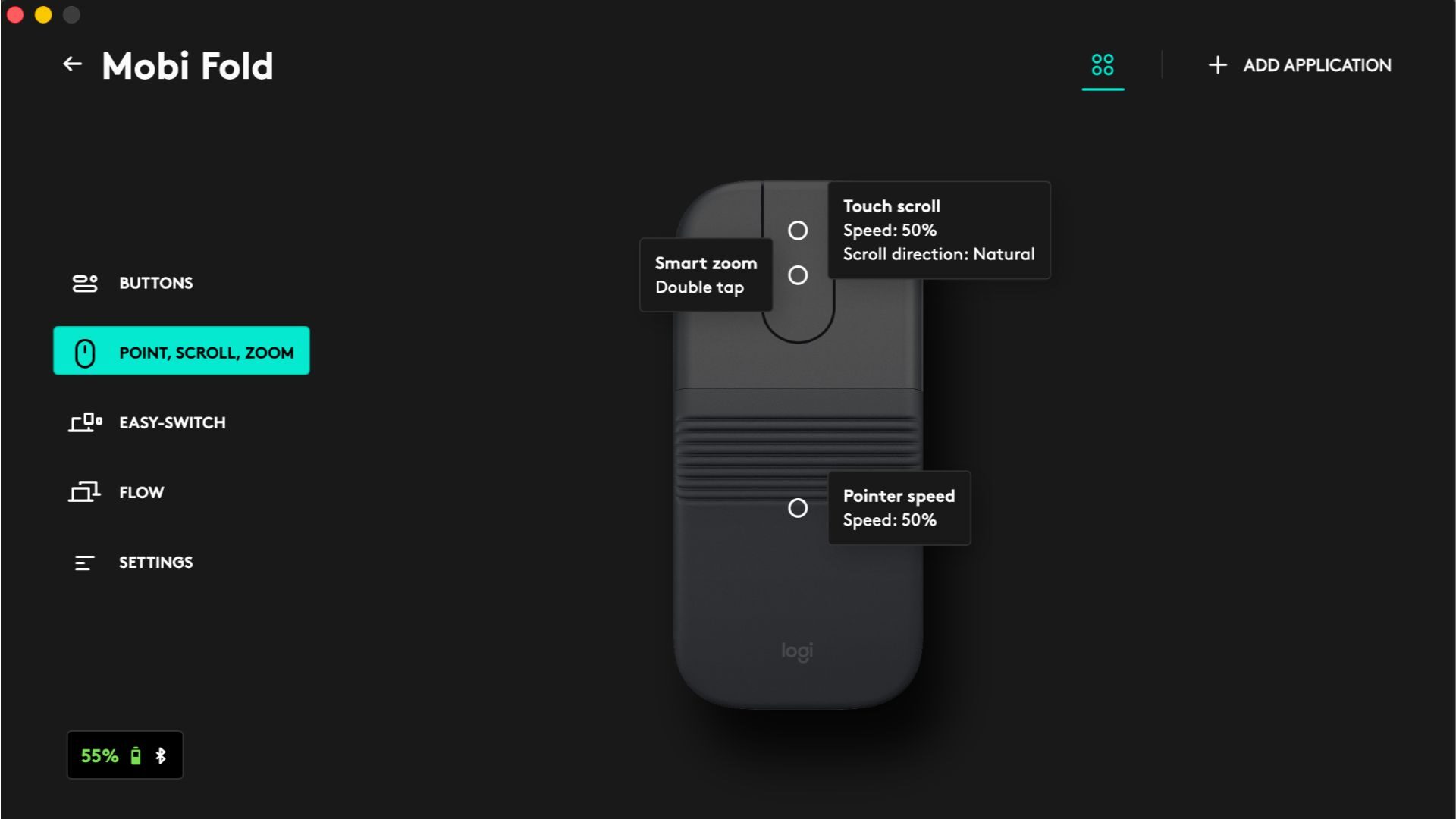
Along with the standard two primary mouse buttons, which feature an impressively quiet clicking mechanism, the Mobi Fold also includes two customizable buttons on the touch panel that adjust scrolling sensitivity. Programmable in Logi Options+, these buttons enable users to tailor the experience to their needs.
“With a unique hinge system, impressive battery life and adaptable connectivity, the Mobi Fold is an impressive piece of tech.”
Examining the underside of the mouse reveals the single Bluetooth selector switch, allowing the Mobi Fold to support up to three devices with ease. It instantly switches between devices without skipping a beat, which is ideal for those using multiple devices in their setup. While Bluetooth is a fairly universal connection method, it’s worth noting that Logitech has included the Fast Pair Certification for Google users, which provides instant connection to compatible devices, such as the Asus Chromebook I had in the office for testing.
A single USB-C port on the rear of the palm rest supports charging for the Mobi Fold, though the mouse doesn’t come with a charging cable. This seems a bit odd considering the inclusion of a rechargeable internal battery, but it is safe to assume that most users have a spare USB-C cable lying around.
On the note of charging and battery longevity, the Mobi Fold is quite impressive. Leveraging the mouse’s Bluetooth (Logi Bolt connection is also available but not included), I’ve yet to actually charge it despite having used it as my daily driver for the past couple of weeks. According to the specs, the Mobi Fold is rated for up to a month on a single charge, which is substantial. More noteworthy, though, is the impressive one-minute quick charge that provides the mouse with up to 22 hours of use from zero percent.
“The Mobi Fold is rated for up to a month on a single charge, which is substantial.”
As someone who constantly forgets to recharge my mouse and relies on Razer’s HyperFlux v2 charging mat, being able to charge for only a minute to get back to work is a lifesaver. This quick charge is one of the best I’ve tested in a mouse. It’s a smart and impressive feature to see in a sub-$100 mouse.
While I couldn’t obtain the exact specifications of the optical sensor used in the Mobi Fold, the information provided indicates it is a 4K DPI sensor. In testing, sensor functionality works fairly well. Movement is smooth and consistent, and accuracy feels good enough for daily work with spreadsheets, browsing, etc. While there are no numeric DPI settings available through Logi Options+, the speed, along with an assortment of other adjustments, can be managed from within the software.
This foldable design is truly an impressive feat and offers some of the best portability I’ve tested in any mouse to date. In testing, I have enjoyed how compact and lightweight it is. As someone who is always on the go, I’ve found it a great addition to my setup without taking up much space. It feels durable to use as well. The hinge system is sturdy and rated for 15 years of daily use.
My big issue is that while it offers a lot of functionality, it isn’t comfortable to use for long periods of time. The squared-off design is noticeable while in hand, and the angle at which the Mobi Fold opens feels awkward to use. Even after a couple of weeks of testing, it still doesn’t feel natural to hold and use. It doesn’t cause discomfort to use as much as it simply doesn’t feel as natural in the hand as other compact mice. It’s a disappointing revelation as I do love so many elements of the mouse and its design.
The Mobi Fold is a unique and innovative mouse. Its impressive battery life, hot-swapping between Bluetooth devices and unique foldable design make it one of the most compact and travel-ready mice I’ve worked with. Its one major drawback is that it does feel awkward to use, and while I’m sure some will find it functional for their needs, this mouse won’t be for everyone.