

The NVIDIA DGX Spark impressed me far more than I expected, and I am starting to understand why these little supercomputers are selling out at most stores. I first saw the DGX Spark at CES 2026, and while it took some time to get a unit into the office for testing, I have to say it delivered on its promise. This little machine lets you free yourself from expensive cloud subscriptions and, depending on your needs, can handle a wide range of tasks.
However, considering the cost, it feels better suited to people building a home lab or business than the average person looking to tinker. Whatever your needs may be, the NVIDIA DGX Spark feels like an impressive piece of technology, especially considering its size.
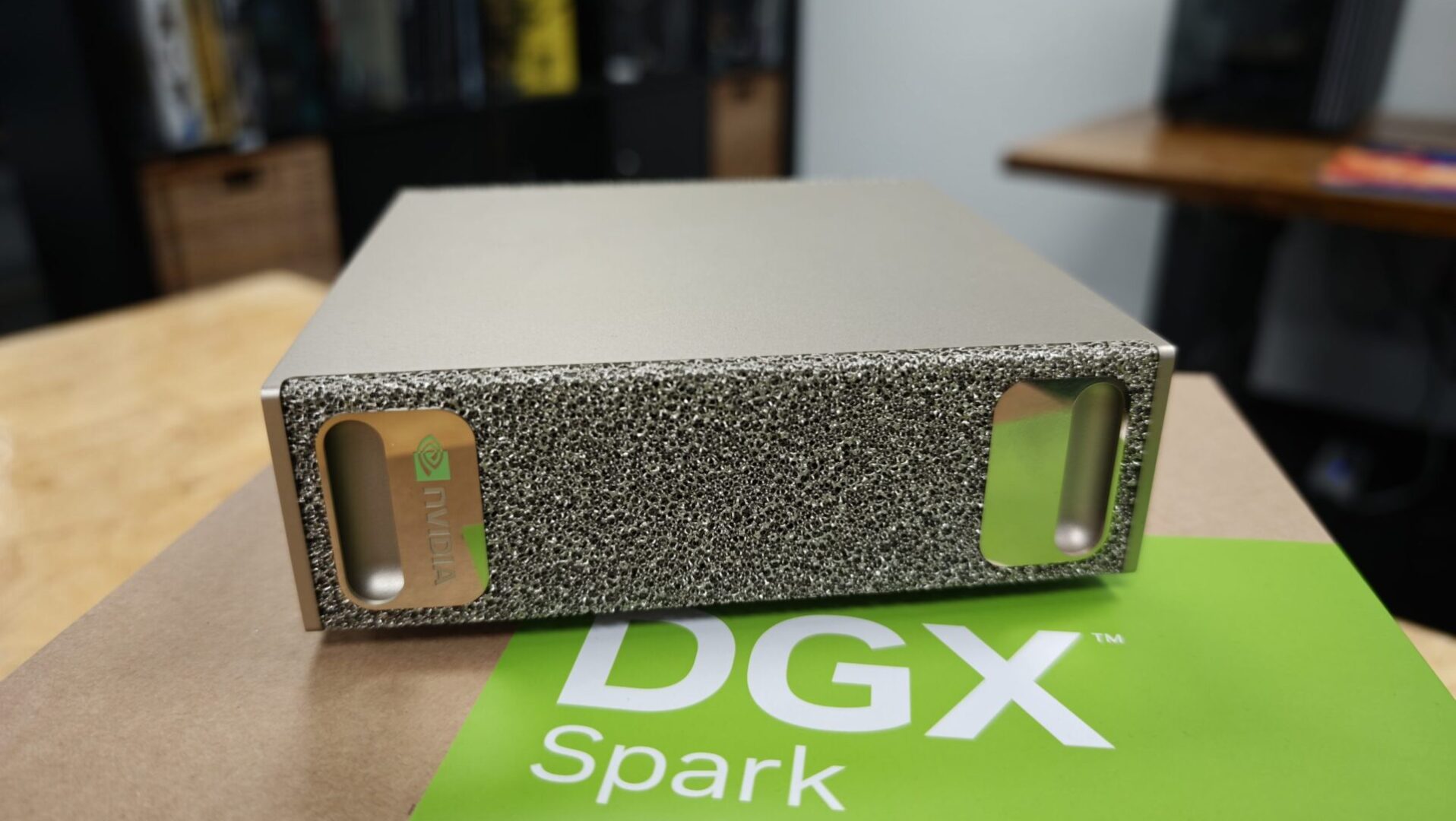
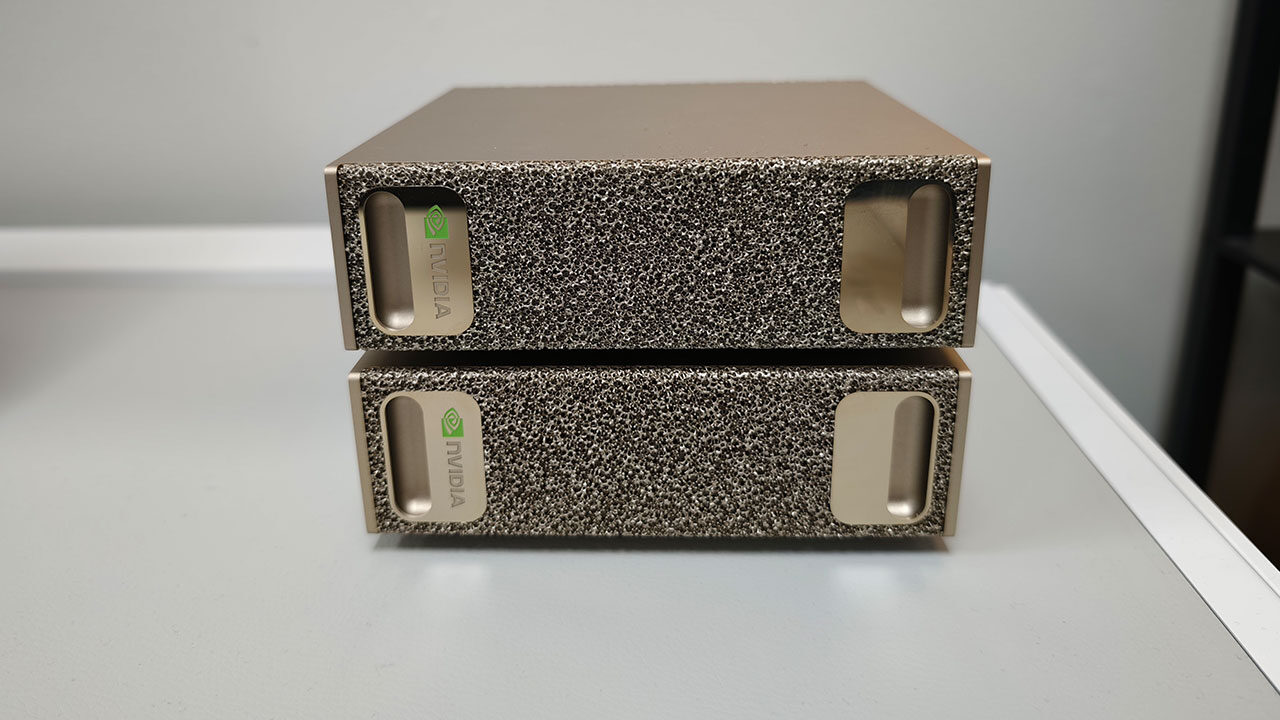
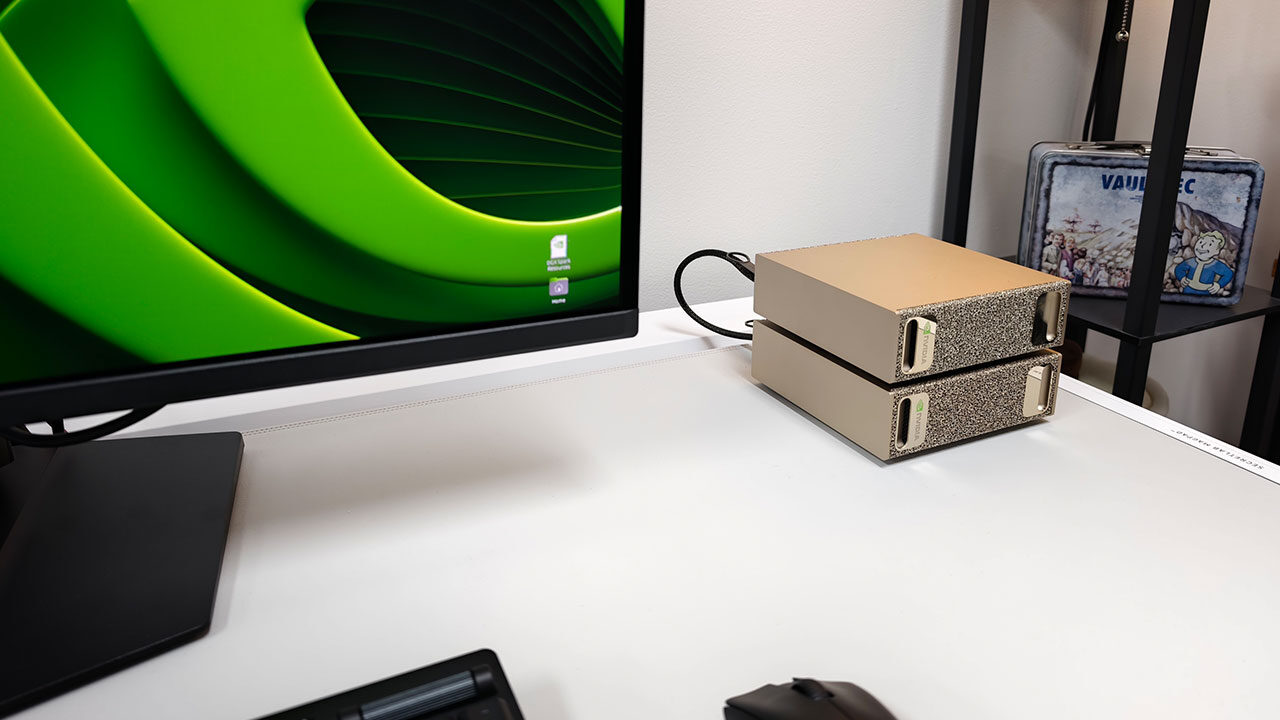
Packed in a relatively unassuming box, the DGX Spark makes a strong first impression. Styled after the DGX-1 supercomputer NVIDIA delivered to OpenAI in 2016, the DGX Spark shrinks that concept into a mini-PC measuring 150 by 150 by 50.5 mm, with a volume of about 1.1 litres and weighing just 1.2 kg.
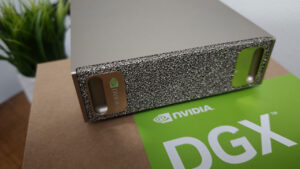
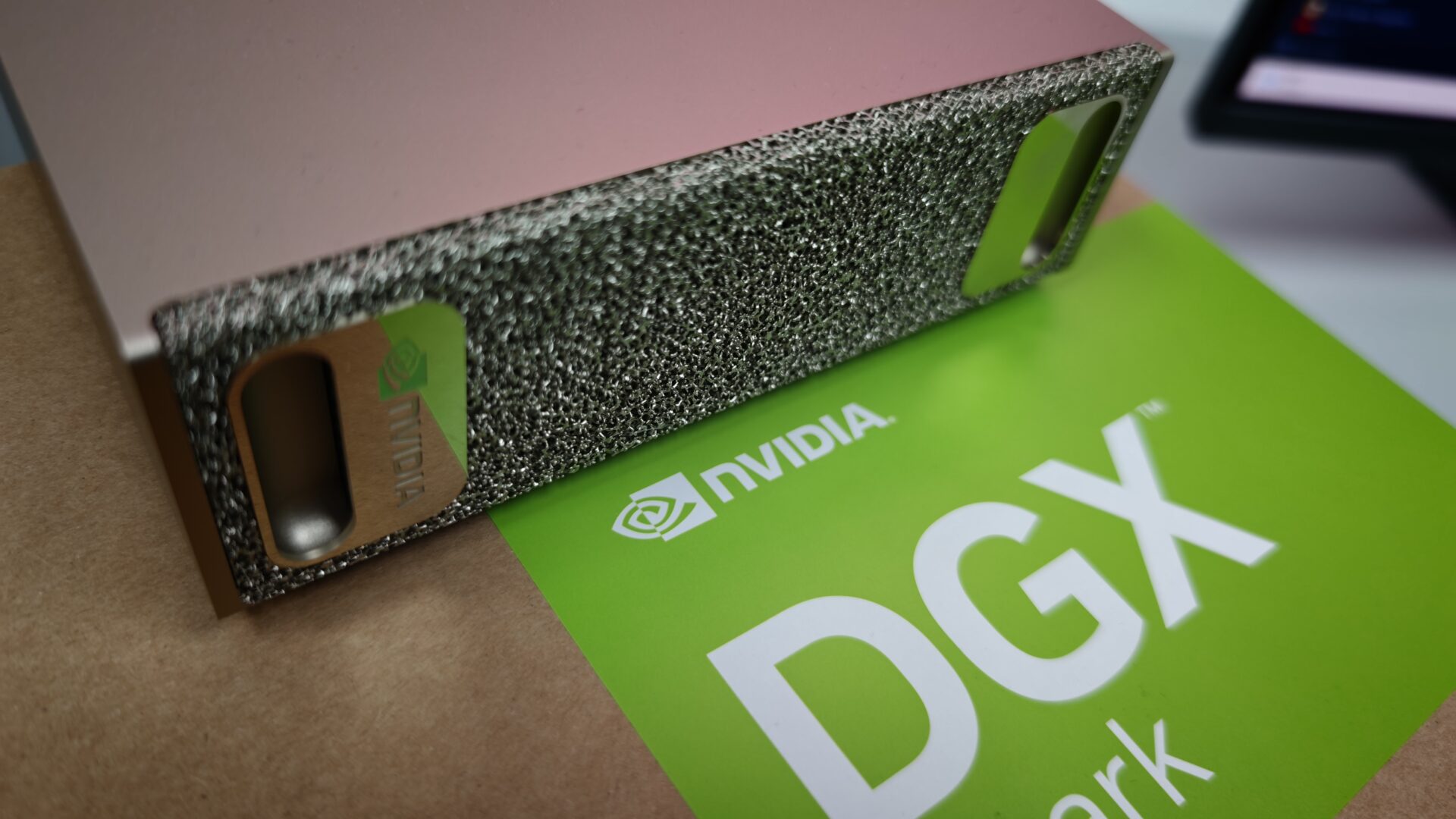
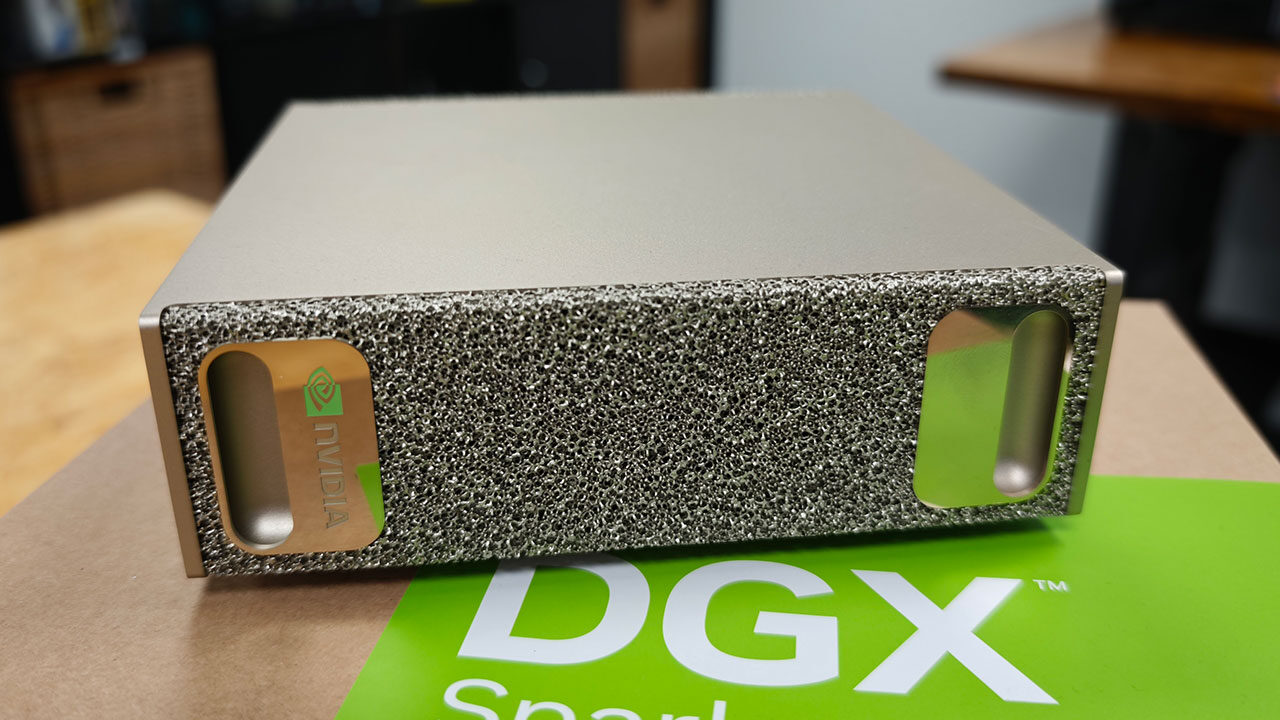
The Founders Edition features a champagne-gold finish, with a rigid metal-mesh panel on the front that mimics the original DGX design while drawing cool air through the chassis. The top and sides feature clean, unadorned metal panels, while the bottom hides a magnetic rubber foot that conceals the Wi-Fi 7 antennas and provides access to the user-replaceable M.2 SSD.
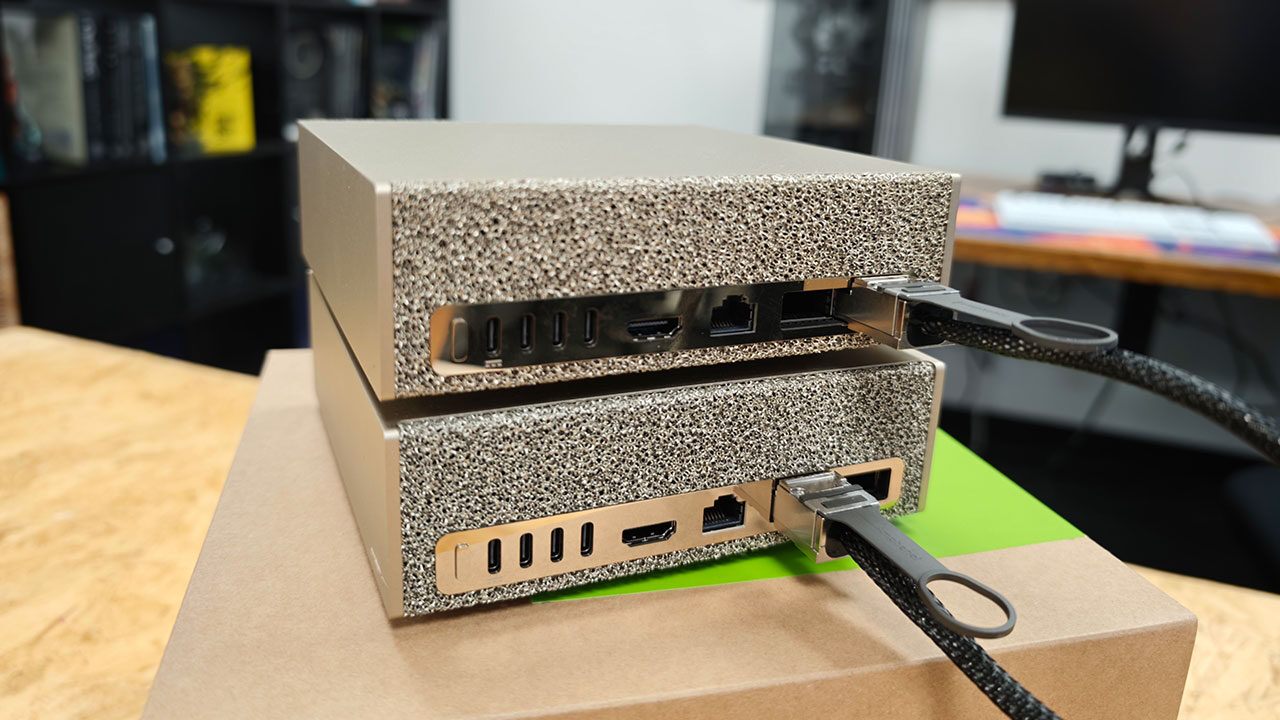
Keeping with the unit’s sleek design, all connectivity is located on the rear panel. Beside the power button sits a USB-C port for the 240-watt power adapter, three additional 20 Gbps USB-C ports with DisplayPort Alt Mode and an HDMI 2.1a output. Networking is where the Spark stands apart from other mini-PCs.
A 10-gigabit Ethernet port handles everyday connectivity, while a pair of QSFP56 connectors driven by a ConnectX-7 controller operate at up to 200 Gbps, allowing two DGX Spark units to connect over a copper DAC cable to form a small cluster. It is an unusual amount of data-centre technology for a desktop machine, but it is central to NVIDIA’s vision for the Spark and part of what makes this little system so impressive.
The DGX Spark is powered by a GB10 Grace Blackwell superchip, developed in partnership with MediaTek. The single package combines a 20-core Arm CPU, split evenly between 10 Cortex-X925 performance cores and 10 Cortex-A725 efficiency cores, with a Blackwell GPU featuring 6,144 CUDA cores, fifth-generation Tensor cores and fourth-generation RT cores.
The CPU and GPU are connected through NVIDIA’s NVLink-C2C interconnect rather than a conventional PCIe link. NVIDIA rates the combined silicon at up to one petaFLOP of FP4 AI compute with sparsity, equivalent to 1,000 TOPS, alongside approximately 125 TFLOPS of dense FP32 throughput.
“…the NVIDIA DGX Spark feels like an impressive piece of technology, especially considering its size.”
The DGX Spark Founders Edition we received for review features 128 GB of unified LPDDR5x memory on a 256-bit bus, delivering a peak bandwidth of 273 GB/s that the CPU and GPU can access coherently from the same pool. According to NVIDIA, that is enough capacity to prototype, fine-tune and run inference on models with up to 200 billion parameters locally. Pairing two Spark units over the built-in ConnectX-7 networking increases that ceiling to workloads with up to 405 billion parameters. Storage comes from a self-encrypting M.2 NVMe SSD, with 4 TB included in the Founders Edition. The drive slot is also accessible to users looking to upgrade their storage further.
NVIDIA ships the Spark running DGX OS, its Ubuntu-based Linux distribution, with the CUDA platform and the company’s full AI software stack installed out of the box, ready to work with standard development tools and its NIM microservices. For buyers looking to scale beyond a single desktop, ConnectX-7 also supports NVIDIA’s NVMesh clustering across connected systems.
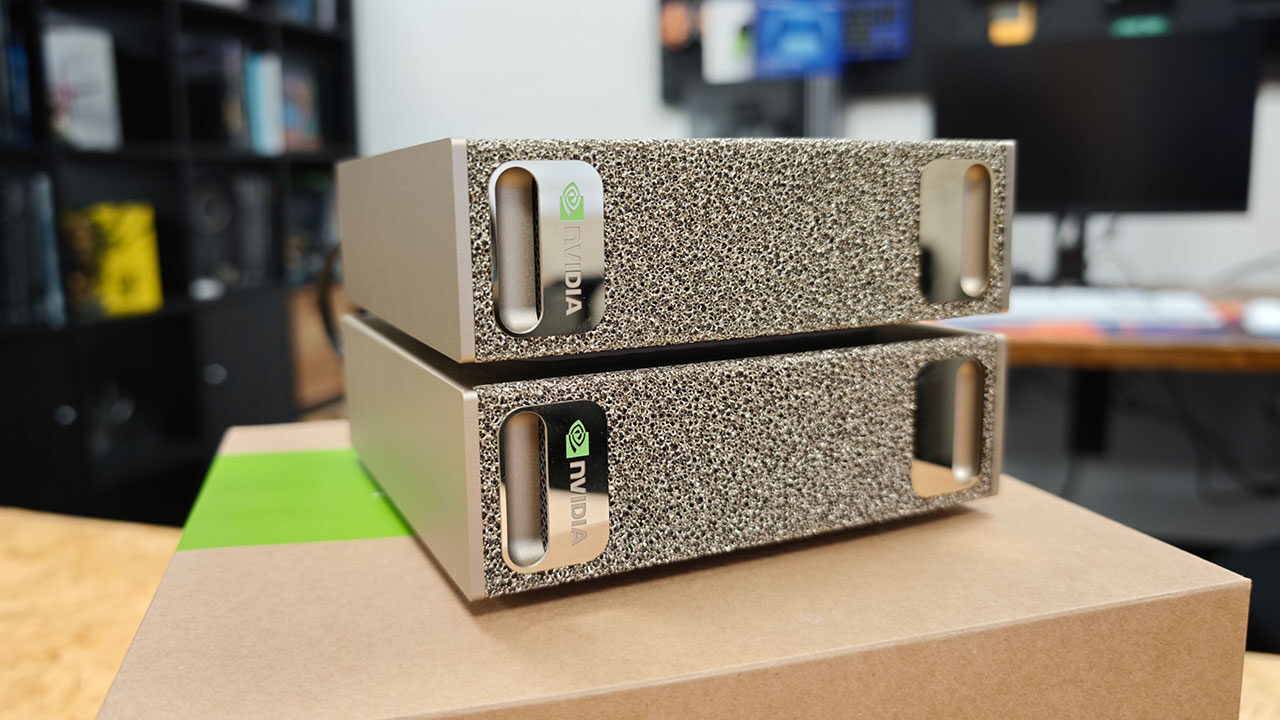
Since we were fortunate enough to receive two units for testing, I have more to share about what this means and why investing in multiple Sparks might be worthwhile, depending on your needs. The Founders Edition with 4 TB of storage carries a manufacturer’s suggested retail price of $3,999 USD. Make no mistake, despite its small size, this is very much a piece of professional equipment rather than a standard mini-PC, and it should be viewed with that in mind when considering what it can do.
Despite the NVIDIA branding on the box, the DGX Spark is not a gaming PC, nor is it trying to be one. It is designed for AI developers, researchers and data scientists who have encountered the memory limitations of consumer hardware and need a self-contained system capable of prototyping, fine-tuning and testing large models without renting cloud computing resources.
NVIDIA positions it as a companion to the data centre rather than a replacement. Work completed locally can carry over without major changes because the DGX Spark runs the same software stack as the company’s DGX Cloud infrastructure and its data-centre Grace Blackwell systems. This means code developed on the desktop can scale to larger systems without needing to be reworked, and it is surprising just how much this little machine can accomplish.
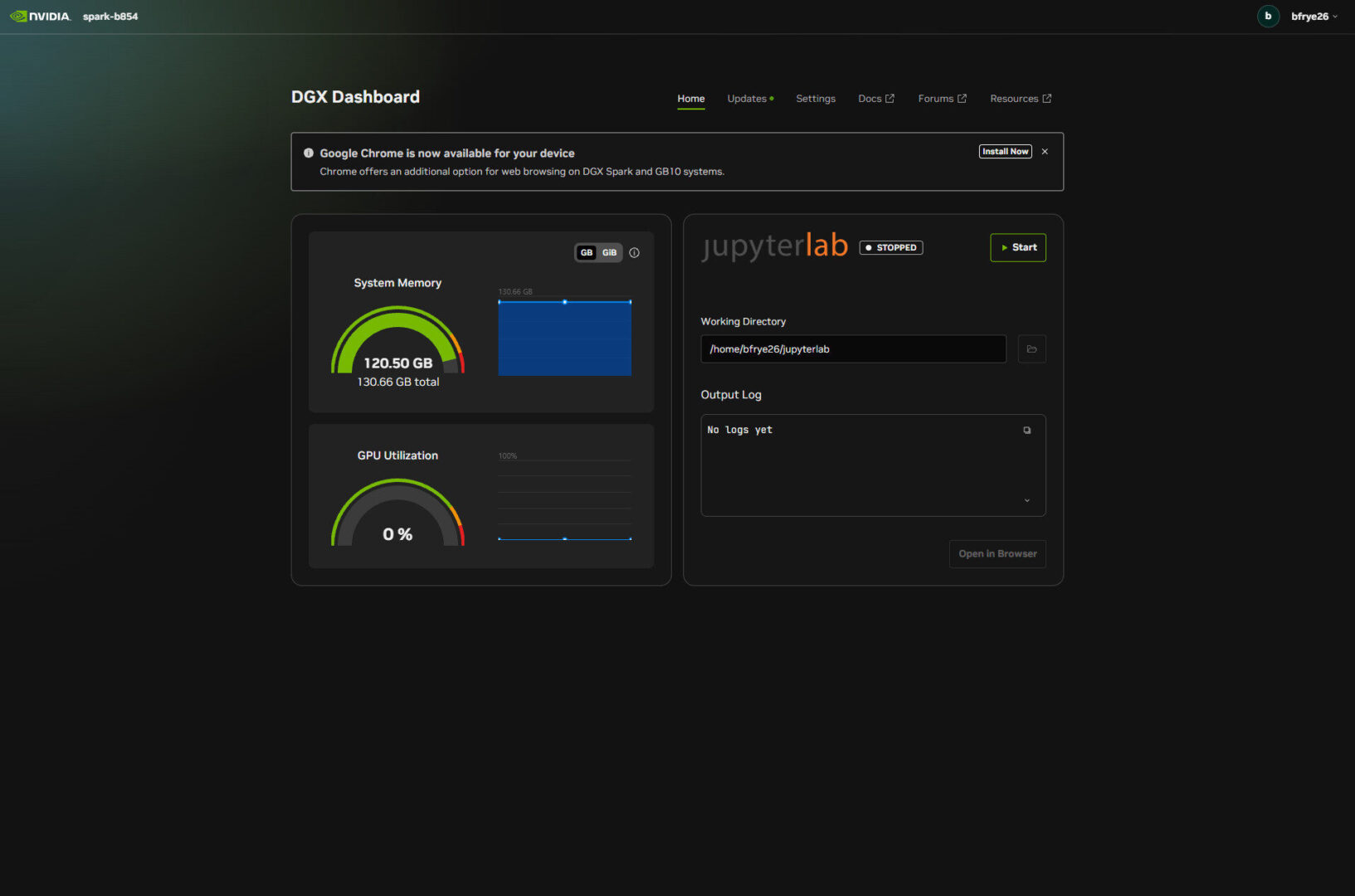
With 128 GB of unified memory, the DGX Spark can run quantized models as large as Meta’s Llama 3.1 70B locally through tools such as Ollama, llama.cpp or vLLM. It can also handle LoRA fine-tuning on models with up to approximately 70 billion parameters. Image generation through Stable Diffusion or Black Forest Labs’ Flux, retrieval-augmented chatbots, speech models, and agentic AI experiments are all within its capabilities, helped by prepackaged blueprints and NIM microservices that come with DGX OS.
Owners needing more headroom can connect two units over ConnectX-7 and work with models in the 405-billion-parameter class, a configuration NVIDIA demonstrated with Llama 3.1 405B. Don’t worry, we have also tested how multiple DGX Spark units work together and what that means for real-world applications.
Running local models on the DGX Spark is relatively straightforward thanks to its preloaded software stack. Ollama, llama.cpp and vLLM all run natively under DGX OS, although day-one binaries can be inconsistent, and optimized NVFP4 containers still produce mixed results. Output speeds depend heavily on model size, but from our testing, you can achieve some impressive results without needing to invest in a cloud subscription.
Smaller distilled models are particularly responsive. DeepSeek R1 1.5B produced approximately 655 tokens per second through llama.cpp with the CUDA backend, while Qwen3 0.6B processed prompts at more than 1,600 tokens per second. The larger models that make the Spark so interesting require more patience but remain usable. Qwen 3.8 27B running through Ollama averaged around 35 tokens per second, while the MoE Qwen 3.7 35B reached closer to 45 tokens per second in llama.cpp.
For content creators, the DGX Spark can also handle genuine workloads that allow you to build video and image production workflows without relying on the cloud or upgrading your main PC. The Blackwell GPU’s fourth-generation RT cores make Blender Cycles rendering viable at approximately GeForce RTX 5070-class performance, while image generation through Stable Diffusion or Flux remains consistent, producing an image roughly every 50 seconds.
Where the Spark struggles is with video. Hardware H.264 encoding is supported, but the lack of AV1 and HEVC decoding limits its usefulness for more demanding editing workflows. It can still handle certain tasks, but investing in an RTX 4080 might be a better option if you are primarily looking to render video or offload some of the rendering work from a main system running an aging GPU.
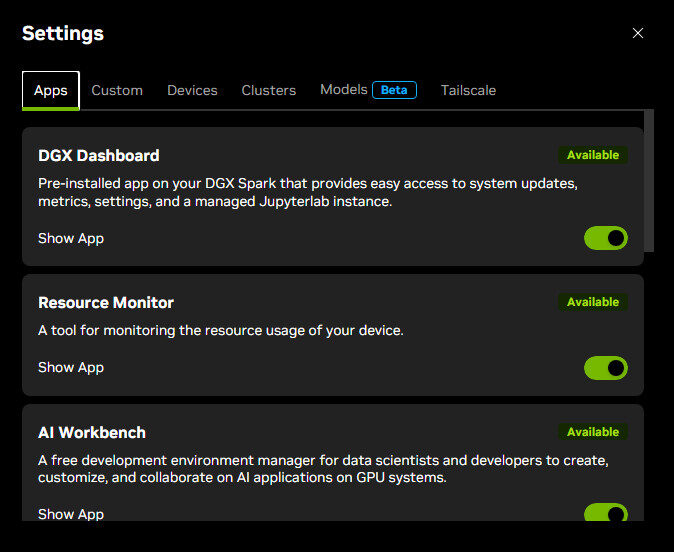
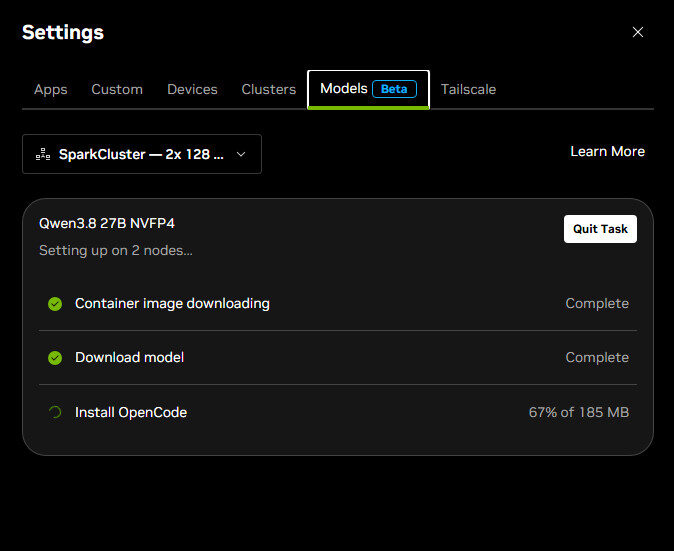
NVIDIA has also developed a range of tools to help manage, set up and prepare the DGX Spark for different workloads. The NVIDIA Sync application makes many day-to-day tasks easier to handle from another computer, whether on your local network or remotely through Tailscale. It can even handle some of the more complicated steps involved in connecting multiple Spark units into a cluster.
According to NVIDIA, the application will eventually take on more of the work involved in setting up models across a cluster, with additional functionality expected later this fall, potentially by the time you are reading this. NVIDIA also provides a series of guides to help users install and configure different models and use cases. This is where I spent much of my early time with the DGX Spark, and it remains a resource I regularly return to as I work to push the systems and take full advantage of their capabilities.
But what can the DGX Spark really do, and can it deliver results that are useful for actual work? Thankfully, the answer seems to be a resounding yes. Granted, a 27B model will have some limitations compared with the latest Claude or GPT models, but it is still capable of handling real coding, production and a range of other tasks.
Since I enjoy coming up with unusual projects to test the hardware I review, I decided to find a way to test AI-assisted coding while pushing the DGX Spark at the same time. My goal was to create a dashboard that would let me change models, manage workflows and allocate resources across a single Spark or multiple connected units. To my surprise, the system managed to deliver something genuinely usable.
While it was an ambitious goal for my initial testing, the Qwen 27B model I started with managed to produce something that was surprisingly well constructed. After several rounds of iteration, I had a functional dashboard that I could use throughout the rest of my testing with the DGX Spark.
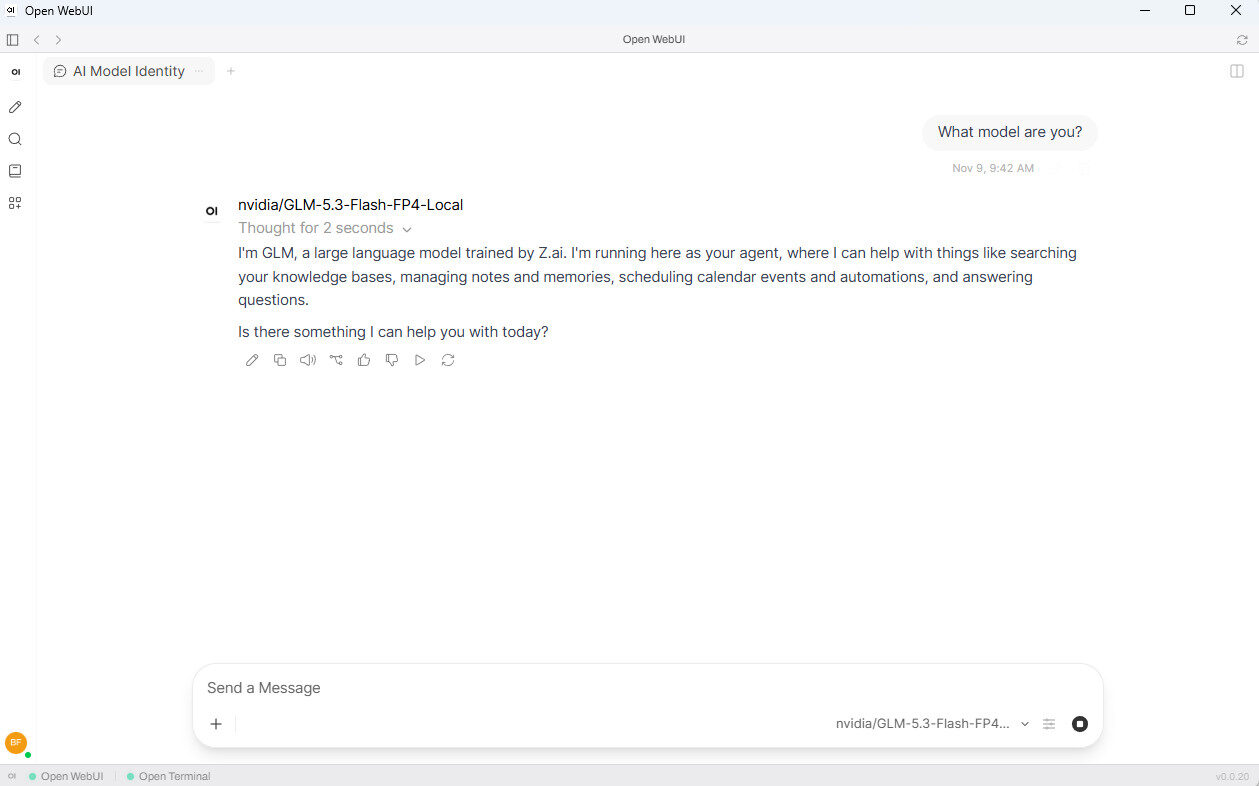
Naturally, with two Spark units in the office, I decided to expand on that initial project. I used the dashboard I had created to install GLM 5.3 across both systems, giving me access to a frontier-level model without ever needing to sign up for a subscription. This model proved incredibly capable, and while Qwen 27B struggled with certain workloads, GLM 5.3 performed well when improving and expanding the dashboard I had already built.
“…for those looking to push the technology to its limits, building a DGX Spark system that operates entirely within their own environment is an appealing option.”
Being able to use a model of that size without relying on a cloud subscription is impressive, and while the project still has plenty of room for improvement, what I managed to achieve was genuinely exciting. With new models seemingly being released every week and the open-source options currently available already capable of handling a wide range of tasks, I am starting to see how the DGX Spark makes a strong case for AI development and more complex workloads. You might not be able to work as quickly as you could with a cloud subscription, but the results, even with some of these smaller models, are truly impressive.
However, as I mentioned earlier, the DGX Spark is an expensive investment, and unless you have a genuine need for it, such as privacy or professional workloads, the price is difficult to justify. You could pay $20 USD a month for a cloud subscription for several years without coming close to the cost of a single DGX Spark, let alone multiple units.
However, if you are spending $200 USD or more each month and constantly running into usage limits, the economics start to make more sense. If your workloads involve data that cannot leave your premises, there is even more reason to consider investing in local hardware. As I said at the beginning, these machines are designed for people who want to do real work, and despite their adorable size, they should be treated as professional equipment.
While people have found plenty of ways to make AI work for them, the real advantage for businesses comes from being able to move much of the heavy lifting away from the cloud and build solutions that operate entirely on-site, securely and according to their specific needs. That is where the DGX Spark excels.
It is a tiny supercomputer that allows you to run workloads locally that would normally require much larger systems, doing so with impressive performance and efficiency. It is an investment, and certainly not something I would recommend to the average person who simply wants to experiment with an open-source model for fun. However, for people with genuine professional needs, particularly when security and privacy are important considerations, the DGX Spark delivers some remarkable results, especially considering its size.
For casual users, paying $20 USD a month for a cloud subscription makes more sense. However, for those looking to push the technology to its limits, building a DGX Spark system that operates entirely within their own environment is an appealing option. It may be a tiny little box, but it packs a punch, delivering the capabilities needed to take on real workloads and produce real results.