

The ZimaCube 2 is an interesting NAS system. It’s the company’s first true retail product following its crowdfunding campaign, and it boasts plenty of features that help it stand out. It delivers capabilities that many other NAS options lack and combines them with a flexible design that brings a lot to the table for anyone looking to upgrade their home storage setup. While it is not without its quirks and is a little more technical than some other options on the market, the ZimaCube 2 is a system that really impressed me.
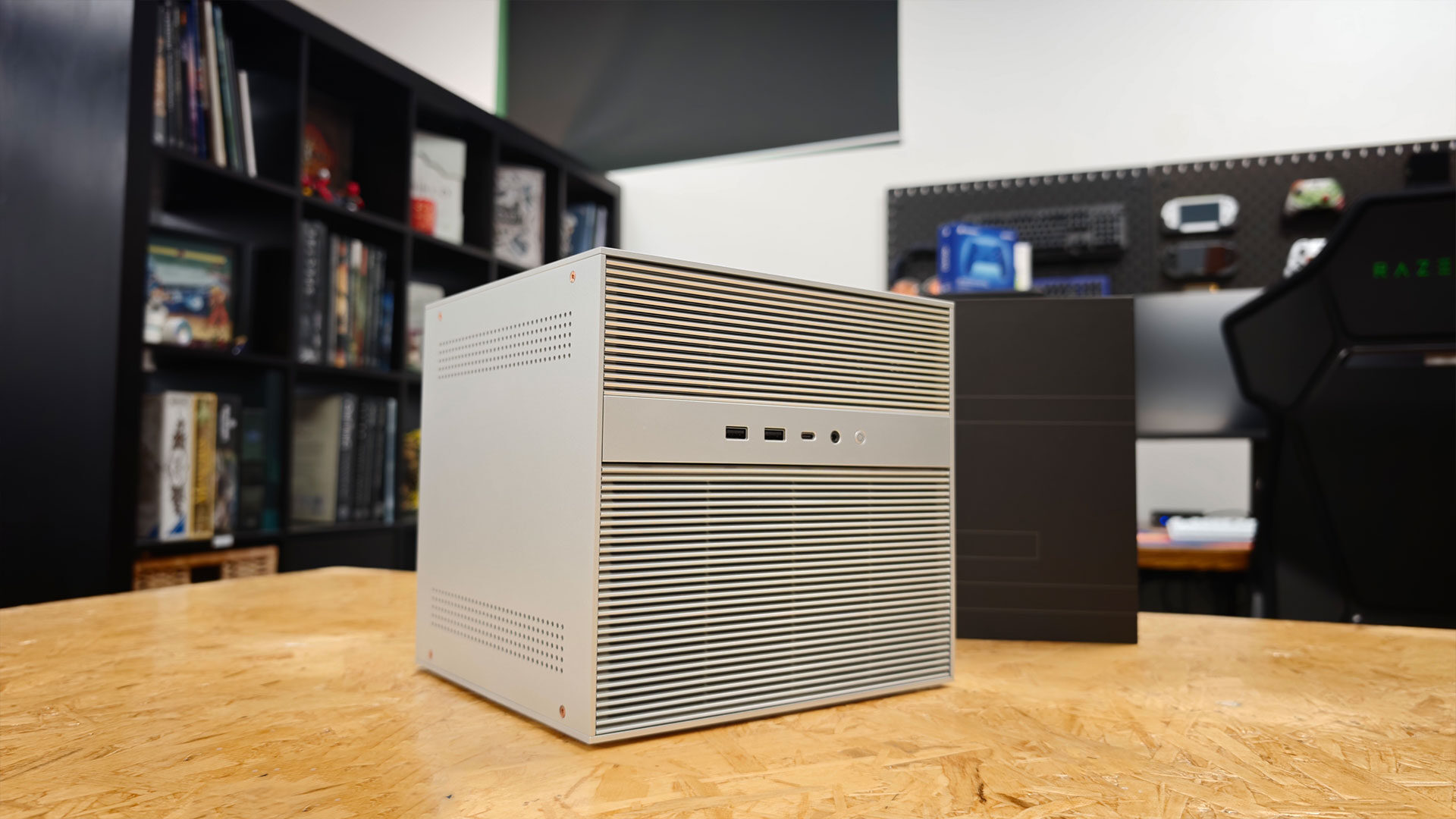
Unboxing the NAS, I was amazed by how solid it felt, more like a mini desktop than a typical NAS. The ZimaCube 2 is, as the name suggests, a literal cube. Measuring 240 by 221 by 220 mm, the chassis is largely aluminum apart from the plastic fan grilles, and it feels every bit as solid as the original ZimaCube it replaces.
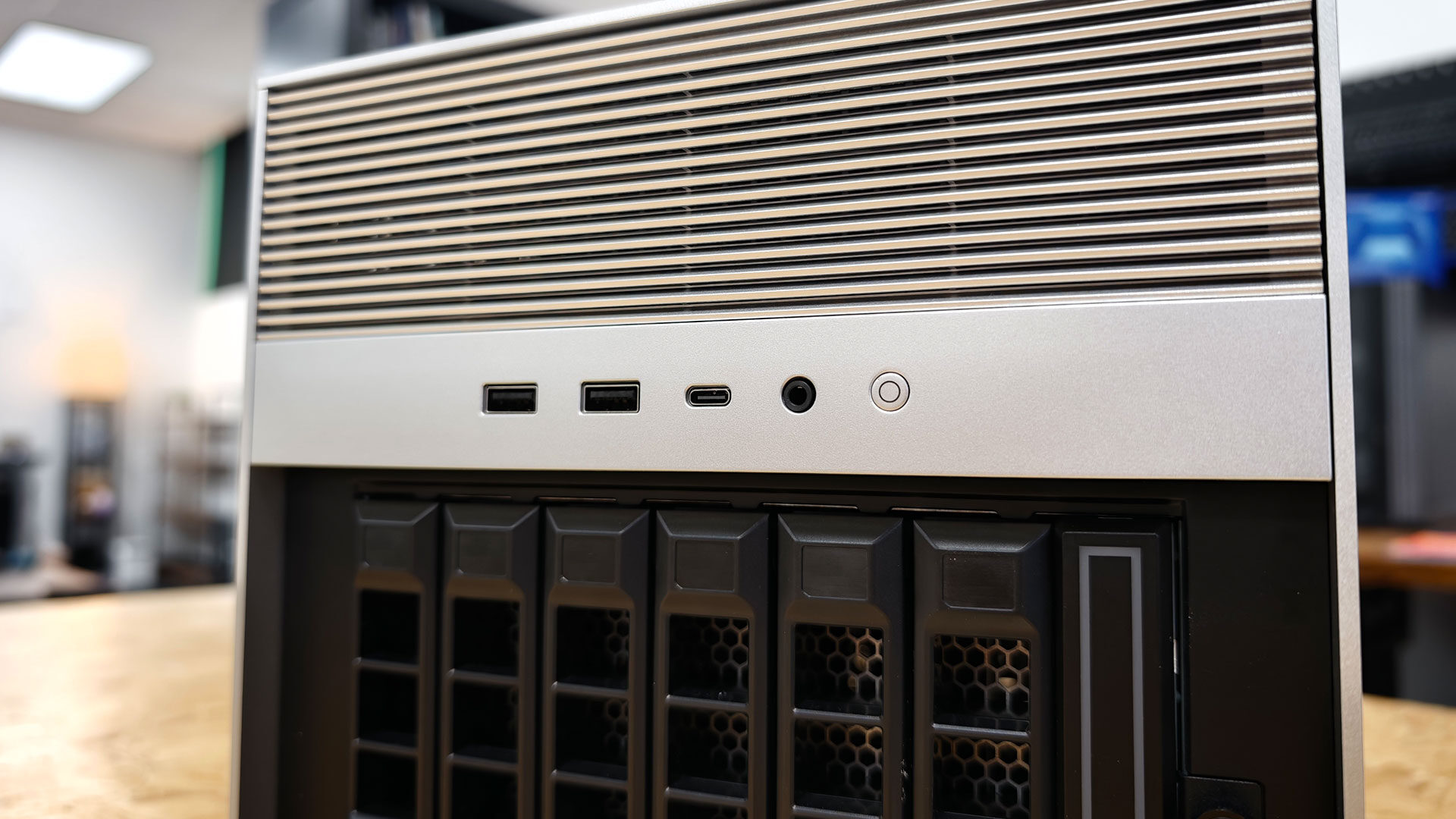
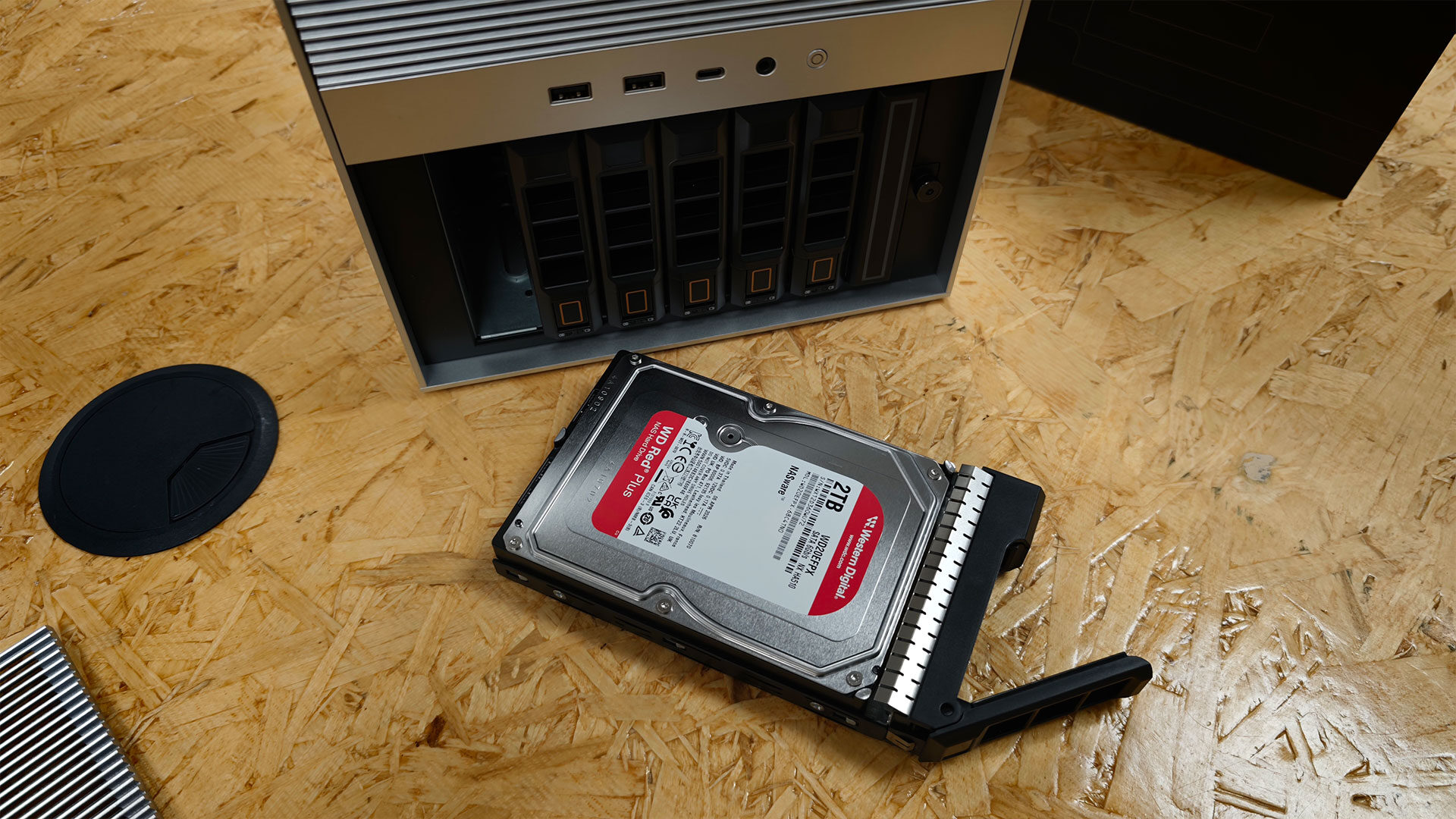
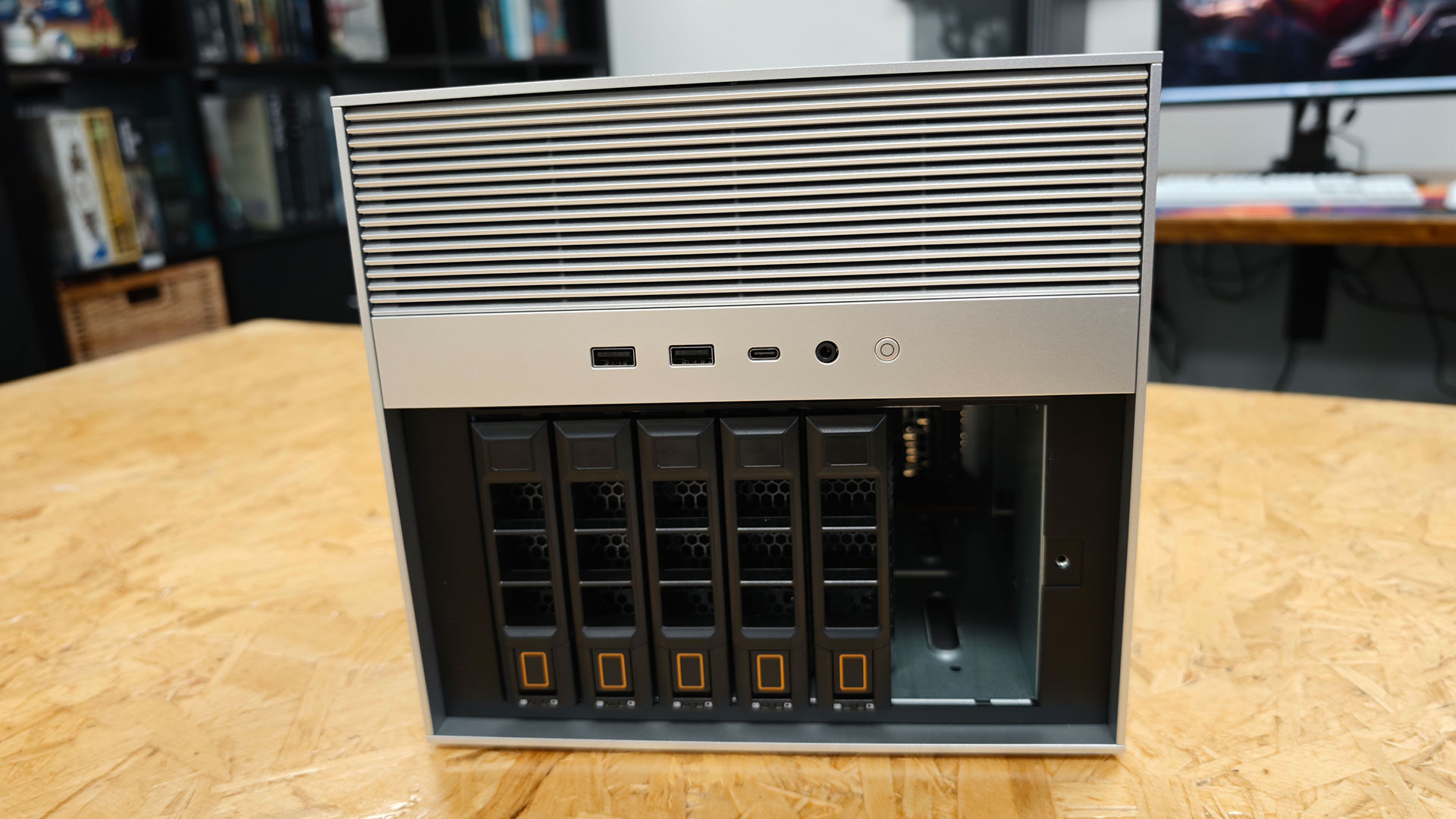
IceWhale has kept the same basic layout, with storage on the bottom half and the system hardware up top. That keeps the design familiar, but it also means some of the first generation’s quirks carry over. The magnetic front grille has no tab or latch, the six drive trays are not lockable and require screws for both 2.5-inch and 3.5-inch drives, and pulling out the seventh sled that houses the four M.2 slots requires removing bay six first just to get enough grip. It is by no means a major issue, but compared to Synology, TerraMaster or UGreen, I found the ZimaCube 2 a bit tedious to work with, especially when I wanted to make minor changes to the setup.
IceWhale includes a practical accessory kit. Along with the external 220-watt power brick, the box contains mounting screws, two screwdrivers, heatsinks for the M.2 slots and a short Cat 6 Ethernet cable. First-time builders can populate all six SATA bays and the four-drive NVMe sled without making an extra trip to the hardware store. The included quick-start guide also makes the installation process easy to follow, and with all the necessary tools already in the box, getting the ZimaCube 2 up and running is refreshingly straightforward.
Once you get past those rough edges, the ZimaCube 2 is a pleasure to work on and offers plenty of extra features that bigger brands often leave out. Removing four screws and lifting the lid exposes the DDR5 memory slots, CPU cooler and both PCIe slots. Two DIMM slots support up to 32 GB each, so the system can be expanded to 64 GB of memory.
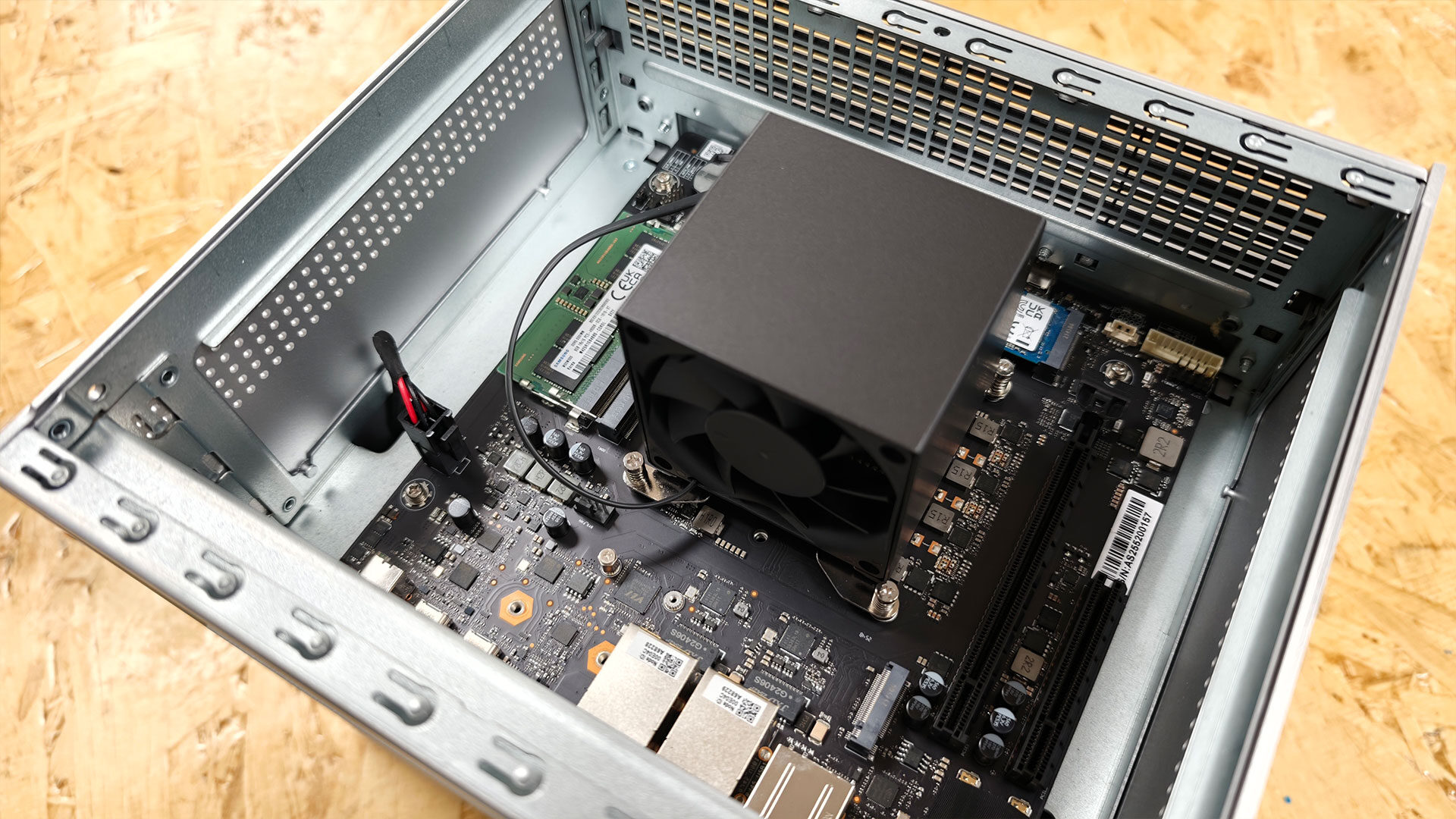
Those PCIe slots are key to the ZimaCube 2’s expandability, but they come with caveats. The larger x16 slot is electrically limited to PCIe 4.0 x4, the second offers just PCIe 3.0 x2 and the four NVMe slots in the standard model each run at PCIe 3.0 x1, capping individual drives at around 800 MB/s. That’s fine for caching or supplementary storage, but less appealing for users expecting full-speed flash storage. You can also add a GPU to the system, but it will be bandwidth-limited and, realistically, needs to be a smaller model that does not require external power. Sadly, that means the ZimaCube 2 won’t accommodate large, power-hungry GPUs easily.
Even with those limitations, the openness of the ZimaCube 2 is part of what makes it so interesting, giving you considerably more flexibility if you want to expand beyond what ships with the unit. Between the dual PCIe slots, six SATA bays and a pair of 40 Gbps Thunderbolt 4 ports for direct-connect expansion, the ZimaCube 2 gives you more ways to scale than most NAS systems in its class. You just have to accept that not all of those expansion options operate at full speed.
Looking at the specs, the standard model we were sent, priced at $799 USD, swaps the underpowered Intel N100 found in the first ZimaCube for a 12th-generation Intel Core i3-1215U with six cores, eight threads and 20 PCIe 4.0 lanes. That bandwidth matters in a box this dense because it has to feed six SATA bays for 3.5-inch or 2.5-inch drives, a separate sled carrying four M.2 NVMe slots, dual 2.5-gigabit Ethernet and a pair of Thunderbolt 4 ports running at 40 Gbps.
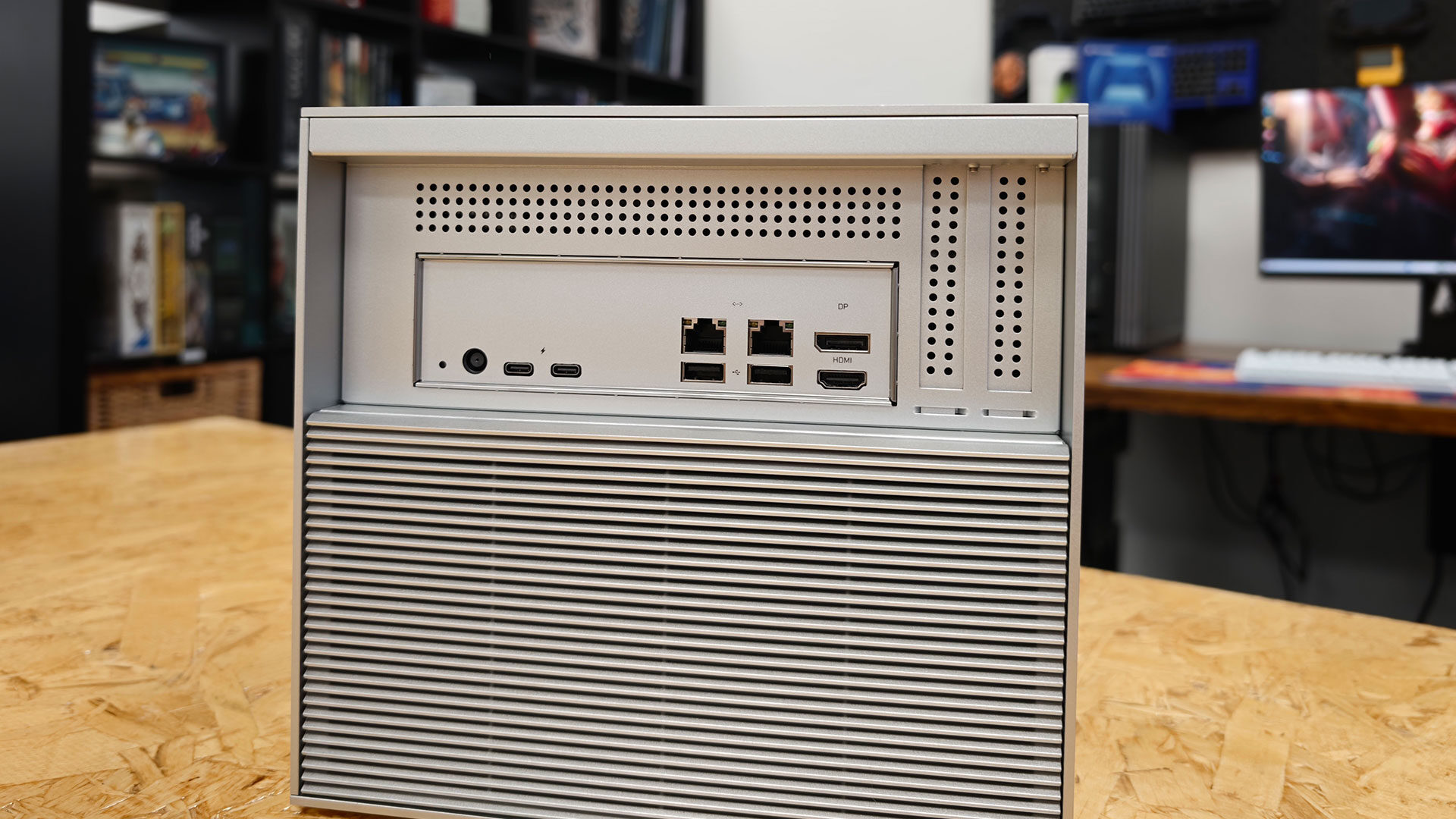
Those Thunderbolt connections also let the unit double as direct-attached storage for a Mac or PC, something few turnkey NAS systems attempt and a feature I could see being incredibly useful for video editors or other creators who simply want fast storage without the fuss.
“Setting up the ZimaCube 2 is about as painless as a NAS can get.”
IceWhale ships the ZimaCube 2 with 8 GB of DDR5 memory and a 256 GB NVMe drive for the preinstalled ZimaOS, and neither is soldered in place. Two SODIMM slots support up to 64 GB of RAM, while a pair of internal PCIe slots, one PCIe 4.0 x4 and one PCIe 3.0 x2, leave room for a 10-gigabit network card or low-profile GPU. The trade-offs are real, though. The standard model’s four M.2 slots each run at PCIe 3.0 x1, capping flash throughput at around 800 MB/s per drive, while native 10-gigabit Ethernet remains exclusive to the Pro model.
The ZimaCube 2 offers a lot, and the specs are only part of the story. It is expandable and customizable, with plenty of hardware you can upgrade if you want to give the system more capability. While components such as the motherboard and CPU cannot be replaced, much of the rest of the system is flexible enough to grow alongside your needs.
As mentioned, it is a different kind of device from a typical prebuilt NAS, and it feels better suited to people who want a home lab or a system they can customize. At the same time, the ZimaCube 2 still feels approachable enough for the average NAS buyer, and much of that comes down to how polished the end-user experience feels once everything is set up.
“The ZimaCube 2 offers a lot, and the specs are only part of the story.”
Once you have everything plugged in and the storage set up how you want it, you are ready to get this thing up and running, and the pain points feel much less noticeable. Setting up the ZimaCube 2 is about as painless as a NAS can get. ZimaOS comes preinstalled on an internal 256-GB NVMe drive, so you don’t need a keyboard or monitor during setup. Plug in power and Ethernet, and the ZimaClient app on a Mac or PC finds the box on your network and hands you off to a browser-based setup that takes only a few clicks. Pick a language, set a username and password, create a storage pool, and that pool is already shared and visible to other machines on the network.
ZimaOS grew out of CasaOS, IceWhale’s Docker-focused home server platform, and that heritage shows. The web dashboard is clean and approachable, while the built-in app store covers Plex, Jellyfin, Nextcloud, Pi-hole and Home Assistant with one-click installs. A built-in hypervisor also makes spinning up virtual machines easy, PeerDrop handles quick local file sharing, and the backup tools point toward a proper 3-2-1 strategy. You can set up a lot here, but thanks to ZimaOS’s approachable design, I got the ZimaCube 2 fully configured in about a day. That included some more obscure applications, all without the usual fuss of following lengthy setup guides or spending time fiddling around in a console.
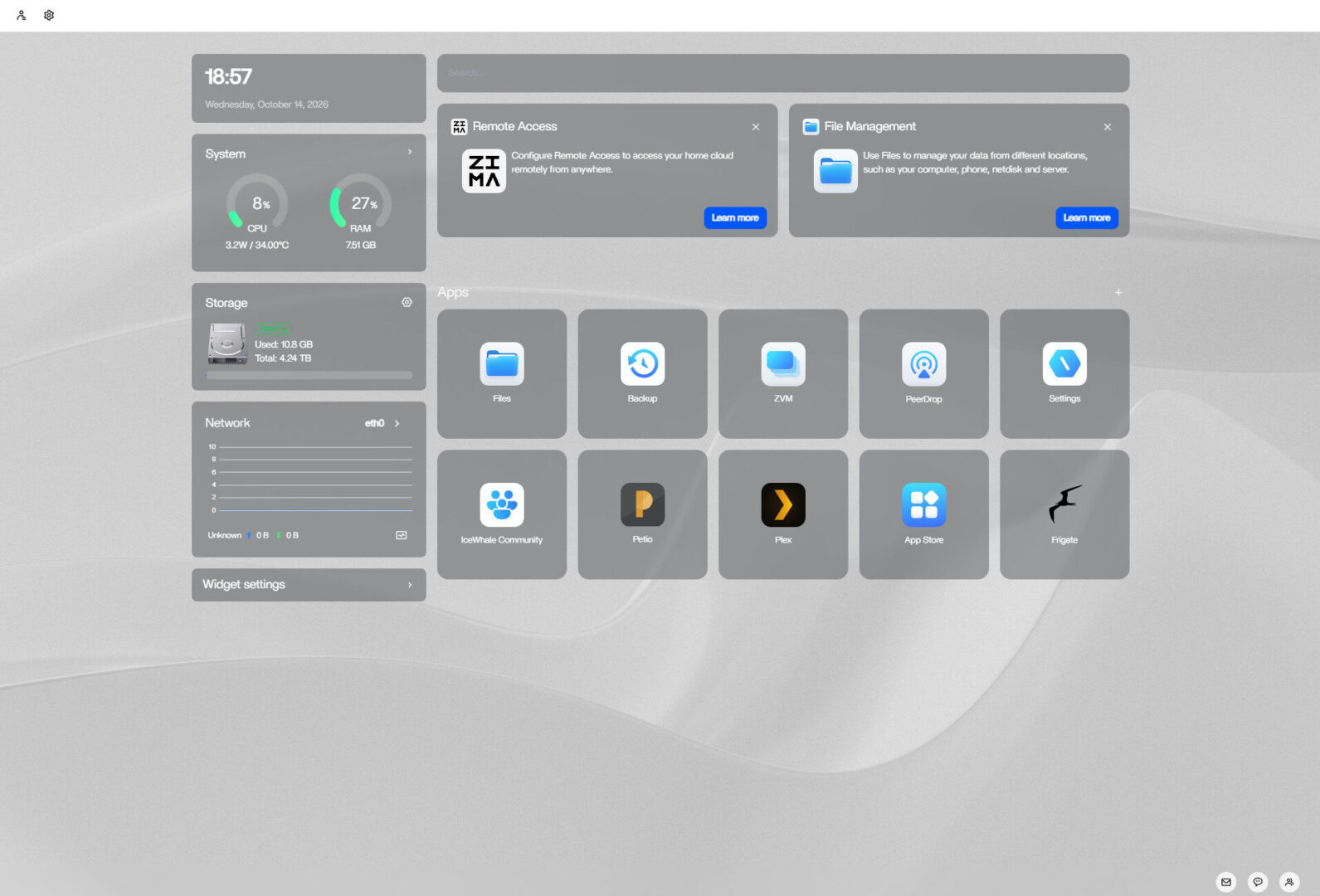
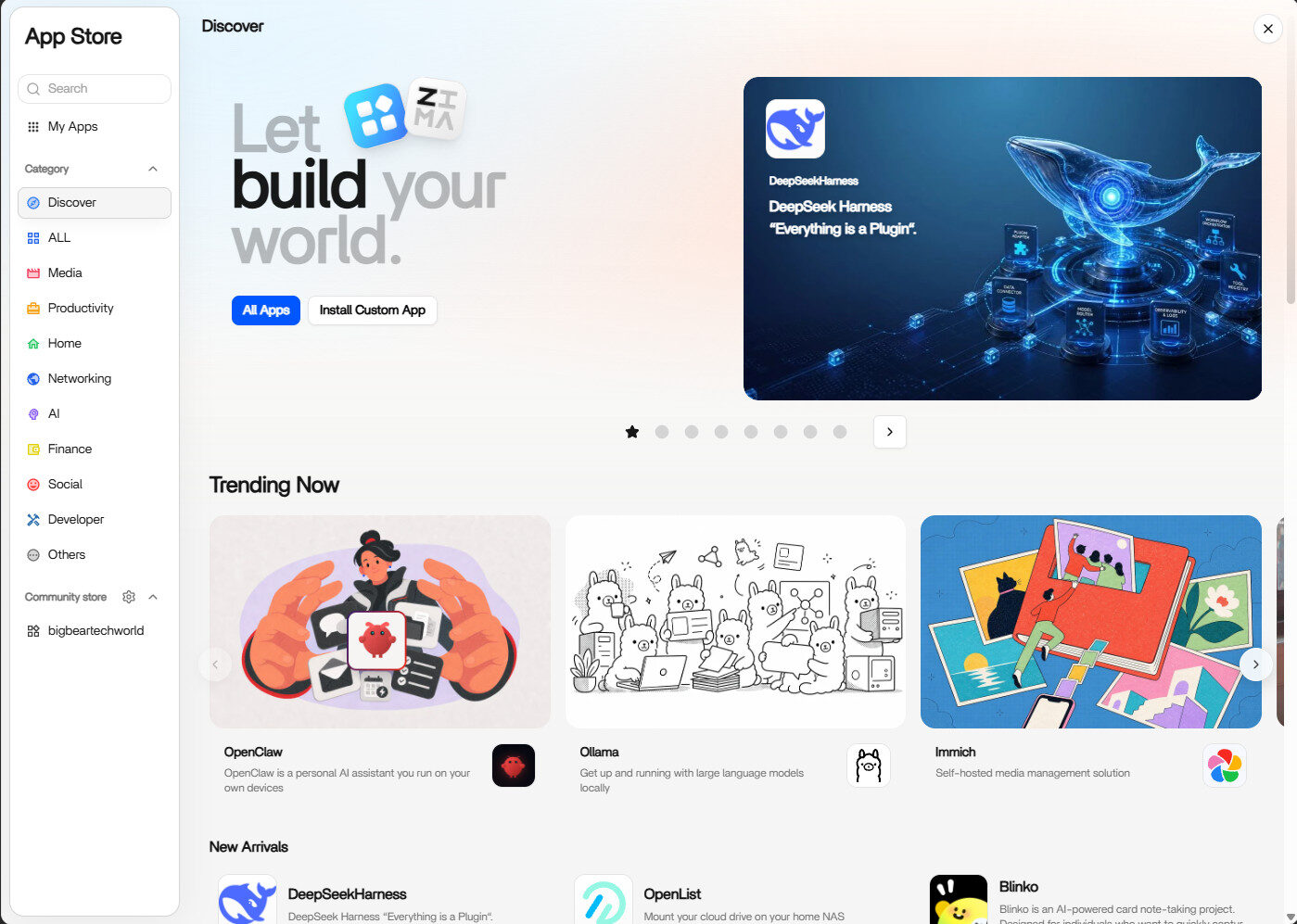
But the software still trails the hardware. Fan control is not exposed in the interface, backup scheduling is thin, and expected basics like two-factor authentication, a native firewall and proper VPN integration are absent. Buyers should also know the free tier of ZimaOS caps you at four disks and three users; the $29-US lifetime Plus licence lifts those limits and comes included with ZimaCube hardware, so once you buy this box, you are ready to go.
Once everything is installed, you even get a small desktop application that mounts the remote drives, gives you one-click access to the dashboard and makes using the ZimaCube 2 incredibly easy. I really like being able to access the NAS drives directly within my native OS without dealing with the usual hassle of mapping them manually or having them disappear after a reboot. Yes, there are ways around all of that, but I love having it handled seamlessly. For people setting up a NAS for the first time, these touches help the ZimaCube 2 feel like a natural part of their existing workflow.
The ZimaCube 2 impressed me, and considering how many NAS systems I have tested over the years, that is saying something. I do think the design and out-of-the-box experience feel a little rough, especially for newcomers to the world of NAS systems, but once everything is set up and ready to go, the overall usability and flexibility are top-tier. There is plenty of room to grow and customize the system based on your needs.
ZimaOS and the overall user experience are fantastic, and while there is still room for improvement, what IceWhale is delivering with its second-generation product feels ready for a wide range of users, from creators to businesses that want to keep their data safe and accessible. If you are in the market for a new NAS and have been on the fence, the ZimaCube 2 may be well worth considering.

- 6-Bay HDD Storage + 7th-Bay NVMe Performance Tier – Combine massive archive storage with a dedicated high-speed NVMe workspace. Supports up to 212TB total storage capacity, including support for up to 6×30TB HDDs and 4×8TB NVMe SSDs for active projects, AI photo libraries, app storage, cache, and media workflows without slowing down your HDD array
- Intel Core i3 Performance for Modern NAS & Self-Hosting – Powered by a 12th Gen Intel Core i3-1215U processor with 6 cores and boost speeds up to 4.4GHz. Built to handle multi-user storage, media streaming, backups, self-hosted services, AI photo indexing, and multiple always-on applications with smooth performance