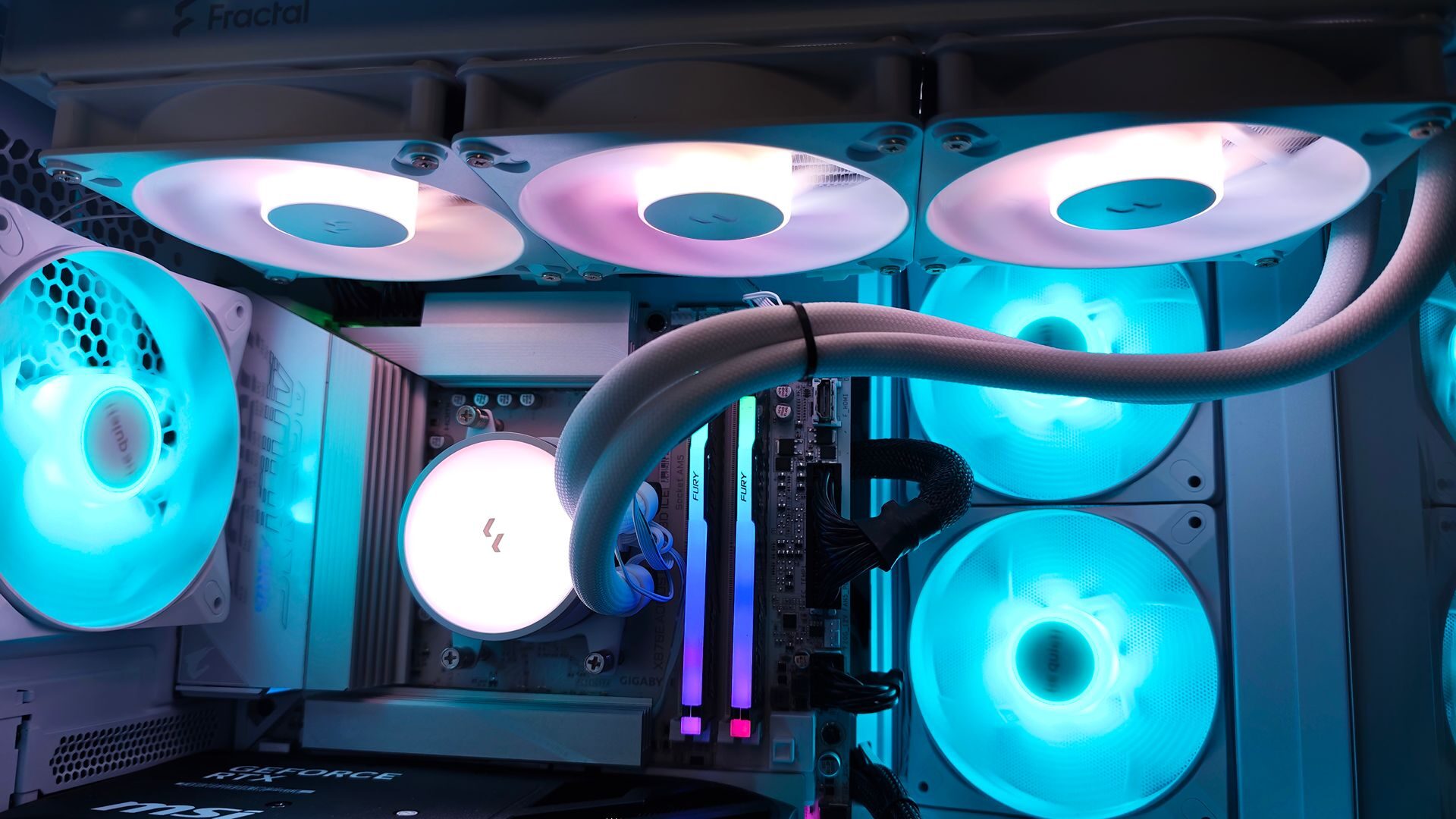


The Fractal Radius 360 RGB AIO Cooler is one of several options available from the company. From sleek design to impressive cooling capabilities, there is a lot to appreciate about Fractal’s latest AIO lineup. A streamlined setup, practical layout and adaptable design make it a great cost-effective cooling solution.
Available in both black and white, RGB and non-RGB, and 240 and 360mm models, the Radius can adapt to a wide range of cases. The White Radius 360 RGB sent for review provides a sleek and smart profile, making it one of the easiest AIO coolers I’ve worked with. Measuring 394 x 120 x 27mm, it fits perfectly in the be quiet! Light Base 500 LX case used for testing, and thanks to the white finish, it looks perfect with the rest of the build.
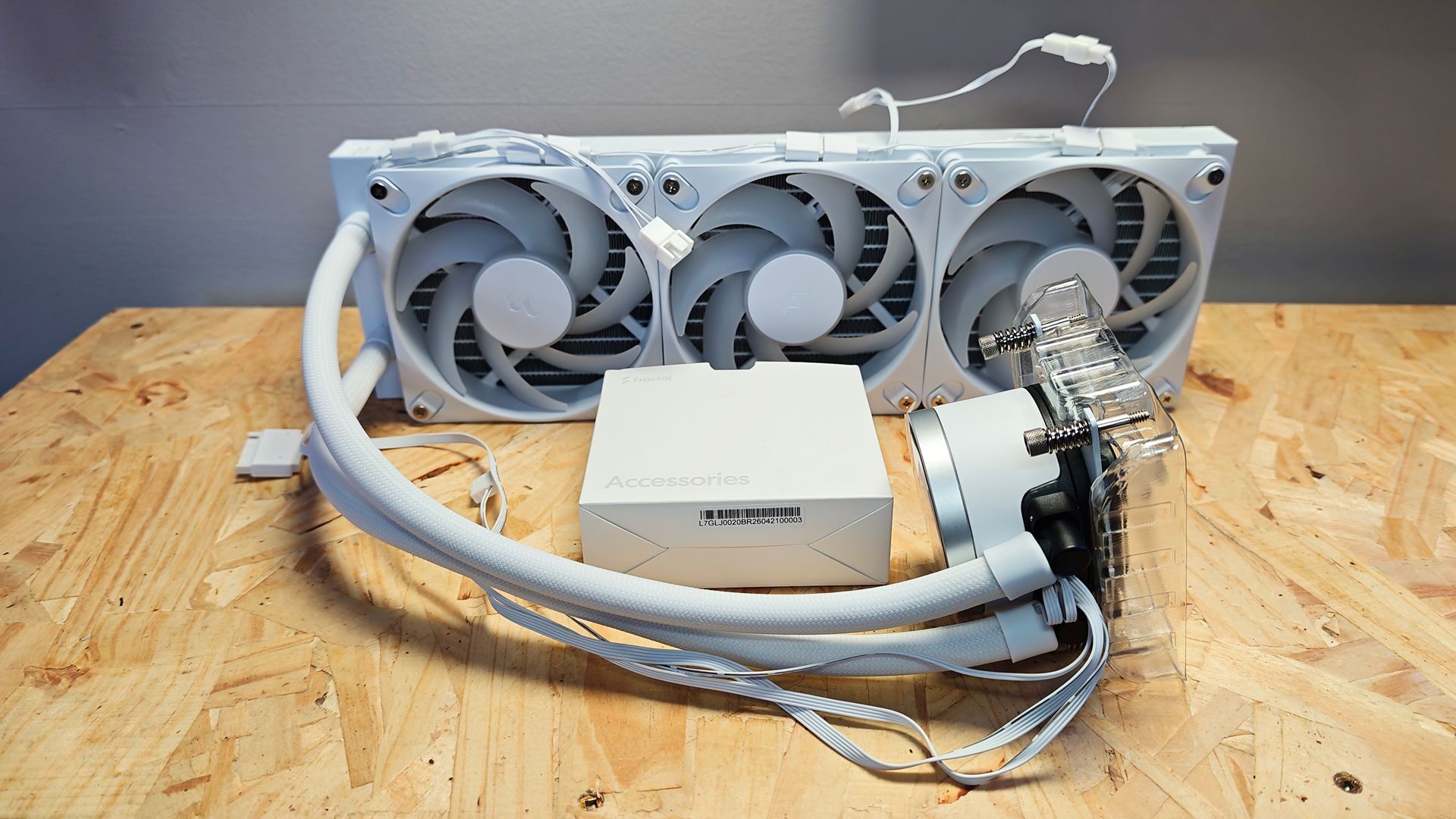
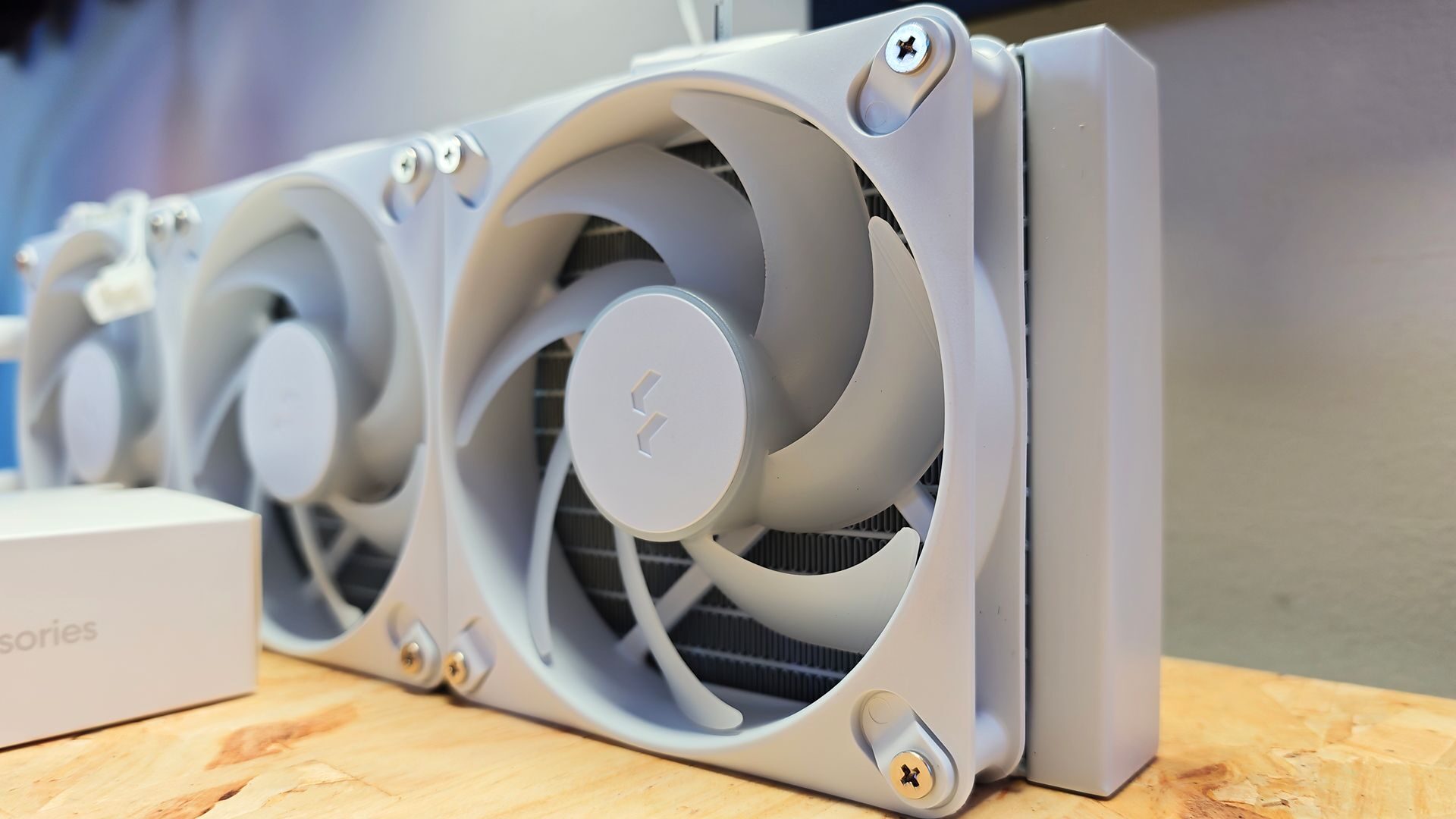
The design follows a standard 360 AIO setup with three 120mm PWM fans preinstalled. All cabling for RGB and power is pre-run, making it exceptionally simple to install in the case. The fans run at a max speed of 2200 RPM, which is well within the normal range for Radiator fans. The fans also provide solid airflow with a max airflow of 63.9 cubic feet per minute (CFM), which, even at full speed, still stays relatively quiet at around 31 dB.
The pump and pump fan, likewise, provide impressive cooling with the pump fan’s max speed of 3400. The ceramic bearing for the pump also helps keep things running quietly, and when running at full speed, measuring at about 35dB. Overall, it’s a fairly quiet AIO, measuring just a tad louder than the NZXT Kraken Core 360 RGB.
Installing the Fractal Radius 360 RGB AIO Cooler is incredibly simple for an AIO. It’s the first time I’ve installed an AIO that connects via a SATA, USB 2.0 and PWM power cable, ditching the traditional separate PWM cables for the pump block and fans and their corresponding RGB cables. It’s a simplified setup that still gives separate control over the pump block and Rad fans in a much more user-friendly setup.
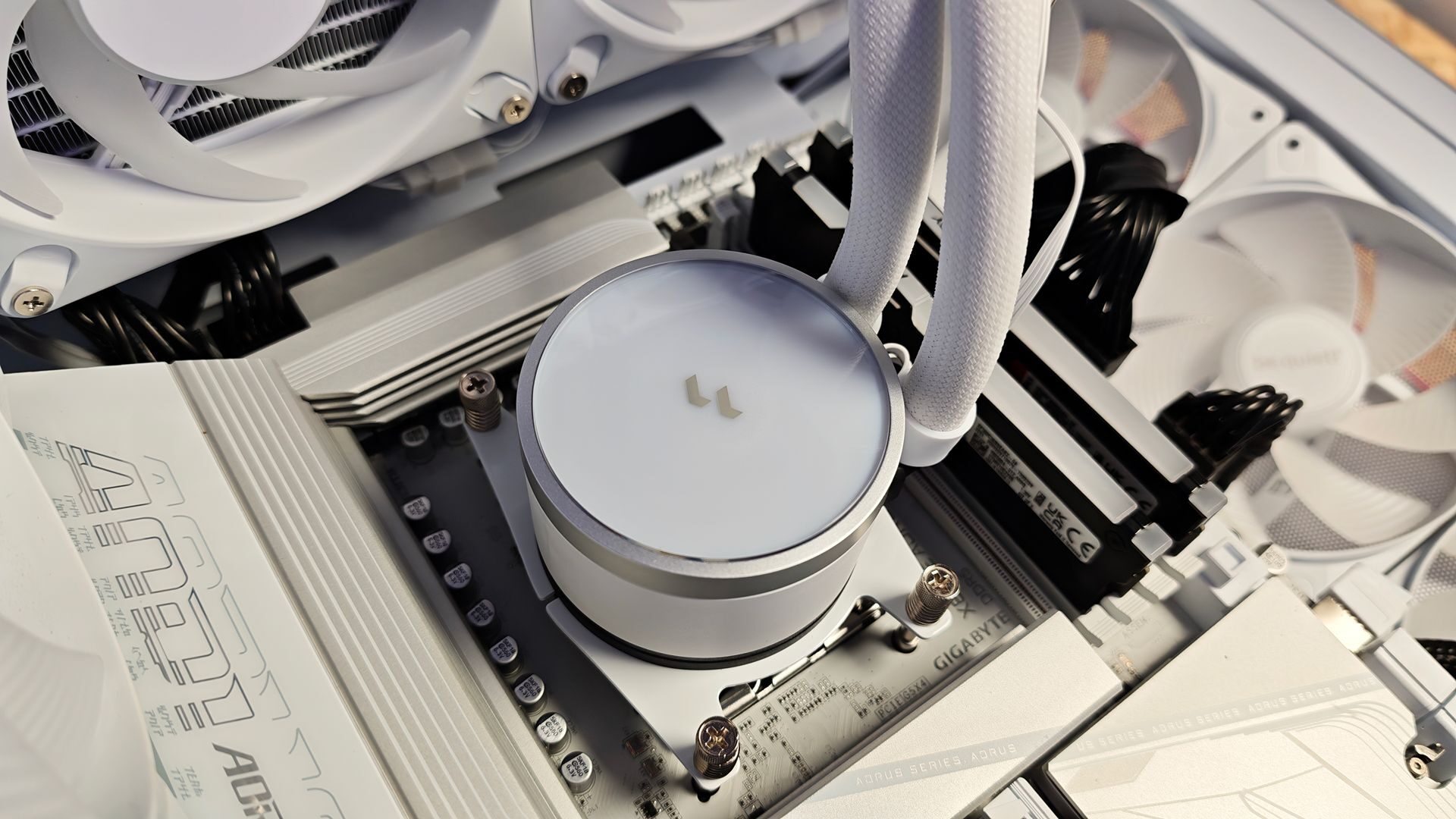
Installing the pump block is a simple affair as well, especially for those using an AMD AM4 or AM5 CPU. The four-point bracket attached to the pump housing slots perfectly with the reinstalled plate present on AMD boards. My favourite part of the design is that the tension screws actually have a stopping point, which means you never have to guess if they are too tight or too loose.
“Installing the Fractal Radius 360 RGB AIO Cooler is incredibly simple for an AIO.”
The block comes with pre-installed thermal paste, which was the only paste used in testing. The installation of the block is made easy as well, thanks to the flexible EPDM tubing and articulating elbow fittings that allow for easy adjustments to the tube runs. This allows the rad to be mounted to a variety of points on the case. With the top mounting setup used for testing, the tube runs are easy and still allow for a nice view of the system.
My one critique is the length of the PWM cable for the system, which is short for those looking to route cables as discretely as possible. While the cable has no issue reaching the pump controller on the GIGABYTE X870E AORUS Elite X 3D Ice motherboard used for testing, there wasn’t enough length to run the cable any other way but vertically. It is a small critique and something that could be remedied with a cable extension, but I wanted to note it for the cable-run enthusiasts among us.
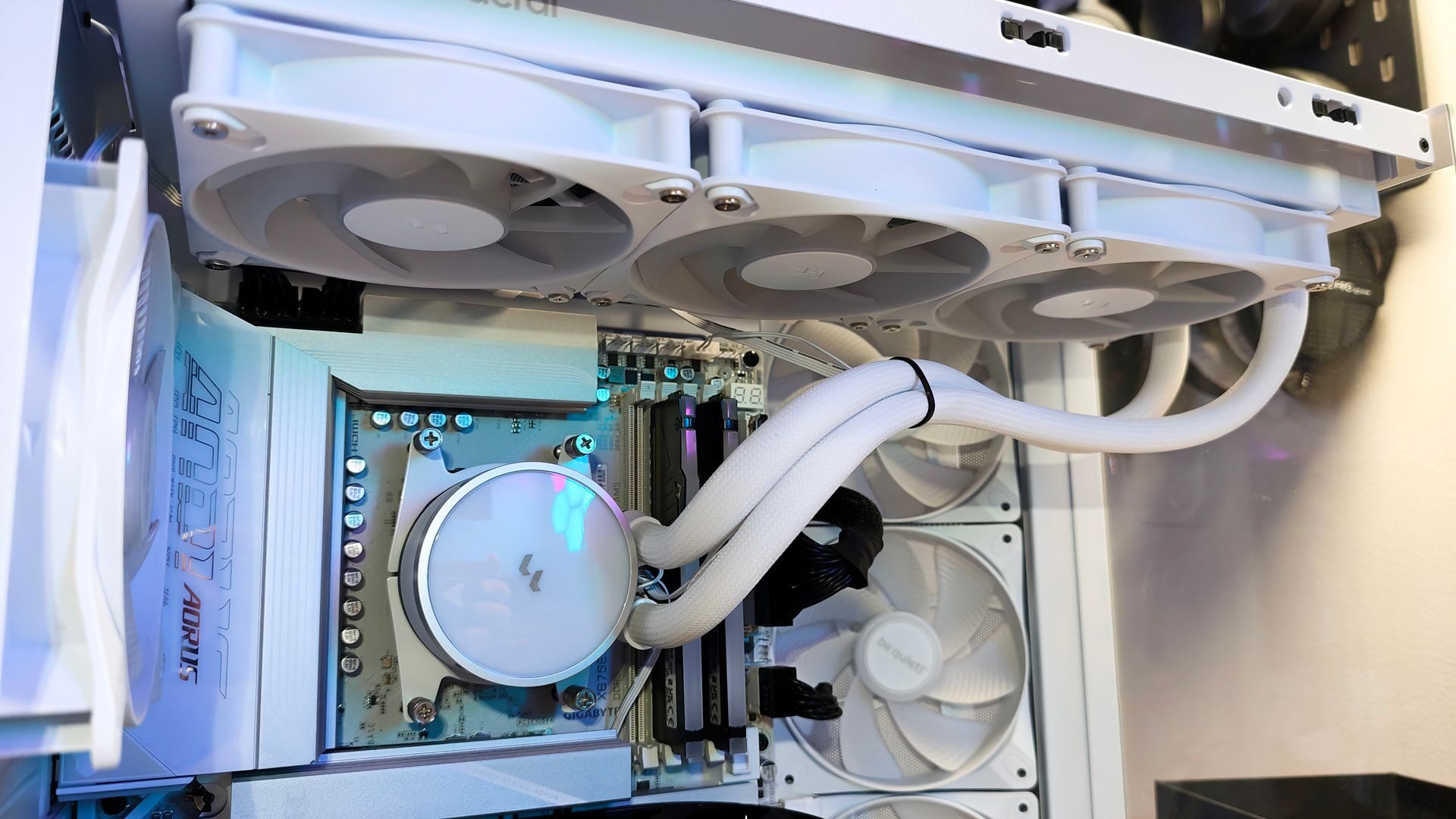
The Fractal Radius 360, though, is a gem to work with. Controlled via the web-based Adjust-Pro software, the Radius 360 can be set to an auto mode or manually managed via your own preset fan curve. The RGB allows for individual fan RGB addressing, allowing for better customization than I’ve seen with most AIO software. The one caveat is that more than once, I had to restart the browser to get the software to recognize the Radius. This could be a bug at the time of testing, as the Radius is currently in pre-release at the time of writing.
As for cooling, the Radius is a seriously impressive cooler. All tests were performed with the AMD Ryzen 9 9900X CPU using the preinstalled thermal paste. I ran several HeavyLoad tests and monitored CPU temperatures throughout, and the Radius consistently kept the CPU under 75℃. Even while playing resource-heavy titles or process-heavy software, the Radius keeps the CPU impressively cool.
Of the AIOs I’ve tested, the Fractal Radius 360 RGB AIO is one of the most efficient and coolest. The note on cooling is that fans can feel a little aggressive when cooling, meaning they, by default, ramp up quicker than other coolers I’ve worked with. However, this can be adjusted in the Adjust-Pro software easily. Overall, I’m impressed with the Radius 360 RGB AIO.
Fairly budget-friendly at $99.99, the Fractal Design Radius 360 RGB AIO is an impressive cooler. Its smart and sleek design, paired with its relatively quiet run speeds and seriously powerful cooling, makes it a worthwhile investment for those looking to upgrade their CPU cooling solution.