
Windows finally has a true MacBook competitor, and you no longer need to feel like you are compromising to get the same level of performance. Enter the Microsoft Surface Laptop Ultra, one of the premium RTX Spark laptops arriving in this first wave of machines. Microsoft and NVIDIA have gone all out to deliver a computer that feels ready to take on almost anything you can throw at it, all in a laptop that remains relatively slim and easy to carry around. While it has taken a long time to get here, Windows has finally found its M1 MacBook moment, and this machine delivers where it matters most.
The Microsoft Surface Laptop Ultra is the clearest example yet of what NVIDIA’s RTX Spark platform is meant to enable, arriving as a flagship for Microsoft and NVIDIA’s push for Windows on Arm. Microsoft’s 15-inch machine starts at $2,599 USD and centres on the RTX Spark Superchip, which combines an NVIDIA Grace CPU with Blackwell RTX graphics and up to 128 GB of unified memory. That shared pool is central to the laptop’s appeal, giving the CPU and GPU access to the same memory rather than splitting workloads between separate system RAM and VRAM.
I have already taken a full look at the new RTX Spark platform, diving into what it can do and where its limitations lie, but looking specifically at the Surface Laptop Ultra, the top-end configuration uses a 20-core Grace CPU and NVIDIA’s 6,144-core RTX Spark N1X GPU. Storage goes as high as 2 TB, while the platform is built to handle CUDA-accelerated local AI workloads, with Microsoft positioning it for models with up to 120 billion parameters. It is a notable departure from the Snapdragon-powered Surface devices Microsoft has spent the past two years pushing, trading efficiency-first hardware for a far more ambitious combination of graphics and AI horsepower while still trying to balance performance with longevity.
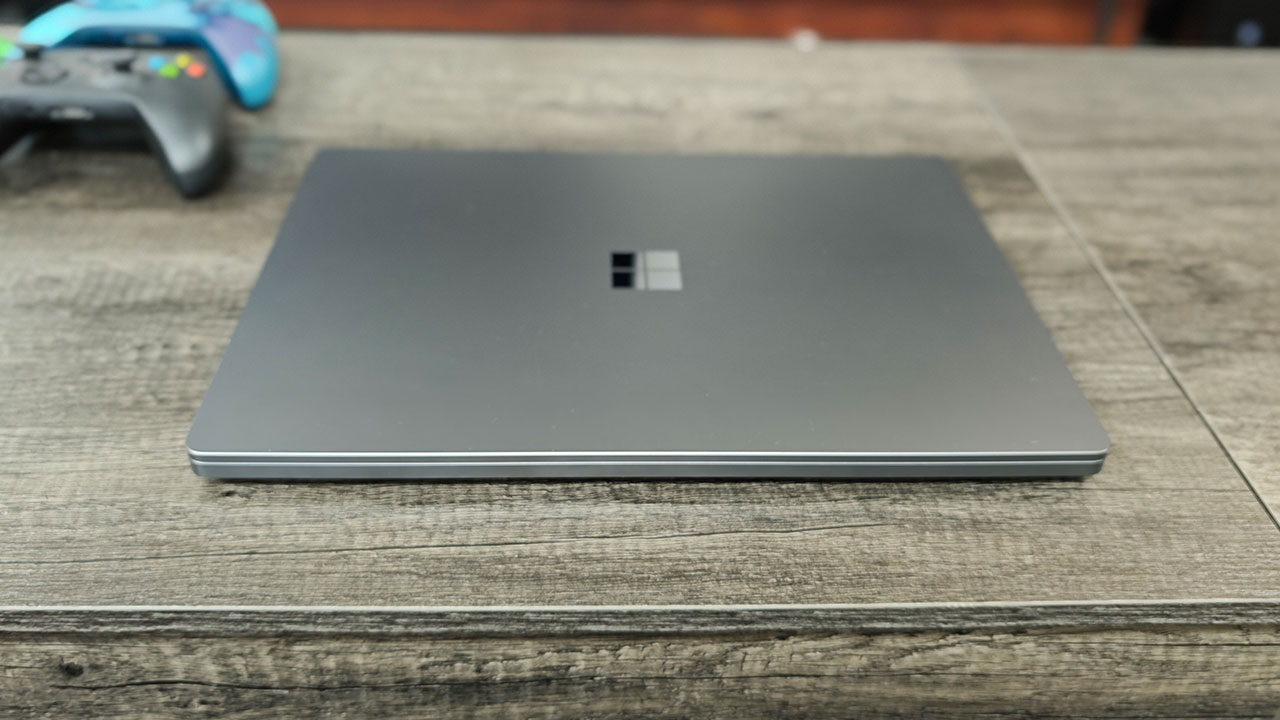
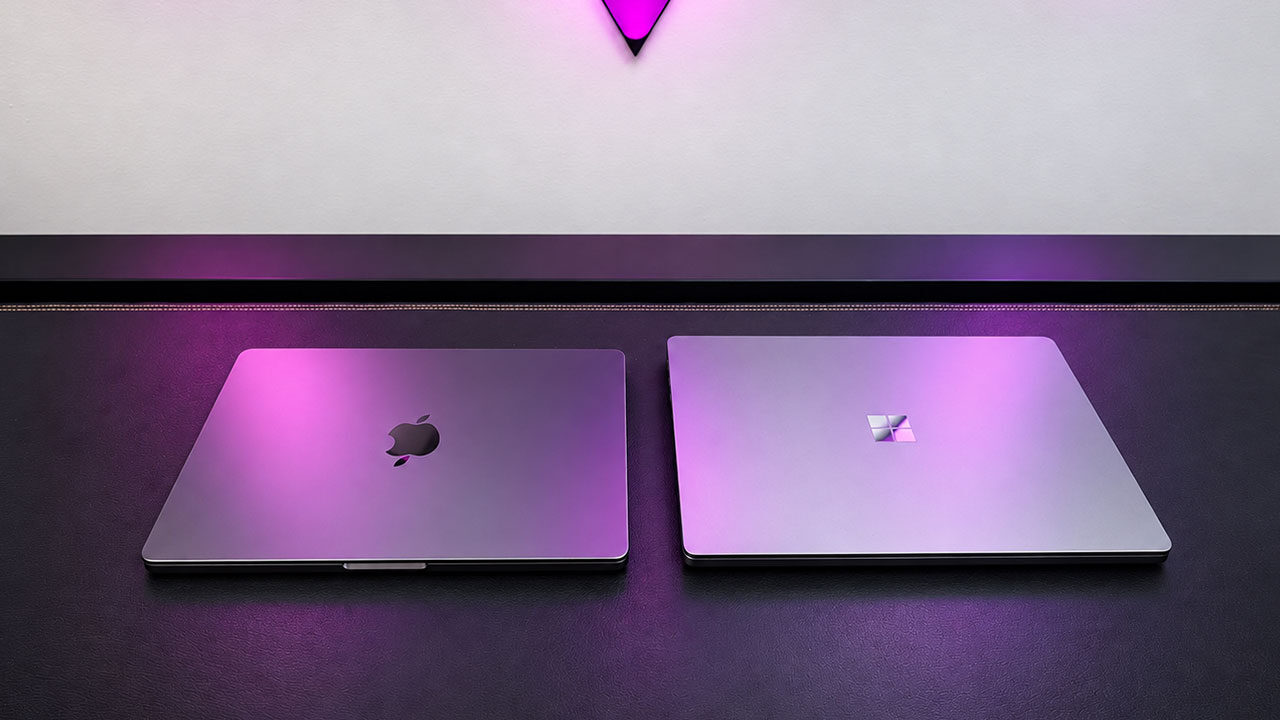
Unboxing this machine, you are greeted with a very premium experience, something you would hope for from a laptop that starts at $2,599 USD. The model we received for testing features 128 GB of RAM and 1 TB of storage, and the overall design feels slick, streamlined, and, to be honest, very similar to what you would expect from a MacBook Pro. It is striking just how refined the full package feels, with Microsoft going all out to deliver a machine that looks and feels expensive from every angle, even before you open the laptop.
“The Microsoft Surface Laptop Ultra is the clearest example yet of what NVIDIA’s RTX Spark platform is meant to enable…”
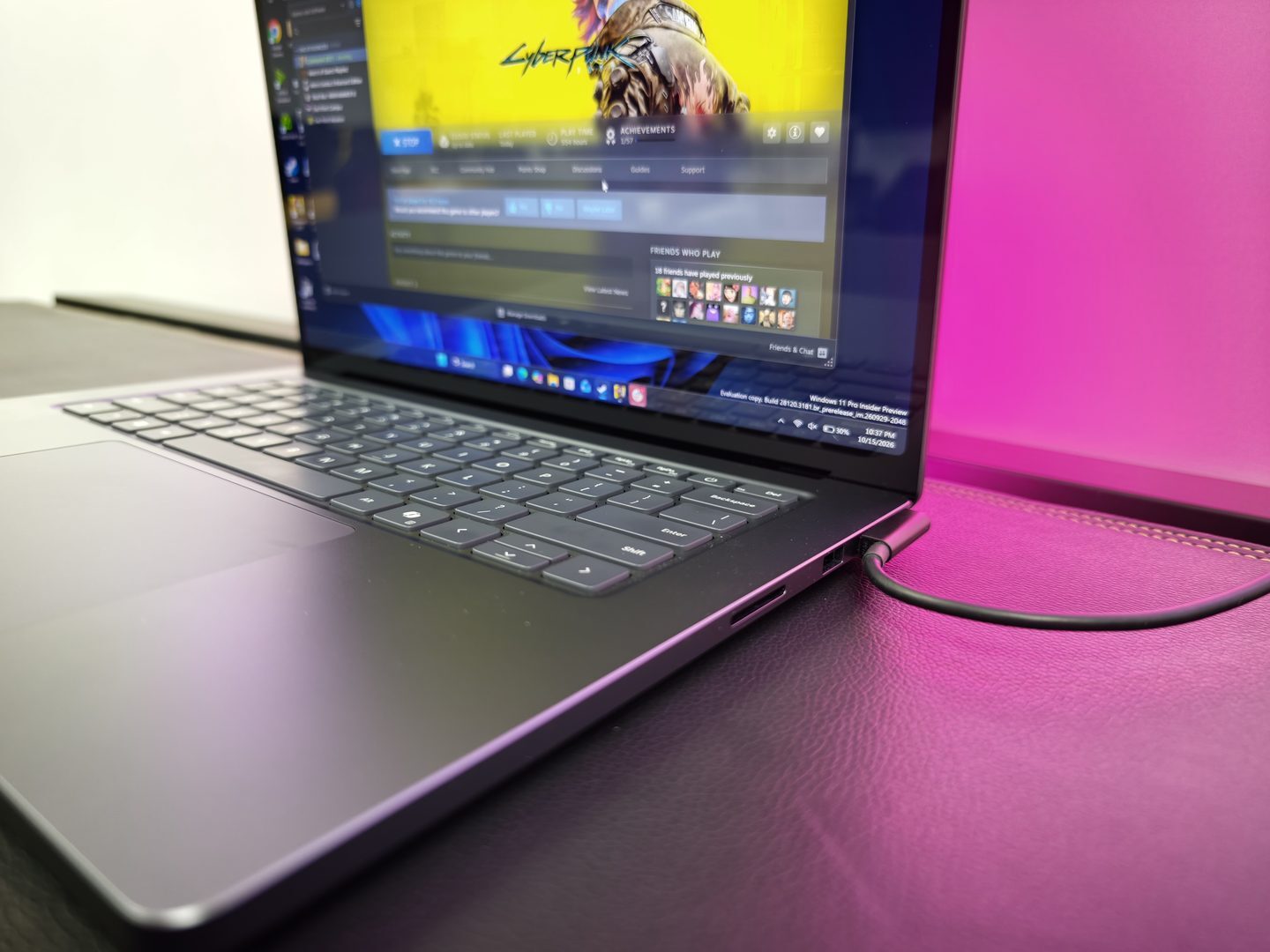
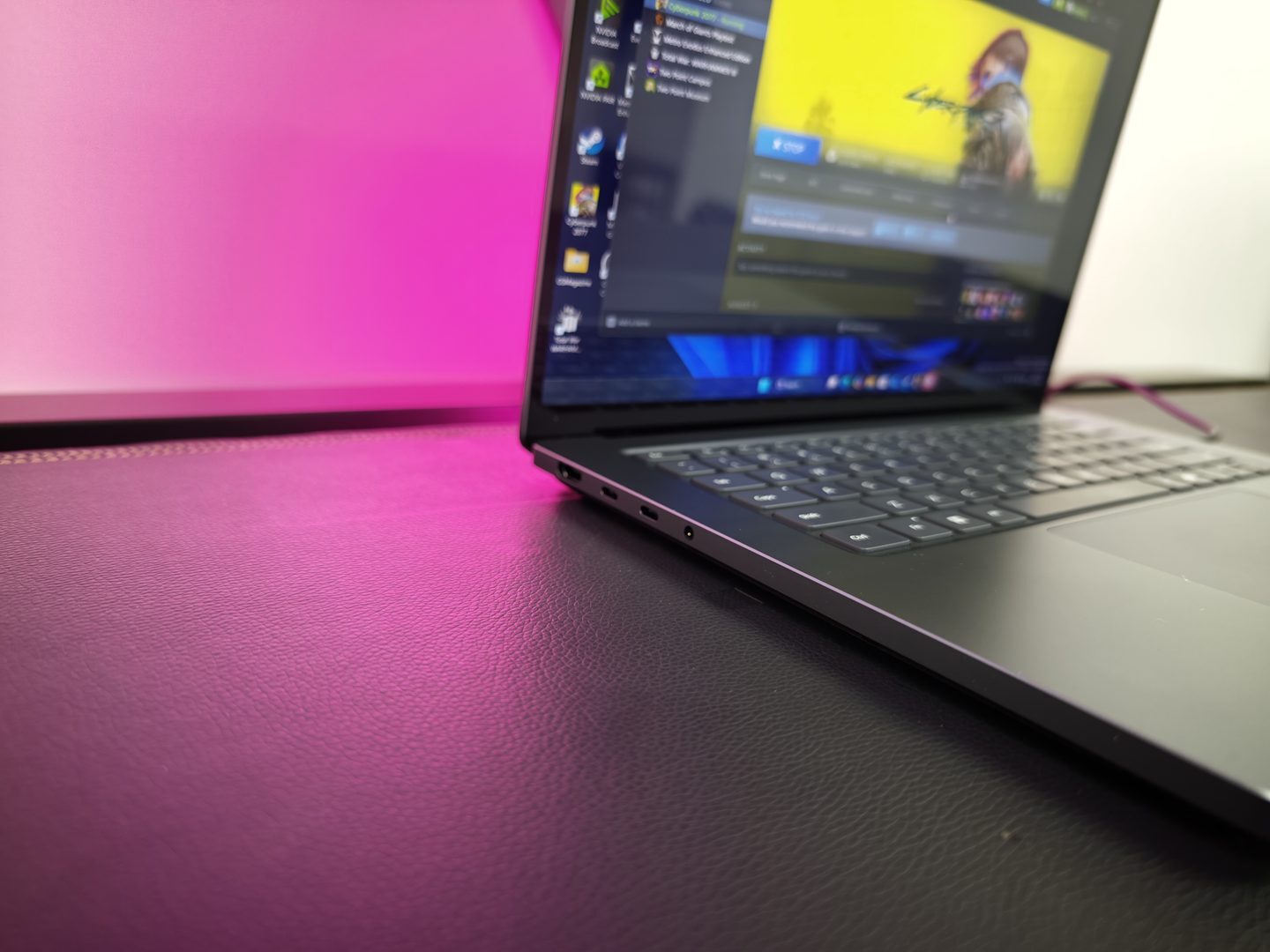
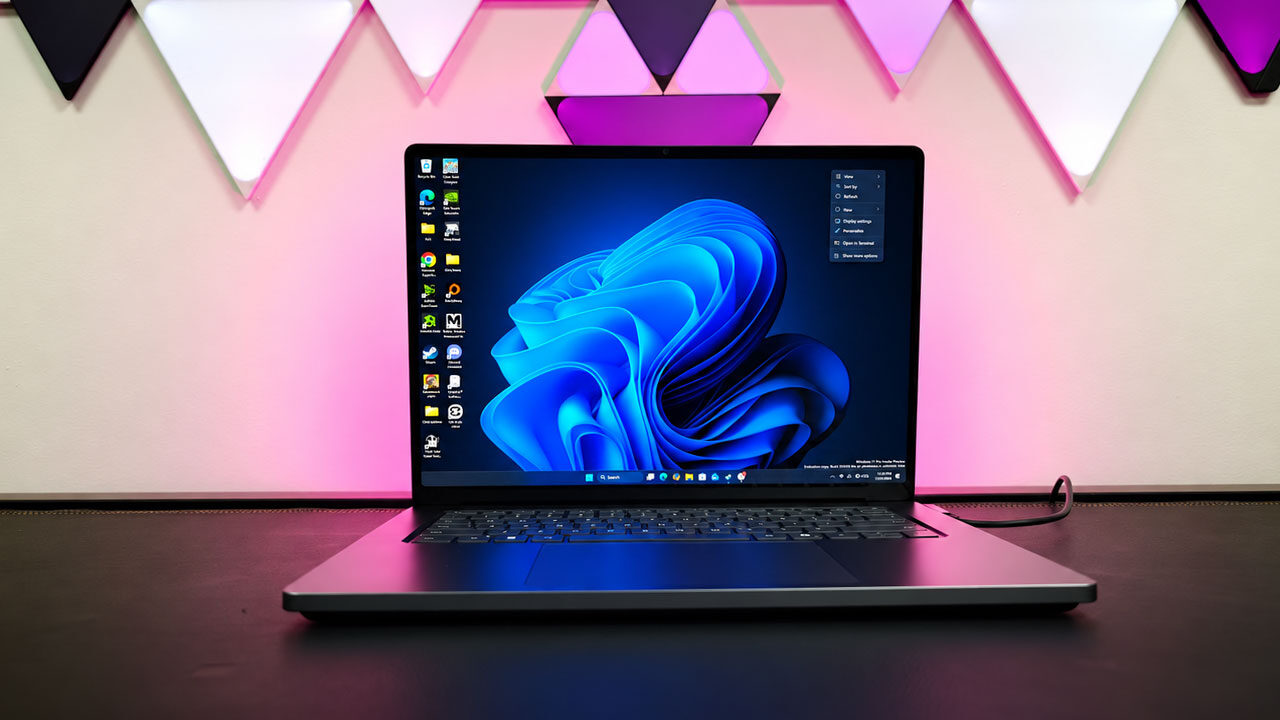
The rest of the hardware feels appropriately overbuilt and ready to compete with some of the best laptops on the market. There is a 15-inch 120 Hz touchscreen with Dolby Vision IQ support and 100% DCI-P3 colour coverage, alongside three USB-C ports, USB-A, HDMI, an SD card reader and a headphone jack. Microsoft also includes a magnetic USB-C charging port, a large haptic touchpad and a redesigned cooling system that it says delivers up to 2.5 times the thermal capacity of the 15-inch Surface Laptop. At under 4.5 lb and less than 18 mm thick, it is still portable, but this is a Surface aimed at people who need more than a typical thin-and-light can usually offer.
Taking the laptop for a spin, the Surface Laptop Ultra’s keyboard is one of the more familiar parts of an otherwise new machine. The 1.3 mm of key travel provides a shallow but firm feel, with enough resistance to avoid the soft, vague feedback found on some thin laptops. The Surface Laptop Ultra’s 15-inch layout is spacious, and the large chassis leaves room for a full-size keyboard and number pad without making the keys feel cramped. It is comfortable for long writing sessions, though the Copilot key remains a wasted piece of prime real estate for anyone who would rather have another programmable function key.
Thankfully, using the Microsoft Surface Laptop Ultra for long periods while on a plane and in a hotel room made for an overall comfortable experience. The edges of the laptop are fairly sharp, so they can become uncomfortable depending on how you rest your wrists while typing, but I quickly got past that discomfort by making slight adjustments to how I used the keyboard. It is still something worth keeping in mind if you tend to rest your wrists against the edge of a laptop while typing.
Below the keyboard, Microsoft has fitted its largest precision haptic touchpad yet. The surface is wide and smooth, providing plenty of space for navigating Windows, editing photos or working through a long timeline. Haptic feedback is consistent across the pad, so clicks register cleanly wherever your finger lands.
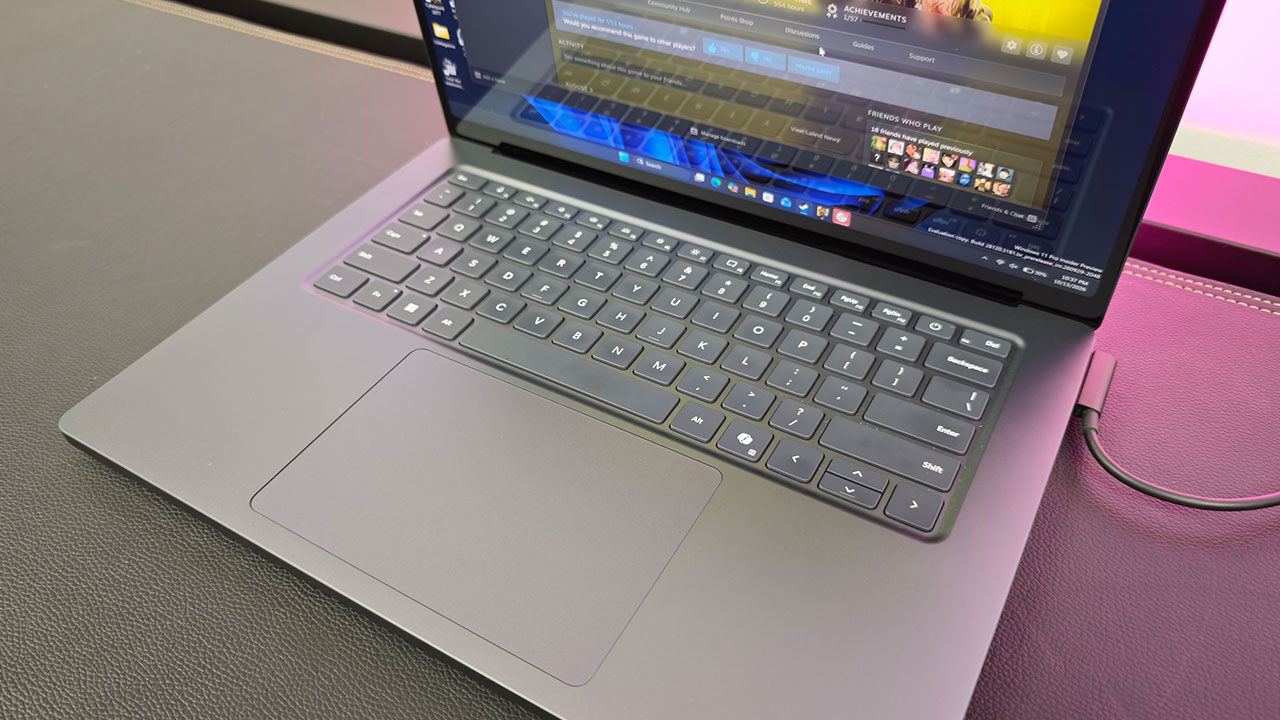
It is among the better Windows touchpads I have used, with accurate gesture support and a more deliberate click than older mechanical designs. Microsoft’s decision to make it a haptic unit also means there is no physical hinge to press down, which helps it feel uniform from edge to edge. Much like the MacBook Pro, however, if you are used to a touchpad that offers a physical press, it can take some getting used to and may not be for everyone.
As for the speakers, the Microsoft Surface Laptop Ultra lets me down a bit. They are clear enough for video calls, podcasts and background music, but the sound lacks the depth and separation I would expect from a laptop starting at $2,599 USD. Vocals come through clearly, while bass remains thin and higher volumes can sound compressed or distorted.
They are functional rather than memorable, and headphones remain the better choice for gaming, films or music. Honestly, they are fine for average use, but with a laptop this high-end, I was hoping for a better experience. Thankfully, if you are using headphones or earbuds, you will not have to deal with those limitations, and for most everyday tasks, the built-in speakers are still more than serviceable.
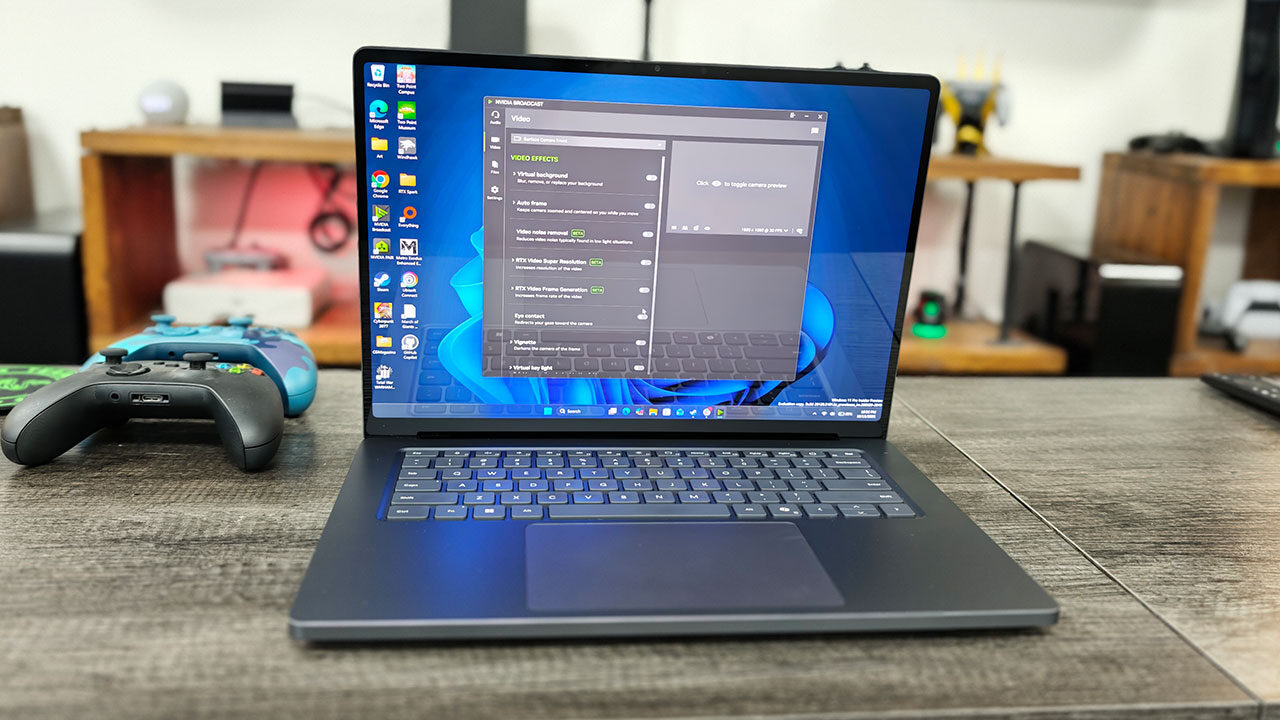
Actually turning the machine on, you are greeted by an absolutely stunning display, one that was a major highlight of using the Microsoft Surface Laptop Ultra. Its 15-inch PixelSense Ultra panel features a 3,270-by-2,180 resolution that keeps text and fine image detail sharp, while the 3:2 aspect ratio provides more vertical room than a typical widescreen laptop. That extra space helps when editing photos, working through long documents or keeping a browser and timeline visible at once. The 120 Hz refresh rate also makes Windows feel noticeably smoother when scrolling, moving between apps or navigating with touch.
Microsoft rates the panel for up to 1,000 nits of typical SDR brightness and 2,000 nits of peak HDR brightness, though that top figure applies to a 10% window with HDR content rather than the full screen. In practice, it is a bright, high-contrast display that holds up well in a sunlit room and gives HDR video and games the right level of impact without making them feel oversaturated or processed.
Colour is another clear strength. The display covers 100% of the DCI-P3 gamut and supports Dolby Vision IQ, making it a credible option for photographers, video editors and anyone who values accurate-looking colour. It is worth noting that the screen supports touch only, with no Surface Pen input available.
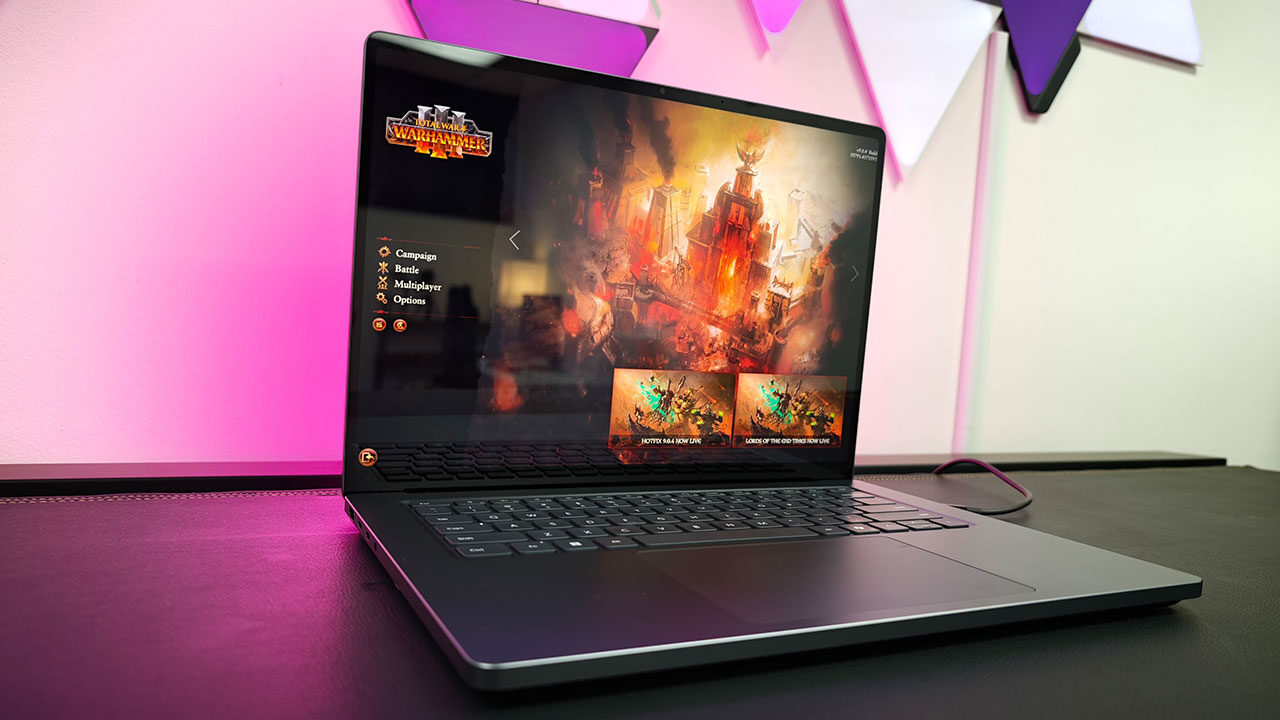
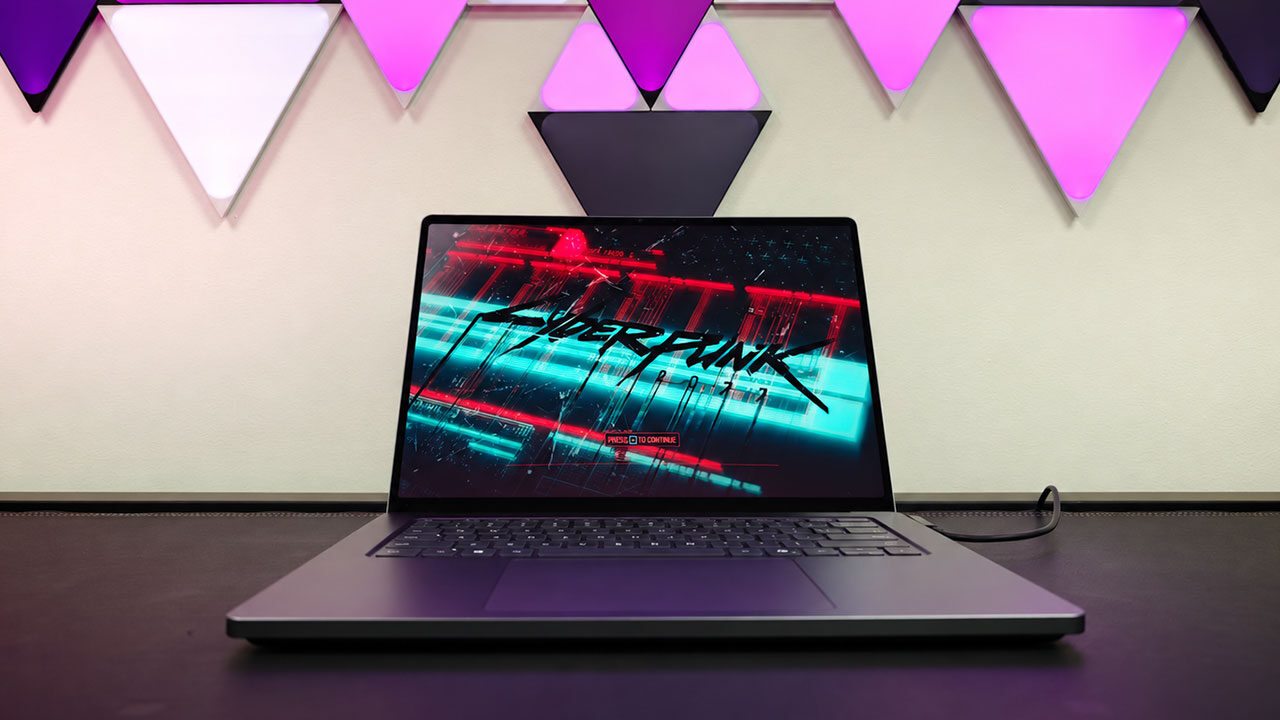
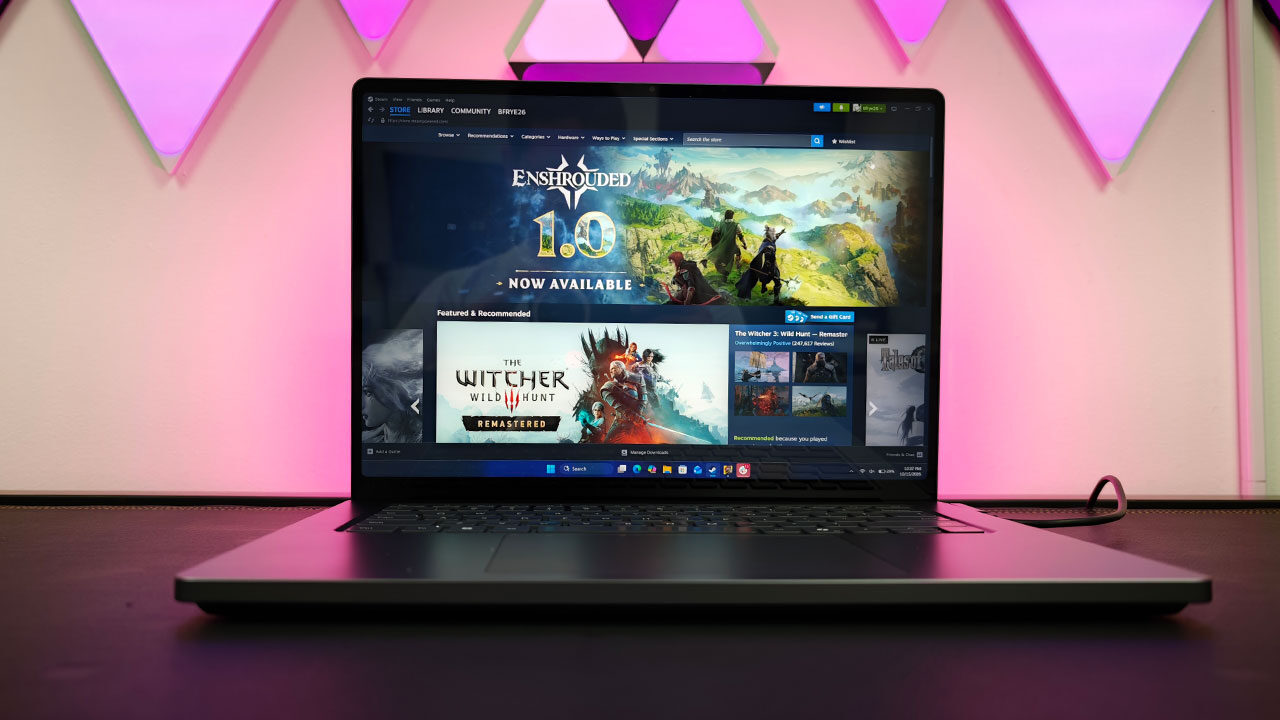
Using the Adobe suite on the display was a joy, delivering crisp colours and a print-ready representation of the work I was importing for testing. Even the more complex print covers I would normally use my Samsung OLED to display properly looked absolutely stunning on the 15-inch screen. When I decided to put the work away and jump into some Cyberpunk 2077, the game looked fantastic, with bright, vibrant colours and sharp, clear detail even in darker environments.
Battery life is one area where the Surface Laptop Ultra does have some limitations, but it still performs well considering the level of power this machine is capable of delivering. Microsoft rates the RTX Spark-powered notebook for up to 15 hours of local video playback, based on testing with a preproduction model featuring 64 GB of memory and a 1 TB SSD at 150 nits of brightness. That figure, however, is far removed from the kind of AI, rendering, and GPU-heavy workloads the Surface Laptop Ultra is actually built to handle.
When I tested the Surface Laptop Ultra across a range of workflows, including gaming, AI benchmarking and word processing, it performed well, but with some notable limitations. When pushing the machine to its fullest potential, I found it was possible to drain the battery in around three to four hours, with AI workloads and heavy gaming involving ray tracing and other demanding features taking the biggest toll.
If I was a little more forgiving with my settings, the laptop managed to push itself further, but unless you are doing lighter work or watching Netflix, you will want to keep the charger handy. It is possible to push battery life well beyond 10 hours, although 15 may be a stretch; once you start using the machine’s capabilities to their full potential, you will drain the battery much faster than you may like.
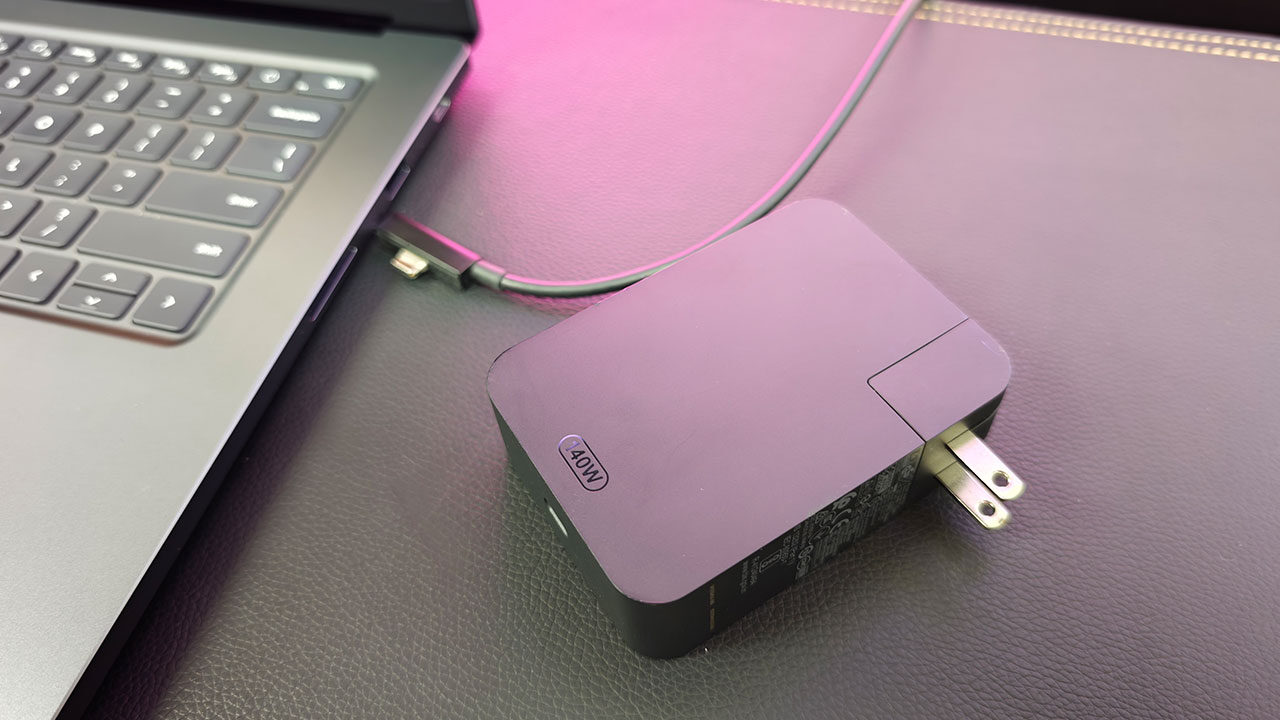
The included power adapter is heavy and clearly built to support the workstation-style workflows the Surface Laptop Ultra is designed to handle, but that also means it is not exactly light to carry around. Microsoft says select configurations include a 140 W Surface Power Supply, while its fast-charging specification calls for either a 115 W or higher Surface charger or USB-C Power Delivery adapter.
I will admit, the included charger does a good job of keeping the machine topped up, while weaker adapters can struggle to maintain the battery level when the laptop is running at full performance. The new magnetic USB-C port is also a smart addition. It retains the convenience of Surface Connect while using a standard connector, and the laptop can still charge through its other USB-C ports. I honestly love the implementation, as it feels similar to the MagSafe connector on a MacBook Pro while still remaining fully usable as a USB-C connection, helping ensure I never feel limited by the number of ports on the machine.
Speaking of gaming and content creation, the RTX Spark platform at the core of the Microsoft Surface Laptop Ultra ensures you have plenty of power to play the latest games. As I noted in my platform coverage, there are some limits on what is currently available and working, but provided your game does not rely on unsupported anti-cheat software, or already works on Arm, there is still a wide range of titles available. I tested plenty of games while using this laptop for review, and I came away impressed with the overall performance.
Jumping into Cyberpunk 2077, I was pleasantly surprised by how well the game ran out of the box. At 1080p and 1440p, the game is very playable at Ultra or High settings and remains playable with ray tracing turned on, provided you do not mind enabling frame generation or other DLSS features to push the frame rate above 60 FPS. You will struggle to stay above 30 FPS at maximum settings with ray tracing enabled, but considering this is all running on a laptop that remains very portable, the results are still impressive.
“…the RTX Spark platform at the core of the Microsoft Surface Laptop Ultra ensures you have plenty of power to play the latest games.”
The same is true when I jumped into Metro Exodus Enhanced Edition. The game was very playable at 1080p and 1440p using Ultra or High settings, depending on how much DLSS assistance you bring into the mix. Performance was well above what I would expect from a typical thin laptop, and the Surface Laptop Ultra also ran noticeably cooler than the ASUS ROG Zephyrus I tested it against.
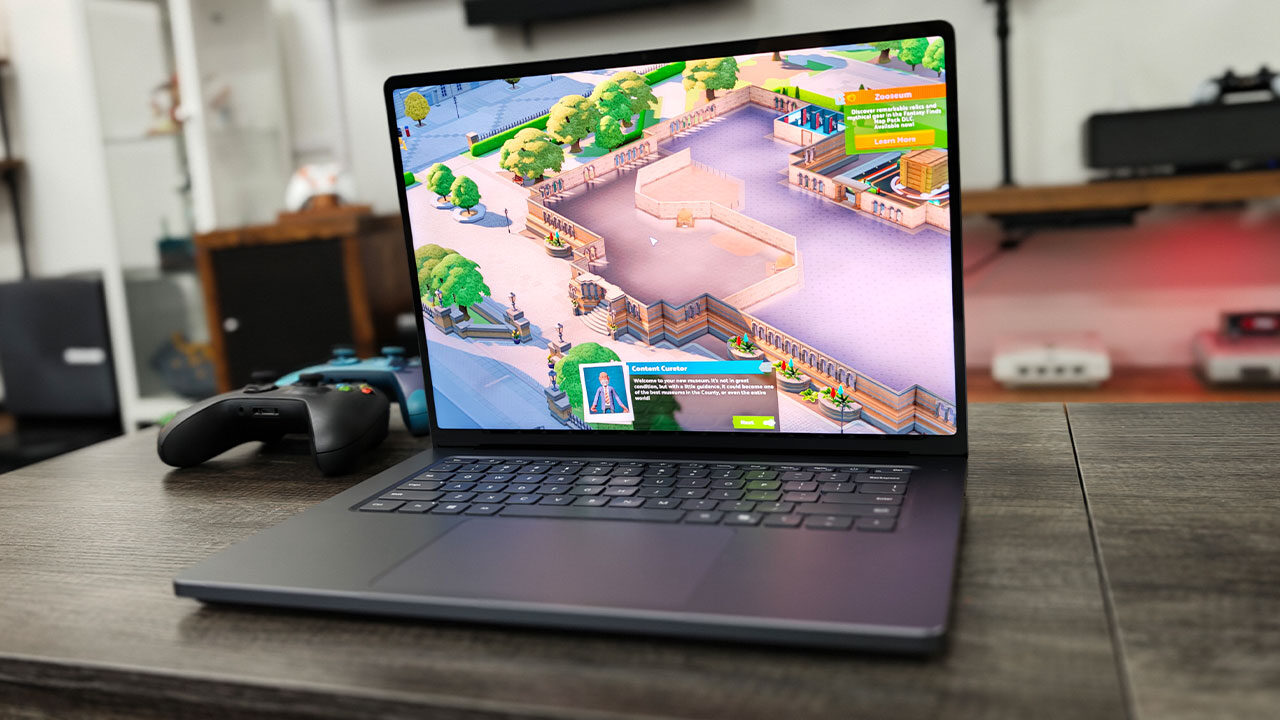
Games like Baldur’s Gate 3, Two Point Museum, Civilization VII and many others all ran without any meaningful issues on the Microsoft Surface Laptop Ultra with RTX Spark. Honestly, I did not manage to find a game that struggled to run on the laptop in any significant way.
I would not advise trying to play demanding games at the native 3,270-by-2,180 resolution, because while DLSS features can help deliver solid frame rates, there are limits to what they can do. You may be able to play a less intensive game at a decent clip, but once you start adding features like ray tracing, path tracing or DLSS 5, you will be asking a lot from the hardware, even with the power under the hood of this machine.
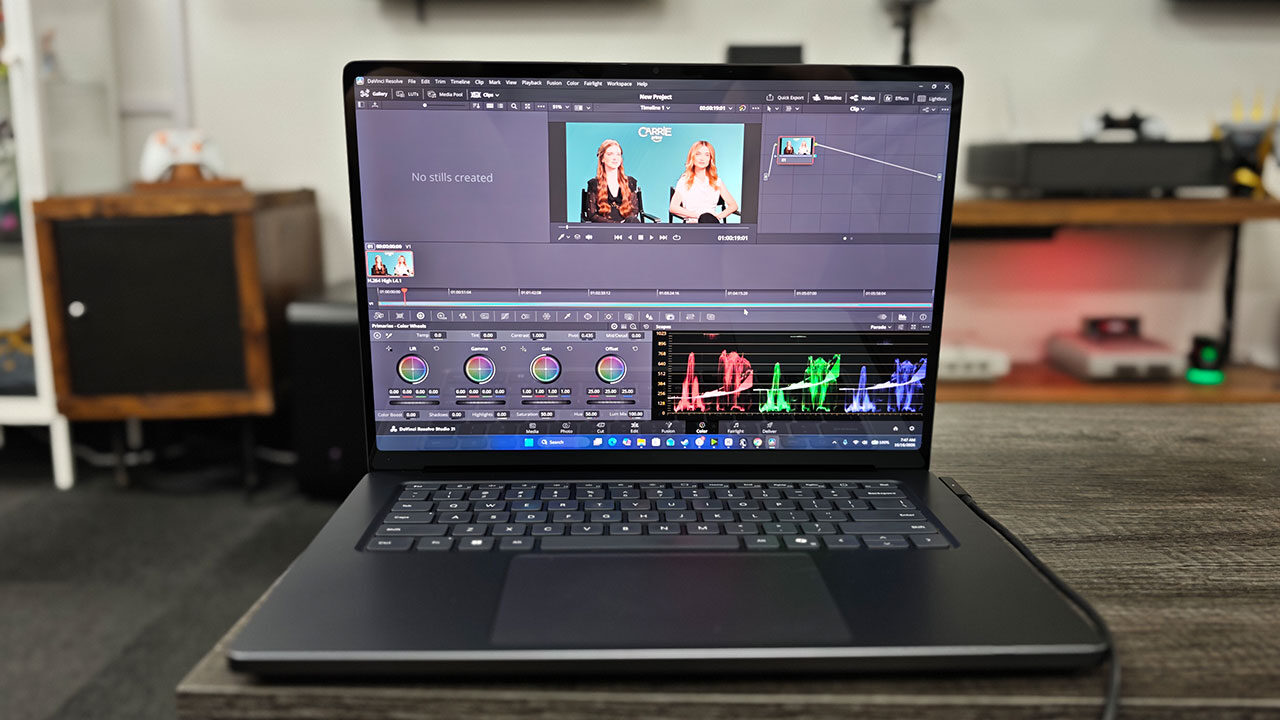
Creative workflows were a dream on this machine. Loading up CapCut, DaVinci Resolve, and the Adobe suite was incredibly smooth, with the Surface Laptop Ultra handling complex projects without any meaningful issues. Scrubbing through a 4K timeline with multiple layers felt effortless, and even some of the more complex cover files from CGMagazine loaded quickly and let me manipulate layers without the machine slowing down. As I mentioned above, the display also makes working with video and photo content easy, with little concern that colours will look wrong when I eventually send something to print or export it for the world to see.
The fact that it uses an RTX-based GPU also means it can take advantage of NVIDIA’s full suite of tools, including NVIDIA Broadcast, DLSS and CUDA. That opens the door to features such as AI-assisted upscaling or expanding photos when the source image simply does not meet your needs. I also tested tools like ComfyUI with more complex image and video generation models, and they all worked well, further reinforcing how capable the Surface Laptop Ultra can be as a portable creator machine.
I go into more detailed testing of AI workflows in my RTX Spark rundown, but this is one of the first Windows laptops that can take on larger models, image generation and even video generation entirely on-device without immediately running into major limitations. The MacBook Pro M5 can do it as well, provided you have a model with enough memory, and Strix Halo-based laptops also have the potential to handle these workflows. Even so, RTX Spark managed to deliver some of the best benchmarks we have seen in our testing, and it does so while remaining relatively efficient and cool.
I have also only scratched the surface, pun intended, of what can be done with agents and other AI workflows, but it is impressive to see what RTX Spark is capable of delivering. I was especially impressed by the ability to spin up an agent, have it handle smaller tasks for me or connect to an MCP server and work across other applications, all without ever needing to connect to the internet.
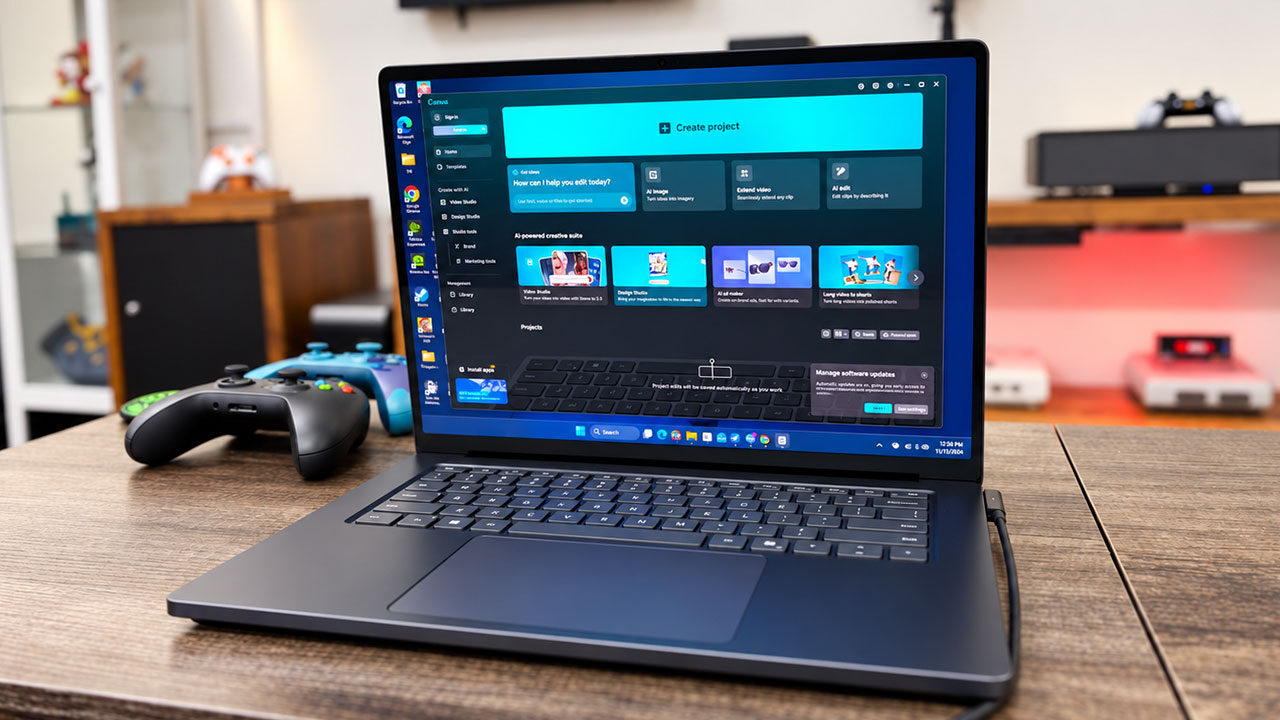
For people worried about privacy, or those working with sensitive documents such as the review guide for this laptop, the ability to keep everything on-device is fantastic, and RTX Spark helps make the experience feel relatively fast and usable. There are ways to run models on laptops with fewer resources, but I will be honest, you may be in for a rough time. With this laptop, I never felt like I was compromising when testing different workflows or simply seeing how far I could push the hardware.
While everything else feels impressive, the price is where many people may bow out from what RTX Spark has to offer. The Surface Laptop Ultra starts at $2,599.99 USD, putting it firmly in workstation territory before any upgrades are considered. That entry model pairs NVIDIA’s 18-core RTX Spark N1X chip and 5,120-core GPU with 24 GB of unified memory, a 512 GB SSD and Windows 11 Home. Moving to a 1 TB SSD takes the price to $2,999.99 USD, while the first 32 GB configuration lands at $ 3,299.99 USD and includes Windows 11 Pro. The more capable 20-core RTX Spark N1X configuration, with its 6,144-core GPU, begins at $3,699.99 USD with 32 GB of unified memory and a 1 TB SSD.
As tested, the fully loaded Surface Laptop Ultra costs $5,899.99 USD. That model includes the 20-core RTX Spark N1X, 128 GB of unified memory, a 1 TB SSD and Windows 11 Pro. It represents an enormous $3,300 USD jump from the base machine, and Microsoft does not offer a configuration that combines the 128 GB memory option with its 2 TB SSD. The 2 TB drive is instead limited to the 64 GB model, which costs $4,699.99 USD.
I will be honest, for the average person, this pricing makes the Surface Laptop Ultra difficult to recommend on price alone, particularly for buyers looking for a premium general-purpose laptop. This feels like a machine built for professionals, and in that context, the cost makes much more sense.
For developers, creators and other professionals who can take advantage of unusually large unified-memory pools for local AI work, and who are ultimately using the laptop to make money, the investment is easier to justify than it would be for someone who simply wants a fast Windows notebook. For gamers, I would honestly recommend the lower 64 GB model. It should deliver similar performance in most games while costing significantly less than the fully loaded configuration.
The Microsoft Surface Laptop Ultra feels like a true Windows answer to the MacBook Pro, delivering the level of performance and refinement I have always wanted to see from the platform. It also feels very much like a pro-level machine, however, and one that sits well above the average laptop buyer’s price range. RTX Spark is a fantastic first offering from NVIDIA, and Microsoft has implemented it incredibly well, but with a starting price of $2,599 US, this is not a machine you buy for your kid to throw in a bag on the way to college.
This is a laptop you buy when you need a serious professional workflow and ultimately expect to make money from your work. It is a dream for content creators, can crunch through AI workflows as well as some of the best options on the market and even plays games better than many larger machines. If you just want a laptop for casual use, though, better options are available. For those who can afford it, the Microsoft Surface Laptop Ultra is a great Windows answer to the MacBook Pro and an absolute dream to use, but at today’s pricing, it may be a hard pill to swallow for more casual buyers.