
A few years back, I had the privilege of reviewing HP’s EliteBook X360 1040 G11, a 2-in-1 business-class laptop that thoroughly impressed me and redefined what a business-class laptop was capable of, at least in my eyes. This year, HP is back with their latest EliteBook X Flip G2i, which continues to raise the bar, and we will see where HP has improved over the years, and whether or not it is worth upgrading to over its predecessor.
The unboxing for this year’s HP EliteBook X Flip G2i was not quite as visually pleasing and leans more toward the eco-friendly side of things, which, while a slight bummer, is more than understandable since, unless you’re a tech box hoarder, not many people tend to keep the box for their laptop. Internally, you find the laptop itself, a longer USB-C to Type-C charging cable, a compact 65-watt charging brick—the same one included with my recently reviewed HP OmniBook Ultra, and a replacement pen tip for the included stylus along with a few warranty papers.
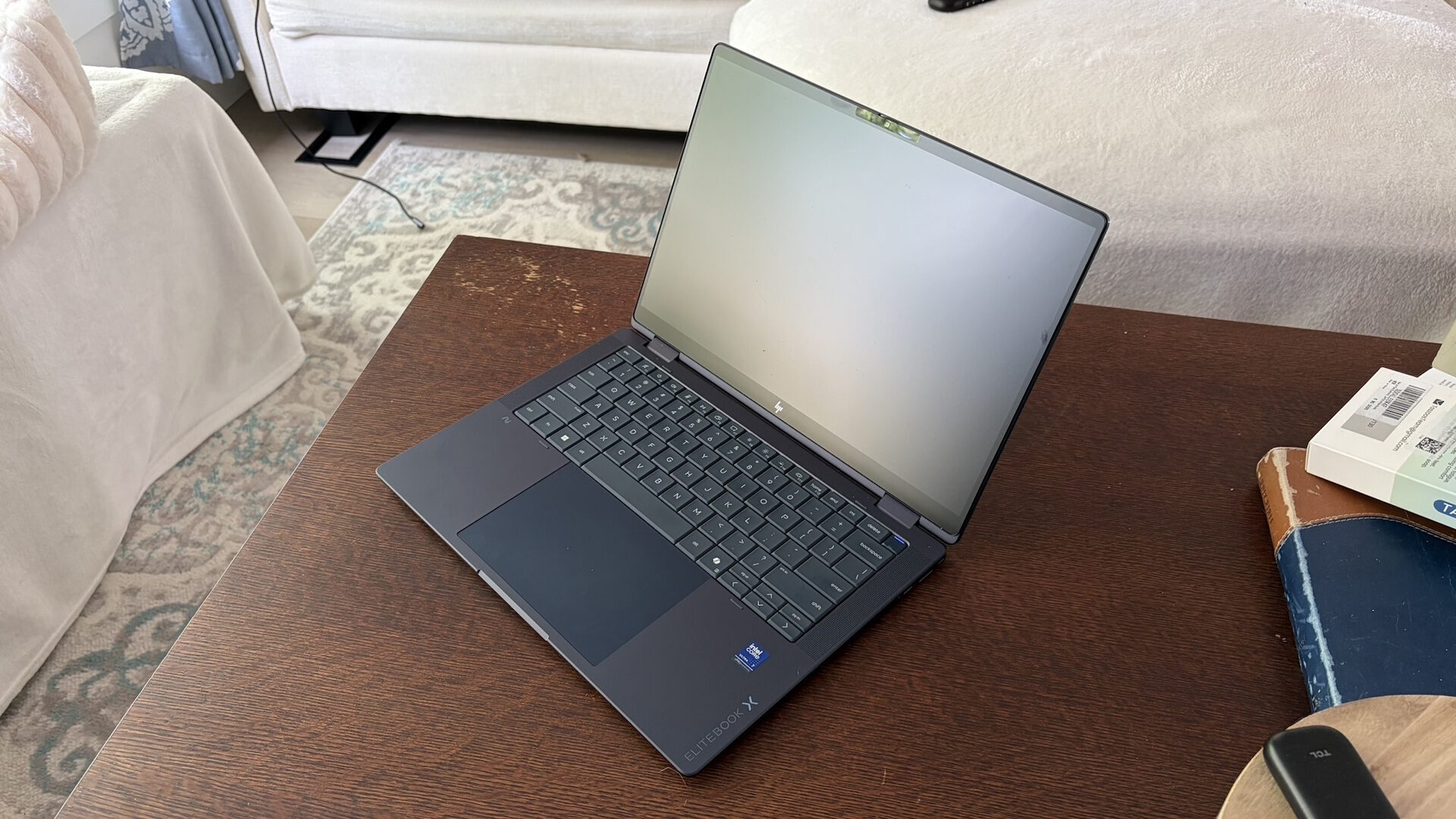
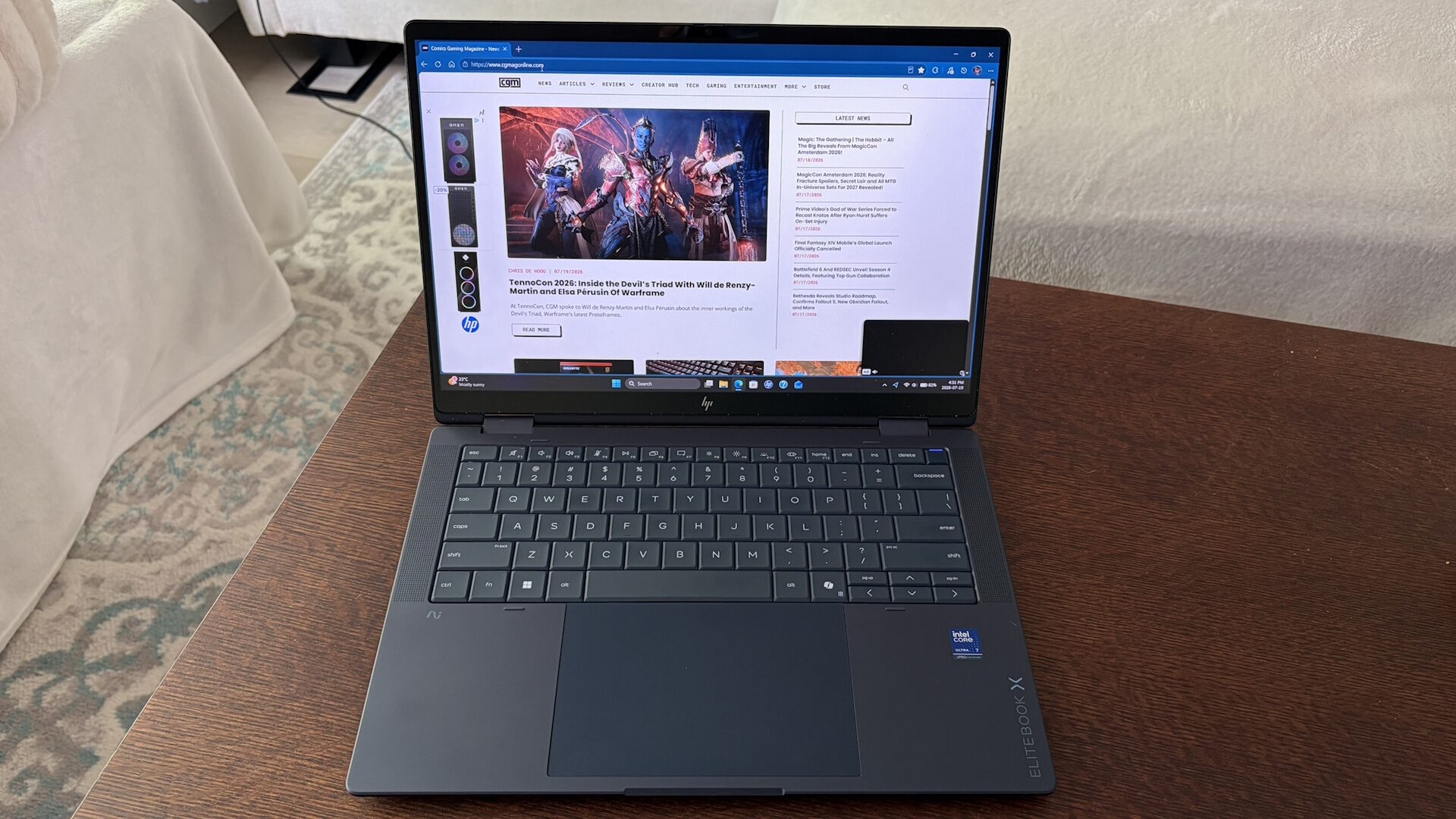
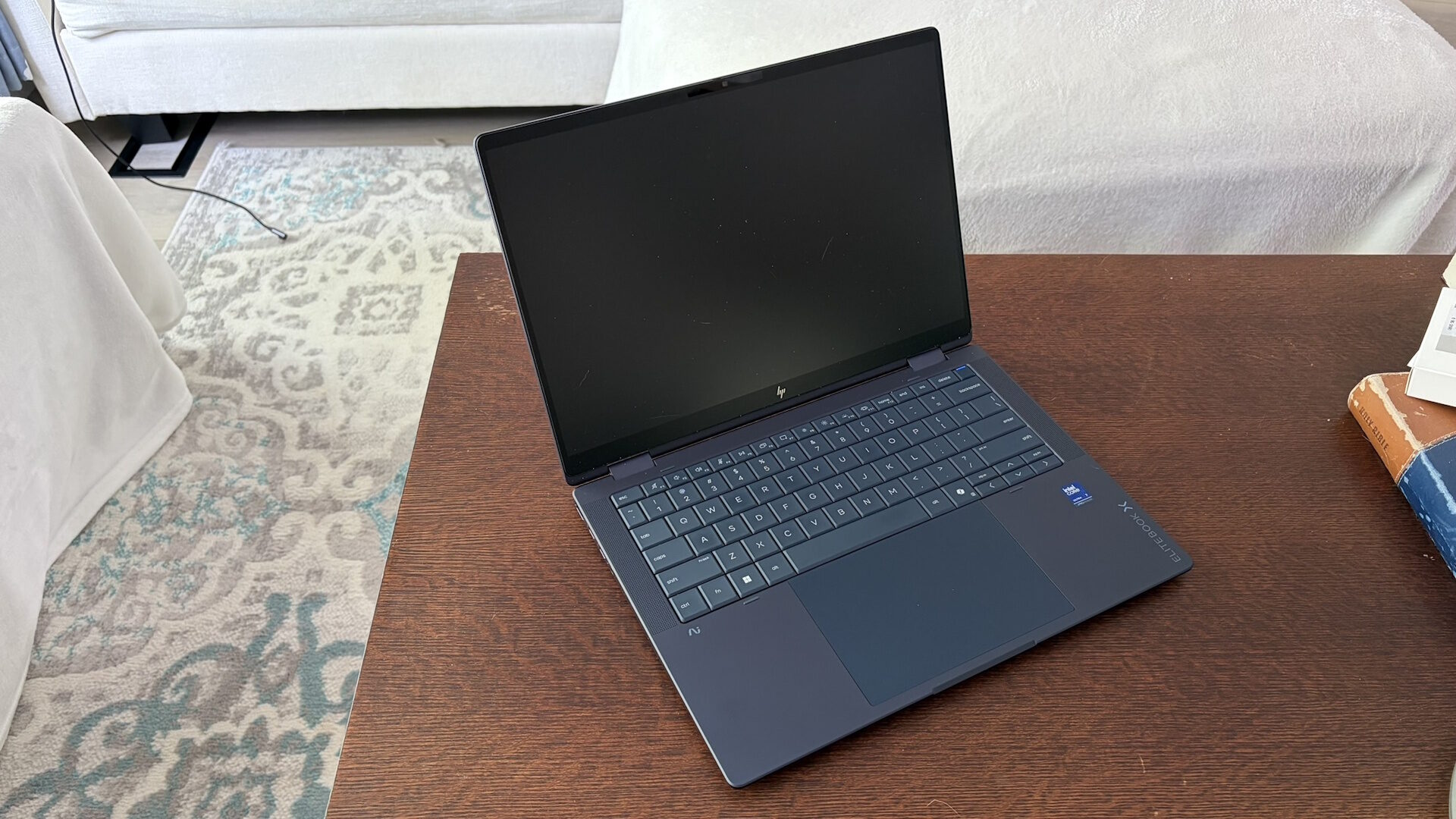
Looking around the HP EliteBook X Flip G2i, the smooth and curved edges that I loved on previous models have been replaced by sharper and more defined lines, which give the laptop a much sleeker appearance. Despite this, the laptop still felt great to carry, without the edges digging into my hands. Coming in at around 2.86 lbs, the HP EliteBook X Flip G2i is certainly still very light and easily slips into any laptop bag or sleeve I own. I thoroughly enjoyed HP’s decision to make the laptop navy blue this year, one of my favorite colours, and I thought it looked visually stunning. I hope to see this colour available on more units in the future.
Checking out the IO on the laptop, I was pleased to see HP still offering a decent port selection, allowing users to free themselves from having to carry extra docks or dongles around in their bag, in most cases. The left side has an HDMI 2.1 port, dual Thunderbolt 4 ports, and a headphone/mic combo jack. Along the right side, you can find a Nano security slot, a single USB 3.2 Type-A port, a single USB Type-C port that also supports power delivery, and further down, the built-in stylus house. I was happy to see HP allowing charging from either side of the laptop, something that I want to see from more companies, as it makes powering the laptop much easier and prevents my cables from binding up from having to reach around the unit.
Like many of their laptops, HP’s EliteBook X Flip G2i uses a 14” IPS display with a 1920 x 1200 resolution screen, outputting 400 nits of brightness. This display covers 100% of the sRGB colour gamut, something photo and video editors will appreciate. New to this year, HP has covered the display with Gorilla Glass 7, making it more durable than previous laptops and an aspect that should hold up to longer-term wear and tear much better. To my delight, HP has also given the display a matte finish with an anti-glare coating that, in my testing, blocked out most—if not all—external light sources, making it great when working near a window or under bright lighting.
When using the stylus on the screen, it felt smooth and fluid without any noticeable resistance or grit like I have felt on some other competitors. While the grit can provide a more “pen and paper” kind of feel, the smoother finish here is much more pleasing to use in my testing. One minor gripe I had with the display was its max refresh rate of 60Hz. While I understand this isn’t a gaming laptop, the extra refresh rate can be nice when watching or editing videos, or when hooked up to an eGPU to attempt to play some games.
“While running said benchmarks, the HP EliteBook X Flip G2i easily outperformed its predecessor in almost every way. “
This year’s HP EliteBook X Flip G2i comes packing a quad stereo speaker setup, with two speakers firing downward and two larger speaker grilles along the sides of the keyboard. This is my preferred layout, as it can deliver rich audio when set up properly. HP has delivered a decent performance here, although I wouldn’t call them class-leading or innovative. That being said, these are still a very well-performing set of speakers that deliver a great listening experience, even while on softer surfaces such as my bed, couch, or on my lap. Like most laptop speakers, they lack some bass tones, while mids and high tones sound as they should. Audio was crisp and clear, sounding about how I would expect from a laptop of this class.
The HP EliteBook X Flip G2i I am reviewing comes with an Intel Core Ultra 7 366H, clocked at 2.0 GHz that can turbo up to 4.8 GHz, paired with 32 GB of LPDDR5x RAM, which is more than suitable for a laptop of this form factor. Users can opt for lower-tier CPUs and different RAM configurations if desired, with mine being near the top of the range in its given configuration.
In everyday business-type applications, the HP EliteBook X Flip G2i performed adequately and respectably, although I have seen thinner laptops from HP that can push out even more performance. I never noticed any stuttering or slowdowns during my testing, and I feel HP has done an excellent job with internal thermal performance, keeping the unit cool, even under intensive testing and while running benchmarks.
While running said benchmarks, the HP EliteBook X Flip G2i easily outperformed its predecessor in almost every way. Scoring 1,042 points in Multi-Core in Cinebench 2024, the score was not at the top of my business-class charts but certainly among the higher scores. Comparing its Cinebench R23 score to that of its predecessor, the new unit scored about 3,100 points higher, achieving a score of 16,878 points in multi-core. Running Geekbench 6, it scored a similar result, with a score of 16,909 points in multi-core and 2,872 points in single-core. This ensures the HP EliteBook X Flip G2i will have the power to get your tasks done with ease, without worrying about it falling behind.
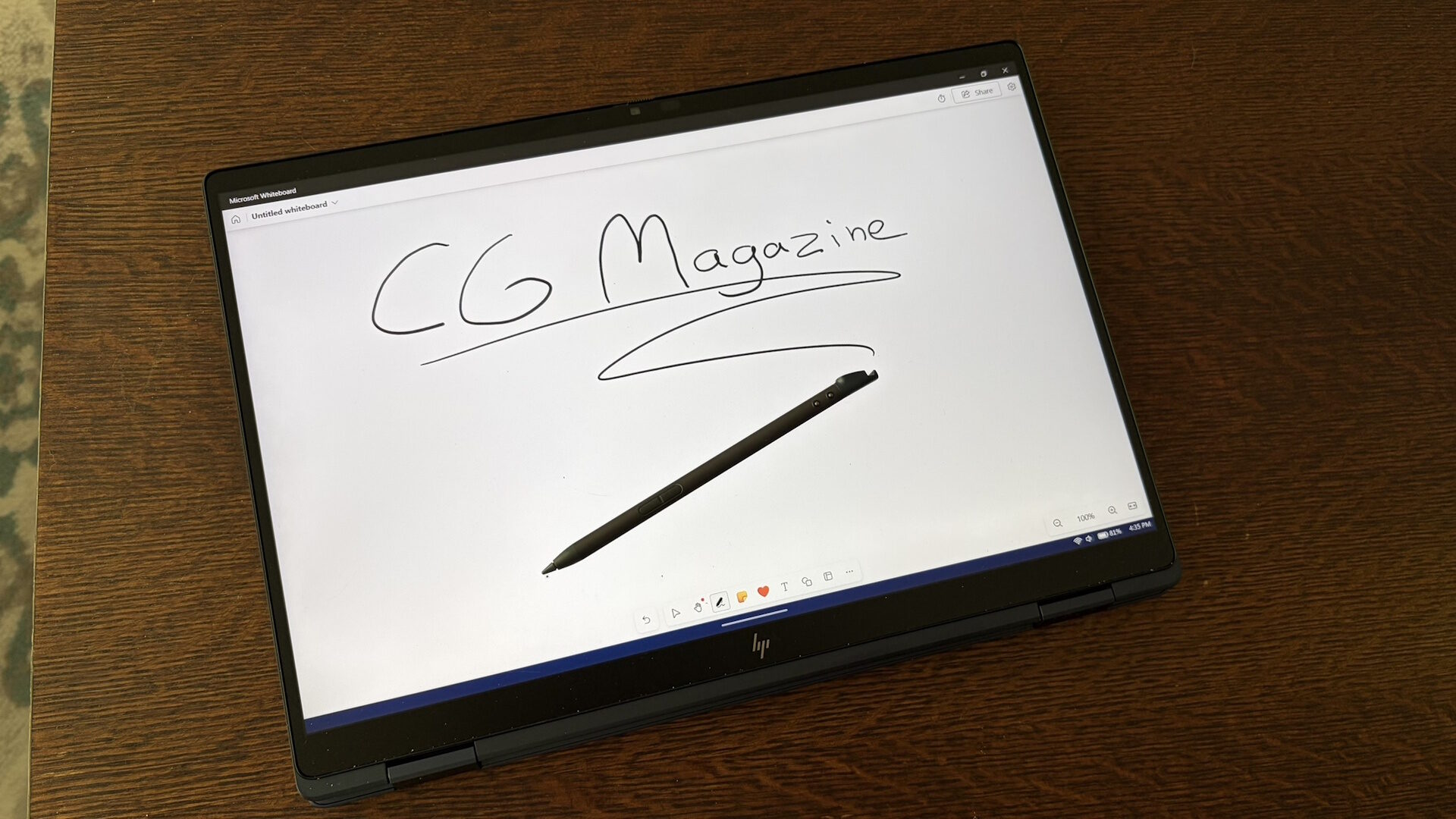
Being a 2-in-1 laptop, one of my biggest concerns with devices of this type has been the struggle of carrying around the stylus to interact with the display. Tossing them in a bag or sticking them to the laptop is great until you lose them; then you also lose the capabilities that come with them. Thankfully, this year, HP has chosen to make the EliteBook X Flip G2i magnetically store its stylus internally, something I would like to see more companies do. Not only does this keep the stylus safe when not in use, but it also charges it, ensuring it is ready to go whenever you want to use it.
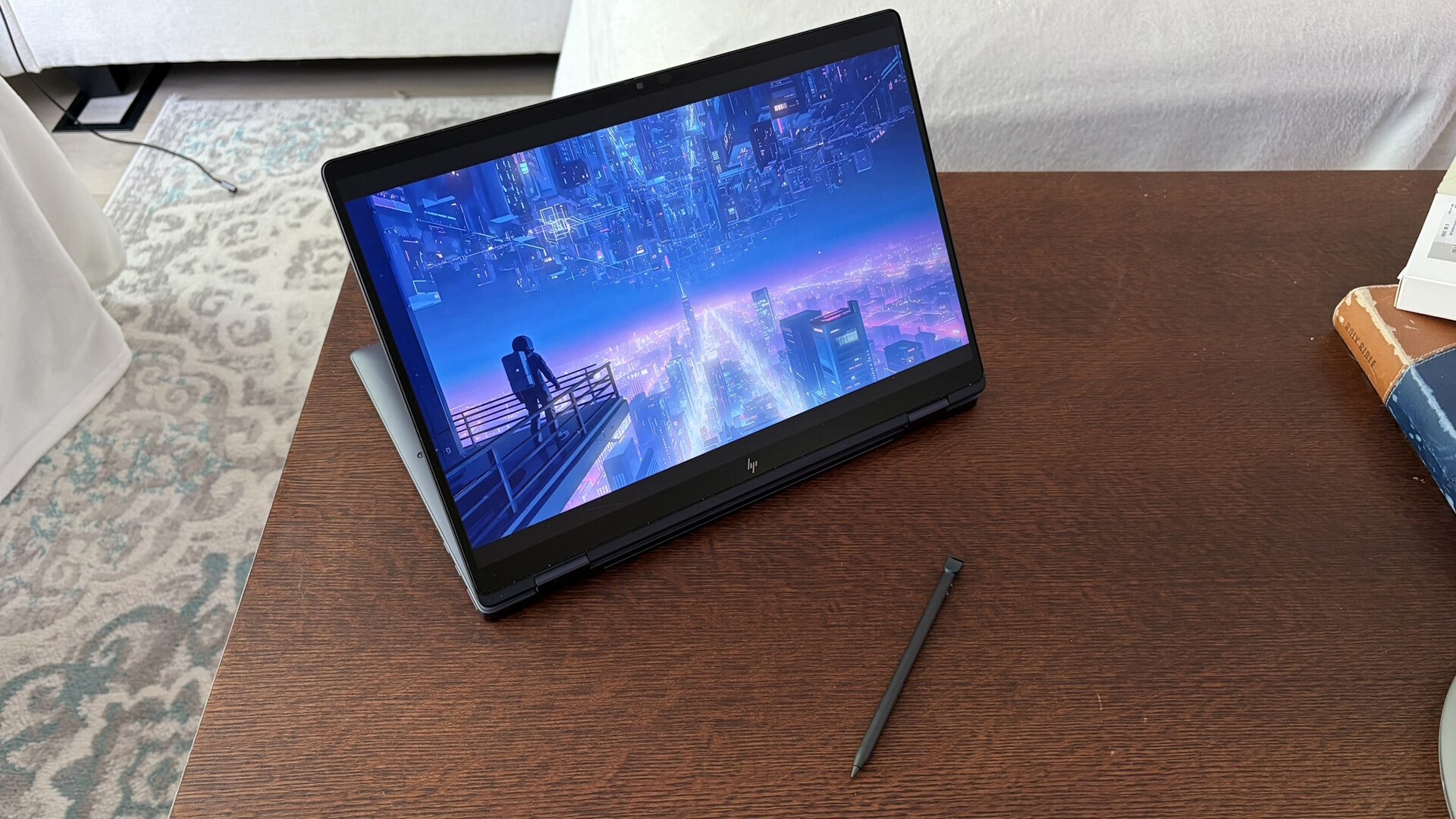
Using the stylus was similar to the feel of using a pen, with two buttons near where your thumb would normally rest. While I am no artist, drawing with the stylus was a pleasant experience with its many levels of pressure sensitivity. This was, without a doubt, one of the nicer styluses I have used to date, thanks to its overall size and weight.
With each year, HP continues to deliver some of the nicest-feeling keyboards I have tested on any laptop; this year is no exception. The keyboard on the HP EliteBook X Flip G2i was not only one of the most comfortable laptop keyboards I have used, but this year it also had more travel on each keystroke, making it easy to reach my usual typing speed. Thanks to its darker shade of blue, the keys were easy to see, regardless of whether the backlight was on or not.
A welcome addition, as seen on some previous models, is its inclusion of spill-proof design. While I personally have never spilled anything on any of my laptop keyboards, this is great for life’s little incidents or for those who might be using the laptop at home, around small children. One minor gripe was the squished function key row, which had rather small buttons for each function. Some other HP laptops I have tested have slightly wider keys here and occasionally move some of the functions to other keys, such as the arrow keys. While it didn’t affect me most days, after using some other HP laptops, I would sometimes find myself hitting the wrong key without intending to.
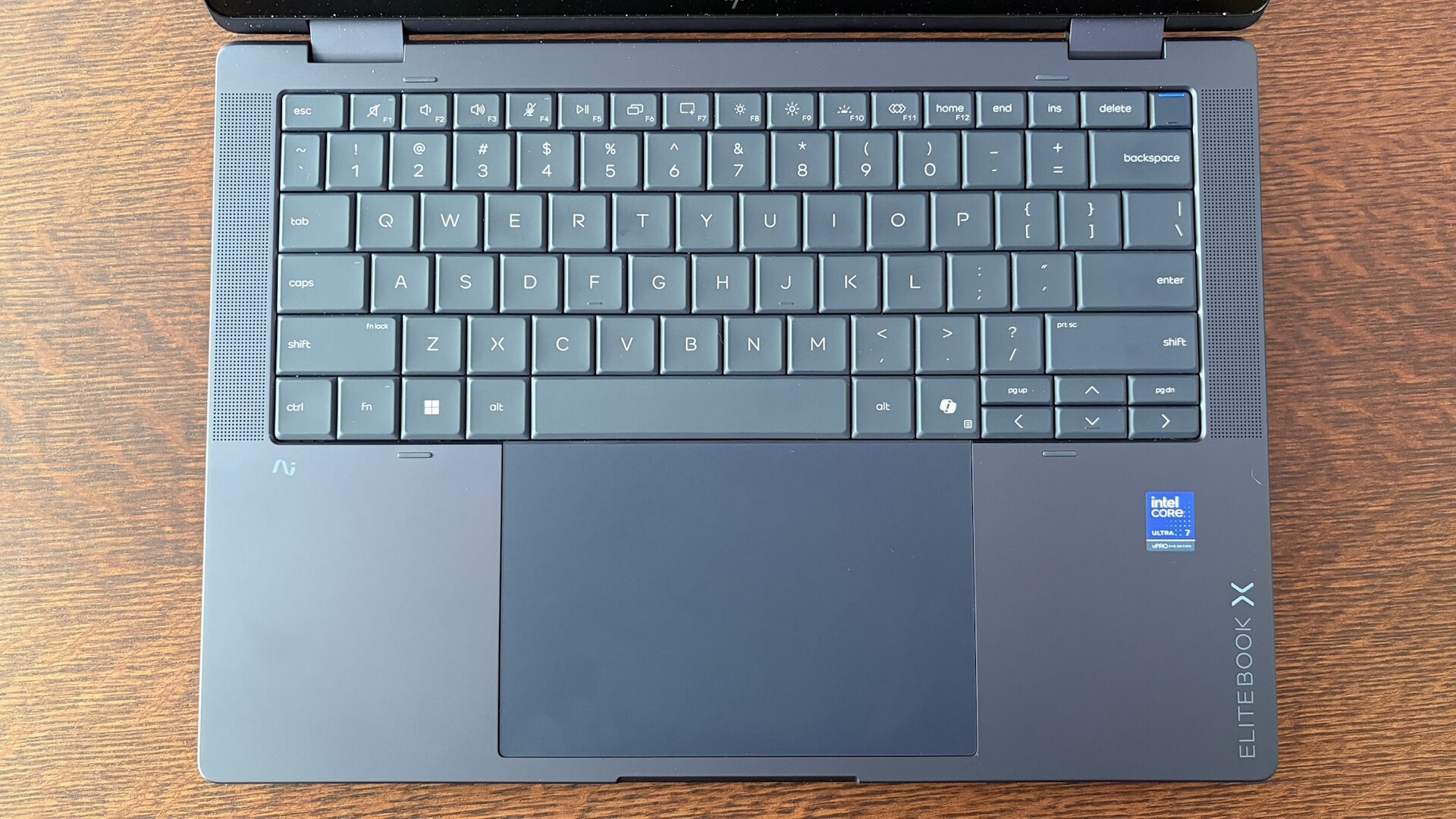
HP has further enhanced the EliteBook X Flip G2i with a large haptic touchpad that takes up about half of the lower palm rest area, instead of opting for an older-style diving board design. This was something that I not only found a little surprising to see, but was also thankful for as well. This further prevents dust or food from getting trapped below it and potentially hindering usability. During my testing, I found it to be very smooth and accurate, and overall, very pleasant to use. While it may not have pen support like the Acer Predator Triton 14 AI I reviewed earlier this year, this was still a great iteration of a haptic touchpad, and I truly hope HP continues to incorporate more of them into their higher-end laptops.
Like other similar laptops, HP has packed a 6-cell, 68Wh battery into the EliteBook X Flip G2i. This may not be the largest battery in a 14” laptop I have seen; however, it is still large enough to easily get you through even the longest days, depending on how you use the laptop. Running mainly lower-demand tasks, I could easily get between 10 and 12 hours of use away from a charger.
“HP has further enhanced the EliteBook X Flip G2i with a large haptic touchpad that takes up about half of the lower palm rest area, instead of opting for an older-style diving board design.”
When it was time to top up, the included compact 65W charger can top off the battery quite quickly. Even while on the go, that adapter never took up much space in any bag I had, so even if I had to take it along, it was not at all a hassle compared to larger chargers that come with other laptops. As previously mentioned, having the ability to plug the cable into either side of the laptop adds extra convenience that I regularly found myself appreciating.
All in all, this year’s HP EliteBook X Flip G2i was a significant upgrade over its predecessor in almost every way. From battery life to even the little details like storing the stylus in the chassis, this was a fantastic improvement by HP, that I was thrilled to have the opportunity to check out. I continue to admire HP’s attention to detail in how they listen to what their customers need from their laptops.